
SummarAIze
Transform audio/video into diverse, shareable content formats instantly.
Key Takeaways
- What it is
- Transform audio/video into diverse, shareable content formats instantly.
- Pricing
- Freemium
- Best for
- Audio and Video Transcription
- Content Repurposing
- User-Friendly Upload Process
- Rating
- 4.6/5
What is SummarAIze?
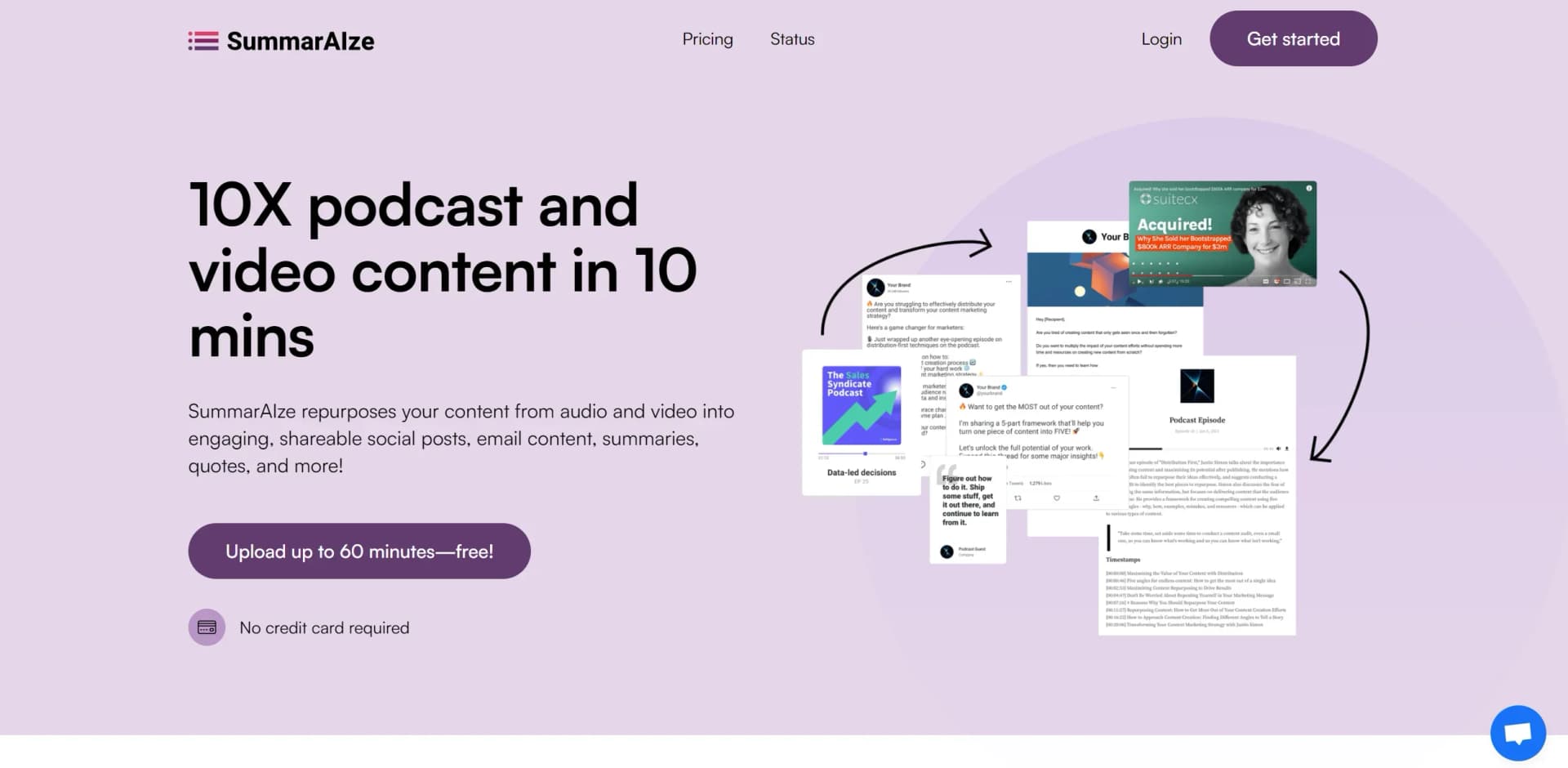
SummarAIze is a cutting-edge AI tool designed to transform audio and video content into versatile, shareable formats. Whether you're a podcast host, a marketer, or a content creator, SummarAIze simplifies the repurposing of content into engaging social media posts, email newsletters, and more. It provides an efficient solution for anyone looking to maximize their content's reach without the manual labor typically involved.
SummarAIze stands out with its ability to transform complex audio and video content into multiple formats with ease. This tool is a game-changer for content marketers and creators, allowing them to meet the ever-growing demand for fresh, engaging content across all distribution channels.
SummarAIze offers a robust solution for anyone looking to expand their content's impact. By efficiently repurposing audio and video into various formats, it saves time and enhances productivity, making it an invaluable tool for podcasters, marketers, and content creators alike. Whether you're looking to streamline your workflow or increase your content's reach, SummarAIze provides the tools you need to succeed.
Who is Using SummarAIze?
Podcasters
Utilizing the tool to repurpose episodes into various content forms for broader audience engagement.
Content Marketers
Leveraging the AI to create diverse marketing materials from a single piece of content, enhancing campaign efficiency.
Social Media Managers
Employing the tool to generate consistent, engaging posts across platforms like LinkedIn and Twitter.
Educators
Using SummarAIze to transform lectures and webinars into educational content and summaries.
Uncommon Use Cases
Adopted by event organizers to create promotional content from recorded events; Used by researchers to transcribe and summarize interviews.
Key Features
Rating Breakdown
Pricing Plans
Free Tier
Free
- Experience SummarAIze with a free trial that allows repurposing up to 60 minutes of content
Pro Tier
- Detailed pricing
- Please refer to the official SummarAIze website
Which SummarAIze plan should you pick?
Start with Creator for solo or occasional repurposing, upgrade to Content Manager for higher monthly volume and team use, and choose Business for agencies or high-volume workflows.
Creator
Good for solo creators and side projects needing 350 credits per month, brand kits, templates, and Ask SummarAIze.
Content Manager
Good for marketers, podcasters, and small teams needing 800 credits per month and faster support.
Business
Good for agencies and high-volume repurposing needing 2,500 credits per month, priority support, and early feature access.
SummarAIze Use Cases
Podcast repurposing
Upload a podcast recording and generate show notes, blog posts, social posts, captions, and clips.
Outcome: Multiple publishable assets from one episode.
Webinar content creation
Process a webinar recording into summaries, timestamps, quotes, newsletters, and social content.
Outcome: A webinar becomes reusable marketing content.
Meeting transcription
Upload Teams, Zoom, or other meeting recordings to create transcripts, notes, action items, and content assets.
Outcome: Meeting recordings become searchable and shareable outputs.
YouTube optimization
Upload a video or provide a YouTube link to generate titles, descriptions, hashtags, and repurposed content.
Outcome: Ready-to-use YouTube SEO assets.
Cross-recording analysis
Use Ask SummarAIze across all uploads, selected uploads, or files within a brand kit.
Outcome: Insights and content generated from multiple recordings.
Workflow Ideas with SummarAIze
Podcast-to-content workflow
- 1Set up a brand kit with tone, audience, keywords, and writing rules.
- 2Upload the podcast file and select the desired templates.
- 3Review and export the generated posts, blog, newsletter, transcript, and clips.
Meeting-to-action-items workflow
- 1Upload a meeting recording or paste its supported video link.
- 2Confirm speaker names, keywords, target audience, and language.
- 3Use Ask SummarAIze to extract summaries, timestamps, quotes, and action items.
Multi-episode newsletter workflow
- 1Upload the relevant recordings to SummarAIze.
- 2Open Ask SummarAIze and select all uploads or a filtered group.
- 3Request a newsletter or summary article based on the selected recordings.
How SummarAIze fits into your stack
Browser
SummarAIze is used through its web application: users upload recordings, review generated assets, refine content with Ask SummarAIze, and share results from a central dashboard.
Knowledge and files
The product processes audio and video recordings uploaded directly or imported from Google Drive, Dropbox, Zoom, and YouTube. It produces speaker-aware transcripts, timestamps, captions, summaries, and other assets.
Docs and writing
SummarAIze turns recordings into written deliverables such as blog posts, newsletters, social posts, titles, SEO descriptions, and captions. Brand kits and custom templates apply voice, audience, keywords, and writing rules.
Pros
- +Versatile Content Creation: Enables users to turn a single piece of content into multiple formats, significantly expanding its potential reach.
- +Time-Saving: Reduces content repurposing time from days to minutes, freeing up valuable resources for other tasks.
- +No Credit Card Needed for Trial: Offers a free trial with up to 60 minutes of content repurposing, making it easy to test its capabilities without financial commitment.
- +Trusted by Industry Leaders: Used by top podcasts and companies, ensuring a reliable and reputable service.
Cons
- −Initial Setup Details Required: Users must provide specific details like speaker names for optimal accuracy, which can be a minor inconvenience.
- −Limited Free Usage: The free tier is restricted to 60 minutes, which may not suffice for users with extensive content needs.
Limitations & when to consider alternatives
Known limitations
- Free-trial upload limits. Free-trial users are limited to 2GB files and up to 60 minutes of content for testing.
- Plan-based processing limits. Creator includes 5 hours per month, Content Manager 10 hours, and Business 30 hours.
- One file at a time. Bulk uploads are not currently supported; the help center says the team is working on them.
- Ask SummarAIze cannot generate video clips. The Ask SummarAIze chat can create text assets, but its help article says video-clip generation is not currently available there.
- Manual review may be needed. SummarAIze notes that transcription accuracy is high but manual review may still be required for perfect results.
Look elsewhere when
- You need native mobile apps.
- You need a documented developer API.
- You need image analysis or image uploads.
- You need fine-tuning or model training.
How to Use SummarAIze
- 1
Set up a brand kit
Define your tone, audience, keywords, speaker names, and writing rules so generated assets stay on-brand.
- 2
Choose templates
Install or create templates for podcasts, webinars, interviews, social posts, blogs, newsletters, or other content formats.
- 3
Upload content
Open the Upload tab, select an optional brand kit, and upload an audio or video file or paste a YouTube link.
- 4
Confirm recording details
Review speaker names, keywords, target audience, and language before processing.
- 5
Review generated assets
Open the results page to inspect transcripts, summaries, social posts, blogs, emails, captions, timestamps, and clips.
- 6
Refine and share
Use Ask SummarAIze to request additional assets or revisions, then copy, download, or share results through a public link.
Who is SummarAIze For?
Podcasters
Convert podcast episodes into show notes, blog posts, social posts, transcripts, and clips.
Marketers
Repurpose webinars, interviews, speeches, and other recordings into promotional content.
Coaches and consultants
Turn coaching calls into summaries, actionable insights, and key takeaways.
Sales and customer-success teams
Extract insights from customer calls and training sessions.
Educators and trainers
Summarize lectures, training videos, and instructional content.
Frequently Asked Questions
What happens if I run out of credits?
You can upgrade your plan or buy a one-time credit pack to continue creating content.
How are credits used?
One credit equals one minute of transcription or one generated asset. Regeneration and Ask SummarAIze requests also use one credit.
How much content can I get per upload?
The amount depends on the installed templates. Each generated asset, such as a blog, caption, or clip, uses one credit.
Can I regenerate or refine content?
Yes. You can regenerate an asset or use Ask SummarAIze to customize the result.
Can I upload from cloud tools?
Yes. SummarAIze supports Google Drive, Dropbox, Zoom, and YouTube links.
Will I lose access to content if I cancel?
No. Previously generated content remains available after cancellation.
Community reviews
Be the first to share your experience.
Sign in to leave a review for SummarAIze.
SummarAIze Alternatives
Looking for alternatives to SummarAIze? Here are similar tools in the same category:
Learn to Master SummarAIze
With Skill Leap courses
Get in-depth training on SummarAIze and 50+ other AI tools with our expert-led video courses.
Start 7-Day Free Trial