Summarize Tech
Turn long YouTube videos into readable summaries before watching them.
Key Takeaways
- What it is
- Turn long YouTube videos into readable summaries before watching them.
- Pricing
- Freemium
- Best for
- YouTube URL Summaries
- Long-Form Video Support
- Example Summaries
- Rating
- 3.8/5
What is Summarize Tech?
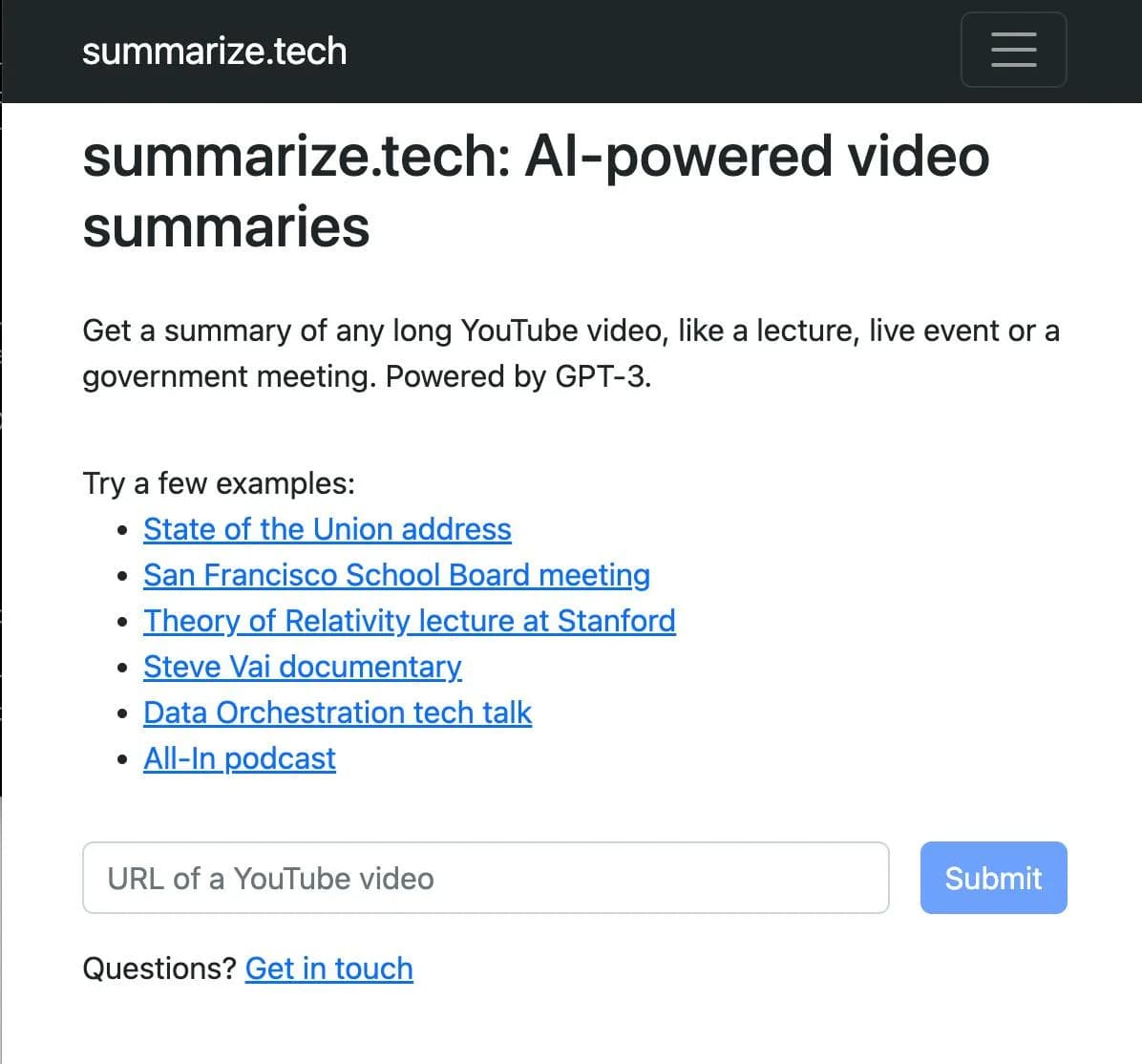
Summarize Tech turns long YouTube videos into readable text summaries. It is aimed at people who need the main ideas from lectures, live events, government meetings, documentaries, and technical talks without watching every minute. The workflow starts with a YouTube video URL and returns an AI-generated overview through a web page.
Its focus is unusually narrow: the service is built around summarizing online videos rather than handling a broad mix of documents, images, or uploaded files.
Summarize Tech fits students, researchers, professionals, and curious viewers who regularly face long YouTube recordings. It falls short when your source is a PDF, local video, or another website, so its value depends on how much of your work happens on YouTube.
Who is Using Summarize Tech?
Students
Lecture summaries give them a quicker way to review long educational recordings.
Researchers
Video summaries help them screen talks and discussions before spending time on full recordings.
Policy Analysts
Government meetings and public events provide a practical source for quick initial review.
Technical Professionals
Conference talks and technology presentations can be converted into readable notes for later reference.
Uncommon Use Cases
Screening documentary backlogs before choosing what to watch; reviewing long science lectures when time is limited
Key Features
Rating Breakdown
Pricing Plans
Free Tier
Free
- Access to the web-based video summarization service
Paid Tier
- Paid access for regular use
- Monthly billing
- Exact official plan name and price are unverified
Which Summarize Tech plan should you pick?
Start with Free Tier for occasional YouTube summaries and move to Pro Tier when you use the service often enough to justify a monthly subscription.
Free Tier
Good for occasional viewers who want to test AI summaries of long YouTube videos.
Pro Tier
Good for regular students, researchers, and professionals who summarize videos throughout the month.
Summarize Tech Use Cases
Lecture Review
Educational videos become short written overviews for faster study planning.
Outcome: A quicker way to identify the lecture's main ideas.
Meeting Screening
Government meetings and live events can be reviewed at a glance before watching the full recording.
Outcome: Less time spent deciding which sections matter.
Technical Talk Triage
Technology talks and conference-style videos can be checked for relevance before a full viewing.
Outcome: A readable first pass over dense material.
Documentary Discovery
Long documentaries can be summarized when you want the subject and major points before committing to the runtime.
Outcome: Faster decisions about what to watch.
Workflow Ideas with Summarize Tech
Screen a Video Backlog
- 1Copy a long YouTube video URL.
- 2Submit it to Summarize Tech.
- 3Read the summary and decide whether the full video is worth your time.
Prepare for a Lecture
- 1Find the recorded lecture on YouTube.
- 2Generate a summary before your study session.
- 3Use the overview to plan which parts need closer attention.
How Summarize Tech fits into your stack
YouTube research
Summarize Tech sits directly after YouTube in a video-review workflow. It turns a long recording into a text starting point.
Study and notes
Students and researchers can use the generated summary before deciding which parts of a lecture or talk deserve detailed notes.
Browser-based review
The service runs through its website, so it fits workflows that already begin with online video links rather than local files.
Pros
- +Focused workflow: The site keeps the path from YouTube link to written summary short.
- +Useful source types: Lectures, public meetings, live events, and technical talks are named examples.
- +Low setup burden: The main workflow happens in a web browser without a desktop installation.
- +Free access: A free tier lets viewers try the service before paying.
Cons
- −YouTube dependence: The service is built around online video URLs.
- −Narrow scope: It does not present itself as a general document or image summarizer.
- −Limited published detail: The public site provides little information about advanced controls or integrations.
Limitations & when to consider alternatives
Known limitations
- Online video focus. The official service describes its product as a way to summarize online videos with AI.
- Account information. The privacy policy says subscribers create a profile with an email address, username, and password.
- Limited security detail. The privacy policy mentions encryption, firewalls, and secure socket layer technology but does not name a specific encryption standard.
Look elsewhere when
- You need summaries for PDFs, images, or local video files.
- You need a native mobile or desktop application.
- Your workflow requires named third-party integrations or team workspaces.
How to Use Summarize Tech
- 1
Open the web service
Go to Summarize Tech in a browser because the public workflow is web-based.
- 2
Choose a long YouTube video
Pick a lecture, live event, meeting, documentary, or technical talk that you want to review faster.
- 3
Submit the video URL
Paste the YouTube link into the site's input so the service can process the online video.
- 4
Read the generated summary
Use the AI-written overview to understand the main subject and decide whether a full viewing is needed.
- 5
Create an account when required
The service uses an email address, username, and password for account-based access.
Who is Summarize Tech For?
Students
Recorded lectures and educational videos become easier to review before class or study sessions.
Researchers
Long talks and public discussions can be screened for relevance before closer review.
Professionals
Technical presentations, conferences, and public meetings can be reduced to a readable starting point.
YouTube Viewers
People with a backlog of long videos can get the central ideas before deciding what deserves a full watch.
Frequently Asked Questions
What does Summarize Tech summarize?
It summarizes online videos with AI, with the homepage highlighting long YouTube videos such as lectures, live events, and government meetings.
Is Summarize Tech free?
Yes. The published pricing includes a Free Tier, along with a paid Pro Tier.
How much does the Pro Tier cost?
The Pro Tier is listed at $9.99 per month.
Do I need an account?
The privacy policy says subscribers create a profile with an email address, username, and password.
Does Summarize Tech have a mobile app?
The confirmed service is its browser-based website. A native iOS or Android app could not be confirmed.
Community reviews
Be the first to share your experience.
Sign in to leave a review for Summarize Tech.
Summarize Tech Alternatives
Looking for alternatives to Summarize Tech? Here are similar tools in the same category: