Voilà
Context-aware AI help inside the webpages and apps you already use.
Key Takeaways
- What it is
- Context-aware AI help inside the webpages and apps you already use.
- Pricing
- Freemium · $8 per month · $16 per month · $16 per seat per month
- Best for
- Web Access
- Custom Actions
- Gmail Assistance
- Rating
- 4.2/5
What is Voilà?
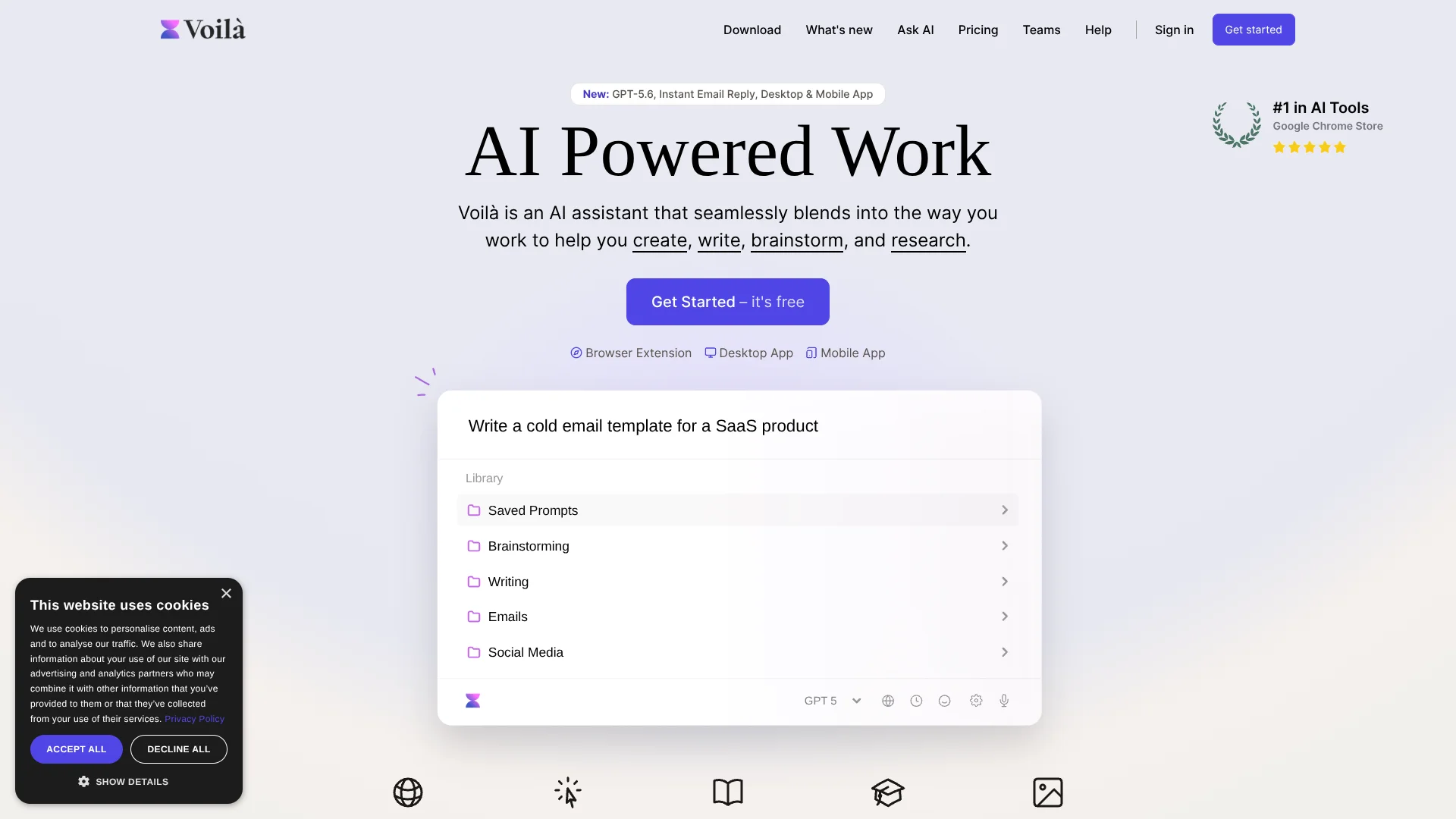
Voilà brings AI into the webpages, email threads, documents, and desktop apps where work already happens. It can summarize a page, rewrite selected text, draft an email, answer questions with web access, or turn source material into new content. Its browser extension, desktop app, and web experience make it useful for writing, research, marketing, and daily knowledge work.
Voilà can turn a custom prompt into an action that sends structured information to Zapier, Make.com, Google Calendar, Buffer, or another webhook-connected service. That lets a writing or research request trigger a practical follow-up step, such as preparing a calendar event or scheduling social content.
Voilà fits people who want quick help inside their existing browser and apps rather than a separate chat window. Its strongest use is context-aware help while you work.
Who is Using Voilà?
Content marketers
Campaign, blog, landing page, social, and SEO prompts reduce the time from a blank page to a usable draft.
Recruiters
Resume, cover letter, job description, and recruiting email templates support hiring content and candidate communication.
Sales professionals
Email replies, customer-facing copy, case studies, and business cases help keep outreach and proposals moving.
Product managers
Project charters, release notes, user guides, and research summaries turn product information into working documents.
Knowledge workers
The browser extension answers questions about webpages, documents, messages, and selected text without leaving the current task.
Uncommon Use Cases
Create Google Calendar events through a Make.com workflow; turn a webpage into a blog post or a YouTube video into structured content.
Key Features
Rating Breakdown
Pricing Plans
Free
Free
- 250 free requests
- Summarization
- Chat with Webpages
Premium
$8 per month
- 3,000 requests per month
- Auto AI model with GPT-5.6 and GPT-5 mini
- Web access
- Chat with YouTube videos
- Generate images
Ultimate
$16 per month
- Unlimited requests
- GPT-5.6 and GPT-5 mini
- Chat with Documents
- Chat with Images
- Early access to new features
- GPT-5.6 fair-use policy provides about 500,000 words per month before additional requests use GPT-5 mini
Teams & Businesses
$16 per seat per month
- Starting at $16 per seat per month
- Shared workflows and prompts
- Unlimited requests
- Privacy and data security
- Works in any language
Which Voilà plan should you pick?
Start with Free to test webpage help, choose Premium for live web research and regular content work, and move to Ultimate when you need document or image chat and unlimited requests.
Free
Good for occasional webpage summaries and a light trial with 250 requests.
Premium
Good for regular writing, research, YouTube summaries, web access, and image generation within 3,000 monthly requests.
Ultimate
Good for heavier use that requires unlimited requests, document chat, image chat, and early feature access.
Teams & Businesses
Good for groups that need shared workflows, shared prompts, unlimited requests, and team-focused privacy controls.
Voilà Use Cases
Email drafting
A full Gmail thread gives Voilà enough context to propose a reply or improve a message before it is sent.
Outcome: Faster, more consistent email responses.
Web research
Live web access gathers current information, summarizes relevant pages, and presents source links.
Outcome: A quicker first pass through current research.
Content repurposing
A webpage, URL, or video transcript becomes a summary, blog post, quiz, social post, or other requested format.
Outcome: More usable content from existing material.
Document and image analysis
Supported files and images can be read for summaries, extracted information, translation, or discussion.
Outcome: Key information pulled from source files.
Automated business actions
A Custom Action can collect approved details and send them to Make.com, Zapier, a custom API, or another webhook.
Outcome: A repeatable task that continues beyond the AI response.
Workflow Ideas with Voilà
Research to brief
- 1Open a source page or ask Voilà to search the web.
- 2Run a saved action that extracts the main points and sources.
- 3Turn the result into a brief, outline, or client-ready summary.
Email to calendar
- 1Open the relevant Gmail thread.
- 2Have Voilà extract the meeting details into a Custom Action.
- 3Send the approved details through Make.com to Google Calendar.
Content to social post
- 1Provide a webpage, document, or topic as context.
- 2Run a Custom Action that drafts platform-specific posts and an optional image.
- 3Send the approved output to a social publishing workflow through a webhook.
How Voilà fits into your stack
Browser and email
Voilà sits beside webpages and Gmail, using the current page or email thread as context for writing, summaries, and replies.
Documents and files
Ultimate users can chat with supported PDFs, office files, text files, spreadsheets, and images, with up to three files at a time.
Writing and content
The prompt library, saved prompts, writing actions, and Personas support repeatable production for marketing, product, recruiting, and business content.
Automation
Custom Actions can send information through webhooks to Zapier, Make.com, custom APIs, and connected services.
Desktop work
The Windows and macOS apps provide Quick Actions, keyboard shortcuts, screenshot capture, and access to Voilà from other desktop applications.
Pros
- +Context-aware help: Works with the current webpage, selected text, email thread, or desktop app.
- +Useful free tier: Includes 250 requests plus webpage summarization and webpage chat.
- +Practical automation: Custom Actions can pass approved information to webhooks and no-code automation tools.
- +Broad access: Available through browser extensions, Windows and macOS desktop apps, and a mobile web experience.
- +Privacy controls: The company says content and AI conversations are not stored on its servers or used to train the AI.
Cons
- −Mobile access: The mobile experience is presented as a home-screen web app rather than a confirmed native iOS or Android app.
- −Plan limits: Premium includes 3,000 requests per month, while document and image chat is reserved for Ultimate.
- −No public developer API: Automations rely on Custom Actions, webhooks, or third-party automation services.
Limitations & when to consider alternatives
Known limitations
- File size and count. Voilà supports up to three attachments at a time, with a maximum size of 2.5 MB per file.
- Supported file types. Document chat supports PDF, DOCX, XLS, XLSX, CSV, XML, JSON, YAML, YML, TXT, MD, and HTML files.
- Web Access plan restriction. Web Access is available only on the Premium and Ultimate plans.
- Request allowances. The Free plan includes 250 requests, Premium includes 3,000 requests per month, and Ultimate includes unlimited requests subject to the GPT-5.6 fair-use policy.
Look elsewhere when
- You need a public developer API with documented endpoints and API keys.
- You need a confirmed native iOS or Android app from an app store.
- Your files regularly exceed three attachments or 2.5 MB per file.
- Your team requires documented SSO or SAML controls.
How to Use Voilà
- 1
Install the right access point
Add the browser extension for Chrome, Firefox, Edge, Brave, or Safari, or install the Windows or macOS desktop app.
- 2
Open Voilà in context
Use the toolbar, keyboard shortcut, context menu, or desktop shortcut while viewing the page, text, email, or app you want to discuss.
- 3
Choose a starting action
Pick a prompt from the library for common writing and research tasks, or enter a request in the chat.
- 4
Add source material
Provide the current page, a URL, YouTube video, document, image, or selected text when the answer depends on specific material.
- 5
Save repeatable work
Create a Custom Action with instructions, variables, and template tags such as {PAGE}, {DATE}, or {CLIPBOARD}.
- 6
Connect an approved follow-up
Add a webhook URL when the action needs to pass structured information to Zapier, Make.com, Google Calendar, or another service.
Who is Voilà For?
Writers and editors
Inline rewriting, grammar fixes, translation, summaries, and email drafting support content work in place.
Marketers
Prompt templates cover ad campaigns, landing pages, blog posts, social content, SEO, and product descriptions.
Researchers and analysts
Web Access, webpage chat, YouTube summaries, and document analysis help turn scattered sources into usable notes.
Product and UX teams
The prompt library includes product development, UX, project charters, user guides, and release notes.
Teams and businesses
Shared workflows, shared prompts, unlimited requests, and multilingual support are available through the team offering.
Frequently Asked Questions
Does Voilà have a free plan?
Yes. The Free plan costs $0 and includes 250 requests, summarization, and chat with webpages.
How much does Voilà Premium cost?
Premium costs $8 per month and includes 3,000 requests per month, web access, YouTube chat, and image generation.
What does Voilà Ultimate add?
Ultimate costs $16 per month and adds unlimited requests, document chat, image chat, and early access to new features.
Can Voilà read PDFs and images?
Yes. Voilà can chat with supported documents and images, summarize them, extract information, and discuss their contents.
Does Voilà connect to other apps?
Yes. Custom Actions can connect to Zapier, Make.com, custom APIs, and external services through webhooks. The help center gives Google Calendar and Buffer workflows as examples.
Does Voilà support multiple languages?
Yes. Voilà can answer questions and draft documents in all languages.
Community reviews
1 review from people who use Voilà.
Sign in to leave a review for Voilà.
Lane Wood
Voilà Alternatives
Looking for alternatives to Voilà? Here are similar tools in the same category: