
Embra
Optimize workflows, automate tasks, enhance team productivity.
Key Takeaways
- What it is
- Optimize workflows, automate tasks, enhance team productivity.
- Best for
- Global Shortcut Access
- Private Team Usage
- Comprehensive Integration
- Rating
- 4.6/5
What is Embra?
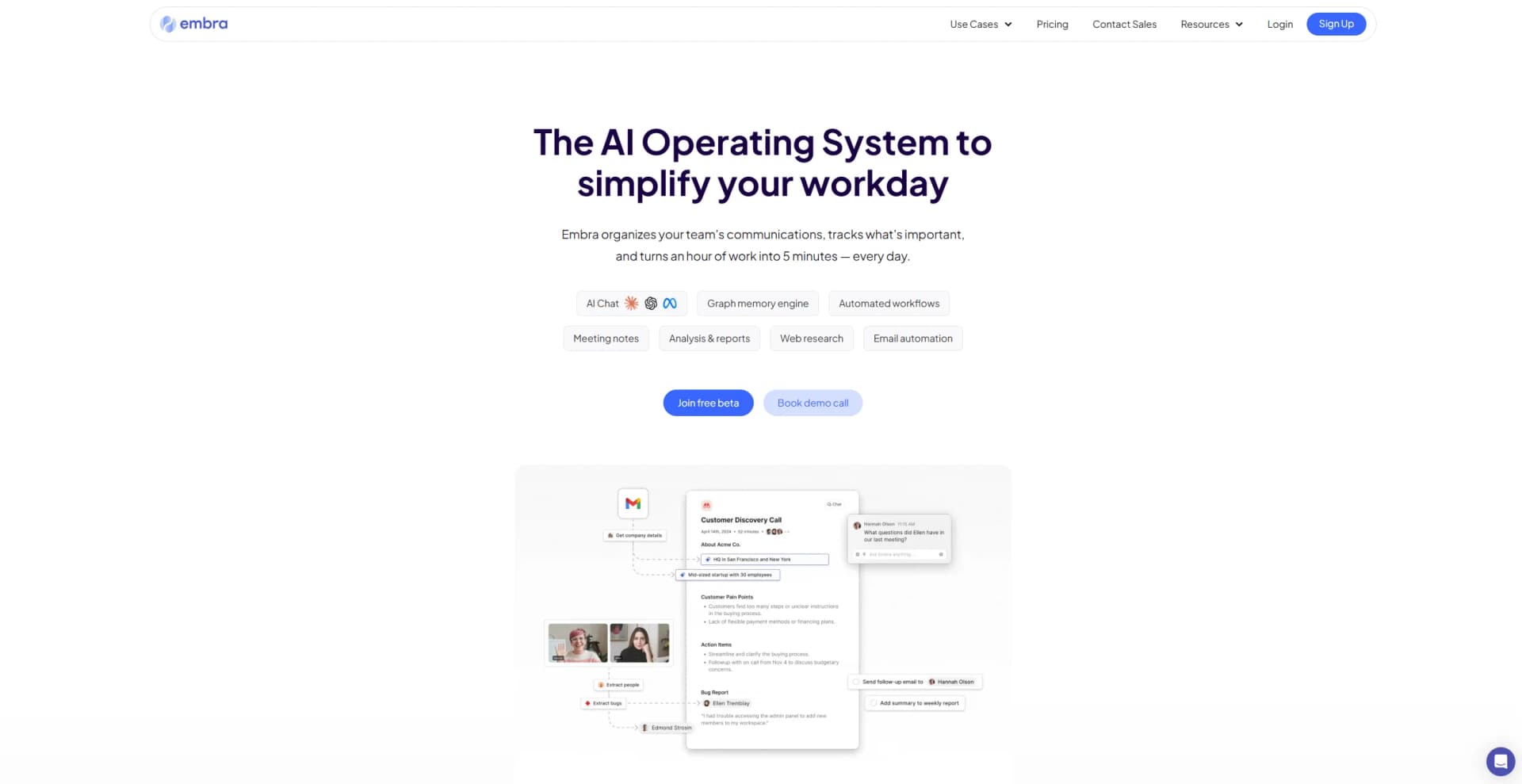
Embra is an advanced AI assistant designed to optimize workflows and boost productivity for teams and professionals. It integrates seamlessly with existing systems and data, providing a versatile solution for managing tasks and automations. Available on MacOS, web, and mobile platforms, Embra offers flexibility and accessibility across different work environments.
Embra distinguishes itself through its highly customizable and integrative capabilities. Unlike many AI assistants that offer rigid solutions, Embra adapts to specific user needs and workflows, making it a versatile tool for a variety of professional settings.
Embra excels in providing a highly adaptable AI-powered solution for professionals and teams. Its customizable integrations and commands offer a significant advantage in automating and enhancing daily operations. With strong performance, flexibility, and integration capabilities, Embra is a valuable tool for boosting productivity and streamlining workflows.
Who is Using Embra?
Startups and Scaling Businesses
Helps manage rapid growth and adapt to evolving operational demands.
Consultants and Freelancers
Streamlines management of multiple clients and projects.
Corporate Teams
Enhances productivity and collaboration across various departments, from sales to support.
Uncommon Use Cases
Used by educational institutions for administrative tasks and classroom management, and by NGOs to improve outreach and internal communications.
Embra is suitable for a wide range of users, including
Key Features
Rating Breakdown
Pricing Plans
Beta Access
- Embra is currently in beta and offers access to users for testing and feedback
Embra Use Cases
Take notes from meetings
Record and transcribe meetings, then produce customizable notes, summaries, and action items.
Outcome: Meeting information becomes searchable and actionable.
Automate sales follow-up
Use meeting context to draft follow-up emails and schedule next steps after calls.
Outcome: Sales representatives spend less time on post-meeting administration.
Research companies
Generate company briefs covering areas such as company size, funding, leadership, competitors, and market context.
Outcome: Users enter sales conversations better prepared.
Turn feedback into product decisions
Connect customer conversations, identify recurring themes, and generate product documents such as PRDs and competitive analyses.
Outcome: Product insights move more quickly from conversations into product operations.
Prepare for the workday
Use Embra's connected memory across meetings, email, CRM, and other work data to surface relevant context.
Outcome: Users can begin the day with a consolidated view of priorities and information.
Workflow Ideas with Embra
Sales call to follow-up
- 1Record and transcribe the sales call
- 2Generate structured notes and identify objections
- 3Draft a contextual follow-up email and schedule next steps
Customer feedback to product update
- 1Centralize customer calls and product conversations
- 2Extract recurring themes and organize feedback
- 3Draft product documents and log bugs or roadmap items
Prospect research to CRM context
- 1Capture a prospect or company from the browser
- 2Generate a research brief covering company and competitive context
- 3Save the relevant information to the workspace or CRM
How Embra fits into your stack
Chrome and Gmail
Enhances productivity by integrating directly within the browser and email platforms.
Zoom Integration
Simplifies meeting management by connecting directly with Zoom.
File Management
Securely upload and sync files for convenient access and manipulation.
API Access
Provides API options for custom integrations and extended functionality.
Pros
- +Time Efficiency: Automates and streamlines repetitive tasks, significantly reducing the time spent on complex processes.
- +Customizable Commands: Users can create and distribute tailored AI commands to meet specific needs, enhancing functionality.
- +Seamless Integration: Works smoothly with commonly used platforms, improving productivity without requiring workflow disruptions.
- +Scalable Automation: Features like the Workflow Builder allow for scalable automation solutions that adapt to growing team needs.
Cons
- −Beta Phase Limitations: Some features, such as the Workflow Builder, are still in development, which might limit immediate functionality for some users.
- −Platform Availability: Currently available primarily for MacOS, which may restrict access for users on other operating systems.
- −Learning Curve: The depth of features and customization options might necessitate a learning period for new users.
Limitations & when to consider alternatives
Known limitations
- The full product is paid. The free Meeting Copilot is limited compared with the full Embra product, which uses paid plans for broader memory features.
- The free trial is time-limited. The terms state that new users receive a seven-day free trial and are charged according to the selected subscription afterward.
- Mac app availability is emphasized. The site specifically promotes downloading a Mac app; users without a Mac are directed to the web and phone experience.
- AI output may require review. Generated notes, reports, emails, and analyses can require user review before being shared or acted upon.
Look elsewhere when
- You need a documented developer API with public endpoints and API keys.
- You need a native iOS or Android application.
- You need SSO or SAML for enterprise authentication.
- You need image analysis or vision input.
How to Use Embra
- 1
Embra offers a range of tutorials and resources to help users get started and make the most of its features, from basic setup to advanced customization.
Who is Embra For?
Sales teams
Embra helps sales teams capture meeting context, research prospects, draft follow-ups, and track deals.
Product teams
Product teams can centralize customer conversations, identify feedback trends, draft PRDs, and organize roadmaps.
Researchers
Embra supports user research and company research by organizing conversations and generating insight reports.
Management and operations teams
The site positions Embra as a way to streamline workflows, decision-making, follow-ups, and shared business knowledge.
Frequently Asked Questions
Who has access to my data?
Memories created with Embra are saved within your Workspace, and you control what is shared or kept private.
Does Embra sell any of my data?
Embra says it does not sell your data and makes it accessible only to you.
Is Embra free?
The Meeting Copilot is free to get started with, while the full product uses paid plans with additional memory features.
What does Embra do for sales teams?
Embra takes meeting notes, drafts follow-up emails, updates CRM records, researches companies, and automates next steps.
What does Embra do for product teams?
It centralizes product conversations, organizes customer feedback, drafts product documents, and automates product operations.
Community reviews
Be the first to share your experience.
Sign in to leave a review for Embra.
Embra Alternatives
Looking for alternatives to Embra? Here are similar tools in the same category:
Learn to Master Embra
With Skill Leap courses
Get in-depth training on Embra and 50+ other AI tools with our expert-led video courses.
Start 7-Day Free Trial