Notion AI
Enhance productivity with AI-driven content generation and analysis.
Watch Notion AI in Action
Key Takeaways
- What it is
- Enhance productivity with AI-driven content generation and analysis.
- Pricing
- $8 per member per month
- Best for
- Integrated AI Assistant
- Content Generation and Editing
- Multisource Search
- Rating
- 4.5/5
What is Notion AI?
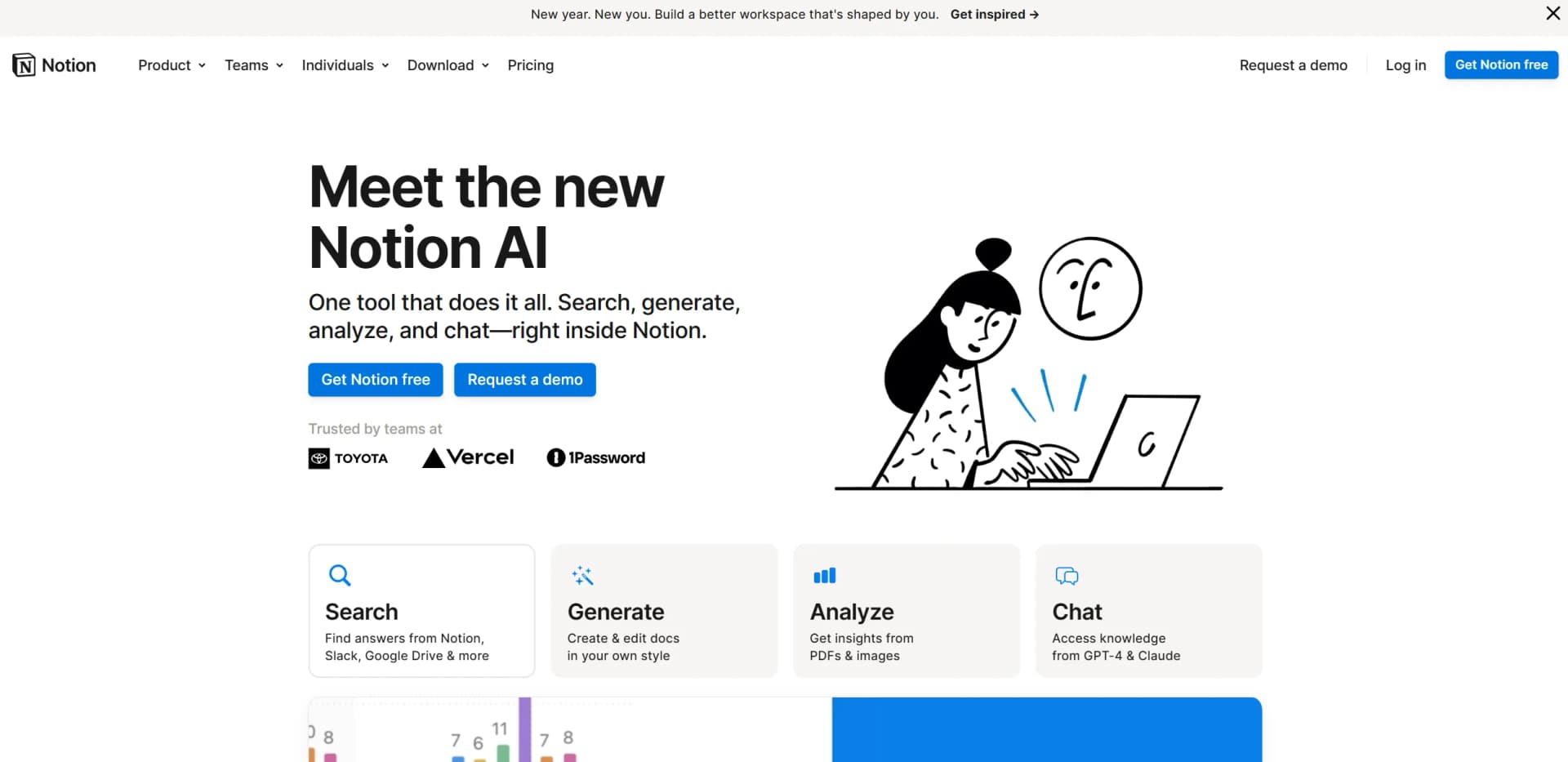
Notion AI is an innovative AI-powered assistant integrated into the Notion platform, designed to enhance productivity and streamline workflows. This tool revolutionizes how individuals and teams manage information by seamlessly integrating AI functionalities such as searching, generating, analyzing, and chatting directly within Notion. Tailored for professionals and teams, Notion AI simplifies complex tasks by automating content generation, data analysis, and project management, making it an indispensable tool for enhancing productivity and collaboration.
Notion AI stands out with its all-in-one functionality, seamlessly integrating AI capabilities into daily workflows without the need for multiple applications. Its ability to search across various platforms, generate personalized content, and provide real-time insights within a single workspace sets it apart in the productivity tools market. Additionally, its focus on data privacy and security enhances its appeal to enterprise users concerned about information confidentiality.
Notion AI is a transformative tool for individuals and teams seeking to enhance their productivity and streamline their workflows. By integrating powerful AI capabilities directly into the Notion platform, it offers an unmatched blend of functionality, ease of use, and data security. Whether you're managing projects, generating content, or analyzing data, Notion AI provides the tools to do it efficiently and effectively, making it a standout choice in the realm of AI productivity tools.
Who is Using Notion AI?
Corporate Teams
Leveraging Notion AI for enhancing productivity in project management and team communication.
Freelancers
Using the tool to streamline content creation and client communication.
Educational Institutions
Employing Notion AI for organizing academic resources and facilitating collaborative projects.
Startups
Utilizing the AI for efficient knowledge management and operational scaling.
Uncommon Use Cases
Adopted by non-profit organizations to manage volunteer data and engagement; used by research groups for rapid literature analysis and synthesis.
Key Features
Rating Breakdown
Pricing Plans
Free Trial
- Experience Notion AI with a limited free trial to explore its capabilities
AI Add-On
$8 per member per month
- Billed annually or $12 per member per month billed monthly
Which Notion AI plan should you pick?
Start with Free to test Notion AI; upgrade to Business for full AI features and Enterprise for advanced security, identity, and administration.
Free
Good for individuals who need personal organization and want to try limited Notion AI capabilities.
Plus
Good for small teams and professionals who need collaboration, file uploads, and basic connections while retaining trial AI usage.
Business
Good for growing businesses that need included Notion AI, team collaboration, research, meeting notes, and advanced connections.
Enterprise
Good for larger organizations that need zero-retention AI processing, SAML SSO, SCIM, audit logs, domain management, and advanced controls.
Notion AI Use Cases
Write and improve documents
Draft, summarize, translate, brainstorm, and revise content directly inside Notion pages.
Outcome: More polished documents with less manual editing.
Analyze files and images
Upload PDFs, spreadsheets, presentations, ZIP files, or images and ask Notion AI to extract insights or create outputs.
Outcome: Faster understanding of mixed-format information.
Automate recurring team work
Create Custom Agents with schedules or triggers to answer questions, route tasks, and share updates.
Outcome: Recurring work continues without constant manual intervention.
Search connected knowledge
Ask questions across Notion and connected apps such as Slack, Google Drive, GitHub, and Microsoft Teams.
Outcome: Answers and reports without switching between tools.
Capture and summarize meetings
Use AI Meeting Notes to transcribe conversations, summarize decisions, and keep searchable meeting memory.
Outcome: Actionable meeting records stored with the rest of the workspace.
Workflow Ideas with Notion AI
Turn a PDF into a project brief
- 1Upload the PDF to Notion AI
- 2Ask Notion AI to summarize key points and extract decisions
- 3Request a one-page brief and project task list
Automate weekly project reporting
- 1Create a Custom Agent with a recurring schedule
- 2Have it gather updates from Notion and connected tools
- 3Configure it to share a concise project update with the team
Convert meeting notes into action items
- 1Start AI Meeting Notes during the meeting
- 2Review the generated transcript and summary
- 3Ask Notion AI to extract owners, deadlines, and next steps
How Notion AI fits into your stack
Browser
Notion AI runs inside the Notion web workspace, where users can chat, search, research, and complete tasks.
Docs and writing
AI blocks and inline editing help draft, rewrite, summarize, translate, and refine content directly inside Notion pages.
Knowledge and files
Research Mode searches workspace pages, uploaded PDFs, and connected sources including Slack, Google Drive, Jira, Zendesk, Asana, and GitHub.
Team chat and tickets
Notion AI can use connected Slack content and Custom Agents can answer questions, route tasks, and share project updates.
Automation and APIs
The Notion REST API, webhooks, database automations, Zapier, and Make support programmatic connections and multi-step workflows.
Pros
- +Seamless Integration: Notion AI's deep integration with the Notion platform eliminates the need to switch between multiple apps, saving time and reducing complexity.
- +Versatility: Supports multiple languages and can handle various document types, making it adaptable to different industries and user needs.
- +Enhanced Collaboration: Facilitates team communication and project updates, streamlining collaboration and ensuring everyone is on the same page.
- +Data Privacy: Notion AI emphasizes data security with encryption and compliance with GDPR and CCPA, ensuring user data is protected.
Cons
- −Learning Curve: While user-friendly, new users may require some time to fully understand and utilize all the advanced features.
- −Limited Free Features: The free trial does not include all functionalities, which may require users to subscribe for full access.
- −Dependence on Notion Ecosystem: To fully benefit from Notion AI, users need to be embedded within the Notion platform, which may not suit those using multiple disparate tools.
Limitations & when to consider alternatives
Known limitations
- AI access is limited on Free and Plus plans. Free and Plus users receive trial usage only; continued Notion AI access requires Business or Enterprise.
- Usage allowances can temporarily pause features. Business and Enterprise plans have six-hour and monthly allowances for certain AI features. Access may pause until usage refreshes or credits are used.
- Image generation has beta limits. Image generation and editing are limited to 10 actions per 24 hours and 30 actions per 30 days per user.
- Notion Agent cannot change permissions or workspace settings. The Agent cannot share pages, change permissions, manage billing or security settings, or manage workspace-level settings.
- There is no Linux desktop app. Notion provides downloadable Mac and Windows apps, but its help center states that Linux is not currently supported.
Look elsewhere when
- You need Linux desktop support.
- You need model fine-tuning or training jobs.
How to Use Notion AI
- 1
Create or open a workspace
Sign up for Notion and choose the Free plan or a paid workspace plan. Notion AI is built into the workspace rather than requiring a separate editor.
- 2
Open Notion Agent
Use the Agent from the sidebar or bottom corner to ask questions, create pages, edit databases, and handle multi-step tasks.
- 3
Provide context
Use page context, @-mentions, connected apps, web search, or uploaded files so Notion AI can work from relevant information.
- 4
Generate or edit page content
Highlight text and choose Edit with AI, or press Space on a new line to draft content directly in the page.
- 5
Use AI for databases
Ask Notion AI to create databases, views, properties, relations, summaries, keywords, and formulas.
- 6
Set up automation
On Business or Enterprise, create Custom Agents with triggers or schedules for recurring work; monitor usage and credits in workspace settings.
Who is Notion AI For?
Individuals
The Free plan is designed for individuals organizing personal projects, tasks, notes, and everyday information.
Small teams and professionals
The Plus plan is positioned for small teams and professionals who need collaboration and unlimited collaborative blocks.
Growing businesses
The Business plan is intended for growing businesses that want streamlined teamwork, Notion AI, and advanced integrations.
Larger organizations
The Enterprise plan targets organizations needing scalability, administrative controls, security, identity management, and advanced connections.
Engineering and product teams
Notion AI supports coding tasks, technical documentation, feedback analysis, project roadmaps, and connected-tool workflows.
Frequently Asked Questions
What is Notion AI?
Notion AI is integrated into the Notion workspace to help users unlock knowledge and complete tasks. It can edit reports, build task databases, search connected apps, and work through Notion Agent.
Which plans include Notion AI?
Notion AI is included with Business and Enterprise plans. Free and Plus users receive limited complimentary AI responses for trying the features.
What can Notion AI do inside pages?
It can summarize and translate pages, fix grammar, adjust length or tone, create outlines, draft emails and tables, brainstorm, and generate AI blocks.
Can Notion AI analyze files and images?
Yes. Users can upload PDFs, documents, spreadsheets, presentations, ZIP files, and images for analysis, summaries, extraction, cleanup, or recommendations.
What are Custom Agents?
Custom Agents automate recurring work for teams using triggers or schedules. They can answer questions, route tasks, and share project updates across connected tools.
What limits apply to Notion AI?
Business and Enterprise plans have six-hour and monthly usage allowances. Image generation in beta is limited to 10 generations or edits per 24 hours and 30 per 30 days.
Community reviews
3 reviews from people who use Notion AI.
Sign in to leave a review for Notion AI.
Schiba
Enrique Diaz-Infante
Jess Brant
Notion AI Alternatives
Looking for alternatives to Notion AI? Here are similar tools in the same category:
Learn to Master Notion AI
With Skill Leap courses
Get in-depth training on Notion AI and 50+ other AI tools with our expert-led video courses.
Start 7-Day Free Trial