
Trickle AI
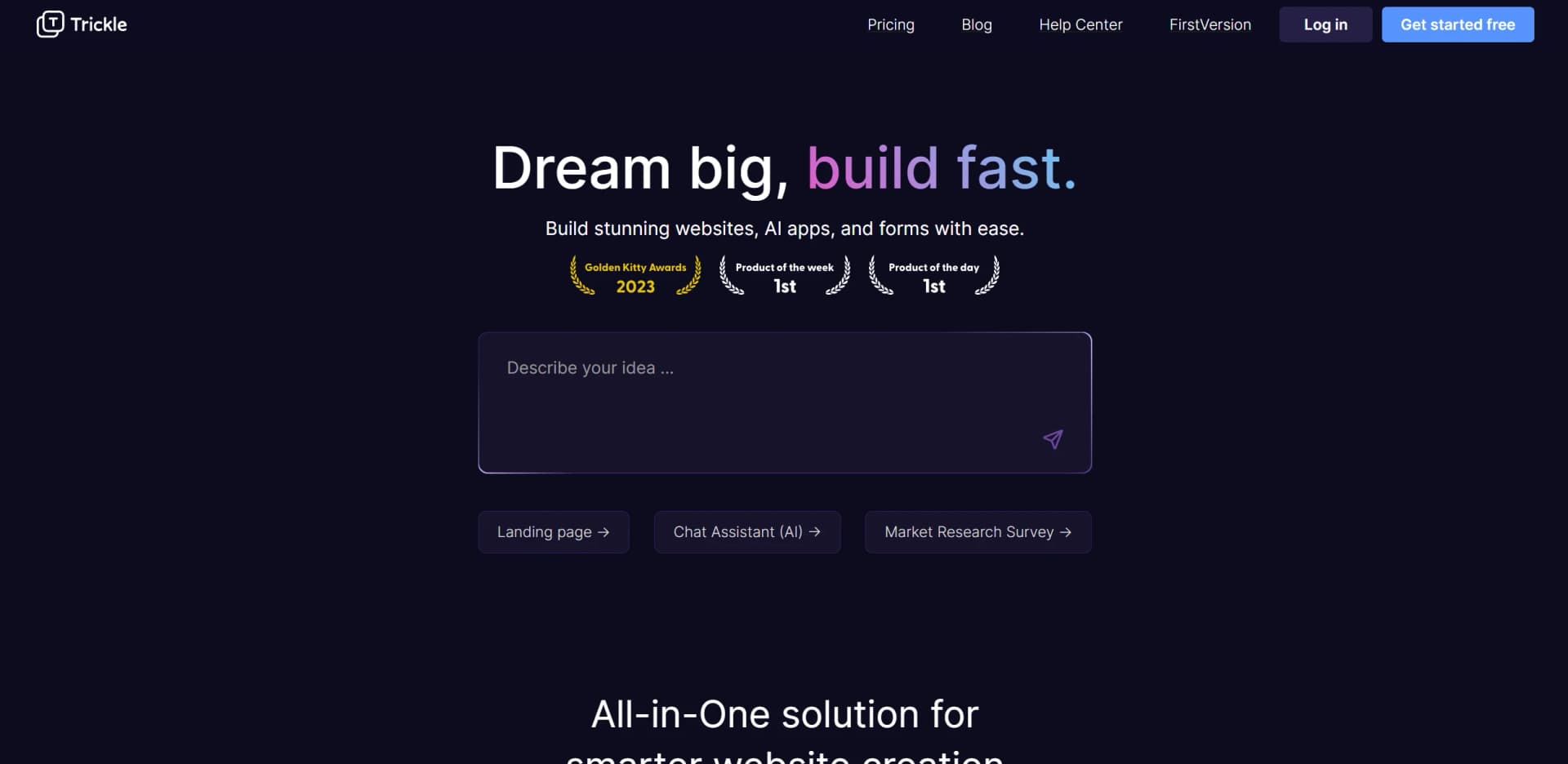
Effortlessly build AI-powered websites, apps, and forms.
Watch Trickle AI in Action
Key Takeaways
- What it is
- Effortlessly build AI-powered websites, apps, and forms.
- Pricing
- Freemium · $20 per month
- Best for
- AI-Powered Web Creation
- Seamless Data Management
- Design Flexibility
- Rating
- 4.6/5
What is Trickle AI?
Trickle is a groundbreaking AI tool designed to revolutionize the way websites, AI apps, and forms are built. By streamlining the creation process, it enables users to build stunning digital assets with remarkable ease. Designed for both novice creators and seasoned developers, Trickle simplifies complex tasks with its innovative AI-driven functionalities, making it an ideal solution for anyone looking to enhance their digital presence efficiently.
Trickle stands out with its seamless integration of AI in web development, a game-changer for creators who need to build sophisticated digital products quickly. Its ability to manage everything from design to deployment within a single platform sets it apart, providing users with a comprehensive and efficient development experience.
Trickle offers a robust platform for anyone looking to build and deploy AI-driven websites and applications with ease. Its intuitive design and powerful features make it a valuable tool for a wide range of users, from freelancers to educational institutions. With Trickle, creating a professional and dynamic online presence is not only possible but also remarkably straightforward.
Who is Using Trickle AI?
Freelance Developers
Leveraging Trickle to quickly create and deploy client websites and applications.
Small Business Owners
Utilizing the platform to establish a professional online presence without extensive technical knowledge.
Digital Agencies
Employing Trickle for efficient project turnaround and reduced overhead costs.
Educational Institutions
Using the tool to teach students web development and AI integration in a practical setting.
Uncommon Use Cases
Adopted by artists for creating interactive portfolios; Used by non-profit organizations for building informative, AI-driven survey platforms.
Key Features
Rating Breakdown
Pricing Plans
Free Tier
Free
- Experience Trickle with a free trial to explore its capabilities
Pro Tier
$20 per month
- Offering enhanced features and support
Which Trickle AI plan should you pick?
Start with Free for experimentation and small projects; upgrade to Pro for private or unlimited projects and custom domains, or Premium for larger databases and higher credit capacity.
Free
Good for exploring Trickle, building up to 3 projects, and testing small apps with 100 database rows.
Pro
Good for creators who need private projects, unlimited projects, custom domains, and 1,000 database rows.
Premium
Good for larger projects needing 10,000 database rows, 10 trickle.host domains, and higher monthly credits.
Trickle AI Use Cases
Build a multi-page website
Describe required pages such as Home, Product Detail, About, and Contact, then let Trickle generate and connect them.
Outcome: A linked, publishable multi-page website.
Create a data-collection form
Specify fields such as name, email, and product, and ask Trickle to create the form and database fields.
Outcome: A working form with structured stored data.
Create a branded visual experience
Upload logos or images, add brand guidance, and instruct the AI where to place assets.
Outcome: A customized design using reusable brand assets.
Build an authenticated app
Connect Supabase and prompt Trickle to create login, signup, authentication, and database functionality.
Outcome: An app connected to Supabase authentication and data.
Add payments
Use Stripe Payment Links and optionally connect Stripe webhooks through Supabase Edge Functions.
Outcome: A Trickle app with payment and subscription flows.
Workflow Ideas with Trickle AI
Build and publish an app
- 1Enter a natural-language prompt in Canvas mode
- 2Add assets, rules, business knowledge, and database requirements
- 3Click Publish to launch the project
Create a branded website
- 1Upload logos or images to the Asset area
- 2Add brand guidelines and visual rules
- 3Ask Trickle to place and refine the assets across pages
Add authentication and data
- 1Connect a Supabase project
- 2Prompt Trickle to generate login, signup, and database features
- 3Run the generated SQL configuration in Supabase
How Trickle AI fits into your stack
Browser
Trickle runs as a visual Magic Canvas for creating, editing, and publishing websites, forms, and web apps directly from the browser.
Knowledge and files
Users can upload images and assets, then add product docs, brand guidelines, FAQs, and internal references as project context.
Automation and APIs
Trickle supports named integrations including Supabase, Stripe, and Three.js. Its app-building workflows can also define automation rules for triggers, notifications, and field updates.
Pros
- +Time Efficiency: Significantly reduces the time required to create and deploy web projects.
- +User-Friendly Interface: Intuitive design makes it accessible for users of all skill levels.
- +Cost-Effective: By consolidating multiple functionalities into one tool, it reduces the need for additional services.
- +Innovative AI Integration: Offers advanced AI capabilities directly out of the box, enhancing the functionality of projects without extra setup.
Cons
- −Initial Learning Curve: Users may need some time to fully explore and utilize all features.
- −Limited Customization for Advanced Users: While versatile, highly experienced developers might find customization options somewhat limited.
- −Dependence on Platform: Users are reliant on Trickle's ecosystem for hosting and domain management.
Limitations & when to consider alternatives
Known limitations
- Free-plan credit limit. The Free plan includes 70 daily credits, capped at 350 monthly credits.
- Free-plan project limit. The Free plan supports up to 3 projects.
- Free-plan database limit. The Free plan includes a database capacity of 100 rows.
- Custom domains are paid-plan features. Custom domains are listed on Pro and Premium, not on the Free plan.
- Mac-only companion download. The downloadable Trickle Capture companion requires macOS 12.3 or later.
Look elsewhere when
- You need a native mobile app today
- You need a browser extension today
- You need a public developer API
How to Use Trickle AI
- 1
Start in Canvas mode
Enter a natural-language prompt or upload an image reference so Trickle can generate an initial page and content.
- 2
Add assets and knowledge
Upload logos or images, then add brand guidelines, product documentation, FAQs, or internal references for more tailored output.
- 3
Define data requirements
Describe forms, collections, and fields; Trickle can create database structures for dynamic content.
- 4
Refine visually
Use Select to Edit and Move Element to change text, spacing, alignment, colors, and placement directly on the canvas.
- 5
Connect external services
Use documented Supabase, Stripe, Three.js, or Unsplash workflows when your project needs authentication, data, payments, 3D, or image assets.
- 6
Publish
When the project is ready, click Publish to launch the website or app with Trickle hosting.
Who is Trickle AI For?
Founders
Test concepts and turn ideas into working products without managing a full development team.
Designers
Create landing pages and visual experiences through a canvas with direct visual editing.
Marketers
Launch campaigns, waitlists, forms, and branded websites quickly.
Teams building internal tools
Create dashboards, forms, and lightweight internal applications with AI.
Nontechnical creators
Build and publish websites or apps using natural-language prompts rather than traditional coding.
Frequently Asked Questions
What is Trickle?
Trickle turns ideas into working websites, apps, forms, and internal tools through a visual AI canvas.
Who is Trickle for?
The pricing page names founders, designers, marketers, and teams creating internal tools as target users.
What can I build with Trickle?
Examples include websites, AI-powered forms, landing pages, internal tools, multi-page apps, quizzes, surveys, waitlists, and web apps.
How does Trickle use credits?
Free monthly credits are used first, followed by plan credits and then purchased add-on credits.
How can I see credit usage?
Each prompt displays its credit usage in the top-right corner of Trickle’s reply.
Can I publish projects?
Projects can be published directly from Magic Canvas, with website hosting included in all listed plans.
Community reviews
3 reviews from people who use Trickle AI.
Sign in to leave a review for Trickle AI.
BOB CHEN
lania kea
Peng Wu
Trickle AI Alternatives
Looking for alternatives to Trickle AI? Here are similar tools in the same category:
Learn to Master Trickle AI
With Skill Leap courses
Get in-depth training on Trickle AI and 50+ other AI tools with our expert-led video courses.
Start 7-Day Free Trial