Tilores
Explainable identity matching unifies customer records for risk and data teams.
Key Takeaways
- What it is
- Explainable identity matching unifies customer records for risk and data teams.
- Best for
- Real-Time Entity Resolution
- Explainable Matching Rules
- GraphQL API
- Rating
- 4.1/5
What is Tilores?
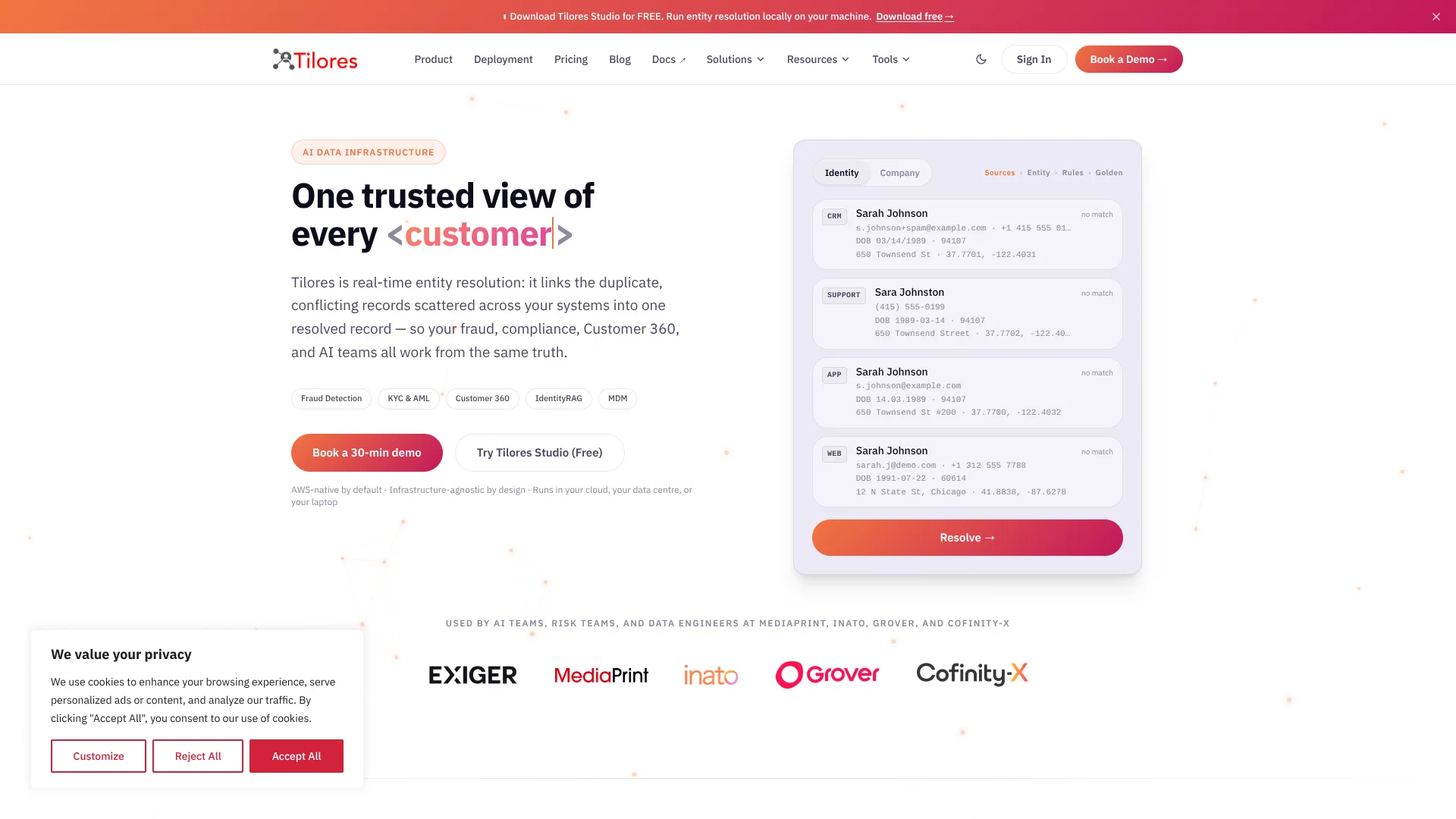
Tilores links duplicate or conflicting person and company records across systems into a live, queryable entity profile, giving risk, compliance, customer-data, and AI teams a consistent view of who or what each record describes. Its matching rules combine exact and fuzzy comparisons, then show why records were linked. That helps fraud checks, KYC reviews, and AI retrieval rely on cleaner identity data instead of separate, conflicting records.
Tilores Studio runs the entity-matching engine locally on your computer for up to 100,000 records, with no signup or cloud connection required. The matching rules you configure during evaluation carry over when you connect Studio to a production deployment.
Tilores fits data engineering and risk teams that need real-time identity matching, especially when customer or supplier data must stay in a controlled environment. It is infrastructure for your data and AI systems, not a chatbot or a finished fraud case-management tool, so teams need technical help to connect it and tune their matching rules.
Who is Using Tilores?
Data Engineer
A consistent entity graph helps connect customer or supplier records across source systems.
AI Engineer
IdentityRAG can retrieve a unified customer profile before an AI model generates a response.
Fraud Analyst
Linked records can reveal when multiple accounts or transactions may belong to the same entity.
KYC/AML Compliance Lead
Auditable links help teams screen a more complete, deduplicated customer profile.
Master Data Manager
Golden records combine matching data from multiple systems into a view teams can query.
Uncommon Use Cases
Resolve supplier identities for supply-chain risk checks; find a person's records across systems when handling a data-access request.
Key Features
Rating Breakdown
Pricing Plans
Production pricing
- The official pricing page requires a quote and does not publish a standard US price.
- Quotes are based on Unified Customer Records, deployment model, service-level needs, and support.
Tilores Studio Local Mode
- Free desktop evaluation with no signup or license key.
- Local mode supports up to 100,000 records per deployment.
Which Tilores plan should you pick?
Start with free local Studio to evaluate matching, then request a quote when you need a production deployment.
Tilores Studio Local Mode
Good for teams that want to test person or company matching on their own computer before deploying to production.
Production Deployment
Good for teams that need live entity resolution, with pricing scoped to record volume, deployment, service levels, and support.
Tilores Use Cases
Customer 360
A complete customer profile can bring together purchases, interactions, and support records held under different names or identifiers.
Outcome: A unified, current view of each customer across connected systems.
Fraud Detection
Related customer and transaction records can expose accounts that appear separate but may belong to the same person.
Outcome: More connected identity data for real-time fraud checks.
KYC and AML Screening
Deduplicated profiles give screening workflows a fuller set of information about each customer.
Outcome: Fewer fragmented records to reconcile during identity screening.
AI Retrieval with IdentityRAG
Before an AI application answers a customer question, IdentityRAG can retrieve a unified profile from connected sources.
Outcome: AI responses can draw on a more complete customer history.
Data Quality and Master Data Management
Continuous matching can identify duplicates as records arrive and resolve existing records across systems.
Outcome: More consistent entity data for analytics and operational systems.
Workflow Ideas with Tilores
Evaluate Person Matching Locally
- 1Download Tilores Studio for your desktop operating system.
- 2Load a sample dataset or your own CSV records.
- 3Inspect matched entities and the rules behind the links.
Give an AI App a Unified Customer View
- 1Ingest customer records from connected systems into Tilores.
- 2Resolve records into queryable entity profiles.
- 3Retrieve a unified profile through IdentityRAG before the AI application responds.
Find Duplicate Supplier Records
- 1Bring supplier records from source systems into Tilores.
- 2Set matching rules for the supplier fields your team relies on.
- 3Query resolved entities for risk or supply-chain workflows.
How Tilores fits into your stack
Data Sources
Tilores accepts records from systems such as Salesforce and HubSpot, databases such as Postgres and Snowflake, and files such as CSV, Parquet, and JSON.
Entity Resolution Layer
The engine normalizes fields, matches records, and assembles resolved entities as data arrives.
Applications and AI
Applications can query profiles through GraphQL, while IdentityRAG connects resolved customer data to AI workflows using LangChain and Amazon Bedrock.
Deployment Environment
The same engine can run on managed AWS, in your AWS account, in another cloud, or on-premise.
Pros
- +Local evaluation: Test matching on up to 100,000 records without sending the data off your computer.
- +Explainable links: Matching rules make it possible to inspect why records were grouped together.
- +Deployment choice: Run the engine on managed AWS, in your own cloud, or on-premise.
- +Production continuity: Studio's matching rules and API carry over from local evaluation to production.
Cons
- −Technical setup: Connecting sources and tuning rules calls for data engineering work.
- −Quote-based production pricing: The public pricing page does not give a standard production price.
- −Narrow scope: Tilores resolves entities, but it is not a complete CRM, fraud case-management system, or chatbot.
Limitations & when to consider alternatives
Known limitations
- Local record cap. Tilores Studio's free local mode is limited to 100,000 records per deployment.
- No separate REST API. Tilores's entity-resolution API uses GraphQL; systems that only support REST need an adapter in the integration layer.
- Production pricing requires a quote. The pricing page says production costs depend on data volume, deployment model, service-level needs, and support.
Look elsewhere when
- You need a native REST entity-resolution API.
- You need a mobile app or browser extension for day-to-day use.
- Your project needs a publicly listed production subscription price.
How to Use Tilores
- 1
Start with Tilores Studio
Download the desktop app for macOS, Windows, or Linux to evaluate matching locally without a cloud deployment.
- 2
Load sample or real records
Import a CSV dataset and test person or company matching; local mode supports up to 100,000 records.
- 3
Review the matched entities
Inspect linked records, golden records, and the reasons behind matches to assess whether the results fit your data.
- 4
Connect your production sources
For production, connect data sources such as Salesforce, HubSpot, or Snowflake, or send records through the API.
- 5
Choose where the engine runs
Select managed AWS, your own AWS account, another cloud, or on-premise based on your operating and data-residency needs.
- 6
Query resolved profiles
Use the GraphQL API or Studio's built-in explorer to retrieve entities for applications, analytics, and AI workflows.
Who is Tilores For?
Data Engineering Teams
A GraphQL API and connectors help them add entity matching to existing data systems.
AI Teams
Resolved customer profiles give AI applications a consistent identity layer to retrieve from.
Risk and Compliance Teams
Explainable matches can support fraud detection, KYC, AML, and sanctions-screening workflows.
Organizations with Data-Residency Needs
On-premise and private-cloud deployment options keep the engine within a chosen environment.
Frequently Asked Questions
Is Tilores free?
Tilores Studio is free to run locally, with a limit of 100,000 records per deployment. Connecting Studio to a production cloud deployment requires a cloud plan.
How much does production Tilores cost?
The official pricing page does not list fixed production prices. It says quotes depend on Unified Customer Records, deployment model, service-level needs, and support.
Can Tilores run inside my own environment?
Yes. Deployment options include your own AWS account, another cloud, and on-premise, as well as managed AWS.
Does Tilores have an API?
Yes. Tilores provides a GraphQL API for adding, searching, and querying entity data; it does not provide a separate REST API.
Which integrations does Tilores support?
The official site names prebuilt connectors for Salesforce, HubSpot, and Snowflake. It also describes integrations with LangChain and Amazon Bedrock for IdentityRAG.
Community reviews
Be the first to share your experience.
Sign in to leave a review for Tilores.
Tilores Alternatives
Looking for alternatives to Tilores? Here are similar tools in the same category: