Tenorshare AI
Task-specific AI for students, including photo-based math problem explanations.
Key Takeaways
- What it is
- Task-specific AI for students, including photo-based math problem explanations.
- Pricing
- $9.99 per month
- Best for
- AI Bypass
- AI Writer
- AI PDF and ChatPDF
- Rating
- 3.9/5
What is Tenorshare AI?
Tenorshare AI brings together web tools for different writing and study tasks, including rewriting AI-generated text, drafting with AI Writer, and asking questions about PDFs or Word documents. Students, writers, and working professionals can also solve math problems with step-by-step explanations or turn a topic into a presentation. The suite is useful when the task is clear and a focused tool can do it faster than a general chat.
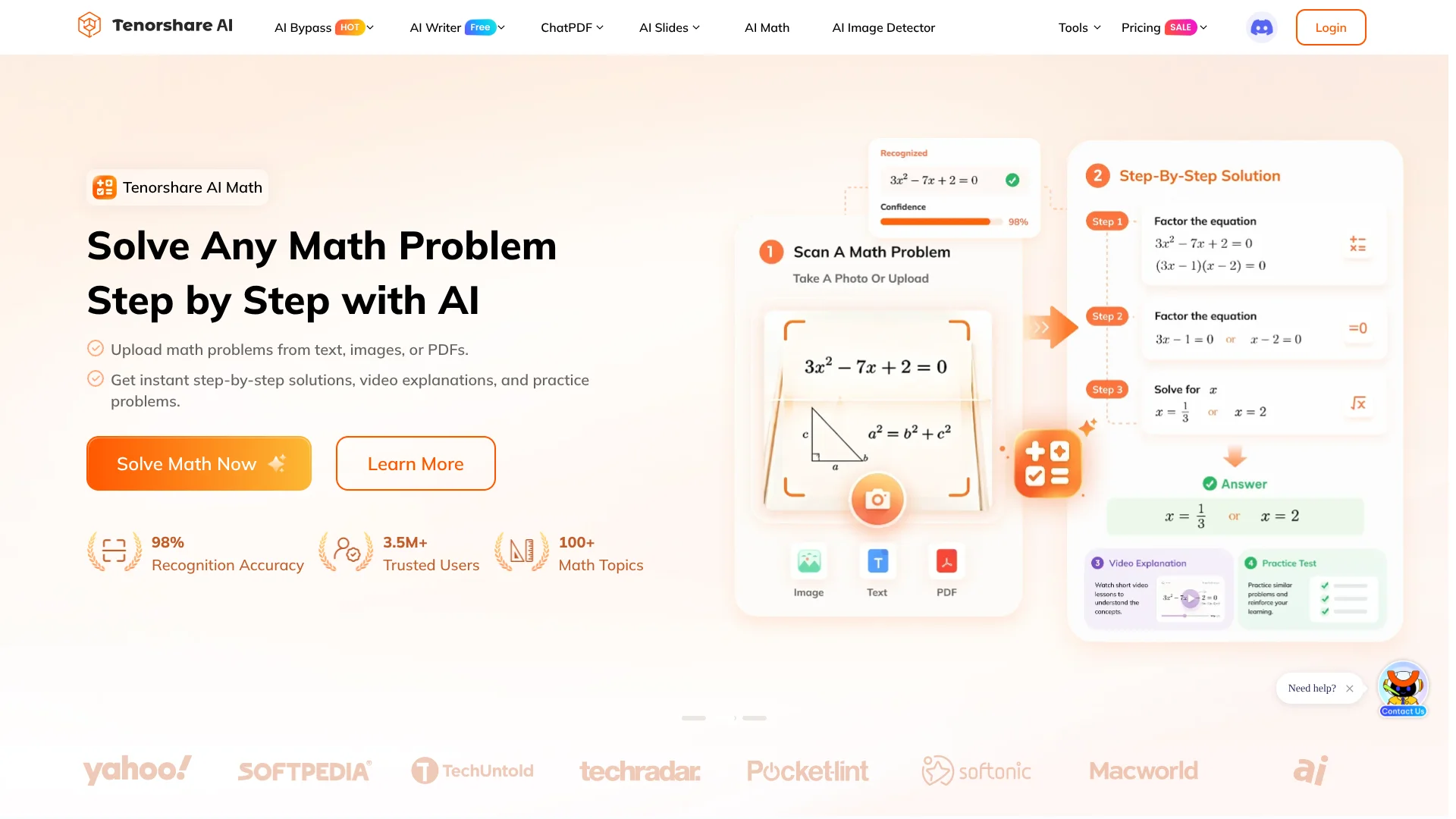
The unusual part is the dedicated AI Math workflow: it can read a question from a photo or PDF, show working, create a video explanation, and generate similar practice problems. That makes the math tool a learning aid, not only an answer generator.
Tenorshare AI suits people who want a collection of task-specific tools for writing, documents, math, and presentations. Its tools have separate usage limits and paid plans, so the suite is not one shared subscription with one set of features. Pick it when a particular tool matches your task, and check that tool’s limits before relying on it for regular work.
Who is Using Tenorshare AI?
Students
Review a math method with worked steps, then practice with similar questions.
Teachers and tutors
Prepare practice questions or use video explanations to review a math concept.
Content writers
Draft or revise text with AI Writer, then check readability and wording.
Researchers
Ask questions about PDF documents and pull out summaries or key points.
Marketing specialists
Develop written content and turn an outline into a presentation or visual.
Uncommon Use Cases
Turn class notes into a slide deck; create similar math problems for independent practice.
Key Features
Rating Breakdown
Pricing Plans
AI Math Pro Monthly
$9.99 per month
- Unlimited AI solutions, video lessons, practice tests, and quizzes.
- Includes AI study guides and exportable notes without a watermark.
- Annual option: $59.88 billed annually ($4.99 per month equivalent).
AI Slides Pro Monthly
$9.99 per month
- Unlimited AI credits and up to 30 slides.
- Export to PowerPoint and other formats without a watermark.
- Annual option: $59.88 billed annually.
Which Tenorshare AI plan should you pick?
Try the free version of the specific tool you need, then upgrade that product if its usage limits interrupt your work.
Free
Good for occasional use and testing a product’s core features within its free limits.
Pro - Monthly Plan
Good for regular AI PDF use when you need higher question, file, and page allowances.
Tenorshare AI Use Cases
Understand a math problem
A typed question, photo, or PDF can become a worked solution with a video explanation and related practice.
Outcome: A solution path and additional practice for the same skill.
Review a PDF
Questions about an uploaded document can help locate explanations and key information without reading every page first.
Outcome: Answers, summaries, and extracted insights from the document.
Prepare a presentation
A topic or existing notes can serve as the starting point for an AI-generated slide deck.
Outcome: A presentation that can be exported as PowerPoint, PDF, or images.
Polish a draft
AI Writer tools can help rephrase text, check grammar, or draft common formats such as emails.
Outcome: Revised text or a generated draft.
Visualize an idea
Diagrimo turns text into a diagram or infographic that can be customized with templates.
Outcome: A shareable visual representation of the idea.
Workflow Ideas with Tenorshare AI
Study from a math worksheet
- 1Enter a question or upload its photo or PDF.
- 2Review the worked solution and video explanation.
- 3Try similar practice problems to check your understanding.
Turn a document into a presentation
- 1Ask AI PDF or ChatDOC questions about the source document.
- 2Use the key points to prepare an outline or presentation prompt.
- 3Generate and export a slide deck with AI Slides.
Revise a piece of writing
- 1Draft or revise the text with an AI Writer tool.
- 2Check grammar and adjust phrasing for the intended audience.
- 3Review the finished version yourself before sharing or submitting it.
How Tenorshare AI fits into your stack
Browser-based tools
Tenorshare AI’s listed tools run through its website, so tasks such as writing, math help, and presentation creation happen online.
Documents and study materials
AI PDF and ChatDOC let users ask questions about supported documents. Upload and page limits depend on the product plan.
Writing and revision
AI Writer offers task-specific writing tools, while AI Bypass rewrites text and includes an AI detector.
Presentations and visuals
AI Slides creates decks from prompts or notes, and Diagrimo turns text into diagrams or infographics.
Pros
- +Focused study help: AI Math pairs worked solutions with video explanations and practice questions.
- +Useful document Q&A: AI PDF supports questions about uploaded files, with clear file and page limits on its plans.
- +Many writing templates: AI Writer covers more than 120 writing tasks, from grammar checks to email drafts.
- +Presentation exports: AI Slides can export decks to PowerPoint, PDF, or image formats.
Cons
- −Separate product plans: Features and prices are listed for individual tools, so costs can add up if you need several.
- −Usage caps vary: Free access and paid allowances differ by product, so one plan’s limits do not apply across the suite.
- −Humanizer results need review: Rewriting can change phrasing, and detector results should not be treated as a guarantee.
Limitations & when to consider alternatives
Known limitations
- AI PDF free limits. The free plan allows 30 questions per day, 3 files per month, up to 30 pages per file, and a 36 MB file-size limit.
- AI Math free limits. The free plan is limited to 5 questions per day, 3 video explanations per day, and limited practice tests.
- AI Slides free limits. The free plan provides limited AI credits, allows up to 15 slides, and exports with a watermark.
- AI PDF storage. Tenorshare says stored files may not always appear or remain accessible, and recommends keeping a copy on your own device.
Look elsewhere when
- You need a documented developer API or named third-party integrations.
- You need a native desktop or mobile app rather than browser-based tools.
- Your work requires a shared team workspace with user roles and invitations.
How to Use Tenorshare AI
- 1
Choose the specific tool
Start with AI Math, AI PDF, AI Writer, AI Bypass, AI Slides, or Diagrimo according to the task; their plans and limits are separate.
- 2
Provide the material
Enter text or, where supported, upload a document or image for the tool to process.
- 3
Review the result
Check explanations, summaries, rewritten text, or generated slides against your source and intended use.
- 4
Continue with the relevant feature
In AI Math, try video explanations or similar practice; in AI Slides, customize the deck and export it.
- 5
Check plan limits before regular use
Review the chosen product’s pricing page for its current file, question, word, or slide allowances.
Who is Tenorshare AI For?
Students
AI Math, document chat, writing tools, and presentation creation support homework and study tasks.
Writers
AI Writer and AI Bypass offer drafting, editing, and rewriting tools for different kinds of text.
Content creators
Writing templates, slides, and text-to-visual tools can help prepare material for publishing or presentations.
Professionals
PDF and DOC summaries, writing tools, and slide creation can help with routine document work.
Frequently Asked Questions
Is Tenorshare AI free?
Several tools offer free access, but the included features and usage limits vary by product.
Do all Tenorshare AI tools use the same subscription?
No. The official pricing pages list separate plans for products such as AI PDF, AI Math, and AI Slides.
Can AI Math read a photo of a problem?
Yes. AI Math accepts JPG, PNG, and WEBP images, as well as PDF files.
What can AI Slides export?
AI Slides can export presentations as PowerPoint files, PDFs, or images.
Can AI PDF handle large documents?
Its paid Pro plan lists a limit of 2,000 pages per file and a 36 MB file-size limit; the free plan allows 30 pages per file.
Community reviews
Be the first to share your experience.
Sign in to leave a review for Tenorshare AI.
Tenorshare AI Alternatives
Looking for alternatives to Tenorshare AI? Here are similar tools in the same category: