AI2sql
Transforms natural language into SQL queries effortlessly.
Watch AI2sql in Action
Key Takeaways
- What it is
- Transforms natural language into SQL queries effortlessly.
- Pricing
- Freemium · $9 per month
- Best for
- Natural Language Processing
- SQL Optimization
- Multi-Database Support
- Rating
- 4.6/5
What is AI2sql?
AI2sql revolutionizes the way we interact with databases by transforming natural language queries into precise SQL commands. Designed for data analysts, developers, and anyone involved in data management, AI2sql simplifies the process of creating, optimizing, and automating SQL queries without needing expert skills. This AI-powered tool not only saves time but also reduces errors, making database interaction more efficient and user-friendly.
AI2sql stands out with its ability to seamlessly translate natural language into SQL queries, a game-changer for users without SQL expertise. Its comprehensive suite of SQL tools, combined with AI-driven optimization, sets it apart in the realm of database management solutions.
AI2sql is a robust tool that empowers users to manage databases with AI precision and efficiency. Its ability to convert natural language into SQL queries, coupled with a suite of optimization and validation tools, makes it invaluable for data professionals and businesses alike. Whether you're a novice or an expert, AI2sql enhances your database interaction, saving time and reducing errors in the process.
Who is Using AI2sql?
Data Analysts
Streamlining the process of writing and optimizing SQL queries for data analysis tasks.
Software Developers
Utilizing the tool to quickly generate and refine database queries.
Business Intelligence Teams
Employing AI2sql to enhance data-driven decision-making processes.
Educational Institutions
Integrating the tool into curricula for teaching SQL and database management.
Uncommon Use Cases
Freelance data consultants leveraging the tool for client projects; non-profit organizations using it for data management and reporting.
Key Features
Rating Breakdown
Pricing Plans
Free Tier
Free
- Experience AI2sql with a free trial
Pro Tier
$9 per month
Which AI2sql plan should you pick?
Start with Start for basic query generation and limited usage, upgrade to Pro for connectors and desktop access, and choose Team when multiple users need shared queries and role-based access.
Start
Good for individuals who need basic SQL generation, explanations, syntax fixes, and up to 100 queries per month.
Pro
Good for daily SQL work requiring database connectors, advanced models, optimization, and desktop access.
Team
Good for groups that need five included users, shared query libraries, role-based access, and analytics.
AI2sql Use Cases
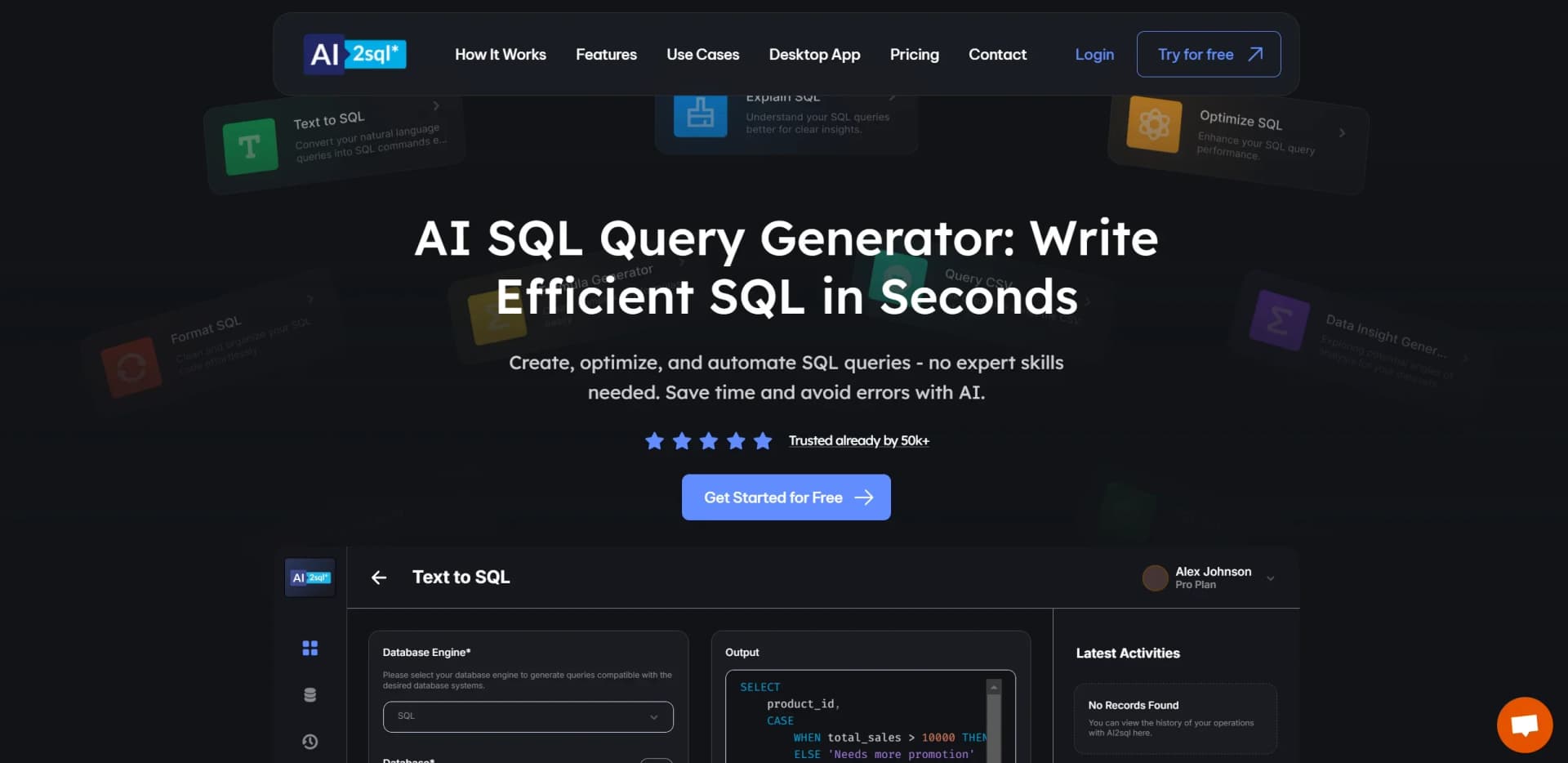
Natural-language SQL generation
Describe a data request in plain language and generate dialect-aware SQL.
Outcome: A query tailored to the selected database and schema.
SQL explanation and debugging
Paste an existing query to receive an explanation or fix syntax errors.
Outcome: Queries become easier to understand and correct.
CSV-to-SQL conversion
Upload or paste CSV data, choose a database dialect, and generate SQL statements.
Outcome: Database-ready CREATE TABLE or INSERT statements.
Slack SQL bot
Install the AI2SQL Slack bot and issue natural-language SQL requests with slash commands.
Outcome: Generated SQL is returned directly in Slack.
Live database querying
Connect a supported database, load its schema, generate a query, and run read-only SELECT statements.
Outcome: Query results are returned from the connected database.
Workflow Ideas with AI2sql
Generate and validate a database query
- 1Connect a supported database or provide schema context
- 2Describe the desired result in plain English
- 3Review, explain, optimize, and run the generated read-only query
Convert spreadsheet data into SQL
- 1Upload an XLS, XLSX, or CSV file
- 2Select the target database dialect and output format
- 3Download or copy the generated SQL
Answer data questions in Slack
- 1Install AI2SQL in the Slack workspace
- 2Authenticate with the AI2SQL account
- 3Use the SQL-generation command and receive the query in the channel
How AI2sql fits into your stack
Browser
AI2SQL is primarily a web-based SQL assistant: users describe database questions in plain English, generate SQL, explain or optimize queries, and run them against connected databases.
Desktop / IDE
The desktop app and local connector support Windows, macOS, and Linux, including databases hosted on localhost or private addresses. AI2SQL also has a Chrome extension for browser-based SQL work.
Automation and APIs
Teams can expose database querying to external applications and AI agents through AI2SQL’s REST API and governed MCP endpoint. The enterprise offering also describes automation agents for routine database-management tasks.
Team workspace
The Team plan provides multiple users, a shared query library, role-based access control, execution priority, and advanced analytics for shared SQL work.
Pros
- +Time Efficiency: Significantly reduces the time needed to generate and optimize SQL queries.
- +User-Friendly Interface: Intuitive design that caters to both beginners and experienced users.
- +Cost-Effective Solution: Helps lower operational costs by automating complex query creation and optimization tasks.
- +Error Reduction: Minimizes potential errors in SQL queries with AI-powered validation and correction features.
Cons
- −Initial Learning Curve: Some users may need time to familiarize themselves with the advanced features.
- −Dependency on AI Accuracy: Outputs may require verification due to potential AI model inaccuracies.
Limitations & when to consider alternatives
Known limitations
- Plan-based query limits. The Start plan provides 100 queries per month, while the Team plan provides 5 users and shared query features.
- Table limits on lower plans. The Start plan supports 10 tables and the Pro plan supports 50 tables; unlimited tables are listed for Team.
- Read-only database execution. The platform blocks INSERT, UPDATE, DELETE, DROP, other DDL, multi-statement input, and server-file-reading functions by default.
- Desktop connector scope. The desktop component supplies local database access while the assistant, query history, and saved queries remain in the browser.
- Desktop database coverage. The desktop connector documentation specifically lists SQL Server, PostgreSQL, and MySQL for local or private-network connections.
How to Use AI2sql
- 1
Create or sign in to an AI2SQL account
Start a trial or select a plan, then use the account for the browser and desktop connector.
- 2
Choose a database or schema source
Connect a supported database, upload a SQL or CSV file, or use a playground schema.
- 3
Describe the request in natural language
State the desired data, filters, grouping, sorting, and database dialect so AI2SQL can generate the query.
- 4
Review the generated SQL
Use the explain, fix, format, or optimize tools to check and improve the query before execution.
- 5
Run a read-only query
Execute an allowed SELECT query against the connected database and inspect the returned rows.
- 6
Reuse or share the result
Save queries to the library, share them with teammates on the Team plan, or use AI2SQL through Slack or its API.
Who is AI2sql For?
Data analysts
They can generate, explain, optimize, and validate SQL without manually writing every query.
Developers
They can generate database queries, connect databases, use APIs, and work through the desktop connector.
Non-technical business users
They can describe data questions in natural language instead of needing deep SQL expertise.
Travel agency employees
They can generate reports about hotel bookings and revenue.
WordPress users
Non-technical WordPress users can work with AI-generated queries in phpMyAdmin and MySQL.
Frequently Asked Questions
Is there a free trial, and do you need my card?
Every plan starts with a 7-day free trial. No payment is charged initially, but a card is required to start the trial.
Is my database safe?
Connections are read-only by default, credentials are encrypted, queries are logged, and users can revoke keys.
Can it read my own schema?
Yes. AI2SQL uses connected tables, columns, and relationships to generate SQL for the user's schema.
Which databases are supported?
Supported databases include PostgreSQL, MySQL, SQL Server, Oracle, Snowflake, BigQuery, Amazon Redshift, MongoDB, SQLite, and Firebird.
Is there an API, and can my AI agent use it?
Yes. AI2SQL provides a REST API and governed MCP endpoint for compatible AI agents.
Does it work offline or on the desktop?
A desktop connector is available for Windows, macOS, and Linux, but query generation still requires the AI2SQL API.
Community reviews
1 review from people who use AI2sql.
Sign in to leave a review for AI2sql.
Thibault BM
AI2sql Alternatives
Looking for alternatives to AI2sql? Here are similar tools in the same category:
Learn to Master AI2sql
With Skill Leap courses
Get in-depth training on AI2sql and 50+ other AI tools with our expert-led video courses.
Start 7-Day Free Trial