Fluent
Agency reports that explain why cross-channel marketing performance changed.
Key Takeaways
- What it is
- Agency reports that explain why cross-channel marketing performance changed.
- Best for
- AI-Generated Report Insights
- Semantic Layer
- Client-Specific Context
- Rating
- 4.2/5
What is Fluent?
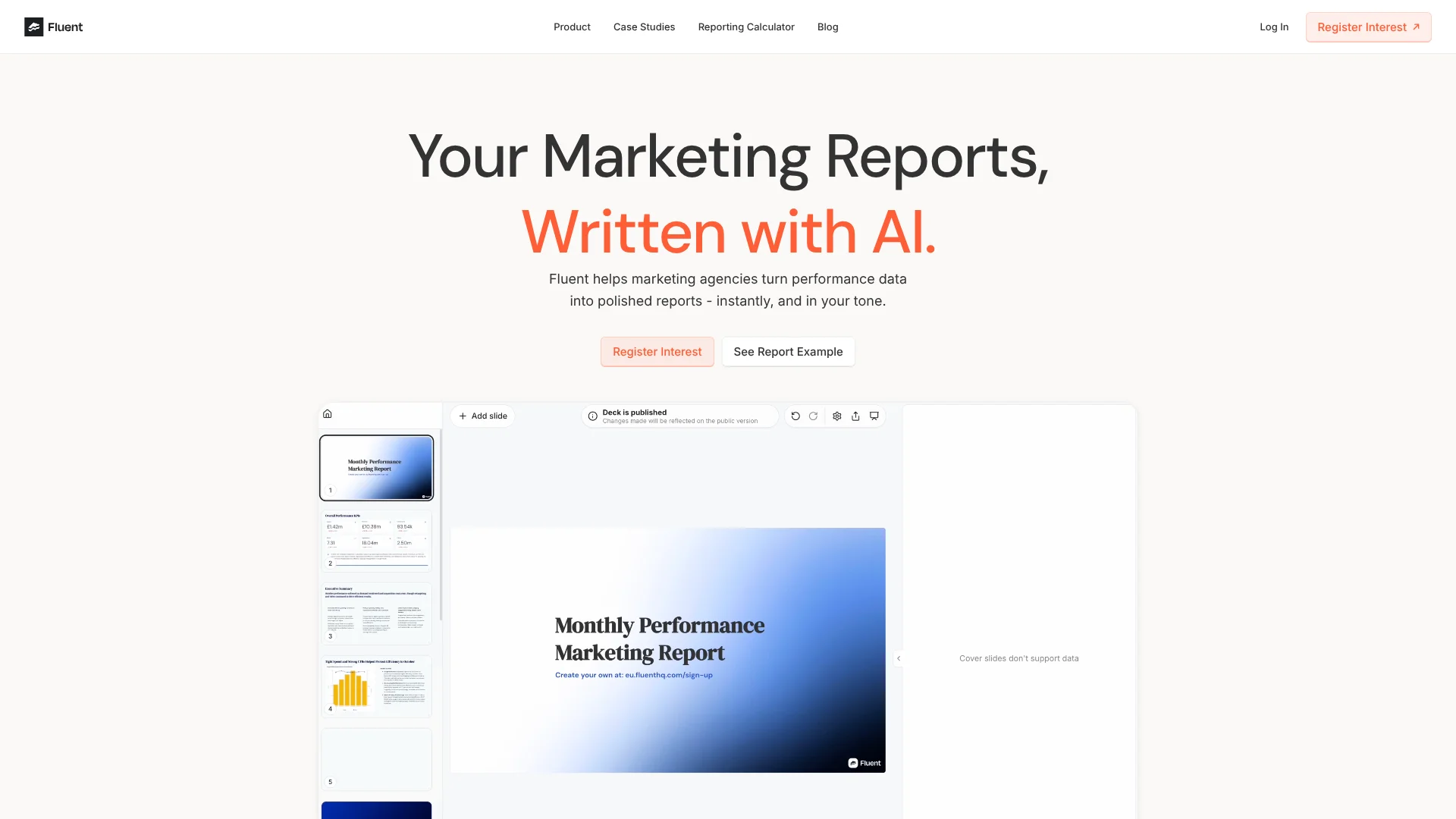
Fluent turns marketing performance data into client-ready reports with AI-written explanations of what changed, why it changed, and what to do next. It is built for marketing agencies that spend hours pulling numbers into slide decks and writing commentary by hand. Connected ad and analytics data, sample reports, and client-specific context help shape each report to match the agency’s style.
Rather than stopping at charts, Fluent’s AI connects performance changes across marketing channels and explains the likely drivers in a narrative. Its semantic layer standardizes metrics and KPIs to match the team’s definitions, while uploaded example decks help it follow the agency’s tone and report layout.
Fluent is best suited to agencies producing recurring client reports across multiple ad platforms. The public site asks prospective customers to register interest; its access model is not clearly stated.
Who is Using Fluent?
Performance Marketing Analysts
A report narrative can replace much of the manual work of gathering results and writing commentary.
Paid Media Managers
Cross-platform performance explanations help communicate what changed in campaigns and why.
Account Managers
Client-specific context and report styling help keep recurring updates relevant to each account.
Agency Strategists
Automated reporting leaves more time to focus on recommendations and campaign strategy.
Uncommon Use Cases
Keep reporting logic and commentary style consistent when team members change; compare performance signals across connected channels in one narrative.
Key Features
Rating Breakdown
Pricing Plans
Custom Pricing
- The public site directs prospective customers to register interest.
Which Fluent plan should you pick?
Start by contacting Fluent about Custom Pricing; the public site does not list plan prices or a self-serve tier.
Custom Pricing
For marketing agencies or teams that want to discuss access and reporting needs directly with Fluent.
Fluent Use Cases
Monthly Client Performance Reports
Recurring agency reporting turns connected performance data into a client-ready narrative.
Outcome: A report that explains what changed, why, and what to do next.
Cross-Channel Campaign Analysis
Performance signals from multiple connected platforms can be explained together instead of as separate data pulls.
Outcome: A combined account narrative across marketing channels.
Branded Slide Decks
Sample reports and client context guide the tone and layout of the generated report.
Outcome: Reports tailored to the agency’s reporting style and client preferences.
Report Revisions
AI editing helps teams rewrite or summarize report sections and add visuals.
Outcome: Revised report content without rebuilding the report from scratch.
Client Report Sharing
Finished reports can be exported to Google Slides or shared as an interactive link.
Outcome: A shareable client report.
Workflow Ideas with Fluent
Build a Recurring Client Report
- 1Connect the client’s advertising and analytics sources.
- 2Add an example deck and set the client’s reporting context.
- 3Generate the report, review its insights, and share it.
Explain a Cross-Channel Performance Shift
- 1Connect the relevant marketing platforms.
- 2Generate report insights across the connected performance data.
- 3Review the explanation and share the report with the client.
Refresh an Existing Report Style
- 1Upload sample reports that show the desired tone and layout.
- 2Customize the report for the client’s goals and preferences.
- 3Generate and edit the report before exporting it to Google Slides.
How Fluent fits into your stack
Advertising and Analytics Data
Fluent connects to marketing sources including Meta, Google Ads, TikTok, LinkedIn, Bing Ads, and GA4. The site lists 20+ connectors.
Report Context and Templates
Example decks and client-specific context guide the tone, layout, and focus of AI-generated reports.
Report Creation and Editing
Fluent writes performance insights and supports AI edits, summaries, and visuals within the report.
Presentation and Sharing
Reports can be exported to Google Slides or shared as interactive links.
Pros
- +Narrative across channels: Connects performance signals and explains changes in a single report.
- +Agency-style reports: Learns from example decks and applies client-specific tone and context.
- +Metric consistency: Standardizes KPI definitions so reports reflect how your team names and interprets results.
- +Presentation-ready output: Exports to Google Slides or an interactive link.
Cons
- −Sales-led access: The public site asks visitors to register interest instead of starting a self-serve account.
- −Unpublished price: You need to contact Fluent to learn what it will cost.
Limitations & when to consider alternatives
Look elsewhere when
- You need a live dashboard for ongoing campaign monitoring rather than written client reports.
- You need a public self-serve monthly plan with listed pricing.
How to Use Fluent
- 1
Register Interest
The public site directs prospective customers to register interest to speak with Fluent about access.
- 2
Connect Data Sources
Link the ad and analytics platforms needed for the client report, such as Google Ads or GA4.
- 3
Add an Example Deck
Upload sample reports so Fluent can learn your tone, layout, and reporting priorities.
- 4
Set Client Context
Tailor the report to the client’s preferences and goals so its insights focus on what matters to that account.
- 5
Generate and Edit Insights
Review Fluent’s explanation of performance changes, then use AI editing to rewrite or summarize content.
- 6
Share the Finished Report
Export the report to Google Slides or share it through an interactive link.
Who is Fluent For?
Marketing Agencies
Recurring client reports can draw on multiple ad and analytics sources and match each client’s style.
Paid Media Agencies
Cross-channel reporting helps explain campaign changes beyond the numbers shown in individual ad platforms.
Marketing Teams
Teams that prepare regular performance updates can turn connected campaign data into written reports.
Frequently Asked Questions
How does Fluent create marketing reports?
It connects to marketing data sources, applies report examples and client context, then generates insights about what changed, why, and what to do next.
Which data sources can I connect?
The site names Meta, Google Ads, TikTok, LinkedIn, Bing Ads, Shopify, and GA4, and lists 20+ connectors.
Can Fluent follow our existing report style?
Yes. Fluent says uploaded example decks help it learn your tone and layout, while client-specific context tailors each report.
Can I export reports to Google Slides?
Yes. Fluent supports Google Slides export and interactive report links.
How much does Fluent cost?
The public site does not list a price; it asks prospective customers to register interest.
Community reviews
Be the first to share your experience.
Sign in to leave a review for Fluent.
Fluent Alternatives
Looking for alternatives to Fluent? Here are similar tools in the same category: