
PDF Candy
Transform, edit, merge, secure PDFs online with ease and speed.
Key Takeaways
- What it is
- Transform, edit, merge, secure PDFs online with ease and speed.
- Best for
- Comprehensive PDF Management
- Conversion Capabilities
- Editing and Customization
- Rating
- 4.6/5
What is PDF Candy?
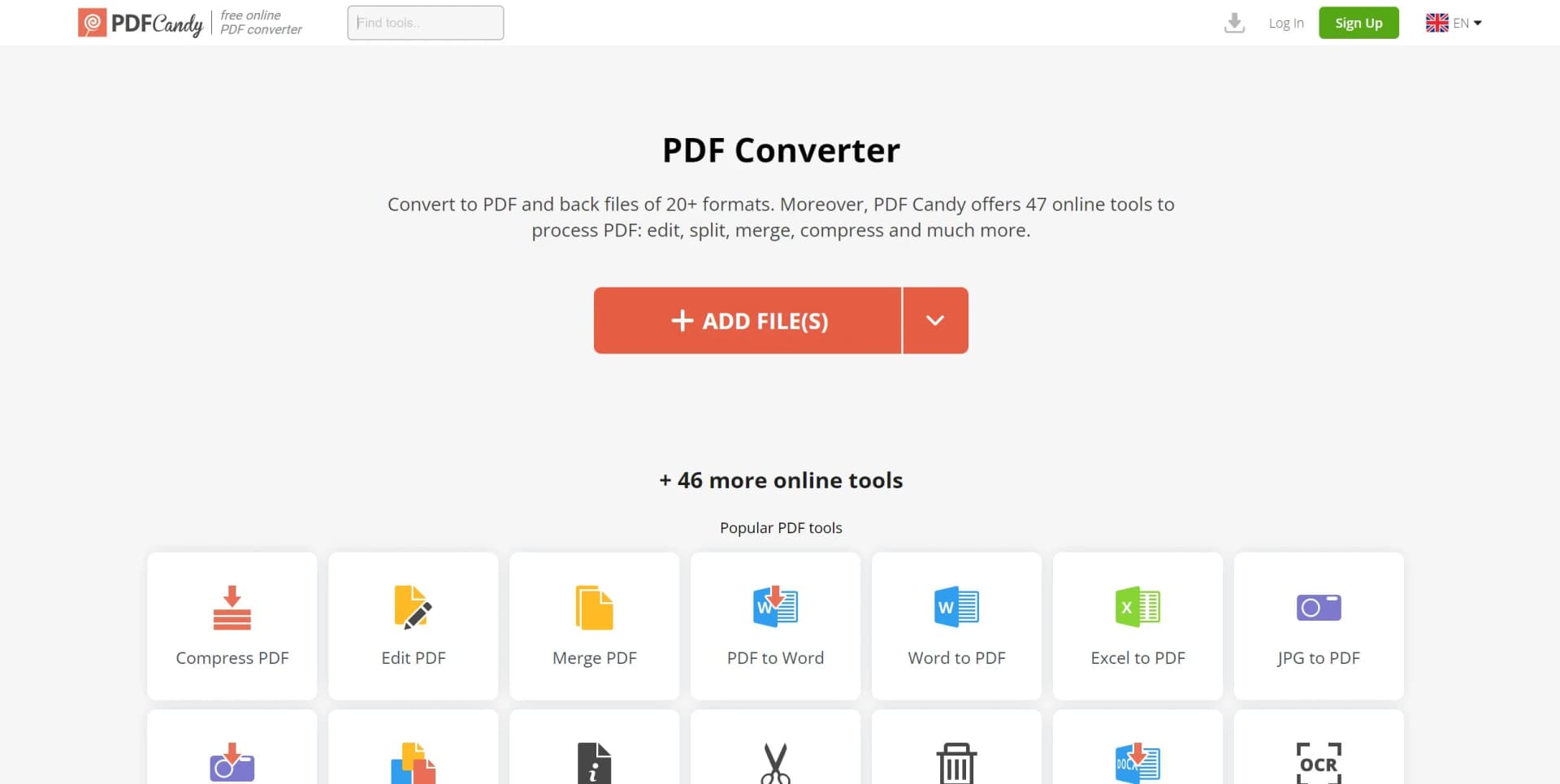
PDF Candy is an all-in-one online tool that caters to all your PDF-related needs. From simple conversions to complex editing tasks, PDF Candy offers a suite of 47 different tools designed to manage and manipulate PDF files with ease. As someone who frequently works with PDFs, I've found it to be a valuable resource for both personal and professional use. Its core functionalities include converting, merging, splitting, compressing PDFs, and much more, all accessible through a user-friendly interface.
PDF Candy stands out with its vast selection of 47 online PDF tools, which is one of the largest assortments available on the web. Its ability to handle a multitude of PDF-related tasks without the need to download any software sets it apart from many competitors.
PDF Candy excels in providing a comprehensive suite of tools that make it an invaluable asset for anyone dealing with PDFs. Its extensive range of functionalities, combined with ease of access and a user-friendly interface, offers a compelling solution for both casual and power users. While it may not replace a dedicated desktop application for some professional users, its convenience and cost-efficiency make PDF Candy a standout choice in the realm of online PDF editors and converters.
Who is Using PDF Candy?
Students and Academics
Utilizing the platform to manage research papers and academic materials.
Small Business Owners
Employing the tool to handle business documents like contracts and reports.
Legal Professionals
Using PDF Candy to securely merge and split legal documents.
Teachers
Leveraging the tool to create, organize, and distribute educational content.
Uncommon Use Cases
Non-profit organizations utilize it for creating informational pamphlets; Home users for managing personal documents like recipes or invoices.
Key Features
Rating Breakdown
Pricing Plans
Free Tools
- Access to a wide range of tools without any cost
Subscription Plans
- Premium plans are available for users requiring more advanced features and capabilities
Which PDF Candy plan should you pick?
Start with Web + Desktop FREE for occasional, small jobs; upgrade when you need higher limits, batch processing, faster queues, or offline Windows tools.
Web + Desktop FREE
Good for occasional users who need basic PDF editing, conversion, OCR, and document processing with limited usage.
Web Monthly
Good for users who want unlimited hourly usage, 500 MB files, priority processing, and browser-based PDF tools without Desktop access.
Desktop + Web Yearly
Good for regular users who need both the Windows desktop application and web tools, plus batch processing and higher limits.
Desktop + Web Lifetime
Good for users who want permanent access to a specific PDF Candy Desktop version and Web access through a one-time payment.
PDF Candy Use Cases
Convert scanned documents with OCR
Upload scanned PDFs, select a recognition language, and convert image-based content into editable text.
Outcome: Searchable and editable text from scanned documents.
Prepare a client-ready property packet
Merge contracts, photos, and property information into one PDF, then annotate or sign it.
Outcome: A consolidated professional document for clients or tenants.
Translate and summarize business documents
Upload a PDF and use the AI tools to translate or summarize its contents.
Outcome: Key information and localized content without manually reworking the entire document.
Clean up and reorganize PDFs
Reorder, rotate, delete, crop, resize, or extract pages from uploaded documents.
Outcome: A more organized PDF containing only the required content.
Convert and share files through cloud storage
Import documents from Google Drive or Dropbox, process them, and save the results back to cloud storage.
Outcome: Processed documents accessible from the user's cloud storage.
Workflow Ideas with PDF Candy
Turn scanned paperwork into searchable text
- 1Upload the scanned PDF or import it from Google Drive or Dropbox
- 2Choose the document's recognition language
- 3Run OCR and download or share the editable text
Create a polished client document
- 1Merge contracts, images, and supporting documents
- 2Rearrange or delete pages and add annotations or metadata
- 3Protect or sign the final PDF and share it
Review a long PDF with AI
- 1Upload the document to PDF Chat
- 2Ask questions or use the summarization tool
- 3Translate the document or save the resulting information for follow-up work
How PDF Candy fits into your stack
Web-Based Platform
Accessible from any device with an internet connection and a web browser.
File Format Support
Wide compatibility with various file formats for conversion to and from PDF.
Language Support
Available in multiple languages, catering to a global user base.
Privacy Consideration
Uploaded files are automatically deleted after a certain period to ensure user privacy.
Pros
- +Variety of Tools: An impressive selection of 47 PDF tools caters to nearly every need one might have.
- +User-Friendly: The interface is intuitive, making it easy to navigate and utilize the tools effectively.
- +Free Access: Many tools are available for free, which is particularly beneficial for occasional users or those on a tight budget.
- +No Installation Required: Being an online platform, it eliminates the need for software downloads and installations.
Cons
- −Time-Limited File Availability: Uploaded files are only available for a short duration (120 minutes), which may require re-uploading for extended tasks.
- −Internet Dependency: As an online tool, a stable internet connection is mandatory for uninterrupted service.
- −Limited Advanced Features: While it covers a broad range of functions, professional users might find some advanced features lacking.
Limitations & when to consider alternatives
Known limitations
- Free usage is limited. The free plan has page and hourly restrictions, limited file size, no batch processing, and a desktop operations limit.
- Online files expire after two hours. Uploaded and processed documents are automatically deleted after two hours, so results must be downloaded or saved to cloud storage promptly.
- Some online tools have a 100 MB upload limit. The online Split PDF tool documents a maximum upload size of 100 MB.
- Desktop is Windows-only. PDF Candy Desktop is documented as a downloadable Windows application; other platforms use the browser version.
- Lifetime licensing excludes major upgrades. The lifetime license covers one specific software version and minor updates, but not future major upgrades.
Look elsewhere when
- You need a documented developer API.
- You need native iOS or Android applications.
- You need SSO or SAML for an organization.
How to Use PDF Candy
- 1
PDF Candy provides a straightforward and intuitive user experience that may not require extensive tutorials. However, for users seeking guidance, there are resources available on the website and YouTube.
Who is PDF Candy For?
Students
Students can merge, compress, OCR, translate, summarize, and organize class documents and assignments.
Teachers
Teachers can edit and manage educational PDFs, use OCR, and receive a free year of PDF Candy PRO.
Real estate professionals
Real estate users can combine contracts, photos, and property details and use annotations, summaries, and translations.
Sales teams
Sales users can update product materials, summarize proposals, sign documents, and send polished files to clients.
Healthcare professionals
Healthcare users can protect sensitive records and convert scanned prescriptions, lab results, and reports into searchable text.
Frequently Asked Questions
Can I use PDF Candy without an account?
Yes. All tools are available without registration, although usage is limited until you sign up or subscribe.
What is PDF Candy Web?
PDF Candy Web is the browser-based version for converting, merging, splitting, compressing, editing, and protecting PDFs.
What is PDF Candy Desktop?
PDF Candy Desktop is a downloadable Windows application with 35 offline PDF tools.
How long are uploaded files stored?
Uploaded and processed files are automatically deleted after two hours.
Are uploaded files encrypted?
Files are transferred over HTTPS using TLS/SSL and protected with 256-bit AES encryption during upload, processing, and storage.
What are the benefits of a paid subscription?
Paid plans remove hourly limits, increase the file-size limit up to 500 MB, provide priority processing, and enable batch processing.
Community reviews
1 review from people who use PDF Candy.
Sign in to leave a review for PDF Candy.
David Thompson
PDF Candy Alternatives
Looking for alternatives to PDF Candy? Here are similar tools in the same category:
Learn to Master PDF Candy
With Skill Leap courses
Get in-depth training on PDF Candy and 50+ other AI tools with our expert-led video courses.
Start 7-Day Free Trial