Listnr
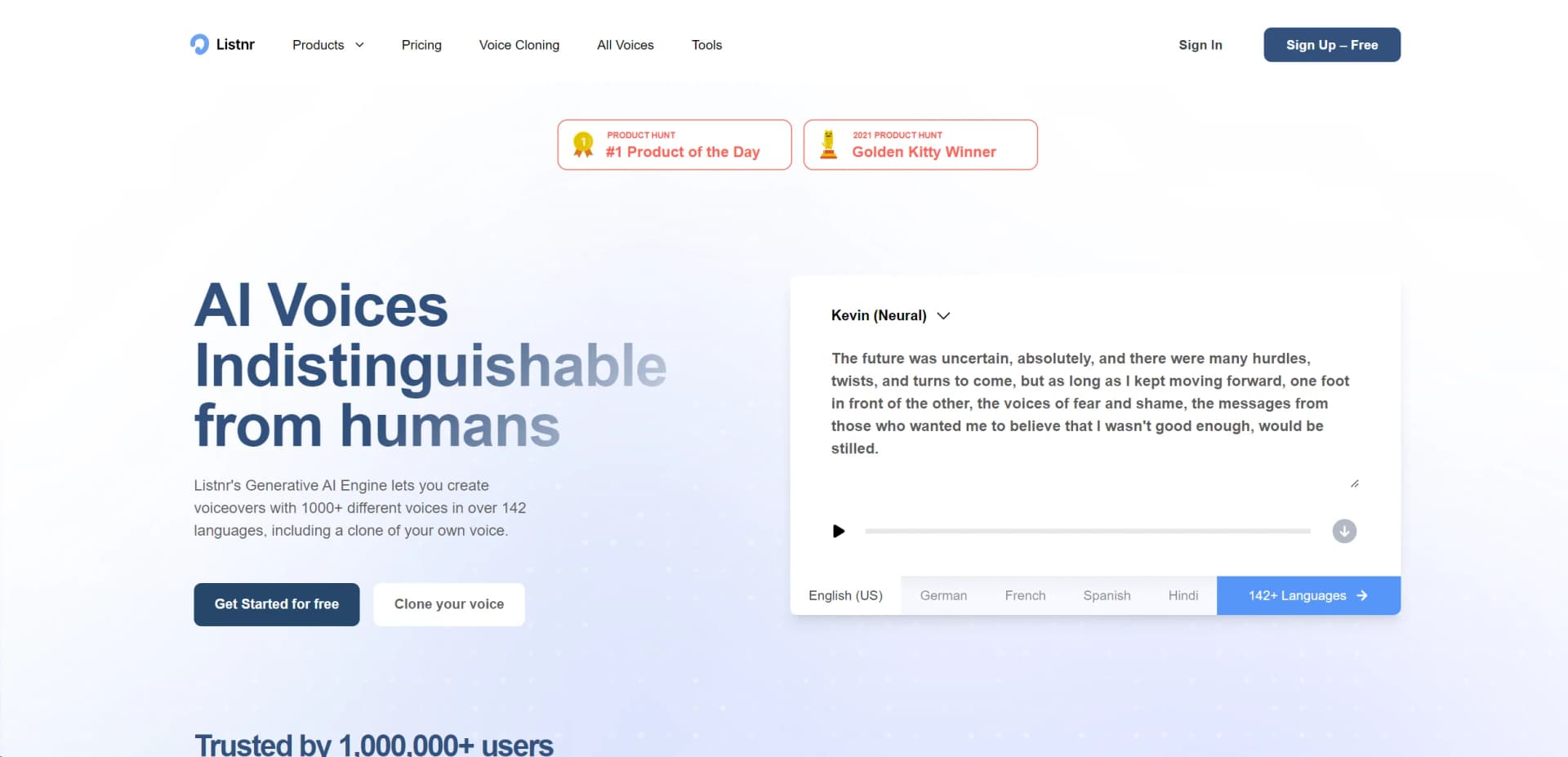
Transform text to lifelike speech in 142 languages, voice cloning available.
Watch Listnr in Action
Key Takeaways
- What it is
- Transform text to lifelike speech in 142 languages, voice cloning available.
- Pricing
- Freemium · $9/month · $19/month
- Best for
- Extensive Voice Selection
- Voice Cloning Technology
- High Compatibility
- Rating
- 4.6/5
What is Listnr?
Listnr is a cutting-edge AI voice generator that transforms text into realistic, human-like voiceovers. It offers a remarkable array of over 1000 voices across 142 languages, including options for voice cloning. This tool is designed to cater to content creators, marketers, educators, and businesses looking to enhance their multimedia presentations with high-quality audio. Whether you're creating YouTube videos, podcasts, or engaging e-learning modules, Listnr provides an efficient and versatile solution to meet diverse auditory needs.
Listnr stands out due to its advanced voice cloning feature that allows users to create a digital twin of their own voice, offering a highly personalized audio experience. This capability is particularly valuable for branding and creating a more intimate connection with audiences.
Listnr excels in transforming text into lifelike speech, making it an indispensable tool for anyone looking to produce high-quality audio content efficiently. Its unique voice cloning feature and extensive language support set it apart in a crowded market, providing unmatched versatility and user engagement. Whether for professional or personal use, Listnr offers a powerful solution to meet a wide array of auditory content creation needs.
Who is Using Listnr?
Content Creators
Enhancing videos and social media content with high-quality voiceovers.
Educational Institutions
Creating engaging e-learning materials that are accessible and easy to understand.
Marketers
Producing dynamic advertising content with varied vocal tones to appeal to diverse demographics.
Podcasters
Utilizing realistic voices to produce episodes efficiently and cost-effectively.
Uncommon Use Cases
Non-profit organizations use it for creating awareness campaign videos; audiobook creators leverage it for producing large volumes of spoken content quickly.
Key Features
Rating Breakdown
Pricing Plans
Free Tier
Free
Student Plan
$9/month
- Including 4000 words per month
Standard Plans
$19/month
- Increased word limits and additional features
Which Listnr plan should you pick?
Start with Hobby for occasional creation, upgrade to Growth for regular social publishing, and choose Ultra for high-volume work or custom voice cloning.
Hobby
Good for occasional creators who need 500 AI credits per month and hands-on video creation.
Growth
Good for creators and marketers who need 2,000 credits, editing, captions, voiceovers, and exports for TikTok, Instagram, and YouTube.
Ultra
Good for high-volume creators, brands, and agencies that need at least 12,000 credits per month and custom voice creation or cloning.
Listnr Use Cases
Short-form social videos
Turn prompts, scripts, or links into editable videos with visuals, voice, captions, and platform-specific framing.
Outcome: A finished video suitable for short-form social publishing.
PDF briefings
Upload a PDF, identify important sections, and create narrated scenes with captions.
Outcome: A source-led document briefing video.
Multilingual shorts
Transcribe video, translate it, dub it, and burn in styled captions.
Outcome: Localized short-form content in multiple languages.
Voiceover production
Paste or import a script, choose a voice, and adjust pronunciation, pacing, pauses, and emotion.
Outcome: A downloadable AI voiceover for videos, podcasts, lessons, or ads.
Podcast and audio publishing
Generate multi-speaker audio from text and host or distribute podcast content through supported publishing workflows.
Outcome: Publishable narrated podcast or audio content.
Workflow Ideas with Listnr
Create a narrated PDF briefing
- 1Upload an authorized PDF.
- 2Describe the audience and key sections to cover.
- 3Review the generated script, captions, scenes, and export.
Produce a multilingual short
- 1Start with an existing video or script.
- 2Transcribe and translate the content.
- 3Generate dubbing and burn in styled captions.
Create a social video from an idea
- 1Enter a prompt, script, or source URL.
- 2Choose the visual format, voice, captions, and style.
- 3Edit scenes and timing before exporting for social platforms.
How Listnr fits into your stack
Video Editing Software
Fully compatible with major video editors like VEED and Invideo.
Social Media Platforms
Easily integrates with social media channels for seamless content creation.
API Access
Offers APIs for custom integrations, expanding its usability across different tech environments.
Podcast Hosting
Supports direct hosting on platforms like Spotify and Apple Podcasts through Listnr.fm.
Pros
- +Time-Saving: Quickly generates voiceovers, saving hours compared to traditional recording methods.
- +Cost-Effective: Offers a free tier and affordable plans, reducing the financial burden on creators.
- +High-Quality Audio: Produces clear, natural-sounding voice outputs that closely mimic human speech.
- +Versatility: Suitable for a wide range of applications, from educational content to entertainment.
Cons
- −Voice Limitations: While extensive, the selection might still lack certain specific accents or tonalities.
- −Internet Dependency: Requires a stable internet connection to access and use the cloud-based platform.
- −Learning Curve: New users may need some time to fully explore and utilize all features effectively.
Limitations & when to consider alternatives
Known limitations
- Credits do not roll over. Unused credits reset at the beginning of each billing cycle.
- Generation stops when credits are exhausted. New generations wait until you upgrade or the next billing cycle begins.
- PDF uploads are limited to 20 MB. The PDF-to-video workflow accepts PDF files up to 20 MB.
- Human review remains necessary. Listnr coordinates the first draft, but users must review scripts, captions, audio, rights, and final output.
- Browser-based access. Listnr Studio runs in modern browsers and does not provide a downloadable desktop installer.
Look elsewhere when
- You need a native iOS or Android application.
- You need a downloadable Windows, macOS, or Linux application.
- You need SSO or SAML-based enterprise login.
How to Use Listnr
- 1
Choose a starting source
Open Studio and begin with a prompt, script, URL, audio file, or PDF so the workflow has source material to shape.
- 2
Set the audience and format
Choose the intended audience, aspect ratio, visual style, voice, and caption approach before generation.
- 3
Generate the first draft
Let Listnr create scenes, narration, captions, and supporting visuals from the selected source.
- 4
Review and edit
Replace scenes, adjust timing, check pronunciation, and verify captions against the source.
- 5
Export the finished content
Download the reviewed video or export it for supported social destinations such as TikTok, Instagram, and YouTube.
- 6
Upgrade when usage grows
Move from Hobby to Growth for more credits and social exports, or to Ultra for larger volumes and custom voice cloning.
Who is Listnr For?
Content creators
Create short-form videos, voiceovers, captions, and social-ready exports from ideas, scripts, or links.
Publishers
Turn written articles and source material into narrated audio or video content.
Educators
Convert documents and lessons into narrated, captioned explanatory videos.
Marketers and businesses
Produce product demos, advertisements, social content, and multilingual localized media.
Developers
Use the documented API, OpenAPI specification, MCP server, and CLI resources programmatically.
Frequently Asked Questions
What is Listnr Studio?
Listnr Studio turns prompts, scripts, links, audio, and owned media into editable video drafts.
What can I use as a starting source?
You can start from a prompt, script, URL, audio file, or PDF.
Which languages and voices are supported?
Listnr offers voices in more than 70 languages in Studio and over 142 languages across its voice platform.
Can I create or clone my own voice?
Voice cloning is available on the Ultra plan, alongside custom voice creation.
Can I export videos for social platforms?
Growth includes export for TikTok, Instagram, and YouTube.
Do unused credits roll over?
No. Credits reset at the start of each billing cycle and unused credits do not carry over.
Community reviews
Be the first to share your experience.
Sign in to leave a review for Listnr.
Listnr Alternatives
Looking for alternatives to Listnr? Here are similar tools in the same category: