
Kili
Streamline operations, automate tasks, enhance efficiency with AI.
Key Takeaways
- What it is
- Streamline operations, automate tasks, enhance efficiency with AI.
- Best for
- Flexible Automation Software
- Seamless Integration
- Autonomous Operations
- Rating
- 4.5/5
What is Kili?
Kili is a revolutionary AI-driven platform designed to enhance efficiency and automation within business operations, particularly focusing on finance, operations, and sales teams. By streamlining mundane tasks and integrating seamlessly with existing systems, Kili helps teams shift their focus from routine activities to strategic initiatives.
Kili's standout feature is its customizable visual canvas, which allows businesses to automate unique processes using sophisticated AI technologies without needing extensive programming knowledge. This high degree of customization and integration capability makes Kili a versatile tool for various business needs.
Kili excels at automating routine tasks and enhancing operational efficiency, making it an essential tool for modern businesses. Its customizable visual canvas and robust integration capabilities offer significant advantages in adapting to diverse business needs. Whether in finance, sales, or operations, Kili is designed to transform workflows, fostering a more productive and error-free environment.
Who is Using Kili?
Finance Departments
For precise invoice processing and bank reconciliation.
Sales Teams
To automate CRM updates and lead enrichment, improving efficiency and accuracy.
Operations Managers
For real-time supplier communication and order management.
Legal Teams
To efficiently manage contracts and respond to RFPs.
Uncommon Use Cases
Educational institutions use it for administrative tasks, and healthcare organizations employ it for managing patient records and billing.
Key Features
Rating Breakdown
Pricing Plans
Free Trial
- Offers a free trial period to explore Kili’s features before making a commitment
Subscription Plans
- Available with tailored plans that scale according to business needs
Which Kili plan should you pick?
Start with Free to test document extraction; upgrade to Solo or Starter for higher monthly limits and QuickBooks features, or Team for ERP integrations, multiple users, SAML/SCIM, and dedicated support.
Free
Good for evaluating Kili with 100 messages, 10 pages, bulk file uploads, and one user.
Solo
Good for solo founders and small businesses needing 500 monthly messages, 200 pages, QuickBooks integration, and transaction categorisation.
Starter
Good for small to medium businesses needing 1,000 monthly messages, 500 pages, QuickBooks integration, and line-item extraction.
Team
Good for businesses using an ERP that need custom limits, accounting or ERP integrations, up to 10 users, SAML/SCIM, advanced security controls, and onboarding support.
Kili Use Cases
Invoice processing
Process invoices, check them, and route issues for human review.
Outcome: More invoices handled with improved reliability.
Supplier management
Automate repetitive supplier-related administrative tasks over email.
Expense filing
Use Kili to automate filing expenses through email.
CRM updates
Extract relevant information from calls, emails, and notes and format it for a CRM.
Outcome: Less manual data entry for sales teams.
Document data extraction
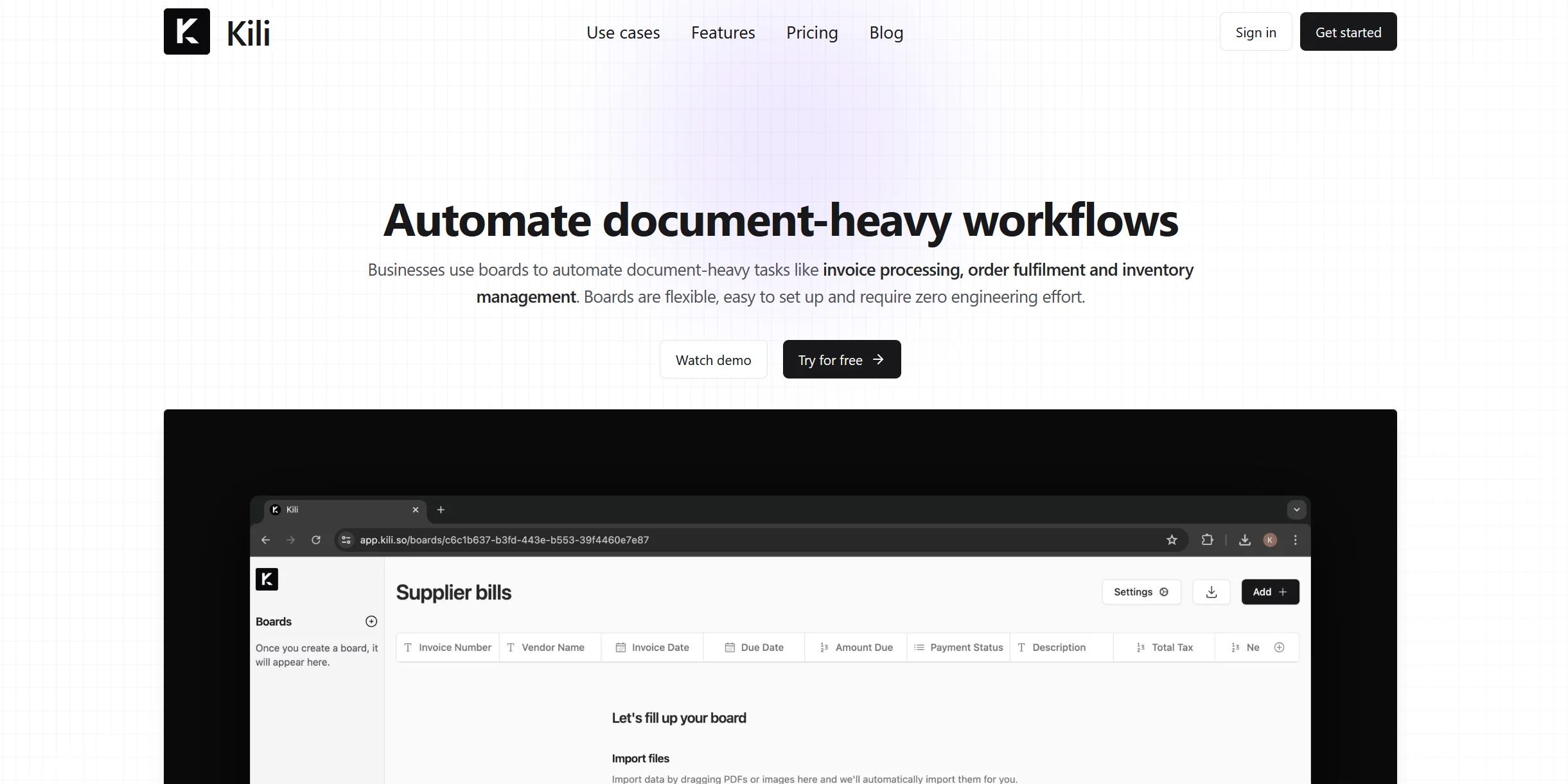
Import PDFs, pictures, and other documents, then extract configured fields into a board.
Outcome: Structured data that can be edited and exported.
Workflow Ideas with Kili
Extract structured data from documents
- 1Import PDFs, pictures, or other documents
- 2Configure the fields to extract
- 3Review and edit the extracted data
Automate follow-up actions
- 1Import a document and extract its configured fields
- 2Set up an automated action triggered by extraction
- 3Review the resulting board data
Process invoices with human review
- 1Receive and process invoices
- 2Use AI to identify relevant information and potential issues
- 3Have a human review exceptions before proceeding
How Kili fits into your stack
Business App Integration
Works seamlessly with popular business applications to enhance workflow continuity.
API Access
Provides API options for custom integrations tailored to specific needs.
Real-Time Data Handling
Ensures that all operations are synchronized and updated in real-time.
Pros
- +Enhanced Efficiency: Automates repetitive tasks, allowing teams to focus on higher-value activities.
- +Ease of Customization: Adaptable to specific business needs without requiring extensive technical expertise.
- +Real-Time Updates: Provides instant notifications about operational activities and discrepancies.
- +Data Synchronization: Maintains a consistent and error-free data flow across various platforms.
Cons
- −Learning Curve: New users might need time to fully understand and utilize the visual canvas effectively.
- −Dependency on Digital Infrastructure: Requires a robust digital setup for optimal integration and operation.
- −Limited Offline Functionality: Most features depend on an active internet connection.
Limitations & when to consider alternatives
Known limitations
- Product discontinued. The official homepage states that the team is no longer working on Kili and has shifted focus to AIDE.
- Automated actions are beta. The help center labels automated actions as Beta, so availability and behavior may be limited or subject to change.
- Closed-beta history. Kili's product materials described the service as a closed beta rather than documenting generally available plans.
Look elsewhere when
- You need a maintained product rather than Kili.
- You need capabilities beyond document processing and extraction.
How to Use Kili
- 1
Detailed tutorials are available on the Kili website, covering everything from basic setup to advanced automation techniques.
Who is Kili For?
Businesses
Kili is positioned as an AI assistant for businesses that need to automate document-based administrative work.
Accounts-payable teams
Kili describes invoice handling as a target workflow, helping teams process invoices with human review.
Sales teams
Kili describes automatically extracting information from calls, emails, and notes to update CRM records.
HR teams
Kili gives repetitive employee questions, such as paid-time-off questions, as an example of work AI could handle.
Frequently Asked Questions
What does Kili do?
Kili helps businesses automate document processing and extract structured information from documents.
What kinds of files can Kili process?
The help center specifically mentions PDFs, pictures, and other documents.
Can users edit extracted data?
Yes. Kili documents editing data extracted from a document.
Can users add fields to a board?
Yes. Kili documents adding columns to an existing board.
Does Kili support automated actions?
Yes. Kili documents running actions automatically when data is extracted, marked as Beta.
Is Kili still being developed?
The official homepage says the team is no longer working on Kili and is focusing on a new product called AIDE.
Community reviews
Be the first to share your experience.
Sign in to leave a review for Kili.
Kili Alternatives
Looking for alternatives to Kili? Here are similar tools in the same category:
Learn to Master Kili
With Skill Leap courses
Get in-depth training on Kili and 50+ other AI tools with our expert-led video courses.
Start 7-Day Free Trial