FileGPT
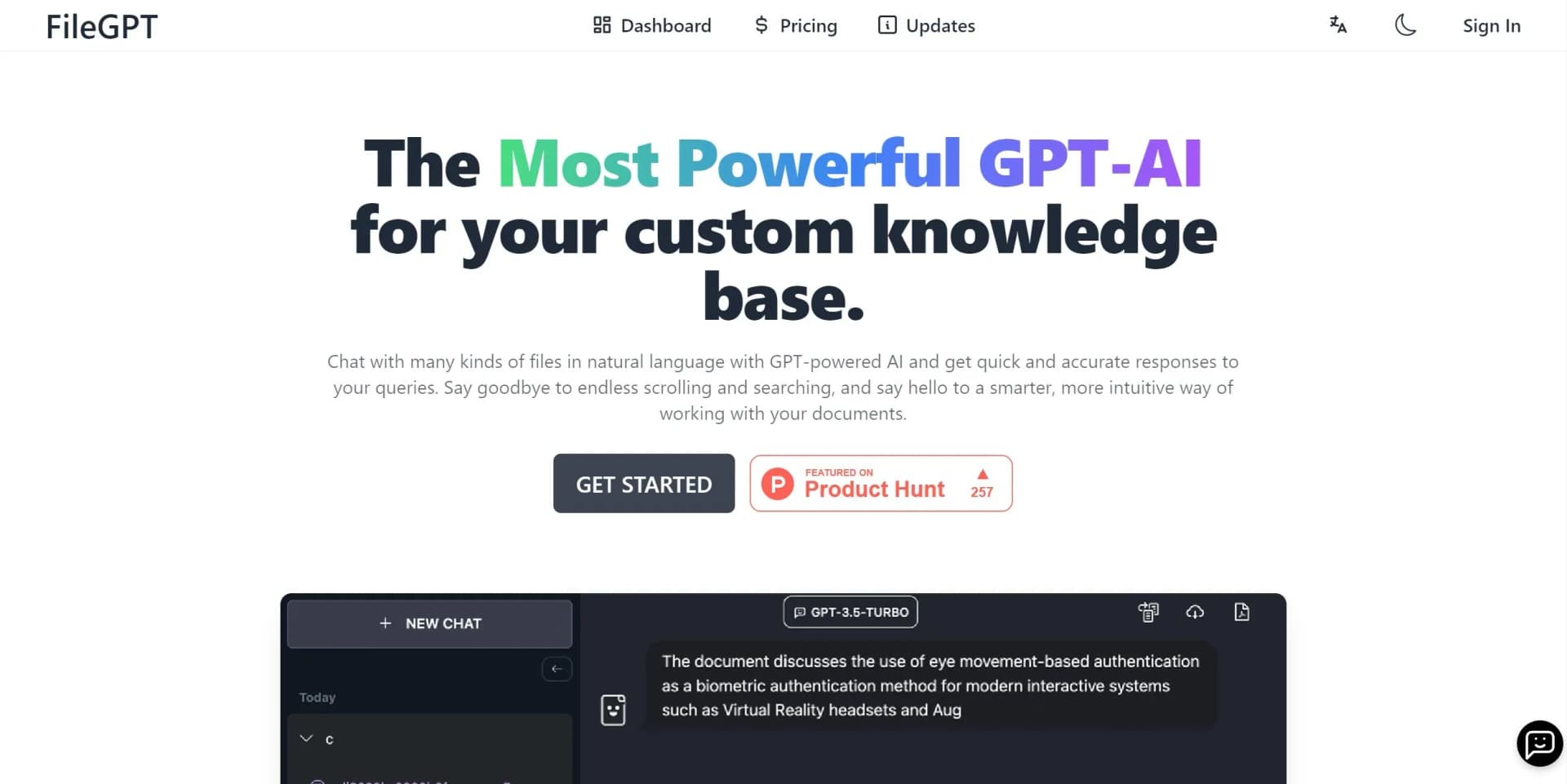
Interact naturally with diverse files for seamless content management.
Key Takeaways
- What it is
- Interact naturally with diverse files for seamless content management.
- Pricing
- Freemium · $18 per month
- Best for
- Chat with Everything
- Multi-Format Support
- Long Text Support
- Rating
- 4.6/5
What is FileGPT?
FileGPT is an innovative AI tool designed to revolutionize how we interact with various file formats using the power of GPT-based AI. By allowing users to chat with a multitude of files in natural language, FileGPT simplifies the process of extracting information and generating insights from documents. It's tailored for professionals and individuals who need to work smarter, not harder, by providing a seamless and intuitive way to manage their documents.
FileGPT sets itself apart with its ability to interact with a diverse range of file types through natural language processing. This unique feature, combined with its capability to handle large datasets and cross-source querying, makes it a game-changer for professionals who need to manage and extract insights from varied content efficiently.
FileGPT offers a transformative approach to document and multimedia management, providing users with an intuitive, efficient, and versatile tool to enhance productivity. Whether you're a researcher, project manager, or content creator, FileGPT's robust features and user-friendly interface make it an invaluable asset in your workflow. Its unique ability to handle diverse content types through natural language interaction not only saves time but also enriches the user experience, making it a must-have tool for modern professionals.
Who is Using FileGPT?
Researchers
Leveraging FileGPT for efficient literature reviews and data extraction from academic papers.
Content Creators
Using the tool to manage and analyze multimedia content for streamlined production workflows.
Project Managers
Employing FileGPT to handle project documents and multimedia files seamlessly.
Educators
Utilizing the tool to manage educational content and facilitate interactive learning experiences.
Uncommon Use Cases
Historians: Analyzing archival documents for research and historical studies.; Musicians: Transcribing and analyzing audio content for composition and production.
Key Features
Rating Breakdown
Pricing Plans
Free Tier
Free
- Experience FileGPT with a limited free trial to explore its functionalities
Pro Tier
$18 per month
- Offering enhanced features and increased usage limits
Which FileGPT plan should you pick?
Start with the free trial for light testing, choose BasicYearly for document research, upgrade to ProYearly for media and image analysis, and use GrowthYearly, EliteYearly, or EnterpriseYearly for website embedding and analytics.
BasicYearly
Good for students and researchers who need full documents, webpages, YouTube, 10 files per collection, and 6,000 monthly tokens.
ProYearly
Good for individuals with larger needs who require audio, video, image, unstructured-PDF, and handwritten-text support.
GrowthYearly
Good for users who need to embed a FileGPT bot in their own website.
EliteYearly
Good for website embedding plus basic usage and engagement analytics.
EnterpriseYearly
Good for enterprise deployments needing higher token limits, priority processing, enhanced analytics, and branding removal.
FileGPT Use Cases
Document research
Upload documents and ask questions about their contents in natural language.
Outcome: Faster answers without manually searching through long documents.
Cross-document comparison
Select multiple files or sources and query them together.
Outcome: A single answer synthesized from multiple sources.
Webpage and YouTube analysis
Ask questions about webpages and YouTube videos.
Outcome: Key information can be retrieved without watching or reading everything manually.
Audio and video analysis
Use the Pro plan to ask questions about audio and video files.
Outcome: Information can be extracted from media content.
Handwritten-document extraction
Use smart content parsing to extract text from handwritten documents.
Outcome: Handwritten material becomes searchable and queryable.
Workflow Ideas with FileGPT
Research a document set
- 1Create a collection
- 2Upload PDFs, DOCs, or TXT files
- 3Ask questions across the selected sources
Analyze online content
- 1Add a webpage or YouTube source
- 2Select the source in a collection
- 3Ask for answers or key information
Build an embedded knowledge bot
- 1Choose a Growth, Elite, or Enterprise plan
- 2Add documents or videos to a collection
- 3Embed the FileGPT bot on your own website
How FileGPT fits into your stack
Browser
FileGPT is delivered as a browser-based application where users create collections and chat with uploaded or linked content.
Knowledge and files
The product sits over a personal knowledge base, accepting documents, webpages, YouTube content, audio, video, and image files for cross-source questioning.
Pros
- +Time Efficiency: FileGPT significantly reduces the time spent on document analysis and information retrieval.
- +Versatility: Its support for multiple file formats makes it an adaptable tool for various professional needs.
- +User-Friendly Interface: The intuitive design ensures a seamless user experience, even for those new to AI tools.
- +Cross-Source Querying: Users can query multiple files simultaneously, streamlining the process of information gathering.
Cons
- −Initial Learning Curve: Some users may require time to fully utilize all the advanced features available.
- −Limited Third-Party Integrations: While powerful, its integration capabilities with other platforms could be expanded for enhanced functionality.
Limitations & when to consider alternatives
Known limitations
- Token allowances vary by plan. The listed plans provide monthly token allowances ranging from 6,000 on BasicYearly to 300,000 on EnterpriseYearly.
- Collection limits vary by plan. BasicYearly allows 10 files per collection and ProYearly allows 20 files per collection.
- File-size limits vary by plan. BasicYearly lists a 100 MB single-file limit, while ProYearly lists a 200 MB limit.
- Advanced media support is plan-gated. Audio, video, image-file, unstructured-PDF, and handwritten-text support is listed under ProYearly and higher plans.
- Free usage is limited. The FAQ says FileGPT can be tried for free, but increased usage requires an upgrade.
Look elsewhere when
- You need a documented developer API.
- You need a native mobile application.
- You need SSO or SAML.
- You need third-party integrations.
How to Use FileGPT
- 1
Create an account
Sign in with Google, Discord, GitHub, or email to access FileGPT.
- 2
Create a collection
Open the dashboard and create a collection to organize the sources you want to query.
- 3
Add sources
Upload supported files or add webpages and YouTube sources to the collection.
- 4
Ask questions
Select one or more sources and ask questions in natural language.
- 5
Use advanced media features when needed
Upgrade to ProYearly or higher for audio, video, image, unstructured-PDF, and handwritten-text support.
- 6
Embed the bot
Choose GrowthYearly or a higher plan when you need to place a FileGPT knowledge bot on your own website.
Who is FileGPT For?
Students
The Basic plan is positioned for students who need to work with documents, webpages, and YouTube content.
Researchers
The Basic plan is positioned for researchers who need full document support and cross-source questioning.
Individuals with large needs
The Pro plan targets individuals needing larger files, more tokens, audio/video/image analysis, and handwritten-text support.
Businesses
FileGPT offers Growth, Elite, and Enterprise plans with website embedding, analytics, priority processing, and branding controls.
Frequently Asked Questions
What is FileGPT?
FileGPT is an LLM-based app for asking questions about and interacting with content in multiple formats.
Can I try FileGPT for free?
Yes. You can try FileGPT for free, but higher usage requires upgrading your account.
What types of content does FileGPT support?
It supports PDFs, DOCs, TXT files, audio, YouTube, webpages, and other content sources.
Can FileGPT work with multiple files?
Yes. Cross-source querying lets users select multiple sources and receive answers using all of them.
How long will I have access to my collections?
The FAQ states that users have unlimited access to their collections of content.
Why use FileGPT instead of ChatPDF or ChatDOC?
FileGPT says it supports larger files and longer texts and can combine multiple files into one answer.
Community reviews
Be the first to share your experience.
Sign in to leave a review for FileGPT.
FileGPT Alternatives
Looking for alternatives to FileGPT? Here are similar tools in the same category: