
Chat Data
Elevate engagement with customizable, data-driven chatbots; HIPAA-compliant, multilingual support; insightful analytics.
Key Takeaways
- What it is
- Elevate engagement with customizable, data-driven chatbots; HIPAA-compliant, multilingual support; insightful analytics.
- Pricing
- Freemium · $1.90/month
- Best for
- Personalized Chatbots
- Flexible Backend Integration
- HIPAA Compliant Medical Chat Models
- Rating
- 4.5/5
What is Chat Data?
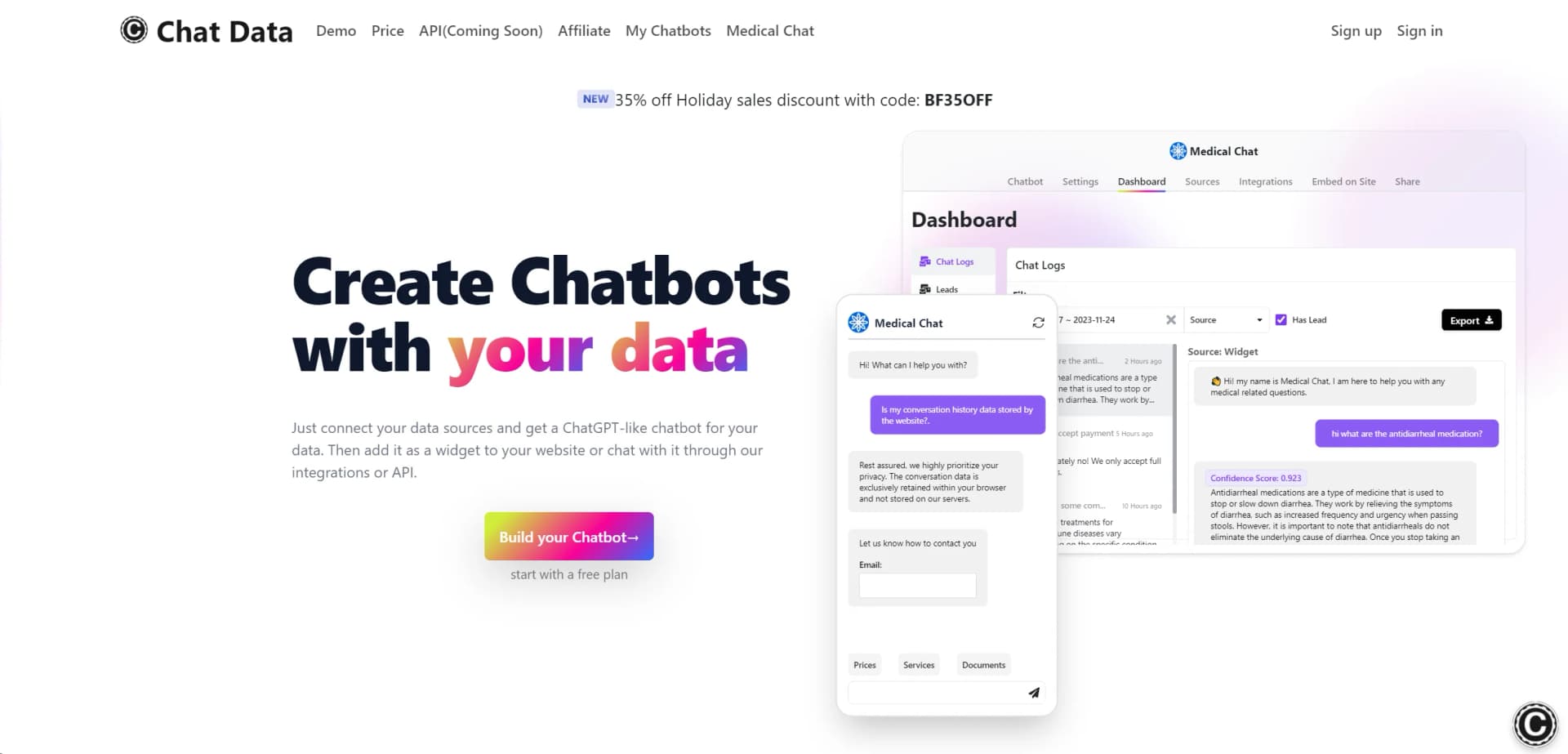
Chat Data is an innovative tool that revolutionizes the creation of chatbots, offering a unique solution for businesses and individuals alike. Designed to cater to a wide array of users, it simplifies the integration of chatbots by leveraging existing data sources. With Chat Data, you can create a ChatGPT-like chatbot that can be easily added as a widget to your website, or interacted with through various integrations or an API.
Chat Data stands out with its user-centric approach to chatbot creation. Its ability to provide a HIPAA-compliant solution for medical-related inquiries sets it apart in the industry. Moreover, the tool's commitment to transparency and data ownership ensures user trust and satisfaction.
Chat Data excels in empowering users to create personalized and efficient chatbots with ease. Its HIPAA-compliant models and commitment to data privacy make it an essential tool for sectors like healthcare. With its competitive pricing, extensive language support, and robust customization options, Chat Data provides a comprehensive chatbot solution that caters to a diverse range of needs.
Who is Using Chat Data?
E-commerce Businesses
Enhancing customer service by integrating chatbots for instant customer queries.
Healthcare Providers
Employing HIPAA-compliant medical chatbots for patient inquiries and support.
Educational Institutions
Using chatbots to provide immediate responses to student and staff queries.
Customer Service Teams
Leveraging chatbots to handle common questions, freeing up agents for more complex issues.
Uncommon Use Cases
Podcasters using chatbots to interact with listeners; Non-profits utilizing chatbots to engage with their communities.
Key Features
Rating Breakdown
Pricing Plans
Free Tier
Free
- Start with a free plan to experience the basic capabilities of Chat Data
Paid Plans
$1.90/month
- Offering additional features and support
Which Chat Data plan should you pick?
Start with Free for evaluation, move to Entry for small deployments, choose Standard for multimodal inputs and broader collaboration, and upgrade to Professional for high capacity and large teams.
Free
Good for evaluating Chat Data with one agent, 100 monthly message credits, and a 400,000-character capacity.
Entry
Good for small deployments needing two agents, 2,000 monthly message credits, and up to five team members.
Standard
Good for teams needing multimodal inputs, more agents, 10,000 monthly message credits, and up to 20 team members.
Professional
Good for larger deployments needing up to 20 agents, 40,000 monthly message credits, 1,000 team members, and higher capacity.
Chat Data Use Cases
Document question answering
Upload company documents and let the chatbot answer questions using extracted document content.
Outcome: Visitors receive answers grounded in the supplied documents.
Customer-support ticket creation
Collect issue details, call a ticketing API, wait for confirmation, and send the ticket number to the user.
Outcome: Support requests are routed and confirmed automatically.
Lead capture and qualification
Use forms, AI Capture, conditions, and Create or Update Lead nodes to collect and persist prospect information.
Outcome: Leads are stored for future conversations and workflows.
Ecommerce product assistance
Import product data from supported stores and answer product or order-related questions.
Outcome: Customers can receive automated shopping assistance.
Multimodal customer support
Let users upload documents or images and have the chatbot analyze the uploaded content.
Outcome: The chatbot can respond using both uploaded content and its knowledge base.
Workflow Ideas with Chat Data
Automated support-ticket workflow
- 1Collect the user's issue details
- 2Use AI Capture and call the ticketing API
- 3Wait for webhook confirmation and email the ticket number
Lead qualification workflow
- 1Ask qualification questions through a form or AI Conversation node
- 2Evaluate responses with conditions
- 3Create or update the lead and route the conversation
Approval and notification workflow
- 1Collect the request and relevant form data
- 2Call an external approval API and wait for a webhook
- 3Send the approval result back to the user
How Chat Data fits into your stack
Third-Party Tools
Integrate your chatbot with popular platforms like Slack and Discord for enhanced communication.
Custom Backend Support
Allows for the integration of your own backend solutions, providing flexibility for complex use cases.
Website Integration
Offers JavaScript-based website crawling for dynamic content interaction.
Language Support
Extends its reach with 95+ languages, making it highly adaptable for international users.
Pros
- +24/7 Customer Support: Provides round-the-clock assistance to ensure smooth operation.
- +Cost-Efficiency: With plans starting at only $1.90/month, it offers an affordable solution for creating chatbots.
- +Transparent Data Usage: Clearly displays extracted text from PDFs or websites, enhancing trust and transparency.
- +Extensive Language Support: Offers support for 95+ languages, catering to a global user base.
- +Reseller Plan: Enables rebranding and resale of chatbots, opening opportunities for additional revenue streams.
Cons
- −Learning Curve: Users may need time to familiarize themselves with the tool's advanced features and customization options.
- −Data Format Requirements: There could be specific requirements for data formatting that may require additional setup time.
- −Integration Limitations: While many integrations are supported, there may be some third-party tools that are not yet compatible.
Limitations & when to consider alternatives
Known limitations
- Free-plan capacity is limited. The Free plan includes 100 message credits, one AI agent, and a 400,000-character capacity.
- Multimodal inputs require a paid plan. File and image uploads are available on the Standard plan and above.
- Workflow code execution is constrained. Custom JavaScript or Python workflow code has a 10-second execution limit, limited memory, no external network requests, and no filesystem access.
- Third-party channels have UI limitations. Some workflow features, such as closing a conversation and certain carousel behavior, may not work on WhatsApp, Messenger, Instagram, Telegram, Discord, or Slack.
- SSO is enterprise-oriented. SSO redirect is exclusively available on the Enterprise plan and is designed for white-label reseller environments.
Look elsewhere when
- You need a native iOS or Android application.
- You need a downloadable Windows, Mac, or Linux desktop client.
- You need model fine-tuning that changes model weights.
How to Use Chat Data
- 1
Discover a range of tutorials and resources to help you get started and master the advanced features of Chat Data. These guides are designed to streamline the setup process and enhance your chatbot's performance.
Who is Chat Data For?
Customer support teams
Deploy AI agents that answer customer questions, collect information, and escalate conversations to live agents.
Ecommerce businesses
Connect product data and store integrations to answer product questions and automate shopping-related conversations.
Healthcare organizations
Use HIPAA-oriented workspaces, medical models, citations, and protected-health-information workflows.
Sales teams
Use lead capture, conversational qualification, and automated actions to support sales journeys.
Travel businesses
Deploy chatbots for travel-related customer interactions across supported channels.
Frequently Asked Questions
Does a free plan exist?
Yes. The Free plan costs $0 forever and includes 100 message credits, one agent, and a 400,000-character account capacity.
What file types can Chat Data process?
Training supports PDF, DOCX, CSV, HTML, TXT, plain text, Q&A data, audio, video, and supported ecommerce product data.
Can users upload files and images during chat?
Yes. Standard and higher plans support file and image uploads for chatbot analysis.
How do workflows differ from normal chatbot replies?
Workflows maintain state across multiple steps, call APIs in sequence, wait for webhooks, and persist selected data.
How many team members can be invited?
The limits are 0 on Free, 5 on Entry, 20 on Standard, and 1,000 on Professional.
What languages are supported?
The interface supports English, Chinese, Spanish, French, German, Japanese, Portuguese, Italian, Russian, Dutch, Korean, Arabic, Turkish, Polish, Hindi, Danish, Finnish, Vietnamese, and Hebrew.
Community reviews
Be the first to share your experience.
Sign in to leave a review for Chat Data.
Chat Data Alternatives
Looking for alternatives to Chat Data? Here are similar tools in the same category:
Learn to Master Chat Data
With Skill Leap courses
Get in-depth training on Chat Data and 50+ other AI tools with our expert-led video courses.
Start 7-Day Free Trial