Dreamwave AI Headshot Generator
Professional headshots from one selfie, for people refreshing their work profiles.
Key Takeaways
- What it is
- Professional headshots from one selfie, for people refreshing their work profiles.
- Pricing
- $55 one-time · $65 one-time · $119 one-time
- Best for
- AI headshot photoshoot
- Outfit change
- Background change
- Rating
- 4.3/5
What is Dreamwave AI Headshot Generator?
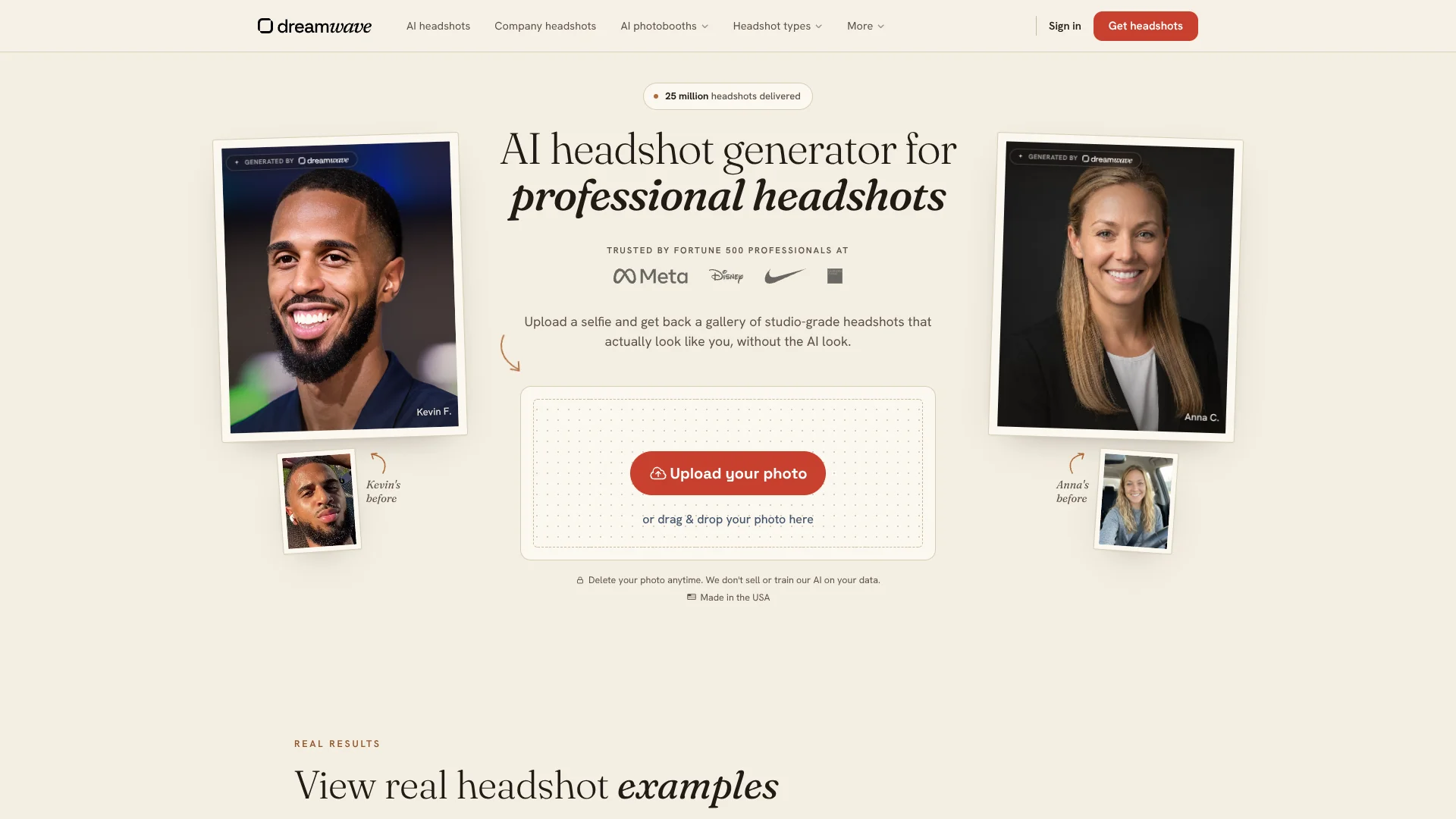
Dreamwave turns a clear selfie into a gallery of professional headshots, so you can refresh a work profile without booking a photographer. Its AI creates portraits in different outfits, settings, and poses. Individuals can start with one photo, and galleries are typically ready in about two hours.
The photoshoot does not end with the first gallery: Dreamwave lets you change outfits with a text prompt, replace backgrounds, and touch up details with its AI photo editor. For companies, it can also sync portraits from HR systems to tools such as Slack and Outlook, keeping employee profile photos current.
Dreamwave suits professionals who need a polished profile photo and companies that want consistent portraits across a team. The results can vary, so you may need to sort through the gallery to find the photos that look most like you. It works best when you want several choices from one selfie, not a guaranteed match in every image.
Who is Using Dreamwave AI Headshot Generator?
Job seekers
A professional gallery gives them several options for resumes, LinkedIn, and applications.
Recruiters
Team portraits can give an employer's recruiting pages and staff profiles a consistent look.
HR managers
The company dashboard supports team invitations, upload reminders, review, and bulk downloads.
Marketing and communications managers
A shared background and outfit direction can keep employee portraits aligned with company branding.
Uncommon Use Cases
Updating employee photos in workplace directories through HR system sync; creating event photobooth portraits for attendee engagement.
Key Features
Rating Breakdown
Pricing Plans
Starter
$55 one-time
- 40 photos
- 1 selfie
- No redos
- No human touchups
Standard
$65 one-time
- 60 photos
- 1 selfie
- 1 free redo
- No human touchups
Best Value
$119 one-time
- 100 photos
- 1 selfie
- 2 free redos
- Unlimited human touchups
Which Dreamwave AI Headshot Generator plan should you pick?
Choose Starter for a smaller gallery, Standard for a free redo, or Best Value if you want the largest individual package and human touchups.
Starter
Good for someone who wants 40 photos from one selfie and does not need a redo or human touchups.
Standard
Good for someone who wants 60 photos and one free redo, without human touchups.
Best Value
Good for someone who wants 100 photos, two free redos, and unlimited human touchups.
Dreamwave AI Headshot Generator Use Cases
Refresh a professional profile
A single selfie can produce multiple portrait options for a work profile or business announcement.
Outcome: A gallery of professional headshots to choose from.
Choose a different look
Text-prompt outfit changes let you adapt a generated portrait to a different professional style.
Outcome: Portrait variations without another photoshoot.
Standardize company portraits
A shared style and background help employee galleries look consistent across a team.
Outcome: Team portraits with a coordinated visual style.
Keep employee directory photos current
HR system sync can pass updated headshots into connected workplace tools when employee records change.
Outcome: Updated profile photos across connected systems.
Offer headshots at an event
The event photobooth lets attendees receive AI-generated portraits through a browser rather than downloading an app.
Outcome: An event portrait experience attendees can access in a browser.
Workflow Ideas with Dreamwave AI Headshot Generator
Create a personal headshot gallery
- 1Choose a clear, well-lit selfie without filters.
- 2Select a package and submit the photo for the AI photoshoot.
- 3Review the gallery and keep the portraits that best match your preferred look.
Refresh a company's team portraits
- 1Choose the outfit and background styles for the team.
- 2Invite employees to upload their photos, or upload on their behalf.
- 3Review the galleries and bulk-download the selected portraits.
Keep workplace profile photos updated
- 1Connect a supported HR system such as Workday or BambooHR.
- 2Set the desired company style and downstream destinations.
- 3Let employee updates trigger headshot delivery to connected workplace tools.
How Dreamwave AI Headshot Generator fits into your stack
Browser-based photoshoots
The individual headshot workflow starts with an uploaded selfie and returns a gallery to review. A native Dreamwave mobile or desktop app was not confirmed.
Portrait editing
The AI photo editor handles outfit changes, background replacement, and small touch-ups after the initial gallery is generated.
Company HR systems
For teams, Dreamwave lists connections to Workday, ADP, Rippling, Gusto, and BambooHR for employee headshot workflows.
Workplace directories and badging
Team headshots can sync to named destinations such as Slack, Outlook, Teams, Okta, and supported badging systems.
Pros
- +One-photo start: Individuals can begin with one clear selfie.
- +Useful editing: Outfit changes and background replacement help tailor a portrait after generation.
- +Team consistency: Company admins can apply chosen styles and backgrounds across employee photos.
- +Privacy controls: Dreamwave says it does not sell photos or use them to train future AI models.
- +Photo rights: Customers retain rights to their uploaded and generated images.
Cons
- −Results vary: Some generated portraits may look less accurate than others, so choosing favorites takes review.
- −Wait for the gallery: A photoshoot can take about two hours rather than returning instant results.
- −Limited individual redo options: The Starter package includes no redos, and Standard excludes human touchups.
Limitations & when to consider alternatives
Known limitations
- Individual package limits. The listed individual packages include 40, 60, or 100 photos, with different redo and human-touchup allowances.
- Source photo requirements. Individual headshots require one clear photo; filtered, poorly lit, or heavily cropped photos may lead to weaker results.
- Refunds after processing begins. Dreamwave says it cannot refund a photoshoot once photo processing starts, or when the submitted photos do not meet its guidelines.
Look elsewhere when
- You need a guaranteed identical likeness across every generated portrait.
- You need a native mobile app or a downloadable desktop editor.
How to Use Dreamwave AI Headshot Generator
- 1
Choose your starting photo
Pick a clear, well-lit, unfiltered selfie where your face is easy to see; the source photo affects the generated likeness.
- 2
Select an individual package
Compare the photo count, redo allowance, and human touchups in Starter, Standard, and Best Value.
- 3
Submit your photo
Upload the selfie to begin the custom AI photoshoot.
- 4
Review the gallery
Once the gallery is ready, compare the portraits and choose the ones that look and feel right.
- 5
Refine selected portraits
Change an outfit with a text prompt, replace the background, or use Magic eraser for small corrections.
- 6
Download and use your photos
Keep the generated portraits you want for personal or business use; Dreamwave says you own the rights to them.
Who is Dreamwave AI Headshot Generator For?
Professionals
A range of AI-generated portraits can refresh a LinkedIn profile or work directory without arranging an in-person shoot.
Companies and HR teams
Team features help coordinate employee uploads, maintain a shared visual style, and manage galleries centrally.
Event organizers
Dreamwave's event photobooth offering gives attendees AI-generated portraits through a browser-based experience.
Frequently Asked Questions
Is Dreamwave free?
Dreamwave says its free headshot generator opens a few spots each day. The spots may fill quickly.
How many photos do I need to upload?
For an individual headshot, Dreamwave asks for one clear, well-lit photo. Company headshots require at least five photos per person, with seven or eight recommended.
How long does a headshot photoshoot take?
Dreamwave says an individual gallery is typically ready in about two hours.
Does Dreamwave use my photos to train AI?
Dreamwave says it does not sell customer photos or use a customer's likeness to train future AI models. It says photos can be deleted at any time.
Can I change the outfit or background?
Yes. The AI photo editor supports text-prompt outfit changes, background replacement, and detail touch-ups.
Can I get a refund after uploading my photo?
Dreamwave says it cannot refund a photoshoot after processing begins or when the submitted photos do not follow its guidelines.
Community reviews
Be the first to share your experience.
Sign in to leave a review for Dreamwave AI Headshot Generator.
Dreamwave AI Headshot Generator Alternatives
Looking for alternatives to Dreamwave AI Headshot Generator? Here are similar tools in the same category: