tl;dv
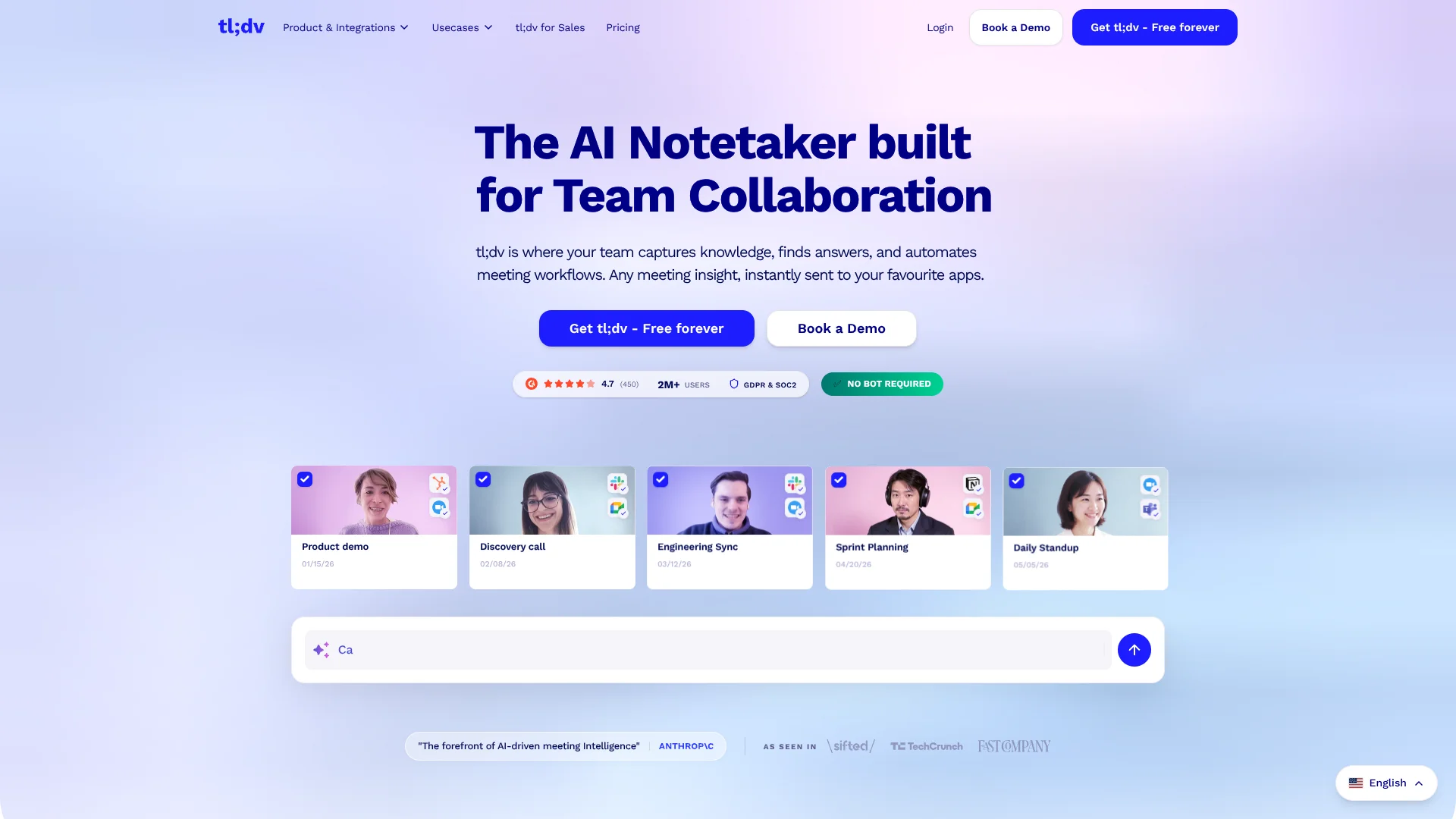
Find patterns across customer calls to coach sales teams with real conversations.
Key Takeaways
- What it is
- Find patterns across customer calls to coach sales teams with real conversations.
- Pricing
- Freemium · $29 per user per month · $39 per user per month
- Best for
- AI Meeting Notes
- Multi-Meeting AI Insights
- AI Coaching and Playbooks
- Rating
- 4.4/5
What is tl;dv?
tl;dv records meetings on Google Meet, Zoom, and Microsoft Teams, then turns the conversation into a transcript, summary, and searchable record. Sales, customer success, product, and marketing teams can use those meeting records to track follow-ups and find customer feedback without relying on handwritten notes or replaying entire calls.
For sales teams, tl;dv can compare calls with a sales playbook, flag how reps handle objections, and surface patterns across meetings. Managers can use those findings to focus coaching on specific moments in real customer conversations.
It fits teams that want meeting notes to feed into their CRM or team workflows, especially when coaching and cross-call trends matter. Its recording is centered on online meetings and supported meeting tools, so it is less suited to teams that need a general-purpose AI workspace for work beyond conversations.
Who is Using tl;dv?
Sales Managers
Playbook checks and call insights help them target coaching to specific sales conversations.
Account Executives
CRM-linked summaries and follow-up drafts reduce post-call note taking.
Customer Success Managers
Searchable call records help them revisit customer needs and account commitments.
Product Managers
Cross-meeting analysis helps them spot repeated customer feedback and bug reports.
Marketing Managers
Customer call insights can help them identify common pain points and customer quotes.
Uncommon Use Cases
Sales onboarding with selected clips from strong calls; tracking recurring feature requests across customer conversations.
Key Features
Rating Breakdown
Pricing Plans
Free
Free
- No time limit
- Meeting recording and transcription
- Limits apply to some AI features
Pro
$29 per user per month
- Annual billing is $18.00 per user per month
- AI meeting notes and CRM integrations
- API access
Business
$39 per user per month
- Annual billing is $29.00 per user per month
- Sales playbooks and AI coaching
- Multi-meeting AI insights
Enterprise
- Enterprise security and administration options
- Custom SSO
Which tl;dv plan should you pick?
Start with Free to test meeting capture; choose Pro for regular AI notes and CRM or API workflows, or Business for sales coaching and deeper multi-meeting analysis.
Free
Good for individuals or teams testing meeting recordings and transcription with limited AI usage.
Pro
Good for regular meeting workflows that need more AI notes, CRM integrations, and API access.
Business
Good for sales teams that need playbook monitoring, objection analysis, and broader multi-meeting insights.
Enterprise
Good for organizations that need enterprise administration and security options such as custom SSO.
tl;dv Use Cases
Sales Call Coaching
A manager can check how calls follow a sales playbook and review moments where objections came up.
Outcome: Coaching tied to specific customer conversations.
CRM Call Logging
Meeting summaries and recording links can be sent to matching Salesforce or HubSpot records.
Outcome: Less manual post-call CRM entry.
Customer Feedback Review
Product teams can look across calls for recurring feature requests, pain points, or bug reports.
Outcome: Patterns surfaced across multiple meetings.
Meeting Follow-Up
After a call, AI-generated notes and next steps give participants a starting point for follow-up.
Outcome: A shareable summary and action items.
In-Person Meeting Capture
The mobile app records face-to-face conversations, then syncs audio to the tl;dv workspace for AI processing.
Outcome: Meeting audio and AI insights available in the workspace.
Workflow Ideas with tl;dv
Review and Coach Sales Calls
- 1Record sales calls with tl;dv.
- 2Compare calls with the team playbook and review objection handling.
- 3Share selected call moments as coaching examples.
Send Meeting Notes to a CRM
- 1Connect Salesforce or HubSpot to tl;dv.
- 2Choose which meetings should be recorded and set up note fields.
- 3Review meeting summaries and links on the matched CRM record.
Find Customer Feedback Across Calls
- 1Record customer conversations in tl;dv.
- 2Ask about a product topic or recurring customer concern across meetings.
- 3Share the resulting insights with product or marketing colleagues.
How tl;dv fits into your stack
Video Meetings
tl;dv records Google Meet, Zoom, and Microsoft Teams calls. The Chrome extension and desktop app offer different recording options.
CRM and Team Workflows
Native integrations and Zapier can send meeting notes to tools such as Salesforce, HubSpot, Slack, and Asana.
Meeting Library
Recordings, transcripts, and summaries stay organized in a searchable workspace for later review.
API and Webhooks
Paid plans include API access for retrieving meeting data, while webhooks can notify connected systems when a meeting or transcript is ready.
Mobile and In-Person Meetings
The tl;dv mobile app captures in-person conversations and syncs audio to the desktop workspace for transcription and AI analysis.
Pros
- +Free recording: The free plan includes ongoing meeting recording and transcription.
- +Sales coaching: Playbook checks and objection analysis connect coaching to real call moments.
- +Cross-call search: AI can help find patterns across multiple meetings rather than only summarizing one call.
- +Flexible capture: A Chrome extension and desktop app support different ways to record online meetings.
- +Workflow connections: Native integrations and Zapier can move meeting takeaways into other tools.
Cons
- −AI limits on Free: The free plan caps some AI features and has a limited recording retention period.
- −Sales features cost more: Playbooks and deeper coaching are aimed at Business users.
- −API maturity: The public API is documented as an alpha version.
Limitations & when to consider alternatives
Known limitations
- Free-plan recording retention. Free-plan recordings are retained for up to three months.
- Free-plan API access. The API documentation says meetings organized on the Free plan are not available through the API.
- Public API status. The documented public API is labeled alpha, and the documentation warns that it may change.
Look elsewhere when
- You need a general-purpose AI workspace for writing and tasks beyond meetings.
- Your main requirement is an API for meetings organized on the Free plan.
- You need a stable, non-alpha public API.
How to Use tl;dv
- 1
Choose how to record
Connect Google Meet, Zoom, or Microsoft Teams, then choose the Chrome extension or desktop app based on whether you want a meeting bot to join.
- 2
Set up your meeting notes
Pick a meeting template or create a format that captures the details your team needs.
- 3
Review the AI summary
After the call, check the transcript, summary, and suggested action items before sharing them.
- 4
Connect your work tools
Link a CRM or another supported integration when meeting details should be sent to another system.
- 5
Look across calls
Ask questions about multiple meetings to find repeated customer themes or sales objections.
- 6
Set up coaching if needed
Sales teams can configure a built-in or custom playbook and review calls against it.
Who is tl;dv For?
Sales Teams
Call summaries, CRM updates, and playbook checks help reps and managers keep customer conversations actionable.
Customer Success Teams
Teams can review customer calls for account context, follow-ups, and recurring concerns.
Product Teams
Multi-meeting insights can help identify repeated feature requests and product feedback.
Marketing Teams
Customer conversations can surface recurring pain points and useful customer language.
Internal Meeting Teams
Shared recordings and summaries help colleagues catch up on decisions and action items.
Frequently Asked Questions
Does tl;dv have a free plan?
Yes. The Free plan has no time limit and includes meeting recording and transcription, with limits on some AI features.
Which meeting platforms does tl;dv support?
It supports Google Meet, Zoom, and Microsoft Teams.
Can tl;dv record without a meeting bot?
Yes. Its Mac and Windows desktop app can capture system audio without adding a bot to the meeting.
Does tl;dv have a mobile app?
Yes. The tl;dv Mobile app records in-person conversations and syncs audio to the tl;dv workspace for AI processing.
Can tl;dv connect to Salesforce or HubSpot?
Yes. Its CRM integrations can send meeting notes and summaries to Salesforce and HubSpot.
Does tl;dv offer an API?
Yes. The public API provides access to meeting data and is available on Pro, Business, and Enterprise plans.
Community reviews
Be the first to share your experience.
Sign in to leave a review for tl;dv.
tl;dv Alternatives
Looking for alternatives to tl;dv? Here are similar tools in the same category: