
Thumbsnap
Harness AI creativity and host media effortlessly on one platform.
Key Takeaways
- What it is
- Harness AI creativity and host media effortlessly on one platform.
- Best for
- Stable Diffusion Technology
- Free Photo & Video Hosting
- User-Friendly Interface
- Rating
- 4.3/5
What is Thumbsnap?
Thumbsnap is an innovative AI Art Generator powered by Stable Diffusion technology, offering a versatile platform for both individuals and professionals. With its unique blend of free photo and video hosting capabilities alongside AI-driven art creation features, Thumbsnap caters to a diverse range of users, from creatives to marketers.
Thumbsnap stands out for its dual functionality as an AI art generator and a platform for media hosting. By seamlessly integrating Stable Diffusion technology into a user-friendly interface, Thumbsnap democratizes the creation of digital art.
Thumbsnap offers an exceptional experience for users interested in AI-powered art creation without the complexity or cost associated with professional software. Its combination of art generation and media hosting features encourages creativity and sharing while providing cost-effective solutions. Although there is room for improvement in customization and integration, Thumbsnap's strengths in accessibility and affordability make it an attractive option for a wide range of users.
Who is Using Thumbsnap?
Content Creators
Generating unique art for various digital platforms, including videos, blogs, and social media.
Digital Artists
Exploring new styles and concepts conveniently without complex software.
Social Media Influencers
Creating captivating imagery to engage with their audience effectively.
Educators
Introducing students to the intersection of art and technology in an engaging manner.
Uncommon Use Cases
Event planners utilize Thumbsnap for designing thematic visuals, while novelists visualize characters or scenes for their stories.
Key Features
Rating Breakdown
Pricing Plans
Free Access
- Thumbsnap offers generous daily credits for free usage
Additional Credits
- Users have the option to purchase more credits for extensive use
Thumbsnap Use Cases
Generate AI artwork
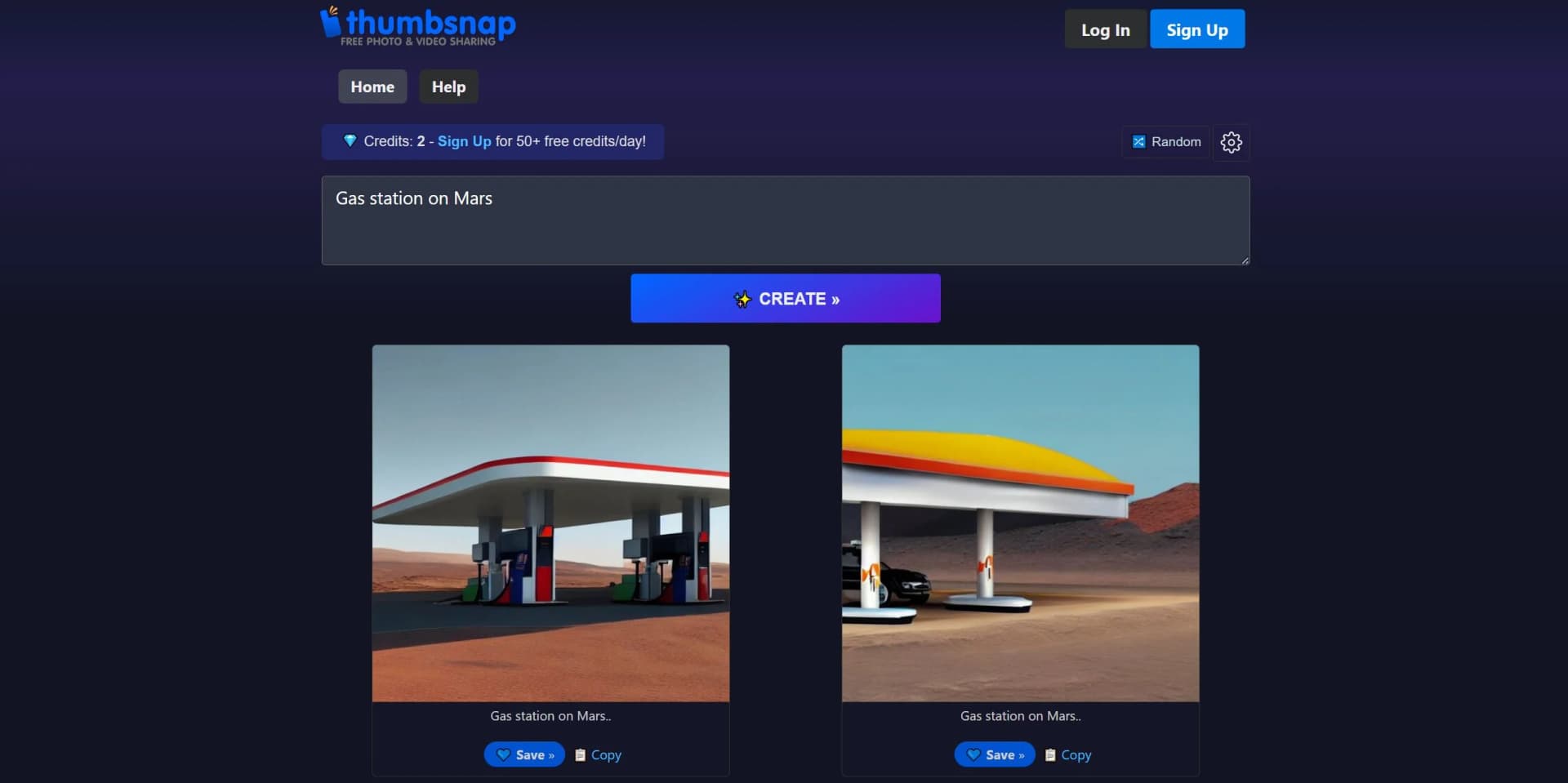
Enter a text description and use the Stable Diffusion-powered generator to create visual artwork.
Outcome: A generated image based on the prompt.
Host photos online
Upload images to ThumbSnap and store them for online access and sharing.
Outcome: Shareable hosted image URLs.
Host videos online
Upload video files to ThumbSnap for online hosting and sharing.
Outcome: Shareable hosted video URLs.
Batch upload media
Upload multiple images together instead of adding them individually.
Outcome: Faster bulk media hosting.
Workflow Ideas with Thumbsnap
Upload and share media
- 1Upload an image or video
- 2Organize or manage the uploaded media
- 3Share the hosted link or embed it elsewhere
Generate and publish AI art
- 1Enter a text prompt in the AI generator
- 2Create the generated artwork
- 3Save or share the resulting image
How Thumbsnap fits into your stack
Web-Based Platform
Accessible from any modern browser, ensuring compatibility across devices.
Javascript Enabled
Requires Javascript for dynamic and responsive user experience.
Image Sharing Capability
Allows easy sharing of generated art and hosted media content.
Cross-Device Compatibility
Works seamlessly on both desktop and mobile devices for on-the-go art creation.
Pros
- +Innovative Art Creation: Transforms text descriptions into visually stunning artworks swiftly.
- +Cost Savings: Free daily credits allow users to experiment without financial constraints.
- +Ease of Access: No software installation required; all functions accessible via the browser.
- +Community Engagement: Features like the random art generator inspire creativity and showcase community talent.
Cons
- −Limited Customization: May not offer extensive control over details compared to professional tools.
- −Browser Dependency: Relies on Javascript and a stable internet connection, potentially limiting accessibility.
- −Learning Curve: New users may require time to optimize their text descriptions for desired outcomes.
Limitations & when to consider alternatives
Known limitations
- Image-size limit. Images are limited to 48MB per file.
- Primarily web-based. The product is presented as an online hosting and sharing service rather than a native desktop or mobile application.
- Limited collaboration controls. The documented product focuses on uploading and sharing media, without shared workspaces, roles, or team administration.
Look elsewhere when
- You need a native mobile application.
- You need a desktop installer for Windows, Mac, or Linux.
- You need image understanding or vision analysis.
How to Use Thumbsnap
- 1
Thumbsnap's intuitive design minimizes the need for extensive tutorials. However, users seeking to master its capabilities can find resources directly on the platform and within the community.
Frequently Asked Questions
What is ThumbSnap?
ThumbSnap is a free photo and video hosting platform with unlimited image uploads and an AI art generator powered by Stable Diffusion.
How does ThumbSnap's AI Art Generator work?
Users enter a text prompt and select Create; the AI generates artwork from that prompt.
How many images can I upload?
ThumbSnap allows unlimited image uploads.
What is the maximum upload size?
Images and videos can be up to 48 MB per file.
Does ThumbSnap support batch uploads?
Yes. ThumbSnap supports uploading multiple images in a batch.
How can I share my photos or generated art?
Uploaded photos and generated artwork can be hosted and shared through ThumbSnap URLs.
Community reviews
Be the first to share your experience.
Sign in to leave a review for Thumbsnap.
Thumbsnap Alternatives
Looking for alternatives to Thumbsnap? Here are similar tools in the same category:
Learn to Master Thumbsnap
With Skill Leap courses
Get in-depth training on Thumbsnap and 50+ other AI tools with our expert-led video courses.
Start 7-Day Free Trial