
Craiyon
Transforms text into vivid, diverse artistic images.
Key Takeaways
- What it is
- Transforms text into vivid, diverse artistic images.
- Pricing
- $12 per month. Get 120 Pro credits for top-quality images · $24 per month
- Best for
- Text-to-Image Conversion
- User-Friendly Interface
- Diverse Style Options
- Rating
- 4.2/5
What is Craiyon?
Craiyon, formerly known as DALL-E Mini, is an innovative AI tool designed to generate images from textual descriptions. This remarkable application leverages advanced machine learning algorithms to transform written prompts into visually compelling artwork. Primarily targeted at creative professionals, hobbyists, and educators, Craiyon simplifies the process of creating unique images by simply typing a descriptive phrase.
Craiyon stands out with its ability to transform text into images with remarkable ease, a feature that democratizes access to AI-generated art. Its capacity to produce diverse styles and rapid image generation sets it apart as a versatile tool for both professionals and hobbyists.
Craiyon empowers users with the ability to generate art from text, opening up new avenues for creativity and exploration. Its user-friendly interface and diverse style options make it a valuable tool for artists, educators, and content creators alike. While there are some limitations in output quality, the tool's innovative features and accessibility make it a compelling choice for anyone interested in AI-driven art creation.
Who is Using Craiyon?
Graphic Designers
Using Craiyon for brainstorming and generating initial design concepts.
Content Creators
Employing the tool to produce unique visuals for blog posts and digital content.
Educators
Leveraging Craiyon as a teaching tool to illustrate AI capabilities in classrooms.
Social Media Managers
Creating engaging visuals to enhance social media presence.
Uncommon Use Cases
Utilized by novelists for visualizing story elements; Adopted by game developers for conceptualizing game art.
Key Features
Rating Breakdown
Pricing Plans
Free Access
- 2 Pro generations per day and unlimited Lite generations (both with watermarks)
Supporter
$12 per month. Get 120 Pro credits for top-quality images
- Unlimited Lite image generation
- No ads or watermarks
- No attribution needed—though generated images remain public
Professional
$24 per month
- Includes 250 Pro credits, private image generation, fastest processing, unlimited Lite images, no ads, no attribution, and early access to new features
Enterprise
- Designed for teams needing fully customizable models
- Custom integrations
- High-volume usage
- API access
- Dedicated support
Which Craiyon plan should you pick?
Start with the free tier for basic prompt-based image generation, choose Supporter for higher quality and editing, and upgrade to Professional when private images or more credits are needed.
Supporter
Good for creators who need higher-quality images, unlimited generation, 100 edit credits, priority processing, and no watermarks.
Professional
Good for users who need 220 edit credits, private image generation, faster priority, and early feature access.
Ultra
Good for heavy users who need the highest documented editing allowance, with 900 edit credits.
Craiyon Use Cases
Logo design
Generate minimalist logos, icons, and branding concepts using vector-style prompts.
Outcome: Create visual identity concepts and design assets.
Product photography
Generate studio-style product images with controlled backgrounds, lighting, and composition.
Outcome: Produce product visuals for listings and marketing.
Social media content
Create images for Instagram, Twitter, thumbnails, posts, and other social content.
Outcome: Develop visual content quickly.
Book and novel art
Generate cover concepts and chapter illustrations for books and novels.
Outcome: Visualize publishing projects.
Gaming art
Create characters, items, weapons, environments, and other game-art concepts.
Outcome: Explore visual directions for games.
Workflow Ideas with Craiyon
Generate and refine a concept
- 1Enter a detailed text prompt
- 2Choose a style and aspect ratio
- 3Review the results and refine the prompt or exclusions
Retouch an existing image
- 1Open a generated or uploaded image
- 2Enter a text-based retouch command
- 3Apply the edited result using available edit credits
Create an isolated design asset
- 1Upload an image or generate one in Craiyon
- 2Use Background Remover
- 3Choose a transparent, white, black, or custom-color background
How Craiyon fits into your stack
Browser
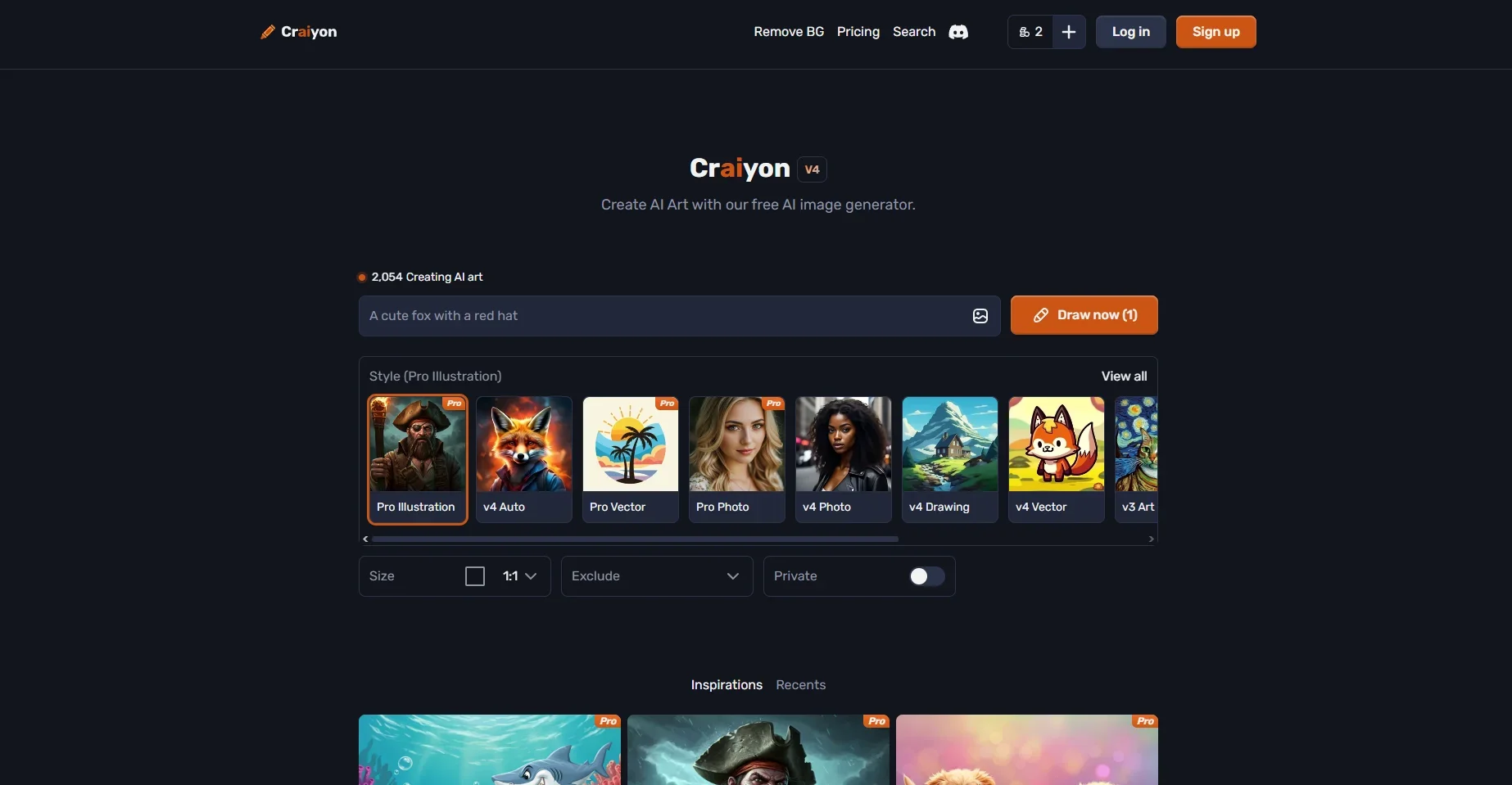
Craiyon is used as a browser-based image-generation workspace: users enter prompts, choose styles and aspect ratios, generate images, then retouch, download, share, or remove backgrounds.
Pros
- +Creative Freedom: Offers users the ability to explore a wide range of artistic ideas with minimal effort.
- +Cost-Effective: Provides a free tier, making it accessible to anyone interested in AI-generated art.
- +Educational Tool: Useful for educators looking to demonstrate the capabilities of AI in creative processes.
- +Inspiration Source: Acts as a catalyst for artists seeking new directions in their work.
Cons
- −Limited Output Quality: The generated images may not match professional standards in terms of resolution and detail.
- −Dependence on Text Accuracy: The quality of the output heavily relies on the specificity and clarity of the input text.
Limitations & when to consider alternatives
Known limitations
- Free users have limited functionality. Free accounts receive base-quality images and may experience wait times.
- Free images include watermarks. Paid plans provide no-watermark downloads, while free users must credit Craiyon.
- Free users may face queue delays. Craiyon says free users may see a temporary too-much-traffic message during peak periods.
- Edit credits are limited by plan. Retouching and image-input operations use edit credits; unused monthly credits do not roll over.
- Private image generation is restricted. The pricing FAQ identifies private image generation as a Professional-plan benefit.
Look elsewhere when
- You need a public API for programmatic image generation.
- You need a native mobile app today.
- You need private image generation on the entry-level paid plan.
How to Use Craiyon
- 1
Write a detailed prompt
Describe the subject, action, environment, style, mood, lighting, and technical details to guide the result.
- 2
Choose a visual style
Select Artistic, Photo, Anime, Illustration, Vector, or Raw to influence the generated image.
- 3
Set the format
Choose square, portrait, or landscape when the selected plan and interface support the desired aspect ratio.
- 4
Use exclusions
Enter unwanted concepts such as people, text, or colors to reduce undesired elements.
- 5
Retouch the result
Open an image, enter a natural-language editing command, and apply the change using edit credits.
- 6
Remove the background
Upload a generated or external image, remove its background, and select a transparent, white, black, or custom-color replacement.
Who is Craiyon For?
Beginners
Craiyon provides a simple text-to-image workflow and prompt guidance for people exploring AI art.
Professionals
Paid plans provide higher-quality models, private image generation, priority processing, and high-quality downloads.
Content creators
Craiyon supports visuals for social posts, thumbnails, merchandise, and other creative content.
Designers and artists
Style presets, vector-like outputs, retouching, and background removal support visual design work.
Businesses
Craiyon documents commercial image use cases including product imagery, branding, marketing materials, and merchandise.
Frequently Asked Questions
What is Craiyon?
Craiyon is an AI art generator that transforms text descriptions into unique images.
How do I create AI-generated art with Craiyon?
Enter an idea, choose a style and aspect ratio, generate the image, then refine the prompt or exclusions.
Will Craiyon's text-to-image AI always be free?
Yes. Craiyon offers free image generation, while paid tiers provide higher quality and additional functionality.
What is the Exclude section?
The Exclude field lets users specify concepts they do not want included in the generated image.
Can I use Craiyon images commercially?
Yes, personal, academic, and commercial use is allowed subject to the Terms of Use. Free users must credit Craiyon.
What is the Craiyon mobile app status?
Craiyon states that a mobile app is coming soon.
Community reviews
1 review from people who use Craiyon.
Sign in to leave a review for Craiyon.
Adrien BENOIT
Craiyon Alternatives
Looking for alternatives to Craiyon? Here are similar tools in the same category:
Learn to Master Craiyon
With Skill Leap courses
Get in-depth training on Craiyon and 50+ other AI tools with our expert-led video courses.
Start 7-Day Free Trial