
Textero AI Essay Writer
Students draft cited essays from academic papers and uploaded PDFs.
Key Takeaways
- What it is
- Students draft cited essays from academic papers and uploaded PDFs.
- Pricing
- Freemium · $19.99 per month · $44.99 per quarter · $99 per year
- Best for
- AI Essay Writer
- Academic Sources and Citations
- Custom PDF Sources
- Rating
- 4.0/5
What is Textero AI Essay Writer?
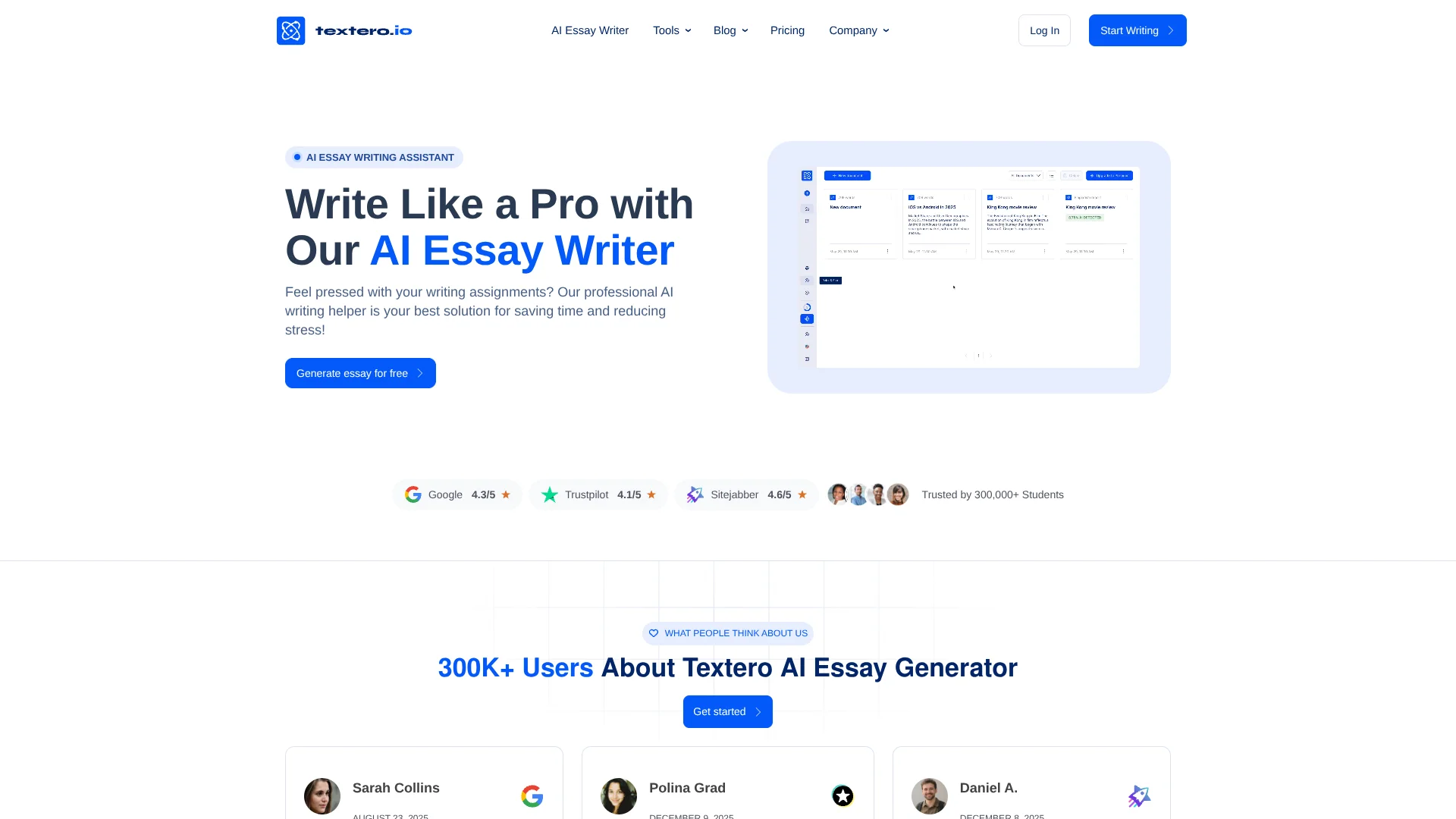
Textero helps students turn an assignment topic and source material into a structured academic draft with citations. Its essay tools can also build outlines, suggest research sources, and help revise writing. Students can add their own PDFs for context, then edit the generated text in Textero before exporting it to Google Docs or PDF.
A distinctive part of Textero is that its drafting process can draw on academic papers found through Semantic Scholar as well as PDFs you provide, then include in-text citations and references. That makes it suited to source-based academic writing rather than only polishing text you already have.
Textero is best for students who need help getting an essay started, organizing research, or improving a draft. Its terms state that the service may not meet users’ requirements. Treat it as a research and drafting aid, not a substitute for your own judgment.
Who is Using Textero AI Essay Writer?
Undergraduate Students
A structured first draft can help them move from an assignment prompt to a reviewable essay.
Graduate Students
PDF sources and drafting tools can help organize ideas for research papers and theses.
Academic Researchers
Source discovery and citation formatting can support early-stage literature research and writing.
Writing Instructors
Essay outlines and citation examples can serve as material for teaching writing structure.
Uncommon Use Cases
Summarizing academic PDFs into study notes; using an essay outline to demonstrate argument structure in class.
Key Features
Rating Breakdown
Pricing Plans
Free
Free
- 5 AI credits per day
- 5 AI commands per day
- Unlimited PDF uploads
Premium Monthly
$19.99 per month
- Unlimited AI credits
- Unlimited AI commands
- Unlimited PDF uploads
- No subscription freeze
Premium Quarterly
$44.99 per quarter
- Equivalent to $14.99 per month
- Unlimited AI credits, commands, and PDF uploads
- One month subscription freeze
- 14-day money-back guarantee
Premium Yearly
$99 per year
- Equivalent to $8.25 per month
- Unlimited AI credits, commands, and PDF uploads
- Three months subscription freeze
- 14-day money-back guarantee
Which Textero AI Essay Writer plan should you pick?
Start with Free for occasional writing help, and upgrade when you need unlimited credits, commands, and PDF uploads.
Free
Good for students testing essay drafting and editing with daily usage limits.
Premium Monthly
Good for a semester or other period when you want unlimited AI credits, commands, and PDF uploads without a subscription freeze.
Premium Quarterly
Good for ongoing coursework when a three-month subscription and one month of subscription freeze are useful.
Premium Yearly
Good for regular academic writing throughout the year, with three months of subscription freeze.
Textero AI Essay Writer Use Cases
Start an Academic Essay
A topic, assignment instructions, and source choices become the basis for a structured draft.
Outcome: A working academic draft to review and revise.
Find and Cite Research
Academic source suggestions and citation tools help support an argument with references.
Outcome: Formatted citations and a reference list to check.
Work from Your PDFs
Your uploaded research materials can inform essay ideas and draft content.
Outcome: A draft informed by your supplied sources.
Revise an Existing Draft
The editor’s paraphrase, expand, and shorten commands help refine sections of a paper.
Outcome: Revised text that you can review and adapt.
Review Writing Quality
Essay grading and detection tools help flag areas to inspect before you finalize a paper.
Outcome: Feedback on writing and checks to review.
Workflow Ideas with Textero AI Essay Writer
Build a Source-Based Essay Draft
- 1Enter the topic, essay type, and assignment instructions.
- 2Add relevant PDFs or select academic sources.
- 3Review the draft, citations, and references, then revise before export.
Turn Research PDFs into an Outline
- 1Upload the PDFs you want to use as background.
- 2Enter your topic and the main points you want to cover.
- 3Review and adjust the generated outline before drafting.
Polish and Check a Paper
- 1Open your draft in the Textero editor.
- 2Use editing commands or essay feedback to identify sections to improve.
- 3Check citations and detection results, then export the revised work.
How Textero AI Essay Writer fits into your stack
Textero Web Editor
The web editor is where essay drafting, revision, source handling, and writing checks come together.
Academic Research
Textero can retrieve research papers through Semantic Scholar and use uploaded PDFs as source material.
Browser Writing
The Chrome extension offers writing checks and summaries in text boxes across supported sites; its paid website features are not available through the extension.
Document Export
Finished work can be exported as a PDF or sent to Google Docs for further editing.
Pros
- +Research-led drafting: Can draw on academic papers and your own uploaded PDFs.
- +Citation support: Adds in-text citations and references for academic drafts.
- +Revision tools: Includes commands to expand, shorten, or paraphrase text.
- +Export options: Lets you send work to Google Docs or export it as a PDF.
Cons
- −Needs careful review: Drafts and citations can include mistakes that require checking.
- −Academic focus: Its strongest features center on essays and research writing.
- −Individual accounts: Textero says accounts are for individual use and should not be shared.
Limitations & when to consider alternatives
Known limitations
- Generated content can be inaccurate. Textero says drafts may oversimplify topics, miss context, or contain inaccuracies, so users need to verify claims.
- Academic source coverage varies. Available research coverage differs by topic, and AI-assisted source selection does not replace a full literature review.
- Citation details need checking. Users are responsible for reviewing sources and citations before using them in academic work.
- Institution rules still apply. Textero does not guarantee that its use complies with a specific school’s or instructor’s requirements.
Look elsewhere when
- You need a tool that guarantees factual accuracy or verifies sources for you.
- Your school or instructor does not allow AI-assisted writing.
- You need a shared workspace for multiple writers.
How to Use Textero AI Essay Writer
- 1
Create an account
Sign up with Google or email to open Textero’s writing tools.
- 2
Set the assignment details
Enter your topic, essay type, and instructions so the draft has a clear direction.
- 3
Add source material
Upload relevant PDFs or choose to have Textero suggest academic sources.
- 4
Generate and edit
Review the draft in the editor and use its commands to revise sections.
- 5
Check and export
Review source accuracy and citations, then export to PDF or Google Docs.
Who is Textero AI Essay Writer For?
Students
Essay drafting, outlines, source suggestions, and revision tools support common academic writing tasks.
Researchers
PDF uploads and academic source suggestions can help organize early research and draft ideas.
Educators
Textero describes classroom uses such as demonstrating essay structure, outlines, and citation formatting.
Frequently Asked Questions
Does Textero have a free plan?
Yes. The pricing page lists a Free option with five AI credits and five AI commands per day, plus unlimited PDF uploads.
What does one Textero credit cover?
Textero Support defines one credit as one page, or 275 words, for essay writing, AI detection, or another feature.
Can Textero use my own research sources?
Yes. You can upload PDFs, and Textero says it can use them to suggest ideas for an essay.
Can I export my work?
Yes. Textero offers PDF export and sending work to Google Docs.
How many languages does Textero support?
Textero Support says the service currently supports seven languages, including English, German, and Spanish.
Does Textero have a browser extension?
Yes. Textero offers a Chrome extension for writing checks and summaries. Paid features from the website are not available through the extension.
Community reviews
19 reviews from people who use Textero AI Essay Writer.
Sign in to leave a review for Textero AI Essay Writer.
Andrii Karpiuk
Ilya Postoyko
Уля Шевченко
Alex Fox
Alex K
Marharyta Karpiuk
Никита Ясинський
Will Davis
Arina Talanova
Olena Milkovska
Mark
Kostyantyn Paliy
Schiba
Anton K
Natalia Matsko
Rita Karpiuk
Dasha Karpiuk
Andrii Karpiuk
Ave Napoleon
Textero AI Essay Writer Alternatives
Looking for alternatives to Textero AI Essay Writer? Here are similar tools in the same category:
Learn to Master Textero AI Essay Writer
With Skill Leap courses
Get in-depth training on Textero AI Essay Writer and 50+ other AI tools with our expert-led video courses.
Start 7-Day Free Trial