
TextBuddy
Enhance writing clarity with AI-powered editing and multilingual support.
Key Takeaways
- What it is
- Enhance writing clarity with AI-powered editing and multilingual support.
- Best for
- Plain Language Analysis
- AI Writing Assistant
- Multilingual Support
- Rating
- 4.3/5
What is TextBuddy?
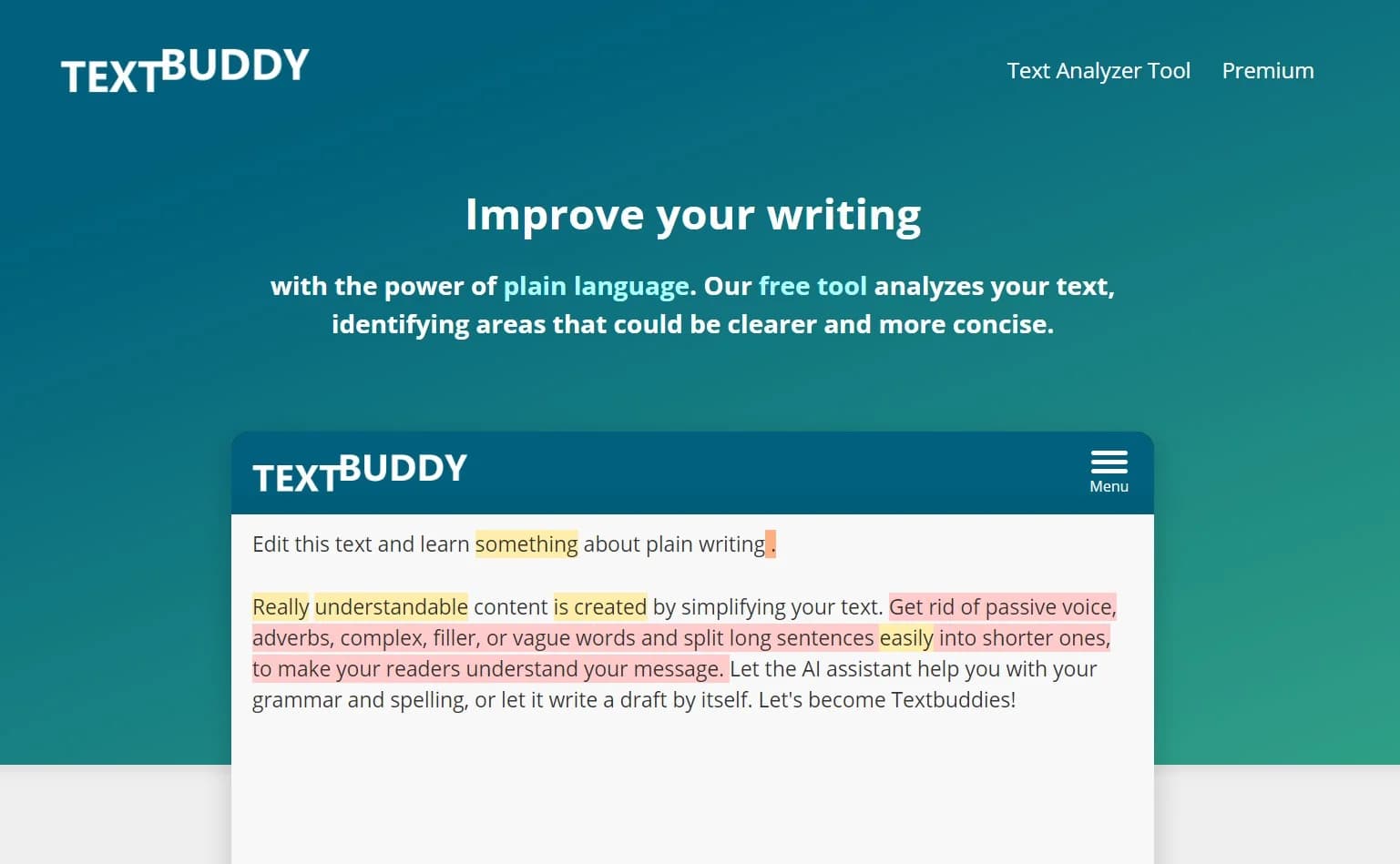
TextBuddy is an innovative online writing editor aimed at enhancing the clarity and conciseness of your written communication through the integration of plain language principles and AI technology. This tool caters to a wide audience, including professionals, students, and individuals seeking to improve their writing effectiveness. TextBuddy offers a comprehensive suite of features to analyze and refine your text, ensuring it is easy to read and understand.
TextBuddy stands out for its focus on plain language, a critical aspect of clear communication. It not only corrects text but also educates users on becoming better writers. Additionally, TextBuddy's integration of ChatGPT-4 for AI assistance elevates it beyond simple editing, providing a robust tool for both writing and learning.
TextBuddy excels in empowering users to produce clear and effective writing. Its emphasis on plain language, coupled with advanced AI technology, provides a significant advantage for those looking to enhance their writing skills. Whether for professional or personal use, TextBuddy proves to be a valuable asset in achieving writing clarity and effectiveness.
Who is Using TextBuddy?
Content Writers
Refining articles and blog posts for improved readability.
Academics
Simplifying complex research language for broader audiences.
Business Professionals
Crafting clear and persuasive business documents.
ESL Learners
Practicing and enhancing English writing skills.
Uncommon Use Cases
Non-profit organizations for effective audience communication; Legal professionals for simplifying legal language.
Key Features
Rating Breakdown
Pricing Plans
Free Version
- Basic text analysis and writing assistance are available at no cost
Premium Subscription
- Unlock advanced features and full AI assistance capabilities with a subscription
TextBuddy Use Cases
Rewrite existing content
Paste text, choose a task and tone, and generate a natural rewrite that preserves the original message.
Outcome: Clearer, less repetitive copy.
Proofread a draft
Submit writing for grammar, spelling, and punctuation corrections without changing the personal writing style.
Outcome: A polished draft with the writer's voice retained.
Create blog content
Enter a topic, context, or outline and optionally enable web search for current information.
Outcome: Human-like, SEO-oriented blog content.
Generate social content
Provide source context and generate multiple social posts or concise hooks for social platforms and UGC videos.
Outcome: Ready-to-use social copy variations.
Summarize long text
Paste a long document or article and request key takeaways as bullets or a concise paragraph.
Outcome: A shorter summary focused on essential points.
Workflow Ideas with TextBuddy
Research-backed article draft
- 1Enter a topic, context, or outline.
- 2Select the desired task and tone.
- 3Enable web search and export the generated article.
Polish and simplify a draft
- 1Paste the draft into Textbuddy.
- 2Run proofreading or rewriting with an appropriate tone.
- 3Review readability and export the revised text.
Repurpose content for social media
- 1Paste an article, idea, or source passage.
- 2Generate social posts or hooks for the target platform.
- 3Copy or export the strongest variations.
How TextBuddy fits into your stack
Browser-Based
Accessible from any modern web browser without requiring software installation.
API Access
Developers can utilize TextBuddy's API for custom applications, subject to availability.
Language Support
Compatible with over 50 languages, catering to a global user base.
Social Media Integration
Facilitates easy sharing of edited content across various social platforms.
Pros
- +Enhanced Clarity: Promotes clear and concise writing, improving information accessibility.
- +Time-Saving: Reduces the need for extensive revisions by providing immediate feedback.
- +User-Friendly Interface: Intuitive design simplifies the writing and editing process for users of all levels.
- +Versatility: Suitable for diverse users with support for multiple languages.
Cons
- −Learning Curve: New users may require time to acquaint themselves with all of TextBuddy's features.
- −Internet Dependency: Requires an internet connection to access all functionalities.
- −Feature Limitations: Some advanced features may only be available in the premium version.
Limitations & when to consider alternatives
Known limitations
- Output accuracy is not guaranteed. The Terms state that generated output may not be accurate, complete, reliable, or fit for a particular purpose.
- PRO usage has monthly word limits. PRO accounts have monthly word limits that reset each calendar month; unused words do not roll over.
- Prepaid credits expire. Prepaid word credits expire 24 months after purchase.
- Processed text is ephemeral. Submitted and generated text is deleted after processing rather than retained for later access.
- Some features require registration. The Terms state that most features require registering for an account, despite several public tools being available without login.
Look elsewhere when
- You need a native mobile application.
- You need a documented developer API.
- You need file or document uploads.
- You need shared team workspaces.
How to Use TextBuddy
- 1
TextBuddy's website and social media channels offer guides and how-tos, enabling users to maximize the tool's potential.
Who is TextBuddy For?
Writers
Textbuddy provides rewriting, proofreading, summarization, readability analysis, and plain-language editing tools.
Marketers
Marketers can generate blog posts, social posts, hooks, replies, content ideas, and SEO-oriented copy.
Professionals
Professionals can draft and refine emails, messages, reports, and other business writing.
Students
Students can summarize material, proofread drafts, simplify language, and generate writing ideas.
Creators and influencers
Creators and influencers can produce social-media hooks and punchy posts for platforms such as TikTok, Reels, X, and LinkedIn.
Frequently Asked Questions
Do I need an account to use Textbuddy?
No. The AI tools can be used for free directly in the browser without logging in or creating an account.
Can Textbuddy generate up-to-date information?
Yes. The web-search toggle lets the AI include current online context in generated answers and articles.
What export formats does Textbuddy support?
Generated results can be copied as text or HTML, or exported as a DOC file.
Can I adjust the tone of generated text?
Yes. Tone selectors provide options such as casual, friendly, formal, and professional styles.
Does Textbuddy support multiple languages?
Yes. Its AI text translator supports more than 50 languages.
Is submitted text used for AI training?
No. Textbuddy states that submitted text is not stored or used to train AI models.
Community reviews
1 review from people who use TextBuddy.
Sign in to leave a review for TextBuddy.
David Thompson
TextBuddy Alternatives
Looking for alternatives to TextBuddy? Here are similar tools in the same category:
Learn to Master TextBuddy
With Skill Leap courses
Get in-depth training on TextBuddy and 50+ other AI tools with our expert-led video courses.
Start 7-Day Free Trial