
Syncly
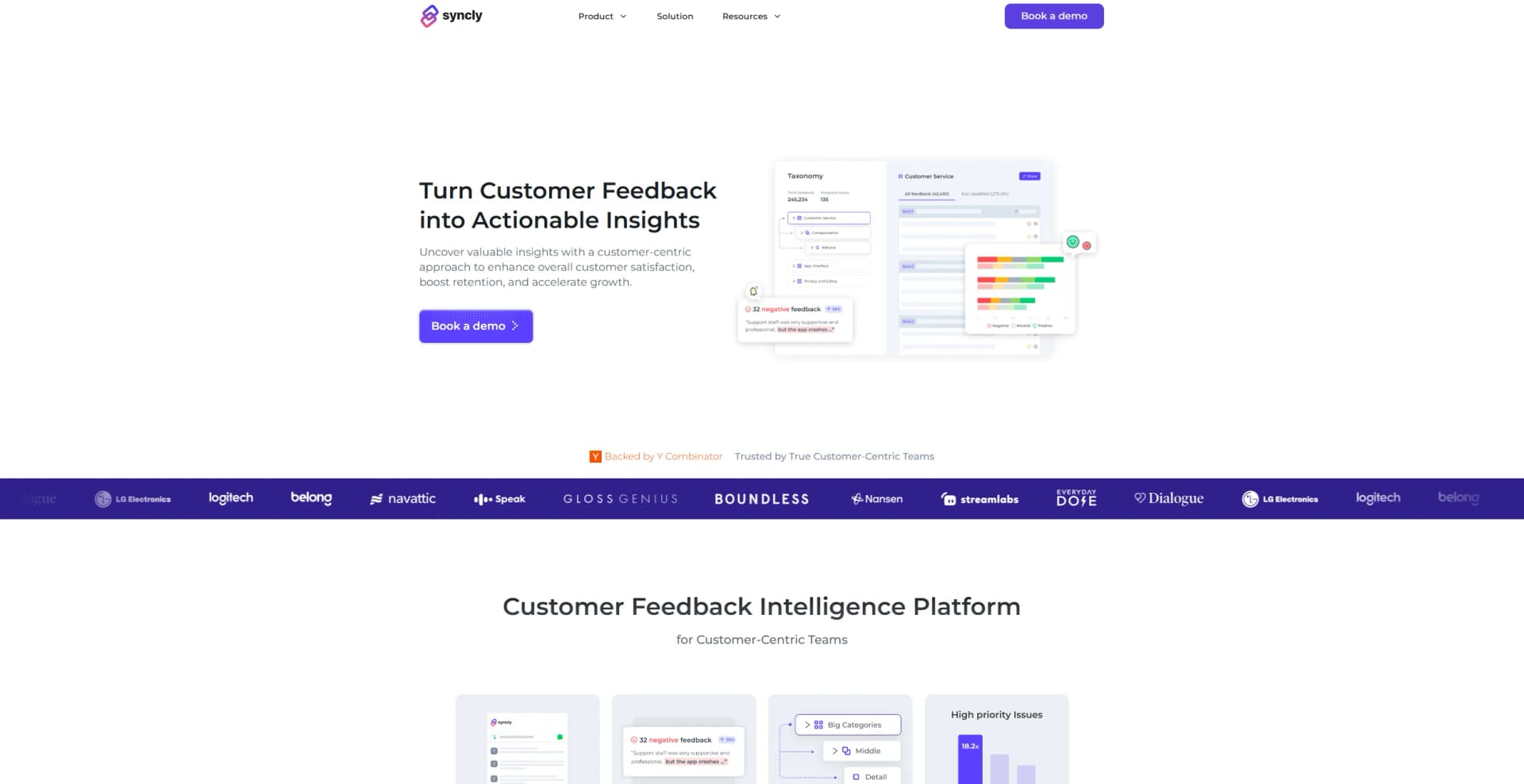
Transform customer feedback into actionable business insights.
Key Takeaways
- What it is
- Transform customer feedback into actionable business insights.
- Best for
- AI-Powered Intelligence
- Sentiment Analysis
- Customizable Taxonomy
- Rating
- 4.5/5
What is Syncly?
Syncly is a cutting-edge Customer Feedback Intelligence Platform designed to transform customer feedback into actionable insights. It aims to enhance customer satisfaction, boost retention, and accelerate growth by providing a comprehensive, customer-centric approach. Syncly is ideal for businesses and professionals looking to gain a deeper understanding of their customer interactions and improve their overall customer experience.
Syncly stands out with its self-training AI that delivers unmatched granularity in analyzing customer feedback. Its ability to provide precision without complexity sets it apart, making it a valuable tool for transforming customer insights into actionable business strategies.
Syncly provides a robust platform that turns customer feedback into valuable insights, driving growth and enhancing customer satisfaction. With its AI-powered intelligence and comprehensive analytics, Syncly is an excellent choice for businesses seeking to improve their customer engagement and retention strategies.
Who is Using Syncly?
Customer Experience Teams
Utilizing the platform to enhance overall customer satisfaction and retention.
Product Development Teams
Employing Syncly to identify growth opportunities and improve product offerings.
Operations Teams
Leveraging insights for more efficient operational strategies.
Leadership Teams
Using feedback intelligence to drive strategic decisions and company growth.
Uncommon Use Cases
Adopted by educational institutions for teaching customer relationship management; Used by non-profit organizations to improve stakeholder engagement strategies.
Key Features
Rating Breakdown
Pricing Plans
Contact for Pricing
- Pricing is tailored to specific business needs and scales
Which Syncly plan should you pick?
Start with Trial to evaluate Creator discovery, move to Basic for regular search and exports, and upgrade to Enterprise for larger creator datasets, multiple seats, and full AI features.
Trial
Good for marketers who need to test social listening and influencer discovery with limited queries, posts, and shortlists.
Basic
Good for marketers who need recurring searches, saved results, creator exports, and multiple shortlists.
Enterprise
Good for larger teams who need multiple seats, larger creator searches, full AI features, higher export volumes, and priority support.
Syncly Use Cases
Monitor brand sentiment
Track mention volume, sentiment, and spikes across TikTok, Reels, Shorts, and other video platforms.
Outcome: Identify emerging brand trends and crisis signals.
Compare competitors
Benchmark share of voice, sentiment, creators, hooks, and formats against rival brands.
Outcome: Find competitive gaps and winning content patterns.
Discover creators
Find creators already discussing a brand or category based on what their videos show, say, and feel.
Outcome: Build more relevant creator shortlists.
Unify customer feedback
Connect support tickets, chats, emails, surveys, reviews, social comments, and other feedback sources.
Outcome: Create one cross-channel view of customer sentiment and themes.
Generate recurring reports
Use Syncly workflows and MCP prompts to create scheduled dashboards, summaries, and client-ready reports.
Outcome: Keep teams and clients updated without manually rebuilding reports.
Workflow Ideas with Syncly
Weekly brand-health report
- 1Connect Syncly to a remote MCP-compatible assistant
- 2Ask for the previous week’s mentions across TikTok, Reels, and Shorts
- 3Generate a report comparing sentiment and share of voice
Negative-feedback alert
- 1Create a workflow triggered by negative sentiment or specific feedback tags
- 2Connect a Slack workspace and channel
- 3Send alerts when matching feedback arrives
Scheduled dashboard delivery
- 1Select a Syncly dashboard
- 2Choose daily, weekly, or monthly delivery
- 3Send the dashboard update to a selected Slack channel
How Syncly fits into your stack
Browser
Syncly operates as a web-based workspace for social listening, creator discovery, customer-feedback analysis, dashboards, and reports.
Team chat and tickets
Syncly centralizes feedback from support systems and community channels including Intercom, Zendesk, Front, Gorgias, Slack, and Discord.
Automation and APIs
Syncly connects through Zapier and remote MCP, allowing AI clients and workflows to query Syncly data and generate reports.
Knowledge and files
Syncly acts as a centralized customer-feedback and social-intelligence repository, organizing conversations with AI tagging, taxonomy, sentiment, and search.
Pros
- +Enhanced Customer Insights: Provides deep insights into customer feedback, enabling more informed decision-making.
- +Proactive Customer Engagement: Helps prevent churn by engaging with at-risk customers through sentiment alerts.
- +User-Friendly Interface: Offers a personalized dashboard with customizable workflows for a streamlined user experience.
- +Comprehensive Analytics: Delivers detailed analytics to identify product growth opportunities effectively.
Cons
- −Initial Setup Complexity: May require time to fully configure and customize according to specific business needs.
- −Limited Integration Support: While providing one-click integration, options may be limited for certain third-party platforms.
Limitations & when to consider alternatives
Known limitations
- Social Listening pricing is not publicly listed. The public Creator pricing page states that Social Listening requires contacting the sales team.
- The public free option is a trial. The $0 Creator option is labeled Trial and is marketed as a free trial rather than a permanent free plan.
- Creator pricing is limited by search and export quotas. The Basic plan lists limits such as custom queries, recent posts, creator exports, and shortlists.
- Some advanced capabilities are Enterprise-only. The Enterprise plan lists full AI access, multiple seats, larger creator searches, and priority support.
- The documented product is focused on social and customer intelligence. Syncly’s published capabilities center on social listening, creator discovery, customer feedback analysis, reporting, and workflows.
How to Use Syncly
- 1
Choose the Syncly product
Use Social for brand conversations, Creator for influencer discovery and campaigns, or VOC for unified customer feedback.
- 2
Connect data sources
Connect relevant customer, social, survey, CRM, support, community, and output integrations from the Integrations catalog.
- 3
Search or ask questions in plain language
Use Smart Query, Ask Syncly, Hey Syncly, or the MCP connector to investigate themes, sentiment, creators, and competitors.
- 4
Build dashboards and reports
Use dashboards, Smart Brief, Cross-Analysis, and one-click reports to package findings for stakeholders.
- 5
Automate alerts and delivery
Create workflows for new feedback, metric changes, and scheduled dashboard reports, including Slack delivery.
- 6
Upgrade when limits become restrictive
Move from Trial to Basic for regular usage, or Enterprise for multiple seats, larger datasets, and full AI access.
Who is Syncly For?
Fast-moving brands
Syncly is positioned as AI-native social intelligence for brands that need to monitor conversations and act quickly.
Marketers
Syncly Creator helps marketers search for creators, save shortlists, and export creator results.
Customer experience teams
Syncly VOC centralizes feedback from support, surveys, reviews, social, and other customer channels.
Product, support, and marketing teams
Syncly routes customer insights and feedback to the teams responsible for acting on them.
Agencies and client-service teams
Syncly MCP supports generating white-label social reports for multiple client accounts.
Frequently Asked Questions
What is the difference between Syncly Social, Creator, and VOC?
Syncly Social tracks brand conversations across video platforms, Syncly Creator helps discover and track creators, and Syncly VOC unifies customer feedback.
Which platforms does Syncly Social cover?
Syncly Social covers TikTok, Instagram Reels, YouTube Shorts, and other social channels, including captions and comments.
How fresh is Syncly’s data?
Syncly describes its listening as always-on and near real time.
Can Syncly track creator campaigns end to end?
Yes. Syncly Creator tracks campaigns from brief through published post to measurable impact.
How does Syncly analyze video?
Syncly uses speech-to-text, AI Vision, and creator demographics to analyze audio, text, and visual content in videos.
How do I get started with Syncly?
For the main Syncly platform, book a demo so the team can configure the brand, queries, and workspace.
Community reviews
Be the first to share your experience.
Sign in to leave a review for Syncly.
Syncly Alternatives
Looking for alternatives to Syncly? Here are similar tools in the same category:
Learn to Master Syncly
With Skill Leap courses
Get in-depth training on Syncly and 50+ other AI tools with our expert-led video courses.
Start 7-Day Free Trial