
SnapHeadshots
Generate AI-enhanced headshots from selfies with customizable styles.
Key Takeaways
- What it is
- Generate AI-enhanced headshots from selfies with customizable styles.
- Pricing
- $29 per person · $39 (discounted from $55). for 60 headshots · $69
- Best for
- AI Photobooth
- Diverse Styles and Backgrounds
- Fast Turnaround Time
- Rating
- 4.7/5
What is SnapHeadshots?
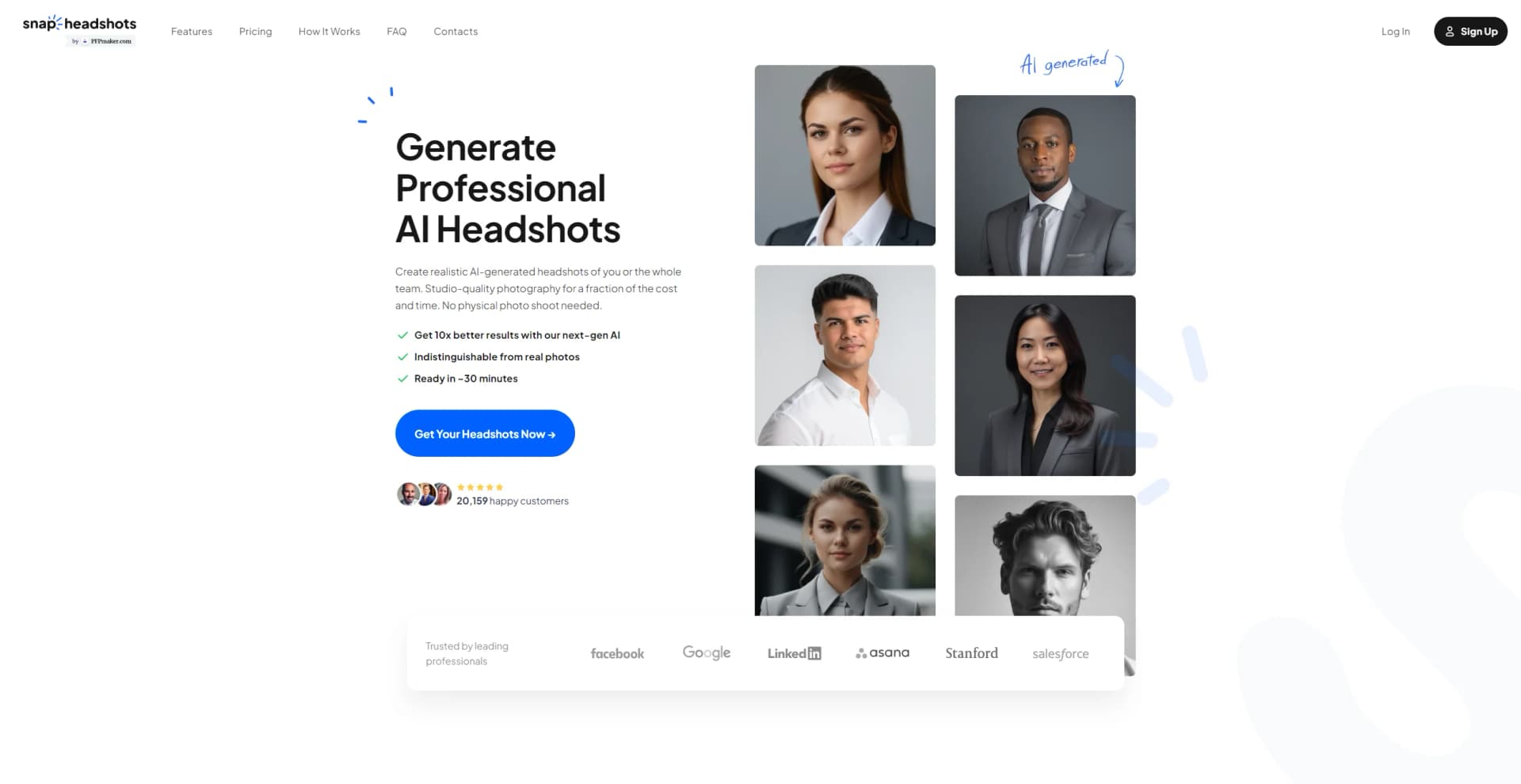
SnapHeadshots revolutionizes the way professionals create high-quality headshots by leveraging cutting-edge AI technology. Designed for individuals and businesses seeking professional-grade images without the hassle of traditional photoshoots, this AI tool offers a seamless solution to generate hyper-realistic headshots from the comfort of your home. By simply uploading a few selfies, users can receive hundreds of AI-generated headshots, tailored with different clothing and backgrounds, perfect for enhancing LinkedIn profiles, resumes, and business cards.
SnapHeadshots stands out with its ability to deliver studio-quality headshots without the need for a professional photographer or studio setup. Its AI-driven approach not only ensures a high degree of realism but also offers unparalleled convenience and customization, making it an ideal solution for busy professionals.
SnapHeadshots offers a transformative experience for anyone in need of professional headshots quickly and affordably. Its AI technology not only simplifies the process but also provides a range of customization options that are hard to find elsewhere. Whether you're an entrepreneur, executive, or creative professional, SnapHeadshots is a valuable tool that enhances your professional image with ease and efficiency.
Who is Using SnapHeadshots?
Entrepreneurs
Enhancing personal branding with professional headshots.
Executives
Updating LinkedIn and business profiles to reflect professionalism.
Real Estate Agents
Creating appealing business cards and promotional materials.
Actors and Models
Building portfolios with varied headshot styles.
Uncommon Use Cases
Used by HR departments for employee profiles; employed by educators for course materials.
Key Features
Rating Breakdown
Pricing Plans
Basic Plan
$29 per person
- 30 headshots
- 16 credits
- 90 minutes delivery
Standard Plan
$39 (discounted from $55). for 60 headshots
- 8 professional styles
- 48 credits
Premium Plan
$69
- 120 headshots
- 16 professional styles
- 4K HD quality
Which SnapHeadshots plan should you pick?
Start with Basic for a single professional update; upgrade to Standard or Premium for more styles, faster delivery, or 4K output.
Basic
Good for individuals who need a straightforward batch of professional headshots.
Standard
Good for professionals who need more headshots, multiple styles, and an email signature generator.
Premium
Good for client-facing or high-resolution use cases requiring 4K headshots, faster delivery, and a free rerun.
SnapHeadshots Use Cases
LinkedIn profile photo
Generate a professional headshot with selected clothing, pose, expression, and backdrop.
Outcome: A polished profile image suitable for LinkedIn.
CV and resume photo
Create high-resolution professional headshots for CVs and resumes.
Outcome: A ready-to-use career portrait.
Email signature image
Generate a professional portrait and download it for an email signature.
Outcome: A consistent professional identity across email communications.
Conference or press bio
Generate formal and approachable variations for speaker pages, media kits, press releases, and podcast thumbnails.
Outcome: High-resolution images for public-facing bios and media materials.
Consistent team portraits
Have team members generate individual photos using a shared style direction.
Outcome: A more uniform look across an organization’s website and communications.
Workflow Ideas with SnapHeadshots
Create a professional headshot
- 1Upload clear selfie photos
- 2Choose an outfit, backdrop, pose, and expression
- 3Download the generated headshots
Prepare a LinkedIn profile
- 1Open the headshot generator in the browser
- 2Select a LinkedIn-appropriate style and square format
- 3Download the result for your profile
Create coordinated team photos
- 1Have each team member upload their own photos
- 2Use a consistent style direction across participants
- 3Download the portraits for team pages and email signatures
How SnapHeadshots fits into your stack
Browser
SnapHeadshots is used as a browser-based workflow: upload selfies, select outfit, backdrop, pose, and expression styles, then download finished headshots.
Pros
- +Convenience: Create professional headshots from anywhere, bypassing the need for a studio.
- +Cost-Effective: Significantly cheaper than traditional photoshoots, saving both time and money.
- +High Customization: Offers numerous options for clothing and backgrounds to match different professional needs.
- +Privacy Assurance: Complies with European data regulations, ensuring your photos are safe and secure.
Cons
- −Selfie Requirement: Requires multiple high-quality selfies, which might be challenging for some users.
- −Limited Integration: While powerful, the tool's integration with other platforms is currently limited.
Limitations & when to consider alternatives
Known limitations
- Photo quality requirements. Clear head-and-shoulders photos work best; blurry photos, group photos, heavy filters, sunglasses, and face-covering hats should be avoided.
- Upload size and format. The documented upload formats are PNG and JPG, with files limited to 10 MB each.
- Browser-based access. The service runs in a browser and does not require a separate app download.
- Image retention. For registered users, uploaded and generated images are stored until the account is closed; deletion is generally completed within 30 days after account closure.
- No model training on uploads. The provider states that uploaded photos and generated images are not currently used to train its own AI models.
Look elsewhere when
- You need a dedicated native mobile app.
- You need shared workspace collaboration with roles and invites.
- You need third-party integrations.
How to Use SnapHeadshots
- 1
Open the browser-based headshot flow
Start from the official headshot generator; no separate application installation is required.
- 2
Upload suitable photos
Use clear solo head-and-shoulders PNG or JPG photos, staying within the 10 MB per-file limit.
- 3
Choose a visual style
Select an outfit, backdrop, pose, and facial expression that match your intended professional use.
- 4
Generate and review results
Let the AI create the headshots, then replace uploaded photos if the likeness or quality is not satisfactory.
- 5
Download the final images
Download high-resolution versions for LinkedIn, CVs, email signatures, websites, presentations, or social profiles.
Who is SnapHeadshots For?
Business professionals
Generate polished headshots for business profiles, CVs, resumes, and career use.
Corporate executives
Choose professional outfits, poses, expressions, and corporate styles without arranging a photo shoot.
Doctors and healthcare professionals
Create approachable, trustworthy professional portraits for profiles and career materials.
Real estate agents
Generate personable professional headshots suitable for real-estate profiles and marketing.
Teams and organizations
Create visually consistent profile photos across an organization without coordinating a group photo session.
Frequently Asked Questions
How do I start?
Open the headshot flow in the browser, upload the requested selfies, and follow the on-screen posing tips. No separate app download is required.
What should uploaded photos look like?
Use clear head-and-shoulders photos of yourself alone. Avoid heavy filters, sunglasses, hats covering your face, blurry images, and group photos.
Why are several selfies needed?
Multiple views help the AI maintain realistic and consistent likenesses while reducing artifacts.
How quickly are headshots ready?
The site says generated headshots are ready in approximately 20 seconds.
How are uploaded photos used?
Photos are processed to generate headshots and related outputs. Retention and deletion details are provided in the privacy policy.
Does the service support teams?
Teams can use the service for consistent profile photos, with bulk or invoiced purchases available through the contact process.
Community reviews
Be the first to share your experience.
Sign in to leave a review for SnapHeadshots.
SnapHeadshots Alternatives
Looking for alternatives to SnapHeadshots? Here are similar tools in the same category:
Learn to Master SnapHeadshots
With Skill Leap courses
Get in-depth training on SnapHeadshots and 50+ other AI tools with our expert-led video courses.
Start 7-Day Free Trial