
Open
Revolutionize customer support with AI, instant multichannel assistance, and seamless integration.
Key Takeaways
- What it is
- Revolutionize customer support with AI, instant multichannel assistance, and seamless integration.
- Best for
- AI-Powered Support
- Multilingual Capabilities
- Seamless Integration
- Rating
- 4.7/5
What is Open?
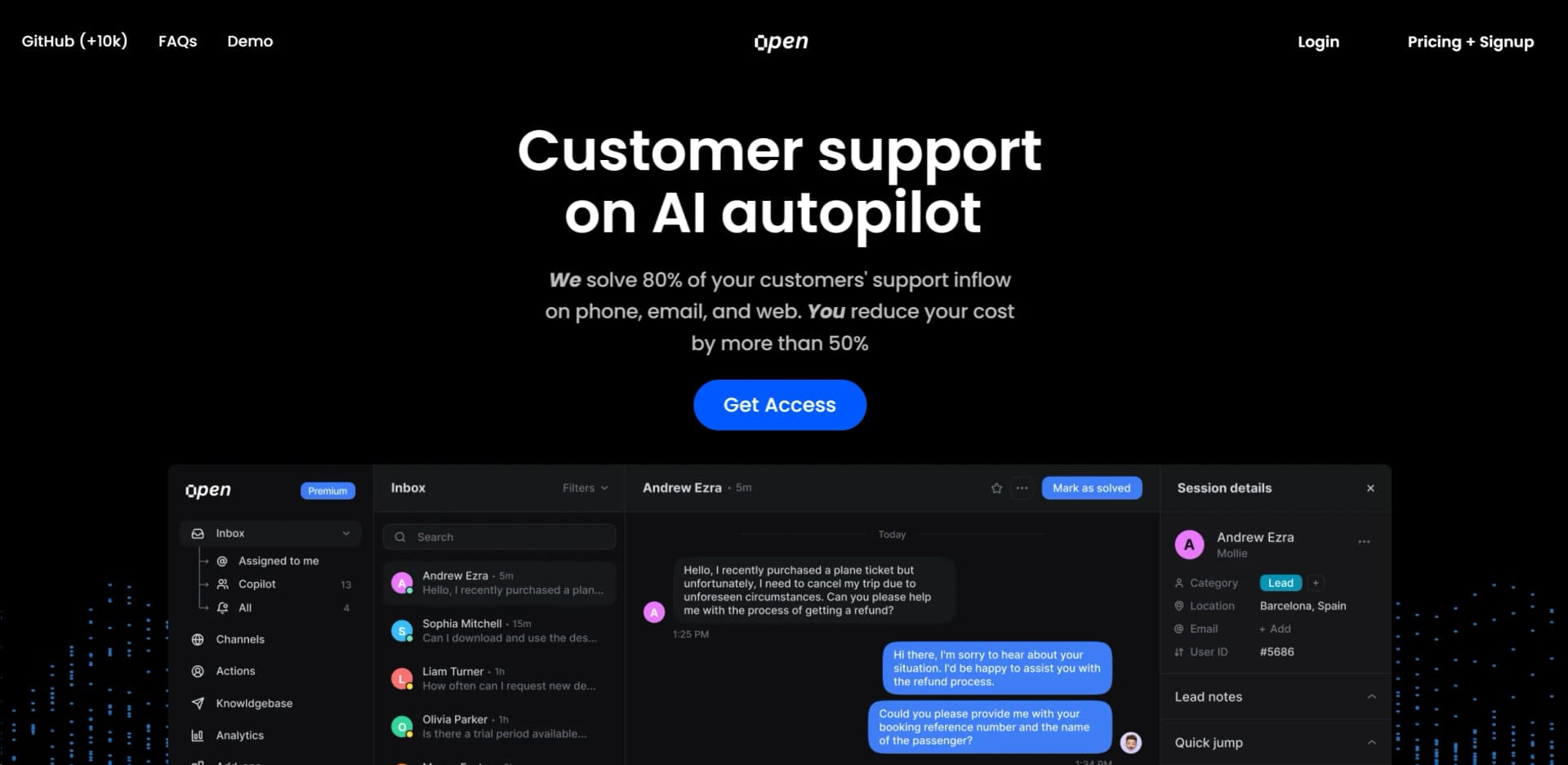
In today's fast-paced digital world, customer support can often become the bottleneck that slows down service delivery and affects customer satisfaction. Enter Open, an innovative AI tool designed to revolutionize customer support by putting it on AI autopilot. This tool is a game-changer for businesses of all sizes, promising to solve 80% of customer support inquiries instantly across phone, email, and web channels. With its ability to understand and speak almost any language and integrate seamlessly into existing support channels, Open is not just a tool but a comprehensive solution for enhancing customer support efficiency and effectiveness.
Open stands out in the crowded AI customer support space with its ability to handle a wide array of support tasks across multiple channels instantly. Its multilingual capabilities and seamless integration with major customer support platforms like Zendesk and Intercom make it a versatile tool for businesses aiming to globalize their support without compromising on quality or efficiency.
Open redefines the landscape of AI-powered customer support, offering businesses a powerful tool to enhance efficiency, reduce costs, and improve customer satisfaction. Its unique blend of multilingual support, seamless integration, and high customizability makes it an indispensable asset for any business looking to scale its customer support operations. With Open, companies can not only meet but exceed customer expectations in the digital age, making it an essential tool for businesses aiming for growth and customer satisfaction.
Who is Using Open?
E-commerce Businesses
For managing high volumes of customer inquiries efficiently.
Tech Startups
Leveraging AI for scalable customer support without significant overhead.
Service Providers
Including telecommunication companies and utilities, to handle routine customer queries.
Healthcare Providers
Using it for appointment bookings and patient queries.
Uncommon Use Cases
Non-profits utilizing Open for donor support; educational institutions adopting it for student services.
Key Features
Rating Breakdown
Pricing Plans
Free Trial
- Open offers a free trial to experience its features firsthand
Subscription Plans
- Detailed pricing information is available upon request from their website
Which Open plan should you pick?
Start with the Base Subscription if you need the full OpenCX platform and upgrade only when your successful AI-resolution volume requires higher usage or a negotiated enterprise arrangement.
Base Subscription
Good for teams that need unlimited human agents, all features, all communication channels, analytics, and usage-based AI resolutions.
Open Use Cases
Inbound customer support
Use the Inbound Agent to handle customer issues across chat, voice, email, WhatsApp, and social channels.
Outcome: Issues are resolved end-to-end across supported channels.
Outbound support and sales
Use the Outbound Agent for proactive, multichannel outreach and follow-up sequences.
Outcome: Customers are contacted before they need to reach support.
Agent assistance
Use the Assist Agent to fill fields, summarize conversations, and suggest next-best replies.
Outcome: Human support teams receive contextual assistance during conversations.
Conversation quality assurance
Use the QA Agent to score AI and human conversations against defined standards.
Outcome: Conversation quality can be monitored automatically at scale.
Customer insight analysis
Use the Customer Understanding Agent to analyze trends, sentiment, and recurring customer issues.
Outcome: Teams identify what customers are saying and what to improve next.
Workflow Ideas with Open
Multi-party support escalation
- 1Start from a form submission, webhook, CRM update, or received email
- 2Call or message the relevant parties and wait for responses
- 3Branch on responses, escalate to a human, or trigger the next action
Phone-to-email follow-up
- 1Initiate an AI phone call
- 2Interpret the response and determine the next step
- 3Send an outbound email sequence and schedule follow-ups
CRM-driven customer workflow
- 1Trigger the workflow from a CRM update
- 2Use conditional logic to choose the appropriate path
- 3Update CRM records and coordinate messages across channels
How Open fits into your stack
Zendesk Integration
Enhances existing Zendesk setups for more efficient support.
Intercom Compatibility
Works seamlessly with Intercom, providing a richer customer support experience.
Multilingual Support
Offers support in almost any language, ideal for global operations.
Customizable Widgets
Enables businesses to tailor the look and feel of web support widgets.
Pros
- +Cost-Efficiency: 98% cheaper than human agents, offering significant savings on customer support costs.
- +No Waiting Times: Ensures customers receive immediate support, enhancing overall customer satisfaction.
- +High Customizability: Allows businesses to customize the chat widget to match their branding and user experience.
- +Comprehensive Support: From issuing refunds to booking appointments, Open can handle a wide range of support tasks with nearly 99% accuracy.
Cons
- −Initial Setup Complexity: May require a detailed setup process to integrate seamlessly with existing support systems.
- −AI Limitations: While advanced, the AI may not handle extremely complex or nuanced issues as well as a human agent.
- −Dependency on Internet Connectivity: Being a web-based tool, its effectiveness is contingent on stable internet connectivity.
Limitations & when to consider alternatives
Known limitations
- One Help Center per organization. Each OpenCX organization hosts one Help Center; separate brands or products require separate organizations.
- Uploaded images are limited to 5MB. The documented media upload endpoint limits uploaded files to 5MB.
- Knowledge synchronization is scheduled. Knowledge sources typically sync every few hours, although the schedule is configurable per source.
- Third-party handoffs are best-effort. If a connected helpdesk API is unavailable, OpenCX retries and surfaces a handoff failure event.
Look elsewhere when
- You need a dedicated native mobile app.
- You need a desktop installer rather than a web dashboard and embedded widget.
- You need built-in fine-tuning or model-weight training.
How to Use Open
- 1
Open provides comprehensive tutorial resources to help users maximize the tool's potential, covering everything from basic setup to advanced features.
Who is Open For?
Financial services
Open provides AI support automation and integrations for financial-services organizations.
Healthcare
Open is positioned for healthcare support workflows with enterprise compliance and automation.
Mobility companies
Mobility organizations can use Open for omnichannel customer support and workflow automation.
Technology companies
Technology companies can connect existing helpdesks, CRMs, APIs, and knowledge sources.
Travel and hospitality
Travel and hospitality businesses can automate support across voice, chat, email, WhatsApp, and social channels.
Frequently Asked Questions
What is Open?
Open is a unified AI support platform combining a helpdesk, AI engine, workflows, observability tools, and automation.
What channels does Open support?
Open supports voice AI, web chat, email, WhatsApp, social media, SMS, and Slack.
Do I need to code to build workflows?
No. Open provides a drag-and-drop visual workflow builder for connecting triggers, actions, and conditions.
Can workflows make phone calls?
Yes. AI phone calling is one of the available workflow actions, with follow-ups based on responses.
How does Open pricing work?
The documented pricing model is a $250 monthly base subscription plus $0.30 per successful AI resolution.
Does Open support human handoff?
Yes. Conversations can be handed off to human agents, and the pricing documentation says human handoffs are not charged as AI resolutions.
Community reviews
2 reviews from people who use Open.
Sign in to leave a review for Open.
D Rycheck
Stephen
Open Alternatives
Looking for alternatives to Open? Here are similar tools in the same category:
Learn to Master Open
With Skill Leap courses
Get in-depth training on Open and 50+ other AI tools with our expert-led video courses.
Start 7-Day Free Trial