Flot AI
AI tool enhances writing, reading, and memorization efficiency.
Key Takeaways
- What it is
- AI tool enhances writing, reading, and memorization efficiency.
- Pricing
- Freemium · $67
- Best for
- AI-Powered Writing Assistant
- Reading Enhancement Tools
- Memory Aids
- Rating
- 4.1/5
What is Flot AI?
Flot AI is a dynamic tool designed to revolutionize the way we write, read, and memorize information, leveraging advanced artificial intelligence. This tool is crafted to assist individuals and professionals in enhancing their productivity by streamlining tasks that involve textual content. Whether you're a student needing help with memorization or a professional seeking to optimize your writing processes, Flot AI offers a suite of features to make these tasks more efficient and impactful.
Flot AI stands out with its comprehensive approach to enhancing textual tasks, combining writing, reading, and memorization tools into a single platform. Its ability to integrate seamlessly into various workflows and adapt to different user needs sets it apart in the crowded AI tool market. The tool's focus on improving both productivity and learning outcomes makes it an invaluable asset for its users.
Flot AI offers a unique blend of writing, reading, and memorization tools that cater to a wide range of users, from students to professionals. Its AI-driven features not only enhance productivity but also improve learning outcomes, making it a valuable tool in any academic or professional setting. With its user-friendly design and robust capabilities, Flot AI is a commendable choice for those looking to optimize their textual tasks.
Who is Using Flot AI?
Students
Utilizing Flot AI for essay writing and study aids.
Content Creators
Employing the tool to enhance the quality and efficiency of their writing processes.
Business Professionals
Leveraging the tool for drafting reports and presentations.
Educators
Using Flot AI to develop engaging educational materials.
Uncommon Use Cases
Adopted by language learners for improving vocabulary retention; used by scriptwriters for brainstorming and drafting scripts.
Key Features
Rating Breakdown
Pricing Plans
Free Tier
Free
- Experience Flot AI with a basic free version offering limited features
Pro Tier
$67
- Offering advanced features and customization options
Which Flot AI plan should you pick?
Start with Free for basic voice-to-text and writing assistance; upgrade to Pro when you need recurring monthly credits and deeper AI rewriting or translation.
Free
Good for users who need essential voice-to-text, punctuation, personal vocabulary, local history, and limited AI writing credits.
Pro
Good for users who need 3,000 monthly credits, structured writing from speech, contextual rewriting, and translation.
Flot AI Use Cases
Grammar and spelling correction
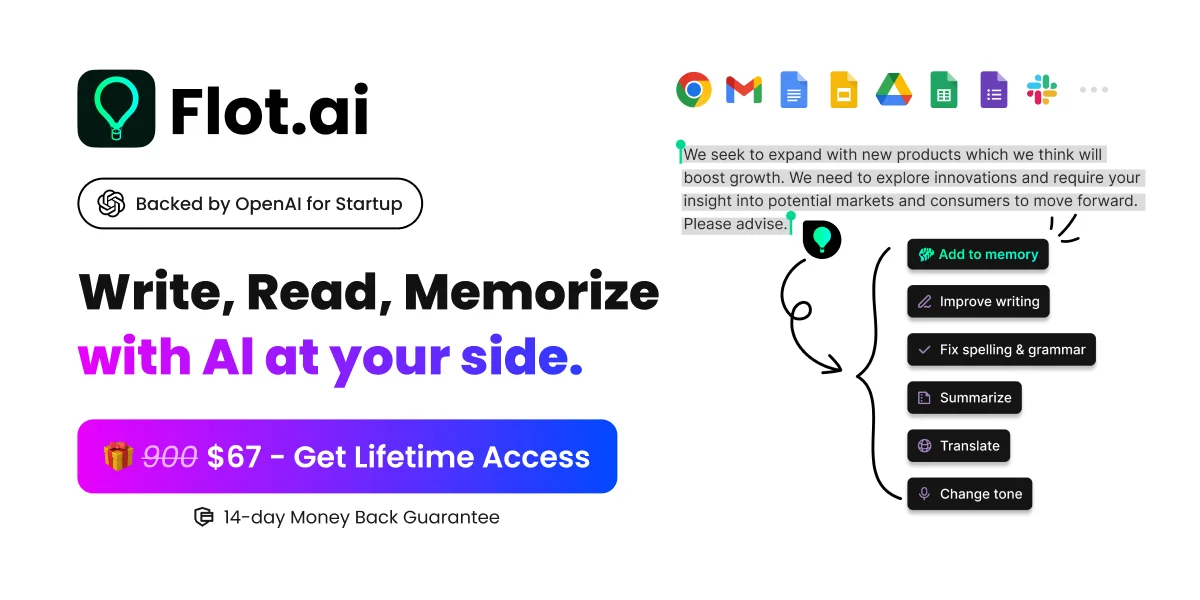
Highlight text in an app or website and use Flot to correct grammar, spelling, punctuation, and expression.
Outcome: More polished writing.
Rewriting and tone adjustment
Ask Flot to restructure text or change its tone while preserving the original intent.
Outcome: Clearer, more context-appropriate content.
Translation
Translate writing into languages such as Japanese, Spanish, German, and many others.
Outcome: Localized text for different audiences.
Summarizing and replying
Summarize articles or generate context-specific replies for messages and emails.
Outcome: Faster reading and response drafting.
Personal knowledge memory
Save highlighted text, screenshots, documents, and links into Flot AI Memory and retrieve them later.
Outcome: A searchable personal knowledge base.
Workflow Ideas with Flot AI
Polish a draft
- 1Highlight the draft in any supported app or webpage.
- 2Choose grammar correction or improve writing.
- 3Review and insert the polished result.
Create an email reply
- 1Highlight the incoming email or relevant context.
- 2Use a context-specific reply prompt.
- 3Review and insert the generated response.
Save and recall research
- 1Highlight useful text or save a document, screenshot, or link.
- 2Store it in Flot AI Memory.
- 3Use Flot chat or a shortcut to search and retrieve it later.
How Flot AI fits into your stack
Browser
Flot works across webpages and browser-based tools by letting users highlight text or invoke the assistant with a shortcut.
Docs and writing
It operates in documents, email, office applications, and writing tools for drafting, rewriting, grammar correction, summarization, and translation.
Desktop / IDE
The downloadable desktop application runs across Windows and macOS applications, including development tools.
Knowledge and files
Flot Memory stores notes, screenshots, PDFs, documents, and links so users can search and retrieve saved information.
Pros
- +Increased Productivity: Flot AI significantly reduces the time spent on writing and studying, allowing users to focus on other important tasks.
- +Enhanced Learning: The tool's memory aids and reading enhancements foster better understanding and retention of information.
- +User-Friendly Design: Its intuitive interface makes it accessible to users of all tech-savviness levels.
- +Versatile Application: Suitable for various tasks, from academic writing to professional content creation.
Cons
- −Initial Learning Curve: New users might require some time to fully utilize all features effectively.
- −Internet Dependency: Requires a stable internet connection to access all functionalities.
- −Limited Language Support: Currently, the tool supports a limited number of languages, which may not cater to all users.
Limitations & when to consider alternatives
Known limitations
- Free credits expire. The Free plan includes 600 welcome credits that are valid for 30 days.
- Pro credits have limited rollover. Pro credits are released monthly and roll over for one month.
- Advanced actions consume credits. Queries, GPT-4 usage, memory saves, screenshots, and documents consume credits according to the usage policy.
- Desktop installation requires permissions. The desktop app requires installation and access to the relevant input or microphone permissions.
- No documented developer API. The official product pages do not provide API keys, endpoints, or developer API documentation.
How to Use Flot AI
- 1
Install Flot
Download the desktop application for Windows or macOS, or install the Chrome extension for browser-based use.
- 2
Place the cursor or select text
Use Flot where you work by placing the cursor in a text field or highlighting content on a webpage or app.
- 3
Choose an action
Use prompts for grammar correction, rewriting, tone changes, translation, summaries, replies, or outlines.
- 4
Save useful information
Store highlighted text, screenshots, documents, or links in AI Memory for later retrieval.
- 5
Recall information
Open Flot with its shortcut and search or chat with AI Memory to retrieve saved details.
Who is Flot AI For?
Students
Flot is positioned for students who need homework assistance, reading summaries, proofreading, reports, and clearer writing.
Frequently Asked Questions
What is Flot?
Flot is an AI partner designed to support writing, reading, and memorization across apps and webpages.
Can Flot be used on any app or webpage?
Yes. Flot works where users type or highlight text across apps and webpages.
Does Flot support multiple languages?
Yes. Flot supports more than 200 languages for questions and responses.
What can Flot do with text?
It can improve writing, paraphrase, translate, summarize, adjust tone, check grammar, draft replies, and create outlines.
Does Flot have AI memory?
Yes. Users can save highlighted text into AI Memory and retrieve it later with a shortcut.
Is there a free option?
The current pricing page offers a Free plan at $0 forever with 600 welcome credits valid for 30 days.
Community reviews
1 review from people who use Flot AI.
Sign in to leave a review for Flot AI.
Joe
Flot AI Alternatives
Looking for alternatives to Flot AI? Here are similar tools in the same category: