
Chapple
AI-driven platform for content, images, code, and chat.
Key Takeaways
- What it is
- AI-driven platform for content, images, code, and chat.
- Pricing
- $9 · $19.99 per month · $49.99 per month · $99.99 per month
- Best for
- AI-Powered Content Generator
- AI Image Generator
- AI Code Generator
- Rating
- 4.5/5
What is Chapple?
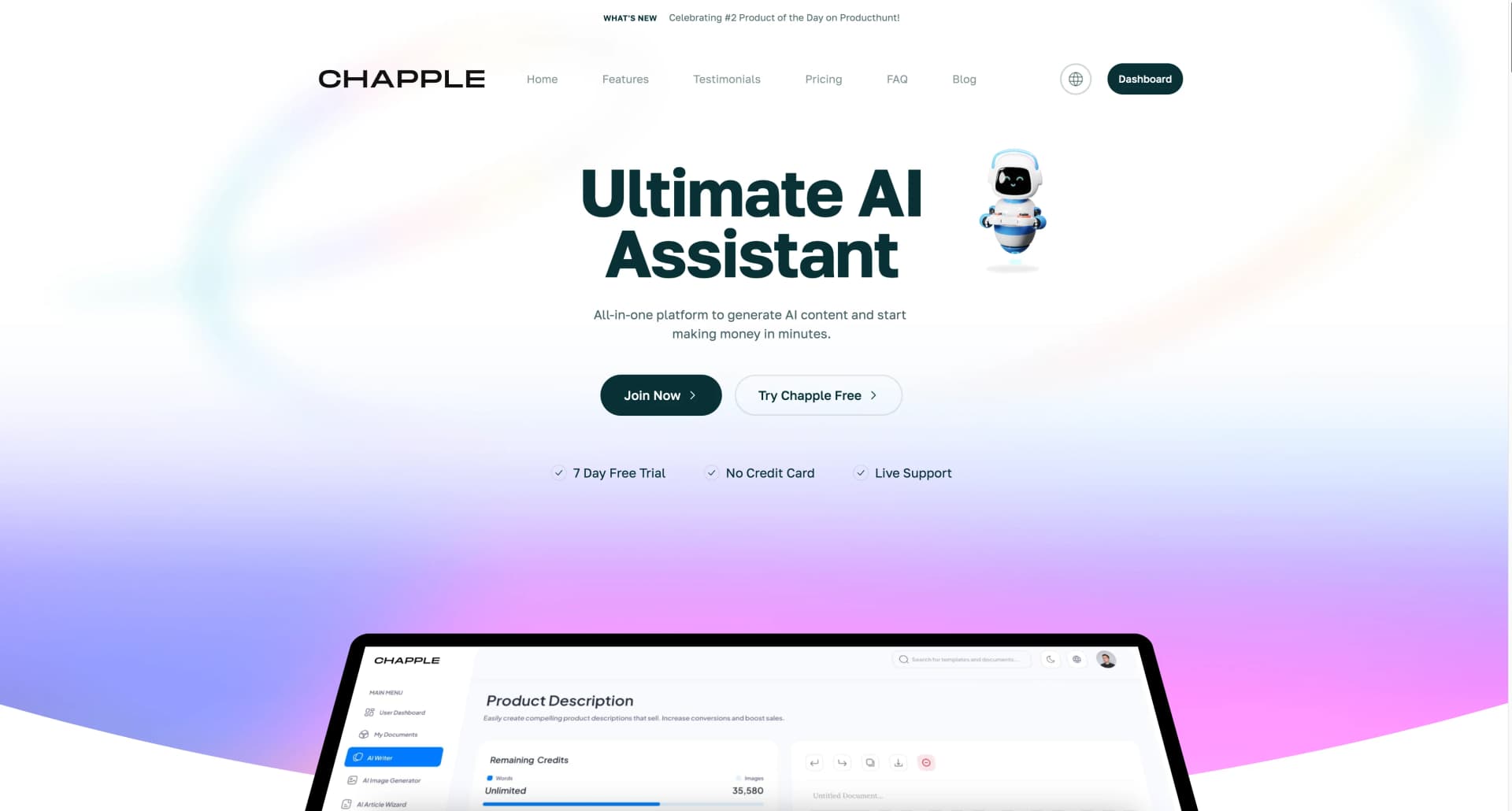
Chapple is an all-in-one AI-powered platform designed to revolutionize content creation and enhance creativity and efficiency. It offers a suite of tools including content generation, image creation, code development, and chatbot assistance, making it a versatile solution for marketers, developers, creatives, and businesses aiming to streamline their workflows and boost productivity.
Chapple stands out with its comprehensive suite of AI tools that cater to diverse creative and professional needs. Its ability to seamlessly integrate content generation, image creation, and coding assistance in a single platform sets it apart, offering a one-stop solution for enhancing productivity and creativity.
Chapple offers a robust platform that efficiently combines AI-driven content creation, image generation, and coding tools. This versatile tool is ideal for businesses and individuals looking to streamline their creative processes and boost productivity. With its intuitive interface, multilingual capabilities, and comprehensive support, Chapple is a valuable asset for anyone looking to harness the power of AI in their work.
Who is Using Chapple?
Content Creators
Leveraging the tool to generate engaging and unique content efficiently.
Digital Marketers
Utilizing Chapple for crafting optimized marketing copy and managing campaigns.
Software Developers
Employing the AI code generator to streamline coding processes.
Businesses of All Sizes
Enhancing operational efficiency with AI-driven content and communication tools.
Uncommon Use Cases
Adopted by educators for teaching coding concepts; used by event planners for creating itineraries.
Key Features
Rating Breakdown
Pricing Plans
Starter Pack
$9
- One-time payment with a 50,000 word limit and 50 image limit
Basic Plan
$19.99 per month
- Includes 150,000 words and 250 images
Standard Plan
$49.99 per month
- Includes unlimited words and 1,000 images
Premium Plan
$99.99 per month
- Provides unlimited words and images
Annual Plans
- Offer cost savings with features similar to monthly plans
Which Chapple plan should you pick?
Start with Basic for regular individual use, choose Standard for higher writing and image volume, and upgrade to Premium for unlimited words and images plus VIP support.
Basic
Good for individual users who need 150,000 words, 250 images per month, templates, code, voiceover, and speech-to-text.
Standard
Good for users who need unlimited words, 1,000 images per month, premium templates, and priority support.
Premium
Good for heavy users who need unlimited words and images, premium templates, and VIP support.
Starter pack
Good for one-off projects needing 50,000 words and 50 images without a recurring subscription.
Chapple Use Cases
Generate marketing content
Create product descriptions, social posts, landing-page headlines, newsletters, and SEO articles.
Outcome: Faster production of marketing and promotional copy.
Analyze documents
Upload PDF, CSV, DOC, or DOCX files and extract key insights or summarize the document.
Outcome: Condensed information and faster document review.
Generate and improve code
Use the AI Code Generator to create, fix, or improve code in different programming languages.
Outcome: Accelerated coding and project setup.
Create images and video
Generate images from user input and turn static images into videos.
Outcome: New visual assets for content and campaigns.
Transcribe audio
Upload recordings or audio files and convert speech into text.
Outcome: Searchable, editable text from spoken content.
Workflow Ideas with Chapple
Document insight workflow
- 1Upload a PDF, CSV, DOC, or DOCX file
- 2Extract key insights with File Analyzer
- 3Summarize the document
SEO content workflow
- 1Generate an article or long-form SEO draft
- 2Rewrite or improve the content
- 3Create a meta description or social post
Audio-to-content workflow
- 1Upload an audio recording
- 2Transcribe speech into text
- 3Edit or repurpose the resulting text
How Chapple fits into your stack
Browser
Chapple is primarily accessed through its responsive web experience, with chat, writing, image, code, and other AI generators available online.
Docs and writing
The platform provides an intelligent writing assistant, document editor, templates, rewriting, summarization, SEO content, and export or publishing workflows.
Knowledge and files
Its File Analyzer accepts PDFs, CSVs, DOC, and DOCX files to extract insights or summarize documents; AI Vision handles image analysis.
Pros
- +Multilingual Support: Create content in multiple languages, widening your global reach.
- +User-Friendly Interface: Designed with an intuitive layout to ensure a seamless user experience.
- +SEO-Oriented Tools: Optimize content for search engines, enhancing visibility and engagement.
- +Live Support: Access to a responsive support team to assist with any queries or issues.
Cons
- −Initial Learning Curve: Users may require some time to explore all features thoroughly.
- −Premium Features: Some advanced functionalities are only available in higher-tier plans.
- −Customization Limitations: Certain customization options might be limited in scope.
Limitations & when to consider alternatives
Known limitations
- Paid plans have usage limits. The Basic plan lists 150,000 words and 250 images per month, while Standard and Premium have different usage allowances.
- Free access is limited. The current site offers five free messages, while the older pricing information describes short free trials rather than unlimited free use.
- No documented developer API. The public product and pricing pages describe generators and subscriptions but do not publish API keys, endpoints, or API documentation.
- No documented enterprise identity features. The public pricing and feature information does not document SSO, SAML, roles, or shared workspaces.
- Security details are nonspecific. The privacy policy mentions encryption and secure servers but does not specify encryption standards or whether data is encrypted at rest or in transit.
Look elsewhere when
- You need a documented developer API
- You need team workspaces with roles and invitations
- You need SSO or SAML
- You need detailed encryption specifications
How to Use Chapple
- 1
Open Chapple
Visit Chapple and start with the five free messages or register for a paid plan.
- 2
Choose a generator
Select a writing, image, code, chatbot, transcription, file-analysis, or other specialized generator.
- 3
Enter a prompt or upload content
Provide a topic or instructions, or upload a supported document or audio file when the generator supports uploads.
- 4
Generate the result
Run the generator to create text, images, code, transcription, summaries, or other supported outputs.
- 5
Edit and export
Use the document editor to refine generated content, then edit, export, or publish the result.
- 6
Upgrade when limits become restrictive
Move from Basic to Standard or Premium when you need higher image limits, unlimited words, unlimited images, or VIP support.
Who is Chapple For?
Marketers
Chapple offers SEO tools, social media generators, product descriptions, advertisements, and other marketing content tools.
Developers
The platform includes an AI Code Generator for creating, fixing, and improving code.
Creatives
Creatives can generate written content, images, video, voiceovers, and other media.
Businesses of all sizes
The company describes its solutions as suitable for businesses of all sizes and general content-production needs.
Frequently Asked Questions
Is there a mobile app for Chapple?
Chapple's site describes a mobile-first responsive experience that works across device sizes. A dedicated Chapple AI iPhone and iPad app is also listed in Apple's App Store.
Is there a free trial available?
The pricing information lists 3-day and 7-day trials depending on the plan. The current site also offers five free messages before signup.
Can I create templates or chatbots?
Yes. Chapple provides pre-made templates and lets users create custom chatbots or custom prompt templates.
How does Chapple generate responses?
Users provide a topic or idea, and Chapple's AI generator creates text, images, code, and other outputs.
What files can the File Analyzer process?
The File Analyzer supports PDF, CSV, DOC, and DOCX uploads for extracting insights or summarizing documents.
What support is available?
Paid plans include priority or VIP support, and the site provides a support platform and support email.
Community reviews
Be the first to share your experience.
Sign in to leave a review for Chapple.
Chapple Alternatives
Looking for alternatives to Chapple? Here are similar tools in the same category:
Learn to Master Chapple
With Skill Leap courses
Get in-depth training on Chapple and 50+ other AI tools with our expert-led video courses.
Start 7-Day Free Trial