
Beatopia
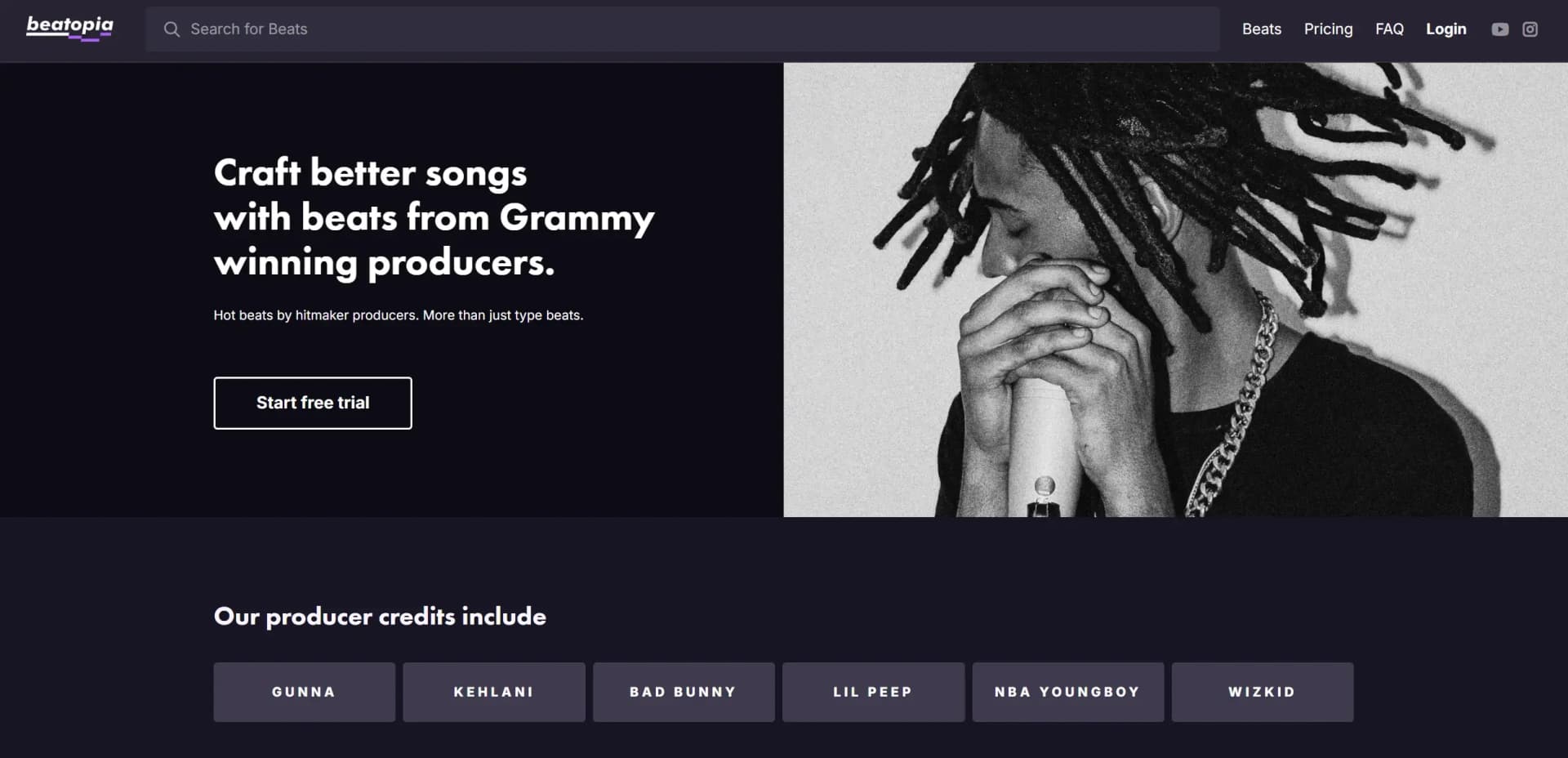
Revolutionize music creation with unlimited beats from Grammy producers.
Key Takeaways
- What it is
- Revolutionize music creation with unlimited beats from Grammy producers.
- Pricing
- Freemium · $15 per month
- Best for
- Exclusive Beats
- Unlimited Rights
- Professional Quality
- Rating
- 4.5/5
What is Beatopia?
Beatopia is an innovative platform designed to revolutionize the music creation process for rappers and vocalists. By offering a vast library of type beats crafted by Grammy-winning producers, Beatopia caters to artists looking to elevate their musical projects with high-quality sounds. This platform simplifies the creative journey by providing unlimited access to exclusive beats, allowing artists to experiment and craft better songs without the constraints of traditional pay-per-track models.
Beatopia stands out with its commitment to providing high-quality, exclusive beats from Grammy-winning producers. Its unique licensing model, offering unlimited rights, allows artists unparalleled freedom to use and distribute their music. This combination of top-tier production and creative liberty sets Beatopia apart as a leader in the music production industry.
Beatopia offers artists a unique opportunity to elevate their music with beats crafted by some of the industry's best producers. Its innovative subscription model and unlimited licensing provide an unparalleled level of creative freedom, allowing artists to focus on what they do best—making music. Whether you're an independent artist, a record label, or a content creator, Beatopia's extensive library and professional quality make it a valuable tool in your music production arsenal.
Who is Using Beatopia?
Independent Artists
Leverage the platform to access high-quality beats without the need for expensive studio sessions.
Record Labels
Utilize the extensive beat library to provide artists with a wide selection of tracks for upcoming projects.
Music Producers
Enhance their own productions with industry-standard beats and stems.
Content Creators
Use the beats for background music in videos, podcasts, and other multimedia projects.
Uncommon Use Cases
Educational institutions incorporate the platform into music production courses; event organizers use beats for live performances and showcases.
Key Features
Rating Breakdown
Pricing Plans
Free Tier
Free
- Experience Beatopia with a 7-day free trial
Pro Tier
$15 per month
Which Beatopia plan should you pick?
Start with the monthly subscription for occasional beat selection; choose the annual subscription when you expect regular use throughout the year.
Monthly subscription
Good for users who want recurring access with a shorter commitment and the documented monthly beat allowance.
Annual subscription
Good for users who plan to browse and download Beatopia beats consistently over a longer period.
Beatopia Use Cases
Find an instrumental
Search the beat library or browse by category, genre, tag, and producer.
Outcome: A suitable instrumental for songwriting or recording.
Build a finished song
Use a Beatopia beat with your own vocals to create a master recording.
Outcome: A song that can be distributed under the applicable beat license.
Arrange a track with stems
Download the WAV and five multitrack stems supplied with a beat, then mix or arrange them.
Outcome: A track arrangement tailored to your creative direction.
Draft lyrics
Use the Lyrics Tools for themes, word alternatives, grammar, stanza editing, and lyric suggestions.
Outcome: Private lyric material for inspiration and research.
Workflow Ideas with Beatopia
Beat discovery to download
- 1Purchase a monthly or annual subscription
- 2Search or browse by category, genre, tag, or producer
- 3Preview the waveform and download the selected beat
Beat to recorded song
- 1Choose a Beatopia instrumental
- 2Download the WAV and included stems
- 3Record vocals and arrange the track into a master recording
Lyrics drafting workflow
- 1Enter a lyric topic or theme
- 2Use word, grammar, and stanza suggestions
- 3Edit the generated material for private inspiration or research
How Beatopia fits into your stack
Browser
Beatopia is delivered through its website, where users browse, preview, and download beats and access lyric-drafting tools.
Docs and writing
Its Lyrics Tools support lyric creation with thesaurus and dictionary resources, themes and topics, word and stanza editing, and generated suggestions.
Pros
- +Creative Freedom: The unlimited rights model provides artists the freedom to use beats across various platforms and performances without legal worries.
- +High-Quality Production: Beats are crafted by top-tier producers, ensuring professional sound quality and industry-standard production.
- +Cost-Effective Subscription: The subscription model eliminates the need for individual track purchases, allowing for more experimentation and creativity.
- +Wide Selection: With a broad variety of genres and styles available, artists can easily find beats that match their unique sound and vision.
Cons
- −Limited to Pre-Made Beats: Artists looking for completely custom beats may find the platform's offerings limited to existing tracks.
- −Subscription Requirement: Access to beats is contingent on maintaining a subscription, which may not suit all users' preferences for one-time purchases.
- −Initial Learning Curve: New users may need time to familiarize themselves with navigating the platform and utilizing its features effectively.
Limitations & when to consider alternatives
Known limitations
- Lyrics are restricted to non-commercial use. The Lyrics Tools license limits generated lyrics to personal, private, non-public inspiration and research.
- Generated lyrics may not be original. Beatopia does not guarantee originality and warns that outputs may be similar to existing lyrics or other users' lyrics.
- Lyrics ownership remains with Beatopia. The Terms state that Beatopia owns lyrics generated through its Lyrics Tool while granting users a limited license.
- Monthly subscriptions have a beat allowance. The help center states that monthly members receive five beats per month.
- Availability varies by country. Beatopia says its platforms, services, and Lyrics Tools are not available in every country.
Look elsewhere when
- You need a native mobile app.
- You need an API or developer platform.
- You need commercial AI-generated lyrics.
How to Use Beatopia
- 1
Start a subscription
Open Beatopia's pricing page and select the monthly or annual subscription option needed for downloads.
- 2
Browse the catalog
Use search, categories, tags, genres, or producer pages to find suitable beats.
- 3
Preview a beat
Play the waveform preview before committing to a download.
- 4
Download the files
Use the download controls to save the beat; the catalog may include a WAV and five stems.
- 5
Use the Lyrics Tools
Enter a theme or lyric input and apply word, grammar, stanza, and generation suggestions.
- 6
Review licensing restrictions
Check the applicable beat or Lyrics license before publishing, monetizing, or publicly performing the resulting work.
Who is Beatopia For?
Vocalists
Vocalists can use curated instrumentals as foundations for finished songs.
Rappers
Rappers can browse genre- and producer-based beats for developing tracks.
Singers
Singers can pair their vocals with professionally mixed beats and stems.
Music producers
Producers are represented in Beatopia's curated catalog and provide the platform's beats.
Frequently Asked Questions
What is Beatopia?
Beatopia is a platform for leasing curated beats from producers, with additional Lyrics Tools for drafting and creating lyrics.
Who uses Beatopia?
The service is aimed at vocalists, rappers, and singers who want instrumentals for building songs.
How do I download beats?
Purchase a subscription, search or browse for a beat, then use the download controls beside its waveform preview.
What are the available subscription options?
Beatopia documents monthly and annual subscription options; its FAQ says the monthly option allows five beats per month.
Can I use the Lyrics Tools commercially?
No. The Terms restrict generated lyrics to personal, private, non-commercial inspiration and research.
Can I sell my beats on Beatopia?
The FAQ says Beatopia is not accepting new material at the moment.
Community reviews
Be the first to share your experience.
Sign in to leave a review for Beatopia.
Beatopia Alternatives
Looking for alternatives to Beatopia? Here are similar tools in the same category:
Learn to Master Beatopia
With Skill Leap courses
Get in-depth training on Beatopia and 50+ other AI tools with our expert-led video courses.
Start 7-Day Free Trial