
Beacons
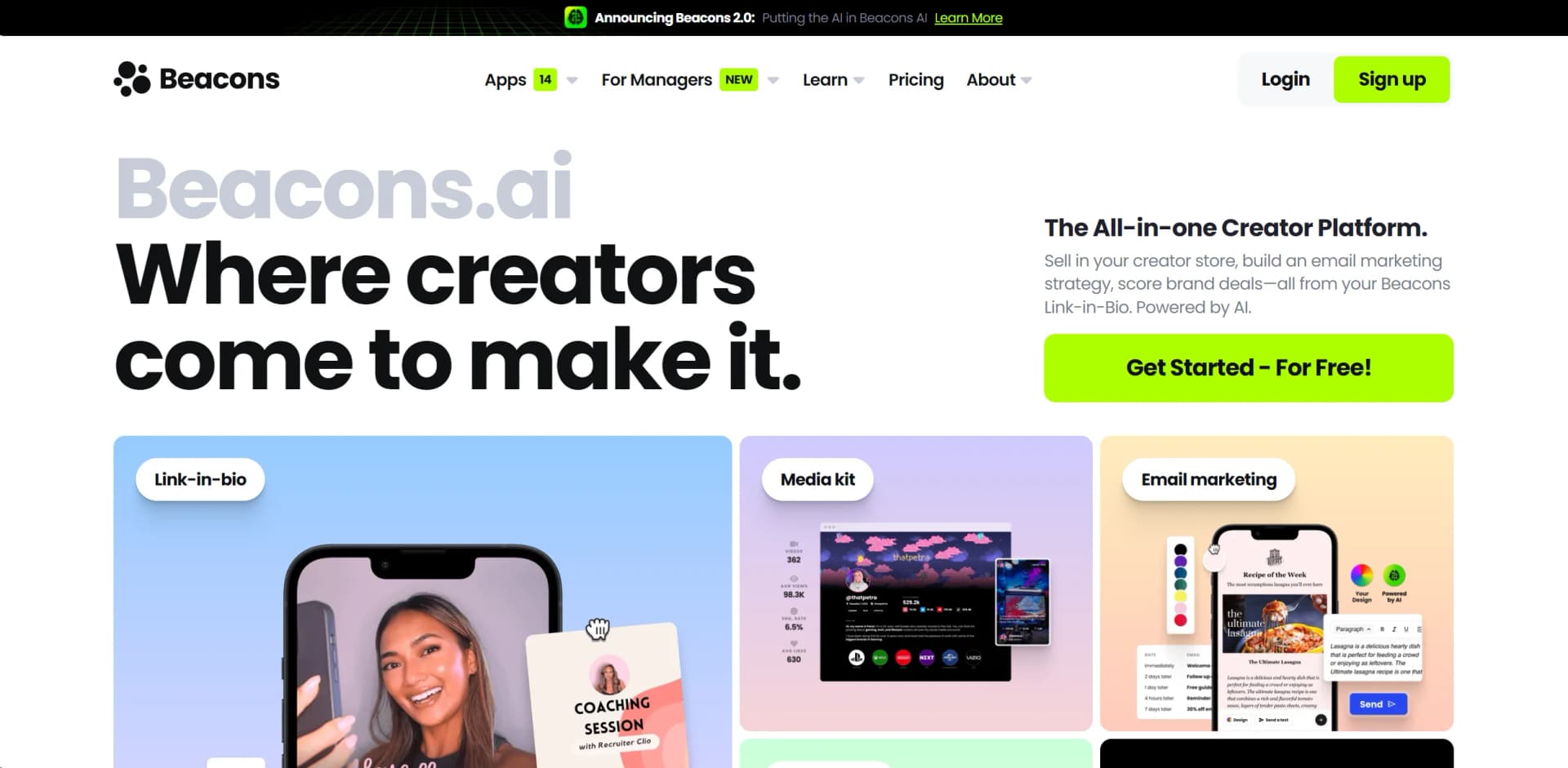
Empower creators with customizable, monetizable, and integrated personal websites; no coding needed.
Key Takeaways
- What it is
- Empower creators with customizable, monetizable, and integrated personal websites; no coding needed.
- Pricing
- Freemium
- Best for
- Customizable Templates
- Monetization Tools
- Analytics Dashboard
- Rating
- 4.5/5
What is Beacons?
Beacons is a cutting-edge platform designed to empower digital creators by providing them with a versatile, mobile-first website builder. It specializes in creating personalized "link-in-bio" websites that centralize a creator's online presence, making it easy for followers to access all their content, merchandise, and user-supported monetization methods in one place. Beacons distinguishes itself by focusing on simplicity and integration, allowing users to craft a compelling and cohesive digital brand without needing advanced technical skills.
Beacons stands out with its creator-centric approach, offering a tailored solution for influencers and digital content producers. Its monetization tools are particularly noteworthy, as they provide direct and innovative ways for creators to earn income from their audience.
Beacons excels in providing a platform tailored for the modern digital creator, with a strong emphasis on monetization and audience engagement. Its ease of use and free starting point make it an attractive choice for creators at all levels. While it's particularly beneficial for individual influencers and content creators, its growing suite of tools and integrations suggests a potential to serve a broader market in the future. Beacons is a strong contender in the link-in-bio space, offering users a compelling way to unify their online presence.
Who is Using Beacons?
Influencers
Beacons helps influencers consolidate content, grow audiences, monetize products, and track traffic.
Entrepreneurs
Entrepreneurs can use link-in-bio pages, storefronts, email marketing, analytics, and digital products.
Artists and musicians
Artists and musicians can showcase work, embed media, promote events, and sell products or services.
Gamers and streamers
Gamers and streamers can centralize platform links, content, storefronts, and audience-growth tools.
Bloggers
Bloggers can organize content and social channels through a customizable link-in-bio website.
Key Features
Rating Breakdown
Pricing Plans
Free Tier
Free
- Beacons offers a no-cost option with basic features to get creators started
Pro Tier
- The Pro Tier includes advanced customization and analytics
- Pricing available on the Beacons website
Which Beacons plan should you pick?
Start with Free to build a basic creator hub and test selling; upgrade to Creator for custom domains and email automations, Creator Plus for 0% seller fees and advanced selling, or Creator Max for Google Workspace and premium support.
Free Plan
Good for new creators who need a link-in-bio page, media kit, basic selling, analytics, and limited email marketing at no monthly cost.
Creator
Good for growing creators who need a custom domain, 500 monthly email sends, email automations, and AI brand outreach.
Creator Plus
Good for serious sellers, coaches, businesses, and creators who need 0% transaction fees, unlimited emails, courses, memberships, and advanced checkout features.
Creator Max
Good for big creators, brands, agencies, and teams that need Google Workspace, white-glove onboarding, prioritized support, and an NFC card.
Beacons Use Cases
Create a link-in-bio business hub
Build a customizable page containing links, social profiles, content, products, and media-kit information.
Outcome: Followers can find the creator's content and offers from one page.
Sell digital products
Create product pages, upload files or links, configure checkout, connect payment methods, and publish the product.
Outcome: Creators can sell downloads, guides, templates, courses, and other digital goods.
Build an owned email audience
Collect subscriber information through Beacons and send broadcasts or automated email sequences.
Outcome: Creators can communicate with their audience outside social-media algorithms.
Manage brand partnerships
Create an automatically updating media kit, calculate rates, conduct AI brand outreach, and track partnership income.
Outcome: Creators can present performance data and manage brand-deal activity.
Run creator marketing campaigns
Brands can discover creators, build campaign proposals, forecast performance, screen for brand safety, and measure results.
Outcome: Brands can manage creator campaigns from discovery through reporting.
Workflow Ideas with Beacons
Launch and sell a digital product
- 1Create a new product in the Beacons Store
- 2Upload up to six product files or add a redirect URL
- 3Configure payment and checkout settings
- 4Publish the product and share its dedicated landing page
Build an email sales sequence
- 1Collect or import audience members
- 2Create an email automation sequence
- 3Promote a Beacons product or offer in the emails
- 4Review engagement and sales analytics
Prepare a creator brand pitch
- 1Connect social accounts and update the media kit
- 2Use AI Brand Outreach to draft personalized messages
- 3Share the media kit and pitch materials with brands
- 4Track partnership income and deal activity
How Beacons fits into your stack
Social Media Platforms
Beacons integrates with major social networks, allowing for easy content sharing and promotion.
E-commerce Integration
Connects with popular e-commerce platforms, enabling the sale of merchandise directly from the Beacons page.
Email Marketing Tools
Supports integration with email marketing services to help creators build their mailing lists.
Analytics Tools
Offers integration with analytics services for deeper insights into page performance and visitor behavior.
Pros
- +User-Friendly Interface: The intuitive design facilitates a seamless setup process, making it accessible even to those with no web design experience.
- +No Code Required: Creators can build and manage their sites without any coding knowledge, thanks to the drag-and-drop functionality.
- +SEO Optimization: Beacons helps in improving search engine visibility, which is essential for creators to grow their audience.
- +Free to Start: There's a free tier available, allowing creators to explore the tool's capabilities before committing financially.
Cons
- −Limited Customization on Free Tier: While there is a free version, it offers limited customization options compared to the paid plans.
- −Dependent on Platform Traffic: Success on Beacons can be tied to a creator's existing social media following and their ability to drive traffic to their Beacons page.
- −Focused on Individual Creators: The platform is tailored more towards individual creators and influencers, which might not be ideal for larger businesses or those with complex website needs.
- −Content Creators: Using the platform to consolidate their digital footprint and engage with their audience in a single space.
- −Influencers: Leveraging Beacons to promote sponsored content and directly link to products and services they endorse.
- −Musicians and Artists: Sharing their latest work, tour dates, and merchandise stores with fans.
- −Entrepreneurs: Showcasing their personal brand and business ventures in a streamlined manner.
- −Uncommon Use Cases: Appypie is also being utilized by health and wellness coaches for building apps that track progress and by local governments to improve community engagement.
Limitations & when to consider alternatives
Known limitations
- Free and Creator plans charge seller fees. The Free and Creator plans charge a 9% transaction fee; Creator Plus and Creator Max have 0% seller fees.
- Free-plan email sending is limited. The Free Plan includes 50 email sends per month, while the Creator plan includes 500 monthly sends.
- AI usage varies by plan. Free and Creator plans impose daily limits on AI chat, text, image, link-in-bio, email, and trending-content features.
- Full Instagram connection requires a Facebook Business Page. Beacons says its Full Instagram connection requires an Instagram account linked to a Facebook Business Page.
- Brands API endpoint documentation is incomplete. The Brands API help article documents API keys and OAuth 2.0 authorization but says the endpoints section is still to come.
Look elsewhere when
- You need a fully documented public API with published endpoints.
- You need a dedicated desktop application rather than a browser-based workflow.
- You need a browser extension for the main creator product rather than Beacons for Managers.
How to Use Beacons
- 1
Create your account and choose a plan
Start on the Free Plan or select a paid plan based on your domain, email, selling, and support requirements.
- 2
Build your link-in-bio page
Customize the page with links, colors, fonts, layouts, images, videos, and social profiles so it becomes your central creator hub.
- 3
Add monetization tools
Create digital products, courses, memberships, appointments, affiliate links, or fan requests and connect Stripe or PayPal.
- 4
Connect your audience
Add an email collection block, import subscribers if needed, and use broadcasts or email automations to communicate with fans.
- 5
Connect social accounts and build your media kit
Connect supported social platforms, display performance data, and update your media kit for brand partnerships.
- 6
Review analytics and optimize
Use traffic, audience, sales, and engagement analytics to identify what content and offers are performing best.
Who is Beacons For?
Influencers
Build a branded link-in-bio presence, share content, collect subscribers, sell products, and track audience activity.
Entrepreneurs
Use Beacons to create a business hub with digital products, email marketing, analytics, and monetization tools.
Bloggers, artists, musicians, gamers, and streamers
The mobile listing specifically names these creator groups and provides tools to organize content, promote links, and monetize audiences.
Coaches and businesses
Paid plans support courses, memberships, appointments, digital products, email marketing, and brand-building features.
Talent managers and agencies
Beacons for Managers provides creator CRM, rosters, pitch decks, campaign reporting, social analytics, and multiple teammates.
Frequently Asked Questions
What is Beacons?
Beacons is an all-in-one creator platform combining link-in-bio pages, digital selling, email marketing, analytics, media kits, and AI tools.
Is Beacons free?
Yes. Beacons offers a Free Plan at $0 forever. The free plan includes features such as customizable link-in-bio pages, media kits, product selling, and limited email sends.
What can creators sell on Beacons?
Creators can sell digital products, physical products, courses, memberships, appointments, and fan requests.
Does Beacons support email marketing?
Yes. Beacons includes audience collection, email campaigns, email automations, engagement scores, and geo-targeted campaigns on eligible plans.
Does Beacons integrate with other tools?
Documented integrations include Zapier, Mailchimp, Zoom, Google Calendar, Shopify, Etsy, Gumroad, Payhip, and Snipfeed.
Does Beacons have an API?
Beacons documents a Brands API with API-key creation and OAuth 2.0 bearer authorization. Its endpoint documentation is marked as forthcoming.
Community reviews
Be the first to share your experience.
Sign in to leave a review for Beacons.
Beacons Alternatives
Looking for alternatives to Beacons? Here are similar tools in the same category:
Learn to Master Beacons
With Skill Leap courses
Get in-depth training on Beacons and 50+ other AI tools with our expert-led video courses.
Start 7-Day Free Trial