Akool
Localize marketing videos with AI translation and lip-synced presenters.
Key Takeaways
- What it is
- Localize marketing videos with AI translation and lip-synced presenters.
- Pricing
- Freemium · $15 per seat per month · $30 per seat per month · $59 per seat per month · $249 per seat per month
- Best for
- AI Video and Image Models
- Face Swap
- Video Translation
- Rating
- 4.3/5
What is Akool?
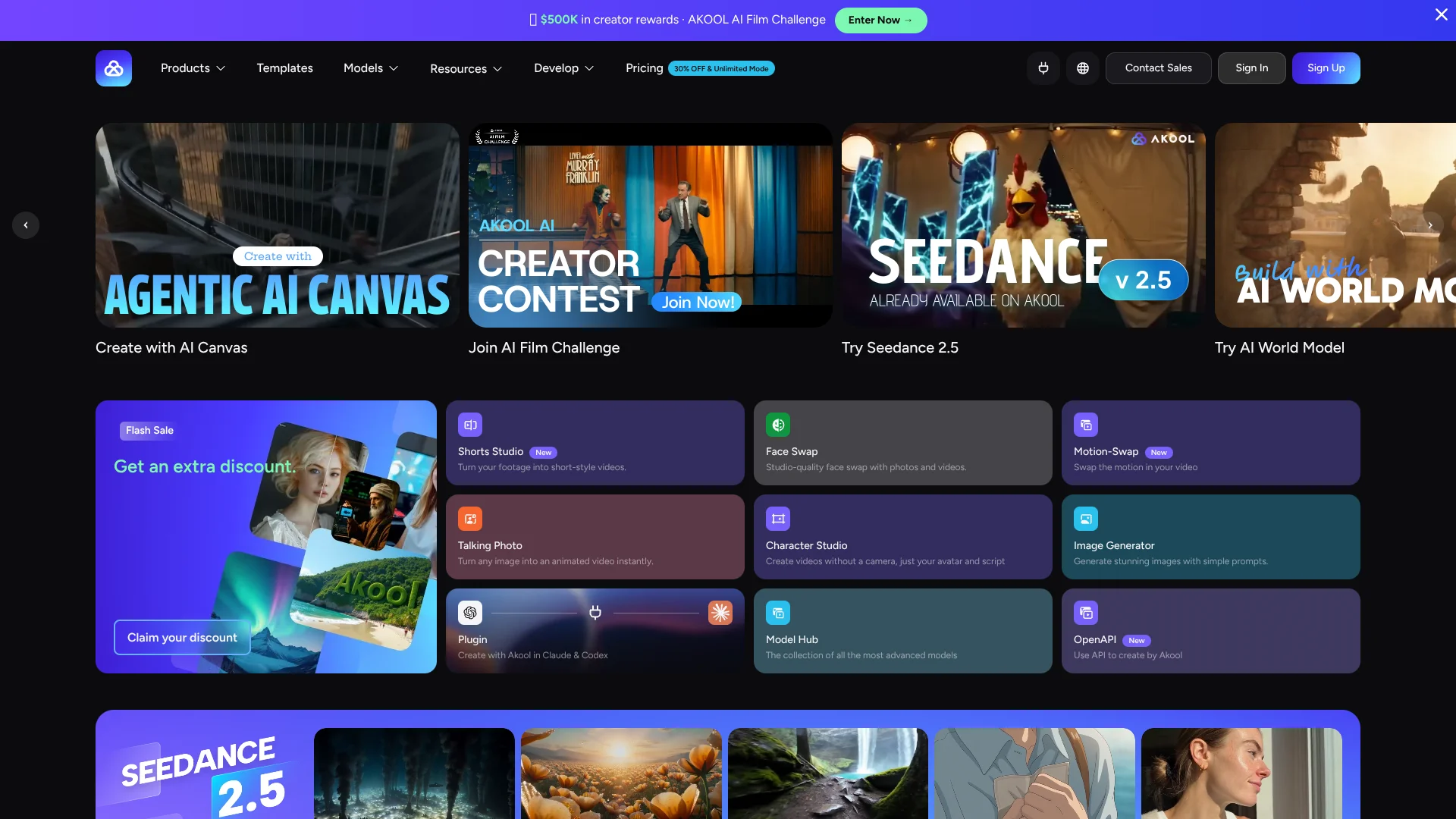
AKOOL helps creators and marketing teams make AI-generated images and videos, then adapt them with tools such as face swap, talking avatars, and video translation. A product photo can become a short video, while a presenter’s footage can be translated and lip-synced for another language. The goal is to produce and adapt visual content without arranging a new shoot for every version.
A single AKOOL workflow can start with an image or video, generate or edit visual content, and then add an avatar or translate spoken video into more than 155 supported languages. Its model hub also lets creators choose among video and image models for different jobs.
AKOOL is a fit for creators, marketers, agencies, and businesses that need a steady supply of visual content or localized videos. The number of credits a generation uses depends on the model and settings, so costs can take some checking when you produce many versions.
Who is Using Akool?
Social Media Managers
Shorts Studio and AI video tools help turn footage or images into short-form social content.
Video Producers
Face Swap, Motion Swap, and video generation support edits and new creative variations.
Localization Producers
Video Translation helps prepare spoken video for audiences in supported languages.
Marketing Designers
Image generation and Canva integration help prepare campaign visuals for design work.
Software Developers
The Open API and Streaming Avatar SDK help add AKOOL generation and avatar features to applications.
Uncommon Use Cases
Interactive streaming avatars for customer support; face-swapped characters for personalized storybooks.
Key Features
Rating Breakdown
Pricing Plans
Free
Free
- Limited access to features
- Watermark and slower processing
Starter
$15 per seat per month
- 200 credits per month
- Or $12.00 per seat per month billed yearly at $144.00
- Personal license
Pro
$30 per seat per month
- 600 credits per month
- Yearly billing is $21.00 per month, or $252.00 per year
- Personal license
Pro Max
$59 per seat per month
- 1,200 credits per month
- Yearly billing is $41.30 per month, or $495.60 per year
- API access and workspace collaboration
Business
$249 per seat per month
- 6,000 credits per month
- Yearly billing is $174.30 per month, or $2,091.60 per year
- Business license and one fine-tuned Studio Avatar
Enterprise
- Customized yearly plans
- SSO and dedicated customer success manager
Which Akool plan should you pick?
Try Free to explore AKOOL, choose Starter or Pro for regular personal creation, and consider Pro Max or Business when you need API access, more capacity, or a business license.
Free
Good for exploring AKOOL’s tools with limited access before committing to a paid plan.
Starter
Good for first-time creators who need 200 monthly credits and selected video and image models.
Pro
Good for professional creators who need broader model access, video translation proofreading, and up to 4K video.
Pro Max
Good for power creators who need API access, workspace collaboration, and faster processing.
Business
Good for agencies and small businesses that need a business license, higher generation capacity, and a fine-tuned Studio Avatar.
Enterprise
Good for organizations that need customized plans, SSO, and dedicated customer support.
Akool Use Cases
Turn Product Images into Video
A still product image becomes a motion clip for a product page or campaign.
Outcome: A video asset made from an existing product image.
Localize Presenter Videos
Video Translation adapts spoken content for viewers in supported languages, with lip-sync options.
Outcome: Translated video versions for audiences in other languages.
Create Talking-Avatar Presentations
A script and avatar can form a presenter-style video for training or product information.
Outcome: A narrated video featuring an AI avatar.
Make Face-Swap Edits
A selected face can replace a detected face in an uploaded photo or video.
Outcome: An edited image or video with a swapped face.
Add Creative Generation to an App
The Open API can connect AKOOL features such as image generation or streaming avatars to a product.
Outcome: AKOOL media features available through your application.
Workflow Ideas with Akool
Create a Localized Product Video
- 1Generate or select a product video.
- 2Open Video Translation and choose a supported language.
- 3Review the translated speech and lip-sync before exporting.
Build a Short Social Clip from Existing Footage
- 1Bring footage into Shorts Studio.
- 2Refine the clip and adapt it for the intended social format.
- 3Review the final video and export it.
Automate Creative Tasks with Zapier
- 1Connect the AKOOL Open API through Zapier.
- 2Choose supported triggers and actions for a task such as image generation or video translation.
- 3Test the workflow and review the generated content.
How Akool fits into your stack
AKOOL Workspace
The web workspace holds image and video generation, editing tools, avatars, and translation. Available models and limits depend on the plan and product.
Design and Video Apps
Canva can receive AKOOL-generated visuals and videos, while Adobe Premiere Pro and After Effects have a face-swap extension-panel integration.
Automation
Zapier connects the AKOOL Open API to supported app workflows for tasks such as image generation, talking avatars, and video translation.
Developer Tools
The Open API, CLI, and SDK support applications, scripts, and streaming-avatar experiences.
Mobile
The AKOOL mobile app is available for iPhone and iPad, with an Android app listed on Google Play.
Pros
- +Multiple model choices: Compare available video and image models for different creative tasks.
- +Video localization: Translate video with lip-sync options and support for more than 155 languages.
- +Real-footage editing: Face Swap and other editing tools can work with uploaded media, not only generated scenes.
- +Connected workflows: Zapier, Canva, and Adobe Premiere Pro integrations connect AKOOL features to other creative and automation tools.
Cons
- −Credit-based usage: The number of credits needed varies by model and output settings, making large batches harder to budget.
- −Personal licenses on creator plans: Starter, Pro, and Pro Max are labeled for personal use on the pricing page.
- −Broad toolset: New users may need time to learn which AKOOL tool and model best fit a specific task.
Limitations & when to consider alternatives
Known limitations
- Credits vary by model. The credit cost differs by model and output settings, so check the estimate before generating.
- Plan access differs. Model access, credits, resolution, and other limits vary by plan and product.
- Free plan has restrictions. The pricing comparison lists a watermark and slower processing for the Free plan.
- Upload limits vary. Supported file size and duration depend on the specific tool and plan.
Look elsewhere when
- You need a dedicated desktop editor with a downloadable installer.
- You need a browser extension rather than an Adobe creative-app integration.
- Your workflow requires code generation inside the product.
How to Use Akool
- 1
Pick a starting tool
Choose a tool such as Image to Video, Face Swap, or Video Translation based on the result you want.
- 2
Add source material
Upload an image or video when the selected workflow requires source media.
- 3
Choose a model and settings
Check the model’s supported inputs, resolution, duration, and credit estimate before generating.
- 4
Generate and review
Create a small test first, then check the result before spending credits on more versions.
- 5
Export or connect the workflow
Download the finished media, or connect AKOOL through an available integration or API.
Who is Akool For?
Creators
Shorts Studio, image and video generation, and face swaps support social videos and other creator projects.
Marketing Teams
AI-generated visuals, avatars, and video translation help teams produce and adapt campaign content.
Agencies and Small Businesses
The Business plan includes a business license, more generation capacity, and a fine-tuned Studio Avatar.
Technology and SaaS Companies
The API and avatar SDK let product teams add AKOOL media tools and interactive avatars to their own services.
E-commerce Teams
Product photos can become promotional videos and other visual content for listings and campaigns.
Frequently Asked Questions
Does AKOOL have a free plan?
Yes. AKOOL lists a Free plan with limited access. The pricing comparison shows a watermark and slower processing for this plan.
What does AKOOL cost?
Paid plans listed on the pricing page include Starter at $12 per seat per month, Pro at $30, Pro Max at $59, and Business at $249. Enterprise pricing is available through sales.
Can AKOOL connect to other apps?
Yes. AKOOL lists integrations with Zapier, Canva, Adobe Premiere Pro, and After Effects, as well as an Open API and SDK.
Does AKOOL support multiple languages?
Yes. The pricing page lists video translation support for more than 155 languages.
Can a team collaborate in AKOOL?
Yes. Pro Max includes workspace collaboration, and workspace members can be invited. Added admins and editors may incur a per-member charge.
Community reviews
3 reviews from people who use Akool.
Sign in to leave a review for Akool.
Janibek Nursulu
Jiajun Lu
Jolin
Akool Alternatives
Looking for alternatives to Akool? Here are similar tools in the same category: