
AI SuitUp
Generate professional-quality headshots quickly using advanced AI.
Key Takeaways
- What it is
- Generate professional-quality headshots quickly using advanced AI.
- Pricing
- $27 per month · $37 per month · $57 per month
- Best for
- Hyper-Realistic Images
- Quick Turnaround Time
- Flexible Packaging Options
- Rating
- 4.4/5
What is AI SuitUp?
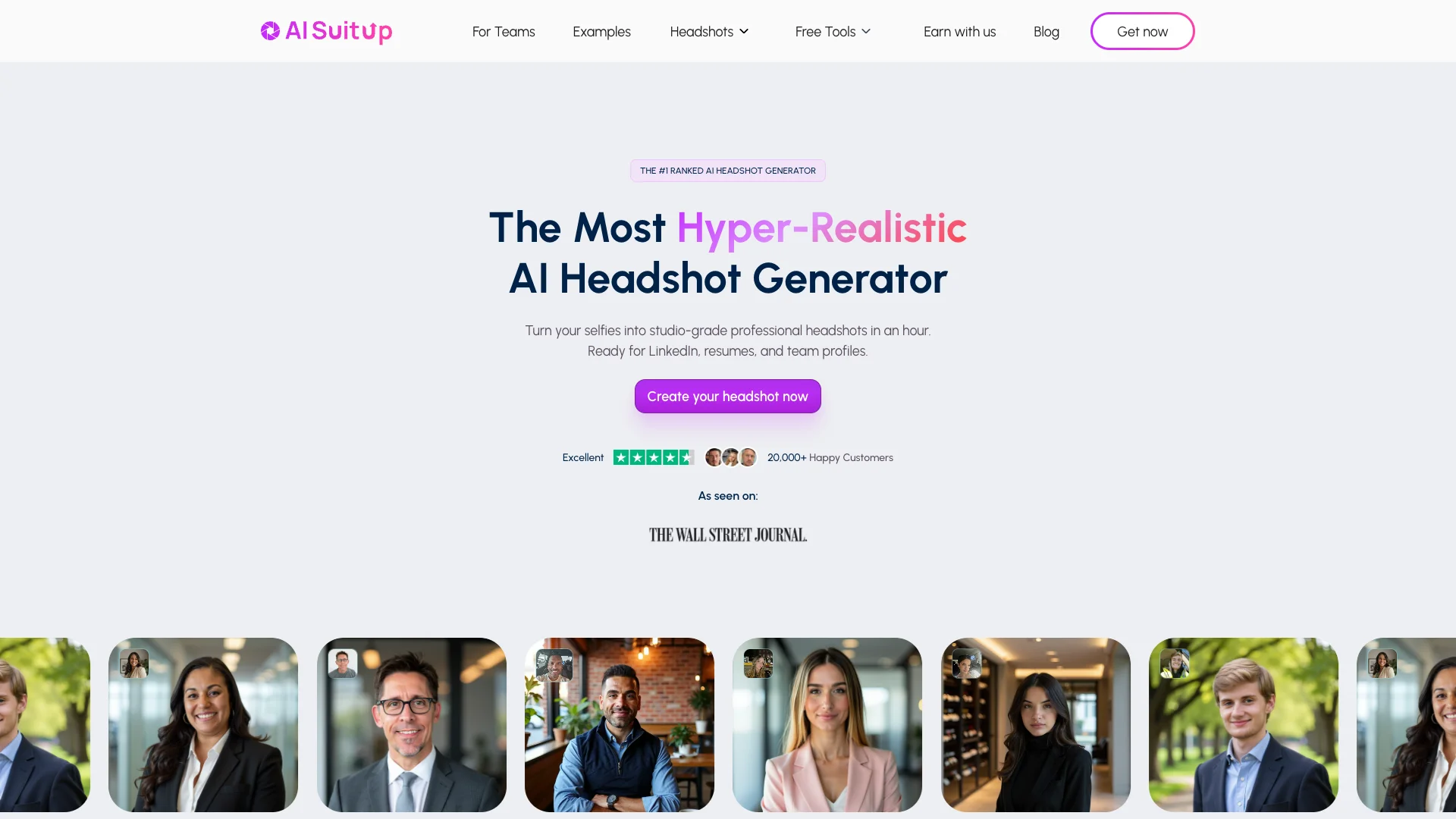
AI SuitUp is a cutting-edge AI tool designed to revolutionize the way professionals obtain high-quality headshots. By leveraging advanced AI technology, AI SuitUp generates professional business images efficiently, eliminating the need for traditional studio sessions. This tool is ideal for professionals looking to enhance their profiles on LinkedIn, resumes, and other professional platforms. With AI SuitUp, users can simply upload their photos and receive high-definition, personalized headshots in just a few hours, offering a cost-effective and time-saving solution to professional photography.
AI SuitUp stands out with its superior photorealism and quick turnaround time, making it a game-changer for professionals who need high-quality headshots fast. Its ability to deliver personalized, professional images without the need for a traditional photo shoot sets it apart in the industry.
AI SuitUp provides a seamless blend of quality, speed, and affordability, making it a valuable tool for professionals across various industries. Its innovative approach to headshot generation ensures that users can maintain a polished and consistent professional image without the hassle of traditional photography. With AI SuitUp, enhancing your professional presence has never been easier or more efficient.
Who is Using AI SuitUp?
Corporate Professionals
Utilizing AI SuitUp for consistent and professional business headshots across company bios and presentations.
Freelancers
Leveraging the tool for affordable, high-quality headshots to enhance personal branding.
Recruitment Agencies
Using AI SuitUp to provide clients with polished headshots for job applications and profiles.
Social Media Influencers
Employing the tool to maintain a professional image on platforms like LinkedIn.
Uncommon Use Cases
Adopted by real estate agents to create professional headshots for marketing materials; used by legal professionals for official documents and profiles.
Key Features
Rating Breakdown
Pricing Plans
Basic Package
$27 per month
- 50 headshots with a 6-hour turnaround time
Professional Package
$37 per month
- 100 headshots with a 3-hour turnaround time
Ultimate Package
$57 per month
- 150 headshots with a 1.5-hour turnaround time
Which AI SuitUp plan should you pick?
Start with the Professional plan for the balance of output volume and turnaround; choose Basic for a lower-cost test or Executive for maximum volume and speed.
Basic
Good for individuals who need 50 headshots at 768×768 resolution with a listed six-hour turnaround.
Professional
Good for professionals and small teams who need 100 HD headshots with a listed three-hour turnaround.
Executive
Good for users who need 150 ultra-HD headshots and the fastest listed one-hour turnaround.
Basic
Good for small teams needing 100 headshots per member, starting from three members.
Startup
Good for teams of up to 10 members seeking a listed 10% volume discount.
Pro
Good for teams of up to 20 members seeking a listed 15% volume discount.
Premium
Good for teams of up to 50 or 100 members with listed 20% or 25% volume discounts.
Enterprise
Good for teams of up to 200 members seeking a listed 30% volume discount.
AI SuitUp Use Cases
LinkedIn and professional profiles
Upload selfies and generate polished portraits for LinkedIn, resumes, and business profiles.
Outcome: A ready-to-use professional profile image.
Company and team headshots
Invite employees, collect their selfies, and generate consistent portraits for company pages and internal directories.
Outcome: A unified visual identity across the team.
Corporate website imagery
Create professional portraits for leadership pages, team bios, pitch decks, and company websites.
Outcome: Studio-style business imagery without a traditional photo shoot.
Event and speaker materials
Generate event-specific portraits for speaker bios, conference pages, press materials, and sponsorship decks.
Outcome: Consistent public-facing images for event promotion.
Dating and social profiles
Transform selfies into natural-looking portraits for dating and social platforms such as Tinder, Bumble, and Facebook.
Outcome: Multiple polished profile-photo options.
Workflow Ideas with AI SuitUp
Individual professional headshot
- 1Choose an outfit, background, lighting, and visual style
- 2Upload 16 clear selfies following the photo guidelines
- 3Download the generated headshots and select favorites
Team headshot rollout
- 1Create a team workspace and invite members by email or invite link
- 2Have each teammate upload their selfies asynchronously
- 3Track upload and generation status in the admin dashboard
- 4Download consistent headshots for company and team profiles
Event-speaker refresh
- 1Select an event or speaker-oriented visual style
- 2Upload clear, natural-light selfies
- 3Receive and download high-resolution portraits for bios, press kits, and event pages
How AI SuitUp fits into your stack
Browser
AI SuitUp is used as an online image-generation service: users upload selfies, select a professional style, and download generated headshots. The official free enhancer explicitly says uploads and downloads happen in the browser without installation.
Pros
- +Cost-Effective Solution: Significantly reduces the expenses associated with traditional headshot photography.
- +Time-Saving: Eliminates the need for scheduling and attending a studio session, providing quick results.
- +User-Friendly Process: Simple three-step process requiring only the upload of selfies to generate professional headshots.
- +High Satisfaction Rate: Positive feedback from users, with a 4.2 out of 5 rating on Trustpilot.
Cons
- −Initial Learning Curve: Some users may need time to refine their uploads for optimal results.
- −Quality Dependent on Input: The quality of headshots is highly dependent on the quality of the uploaded photos.
Limitations & when to consider alternatives
Known limitations
- Input-photo requirements. The service works best with clear, frontal, chest-up photos in good lighting; group photos, sunglasses, hats, blurry images, and covered faces should be avoided.
- Fixed number of input photos. The documented workflow generally requires 16 clear selfies, with team members instructed to upload 15 photos on the team page.
- Curated backgrounds and styles. Users select from preset backgrounds, lighting options, and styles; the site says custom background uploads are not supported.
- Processing is not instant on paid plans. Published turnaround times range from approximately one to six hours depending on the selected plan.
- Temporary data retention. AI SuitUp says uploaded images and models trained with user data are deleted after 30 days.
Look elsewhere when
- You need a documented developer API or programmatic access.
- You need a native iOS, Android, or desktop application.
- You need integrations with external business applications.
- You need code generation or a general-purpose AI assistant.
How to Use AI SuitUp
- 1
Choose your plan or team option
Select Basic, Professional, or Executive for an individual order, or use the Teams offering for multiple employees.
- 2
Prepare suitable selfies
Use clear, frontal or slightly angled chest-up photos with varied lighting, backgrounds, clothing, and expressions.
- 3
Upload your photos
Submit the required selfies so AI SuitUp can analyze your facial features, lighting, and composition.
- 4
Select the desired look
Choose the outfit, background, lighting, mood, and style that fit your professional or personal use case.
- 5
Wait for generation
Allow the service to process the photos according to the turnaround time associated with your selected plan.
- 6
Review and download
Access the generated gallery, select your favorites, and download the finished headshots for profiles, websites, directories, or marketing materials.
Who is AI SuitUp For?
Professionals
Create polished headshots for LinkedIn, resumes, portfolios, and professional profiles.
Remote and hybrid teams
Generate consistent team portraits without coordinating an in-person photo shoot.
Businesses and company teams
Use team invitations, an admin dashboard, bulk pricing, and standardized visual styles.
Doctors and healthcare professionals
Create portraits for hospital directories, patient portals, medical websites, and speaker bios.
Event speakers and presenters
Produce headshots for speaker bios, conference pages, press kits, and event branding.
Frequently Asked Questions
How many photos do I need to upload?
AI SuitUp generally requests 16 clear photos or selfies showing your face from different angles and lighting conditions.
How long does generation take?
Turnaround depends on the plan: Basic is listed at 6 hours, Professional at 3 hours, and Executive at 1 hour.
Can teams try AI SuitUp before paying?
Teams receive a first free generation to evaluate the service before purchasing.
Can team members upload at different times?
Yes. Each team member can upload photos at their convenience rather than at the same time.
Can I customize the generated headshots?
Users can select outfits, backgrounds, lighting, styles, and moods; team admins can standardize backgrounds.
How long are photos and trained models retained?
AI SuitUp says input pictures and models trained with user data are deleted after 30 days.
Community reviews
1 review from people who use AI SuitUp.
Sign in to leave a review for AI SuitUp.
Thibault BM
AI SuitUp Alternatives
Looking for alternatives to AI SuitUp? Here are similar tools in the same category:
Learn to Master AI SuitUp
With Skill Leap courses
Get in-depth training on AI SuitUp and 50+ other AI tools with our expert-led video courses.
Start 7-Day Free Trial