Syllaby
Social video creation for marketers and creators who skip filming themselves.
Watch Syllaby in Action
Key Takeaways
- What it is
- Social video creation for marketers and creators who skip filming themselves.
- Pricing
- $9 per month · $29 per month · $78 per month · $153 per month · $699 per month
- Best for
- Faceless Video Creation
- AI Script Generation
- Text to Scenes
- Rating
- 4.1/5
What is Syllaby?
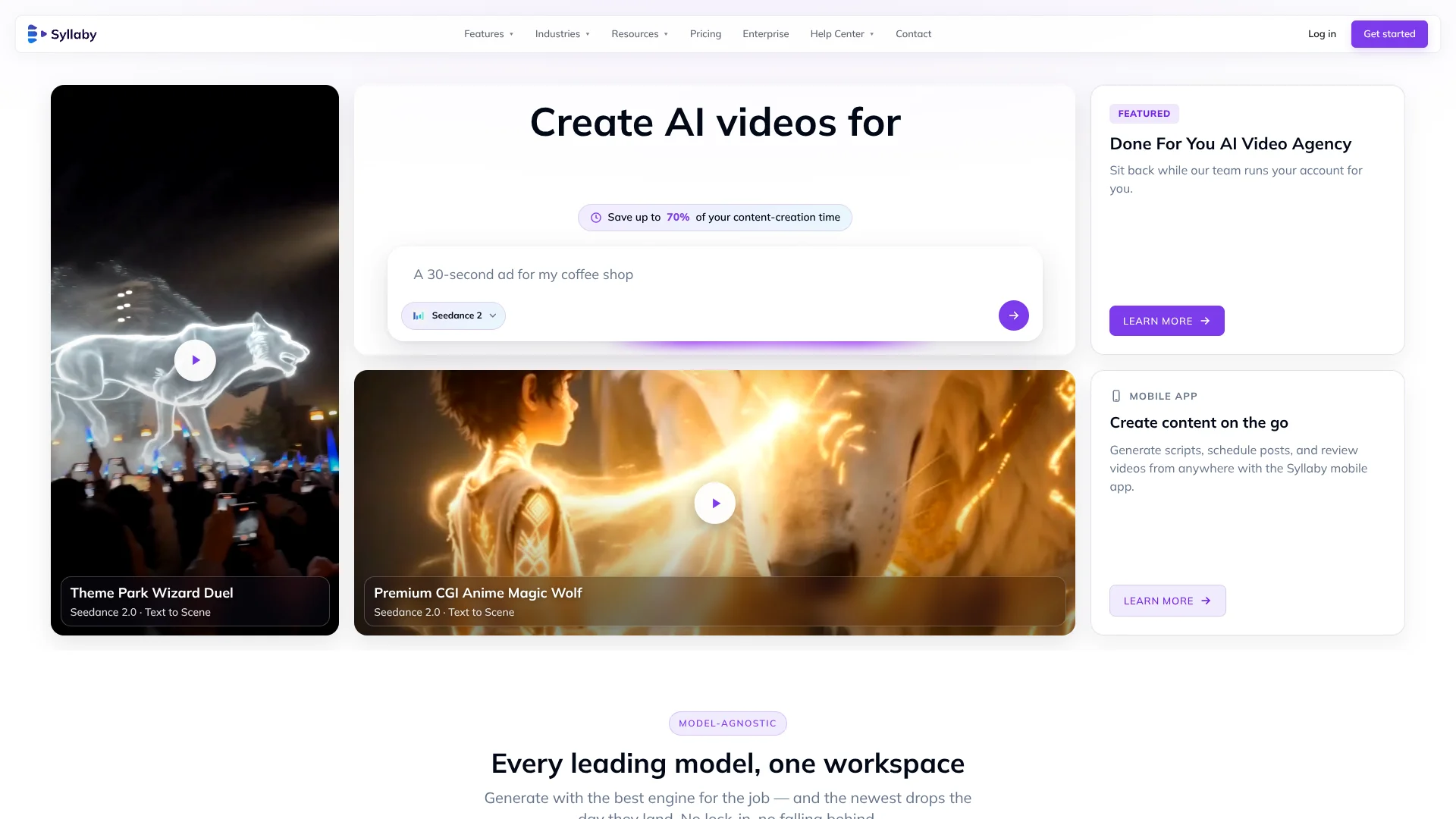
Syllaby helps creators, marketers, sales agents, and businesses turn an idea into a social video with AI-generated scripts, scenes, voiceovers, visuals, avatars, and publishing tools. Its workflow covers topic discovery, script editing, video creation, and scheduling, so a newcomer can move from a blank idea to a finished post inside one workspace.
Syllaby lets you choose from multiple video models, including Veo, Seedance, Kling, Grok Imagine, and MiniMax, instead of relying on one generation engine. That model choice is useful when a realistic product scene, a consistent character, or a faster social clip calls for different strengths.
The tool fits people who publish short-form content regularly and want less manual editing. It is less suitable for teams that need documented shared workspaces, SSO, or advanced collaboration controls. Syllaby is strongest when the goal is repeatable AI video production for social channels.
Who is Using Syllaby?
Social Media Managers
A content calendar, bulk scheduling, and platform publishing help them keep multiple channels supplied with new videos.
Video Marketers
Script generation, faceless production, avatars, and analytics support campaigns built around consistent social publishing.
Small Business Owners
Business owners can create product explainers, promotional clips, and vertical videos without hiring a full production team.
Agency Content Strategists
Client teams can standardize recurring video work with API workflows, reusable presets, and managed exports.
Developers
Developers can connect Syllaby's API or MCP server to an app, internal system, AI client, or automated content pipeline.
Uncommon Use Cases
URL-based content repurposing for faceless videos; recurring avatar-led educational series with a cloned voice.
Key Features
Rating Breakdown
Pricing Plans
Starter
$9 per month
- 100 credits per month
- About 7 faceless videos per month
- Bulk, unlimited scheduling
- 1 GB storage
- Voice clones: none
- Characters: not included
Basic
$29 per month
- Billed yearly at $296, or $24.67 per month
- 500 or 1,000 monthly credits depending on the selected billing option
- About 38 faceless videos per month
- 1 voice clone
- Characters included
- 5 GB storage
Standard
$78 per month
- Billed yearly at $796, or $66.33 per month
- 1,500 or 2,000 monthly credits depending on the selected billing option
- About 115 faceless videos per month
- 3 voice clones
- Characters included
- 10 GB storage
Premium
$153 per month
- Billed yearly at $1,561, or $130.08 per month
- 5,000 monthly credits on monthly billing
- 60,000 credits per year on annual billing
- About 384 faceless videos per month
- 5 voice clones
- 20 GB storage
Done For You
$699 per month
- Replaces the regular Syllaby plan
- 5,000 credits per month
- About 30 posts per month made for you
- One niche-matched dedicated expert
- Monthly custom content strategy
- One strategy call per month
Enterprise
- For customers whose video volume exceeds the largest published plan
Which Syllaby plan should you pick?
Start with Starter for occasional posting, choose Basic or Standard for regular production, and move to Premium or Done For You when your publishing volume or support needs grow.
Starter
Good for trying the core workflow with 100 monthly credits and about 7 faceless videos.
Basic
Good for creators and marketers who need about 38 faceless videos per month, characters, one voice clone, and 5 GB of storage.
Standard
Good for frequent publishing with about 115 faceless videos per month, three voice clones, and 10 GB of storage.
Premium
Good for high-volume production with 5,000 monthly credits, five voice clones, and 20 GB of storage.
Done For You
Good for customers who want Syllaby's team to handle content strategy, creation, and publishing.
Syllaby Use Cases
Faceless Social Shorts
A topic becomes a narrated video with AI visuals, scenes, transitions, and captions for platforms such as TikTok, Instagram, and YouTube.
Outcome: A ready-to-publish short-form video without filming yourself.
Product and Service Promotion
Businesses can turn product ideas, offers, and customer questions into videos using avatars, voiceovers, or generated scenes.
Outcome: More consistent promotional content for social channels.
Content Repurposing
A URL can provide scripts or images for a new faceless video workflow through the API.
Outcome: Existing web content becomes a new video asset.
AI Avatar Content
A recurring avatar or cloned voice can present scripts when a brand wants a recognizable virtual speaker.
Outcome: Consistent presenter-led content without recording every post.
High-Volume Video Automation
API requests can generate scripts, render videos, manage assets, and export results inside a connected application or internal process.
Outcome: Repeatable video production with fewer manual steps.
Workflow Ideas with Syllaby
Topic to Published Short
- 1Enter a topic and generate an idea or script.
- 2Edit the script, choose scenes, voiceover, and video format.
- 3Render the video, review it, and schedule publication.
Avatar-Led Brand Series
- 1Select an avatar or create a real clone.
- 2Generate a consistent script format for each episode.
- 3Render, edit, and publish the series through the content calendar.
API Content Pipeline
- 1Send a prompt, script, or URL to the Syllaby API.
- 2Generate the video and manage its assets or export.
- 3Deliver the finished file to your own app, dashboard, or client workflow.
How Syllaby fits into your stack
Web App
The main Syllaby workspace handles idea generation, scripts, video creation, editing, avatars, thumbnails, and scheduling.
Social Channels
Syllaby connects with YouTube, TikTok, Meta, and Google for social publishing and related workflows.
Mobile Creation
The iPhone and Android apps extend the workflow to script generation, video creation, editing, scheduling, and publishing from a phone.
APIs and Automation
The REST API supports scripts, faceless videos, assets, exports, usage tracking, and repeatable content workflows. The MCP server connects Syllaby to Claude, ChatGPT, and Claude Code.
Analytics
Social analytics and the content calendar help connect production activity with channel performance and publishing plans.
Pros
- +Model choice: Switch between several named video models for different creative results.
- +Social workflow: Planning, editing, scheduling, and publishing sit close to the video creation process.
- +Faceless production: Produce short-form content without recording yourself on camera.
- +Developer access: The API and MCP server can trigger scripts, videos, assets, and exports from other workflows.
- +Mobile creation: The iPhone and Android apps support creating, editing, and publishing from a phone.
Cons
- −Credit budgeting: Video generation, avatars, ideas, scripts, and thumbnails consume credits at different rates.
- −No free tier: The pricing page does not offer a permanent $0 plan or free trial.
- −Limited team controls: Syllaby does not document shared workspaces, roles, or SSO for teams.
Limitations & when to consider alternatives
Known limitations
- Credits are usage-based. A faceless video costs 13 credits per minute, an avatar video costs 50 credits per minute, and other actions have separate credit charges.
- Whole-minute billing. Video charges are based on whole minutes, so a video lasting 5 minutes and 13 seconds is charged as 6 minutes.
- Text to Scene pricing varies. Text to Scene is priced per second and depends on the model selected.
- Credits do not roll over. The mobile app FAQ says unused credits expire at the end of each billing cycle.
- Enterprise pricing is not published. The pricing page names an Enterprise option but directs higher-volume customers to contact Syllaby for pricing.
Look elsewhere when
- You need a permanent free plan for ongoing use.
- Your team needs shared workspaces with roles, invites, and SSO.
- You need a native desktop editor or browser extension.
- Your workflow depends on fine-tuning an AI model on proprietary training data.
How to Use Syllaby
- 1
Start with an Idea
Enter a topic or prompt so Syllaby can suggest an angle, outline, or script.
- 2
Shape the Script
Review and edit the generated copy, then set the tone, length, and format for the intended channel.
- 3
Choose the Video Style
Select faceless video, an avatar, voice options, scenes, or a specific AI model based on the result you want.
- 4
Render and Edit
Generate the video, check the visuals and voiceover, and make changes in the built-in editor.
- 5
Schedule or Publish
Place the finished video in the content calendar or publish it to connected social accounts.
- 6
Track Usage
Watch credit consumption because scripts, ideas, avatars, thumbnails, and video minutes use different amounts.
Who is Syllaby For?
Content Creators
Regular social publishers can produce faceless clips, avatars, scripts, and thumbnails without a traditional editing workflow.
Marketers
Marketing teams can plan campaigns, create platform-ready videos, and review social performance from the same content workflow.
Business Owners
Small businesses can turn product ideas and customer topics into repeatable videos for lead generation and brand visibility.
Sales Agents
Sales professionals can create educational or promotional clips that explain offers without filming every video themselves.
Agencies
Agencies can automate repeatable client video workflows through the API, reusable assets, presets, and exports.
Frequently Asked Questions
Does Syllaby have a free plan?
No. The current pricing page lists paid plans and says there is no free trial. The lowest plan is Starter at $9 per month.
What does the Starter plan include?
Starter costs $9 per month and includes 100 credits per month, about 7 faceless videos, bulk unlimited scheduling, 1 GB of storage, and no voice clones or characters.
Which social platforms does Syllaby integrate with?
Syllaby lists YouTube, TikTok, Meta, and Google as current integrations.
Does Syllaby have an API?
Yes. The Syllaby API can generate scripts and videos, build workflows from URLs, manage assets, export files, and track API usage.
Can Syllaby work with ChatGPT or Claude?
Yes. Its MCP server can connect with ChatGPT, Claude, and Claude Code so those AI clients can call Syllaby tools.
Does Syllaby have a mobile app?
Yes. Syllaby offers iPhone and Android apps for creating, editing, scheduling, and publishing videos from a phone.
Community reviews
7 reviews from people who use Syllaby.
Sign in to leave a review for Syllaby.
Sheetansh Kapoor
Randy Pharr
Thibault BM
Jim Brillon
Dawn Pearl Rosales
Austin Armstrong
Dr. B Addiction Recovery
Syllaby Alternatives
Looking for alternatives to Syllaby? Here are similar tools in the same category: