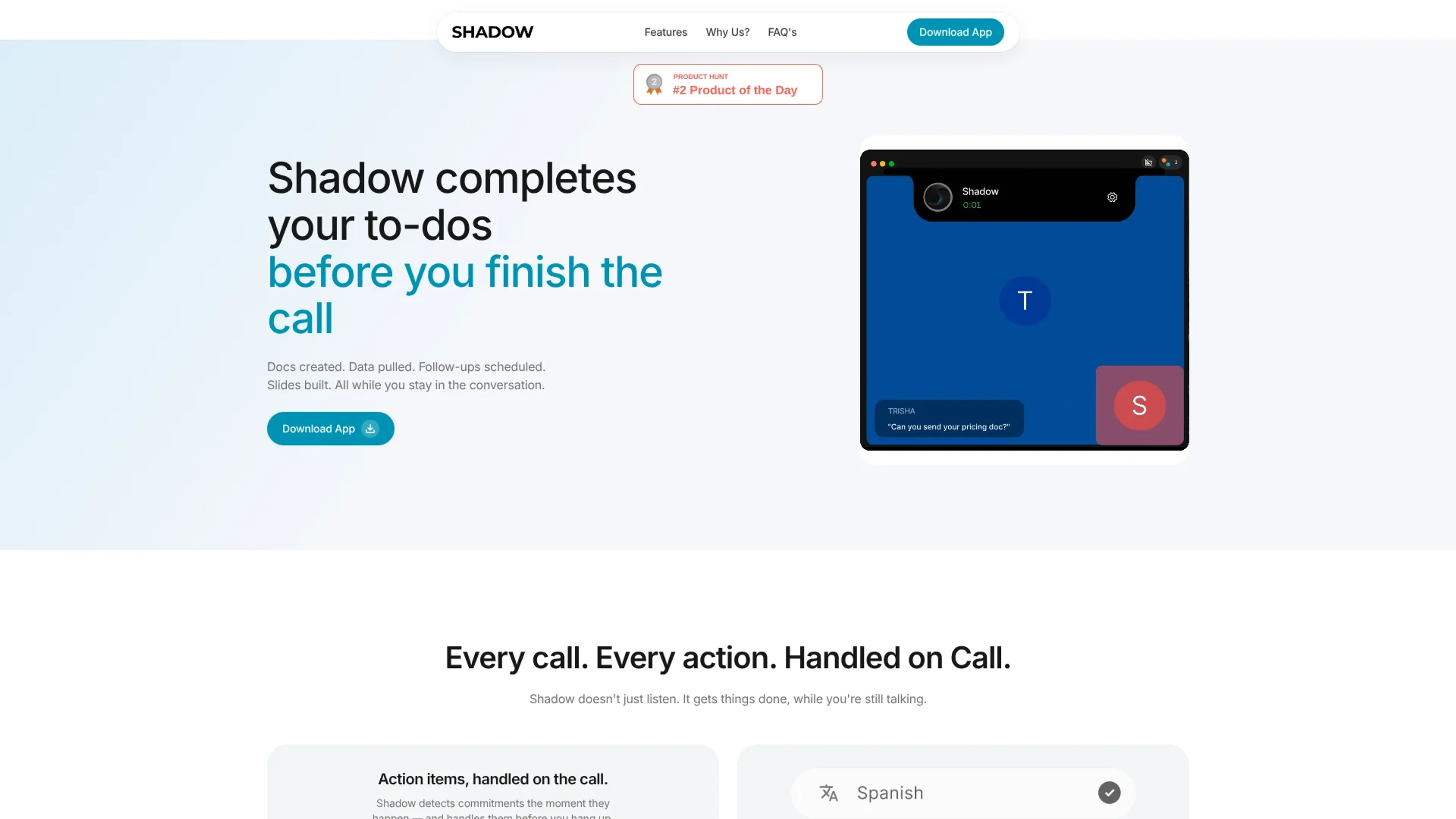
Shadow presents itself as the interface AI needs: a native macOS app that sees the screen, hears meetings and spoken commands, and turns that context into notes, emails, summaries, and other outputs via customizable prompts. It runs quietly in the background, auto-detects online meetings at the system level rather than joining as a bot, and records both what is said and what is shown. Transcription is processed locally on the Mac by default, while optional AI Skills and summaries use cloud models only when explicitly triggered, giving privacy-minded professionals a far more controlled experience.
Key Features:
Bot-free, system-level meeting capture: Detects when a call starts in Zoom, Google Meet, Microsoft Teams, Webex, Slack huddles, Discord, and similar apps, recording speech and screen without appearing as a meeting participant or relying on calendar events.
Local transcription and speaker identification: Processes microphone and system audio directly on the Mac, adds real-time speaker labels, and stores meetings locally for stronger control over sensitive conversations.
Meeting Skills for instant outputs: Runs prompt-based Meeting Skills the moment a call ends to produce structured notes, BANT breakdowns, action items, follow-up emails, and customer feedback summaries from the transcript and captured screens.
Action Skills, Quick Access, and voice input: A global shortcut lets users grab what is on screen, what they say, or selected text, then run an Action Skill that pastes or displays AI-generated output where it is needed; voice typing turns spoken input into polished text inside any app.
Ask and live in-meeting assistant: Users can ask questions during or after meetings, with Shadow drawing on rolling transcripts and smart screenshots to answer about both spoken content and what was displayed.
Pros
Local-first, privacy-aware architecture: Audio stays on the device for transcription, AI Skills run only when invoked, and meeting data is not used to train underlying models.
Truly automatic capture: OS-level detection means scheduled calls, ad-hoc links, Slack huddles, and late-start meetings are all recorded without manual start or bot invites.
Flexible Skills system: Every Skill is a modifiable prompt plus chosen context and output destination, so different roles can build workflows that suit their own tasks.
Markdown and automation friendly: Native Markdown export and webhooks to tools like Zapier, n8n, and Make let teams slot meeting outputs into existing note-taking and automation setups quickly.
Cons
macOS only: Windows and browser users are currently left out, which can be a blocker for many organizations.
Cloud dependency for higher-level AI: Summaries, Ask, and advanced Skills require sending transcripts or screenshots to cloud LLMs, which can still be an issue for highly regulated environments.
Skill building takes practice: Less technical users may need time to craft effective prompts, choose context sources, and configure webhooks or multi-step workflows.
Who is Using Shadow?
Sales and customer success teams: Turning discovery calls into BANT breakdowns, follow-up emails, and CRM-ready summaries without manual note taking.
Product managers and designers: Capturing Slack huddles, roadmap reviews, and Figma or Linear walkthroughs with both spoken discussion and screen content preserved.
Founders and executives: Keeping a searchable archive of investor updates, strategy sessions, and hiring calls while offloading follow-up drafting to Skills.
Engineers and technical leads: Converting architecture discussions and incident reviews into actionable tickets, runbooks, and documentation fragments.
Uncommon Use Cases: Used by students to capture lectures on Mac laptops, and adopted by podcasters who want searchable records of pre-interview calls and planning sessions.
Pricing:
Starter: Free; includes 10 meetings per month, real-time action detection, follow-up scheduling, on-the-fly docs, and support for Zoom, Meet, and Teams.
Pro: $25 per month; includes unlimited meeting duration, unlimited executions, slide creation, Notion docs, data pulls, and priority support.
Enterprise: $50 per month; launching soon for enterprise, with SSO and advanced security, team-wide deployment, custom integrations, and dedicated support.
Disclaimer: Please note that pricing information may not be up to date. For the most accurate and current pricing details, refer to the official Shadow website.
What Makes Shadow Unique?
Shadow’s architecture focuses on operating at the macOS level rather than at the calendar or conferencing-app level. It detects meetings based on real system activity, records both audio and what appears on screen, and does all of this without inserting a visible bot into the call. That combination produces richer context for notes and follow-ups while keeping the experience quiet and unobtrusive for every participant.
How We Rated It:
Accuracy and Reliability: 4.6/5
Ease of Use: 4.2/5
Functionality and Features: 4.4/5
Performance and Speed: 4.5/5
Customization and Flexibility: 4.3/5
Data Privacy and Security: 4.8/5
Support and Resources: 3.9/5
Cost-Efficiency: 4.7/5
Integration Capabilities: 4.0/5
Overall Score: 4.4/5
Shadow For People Who Never Want To Miss A Meeting Detail Again:
Shadow gives Mac users who live in meetings, huddles, and document-heavy apps a fast way to convert real-world context into structured outputs. By combining bot-free capture, on-device transcription, screenshot awareness, and prompt-based Skills, it turns calls, screens, and spoken instructions into ready-to-use notes, emails, and tasks with minimal extra effort. Teams that prioritize privacy and already work heavily in tools like Obsidian, Slack, and automation platforms are likely to see Shadow quickly become part of their everyday workflow, while Windows-first organizations may need to keep it on the radar for future expansion.