
Send AI
Automate document processing with OCR, custom models, secure data.
Key Takeaways
- What it is
- Automate document processing with OCR, custom models, secure data.
- Best for
- Optical Character Recognition (OCR)
- Custom Language Model Training
- Data Extraction and Validation
- Rating
- 4.5/5
What is Send AI?
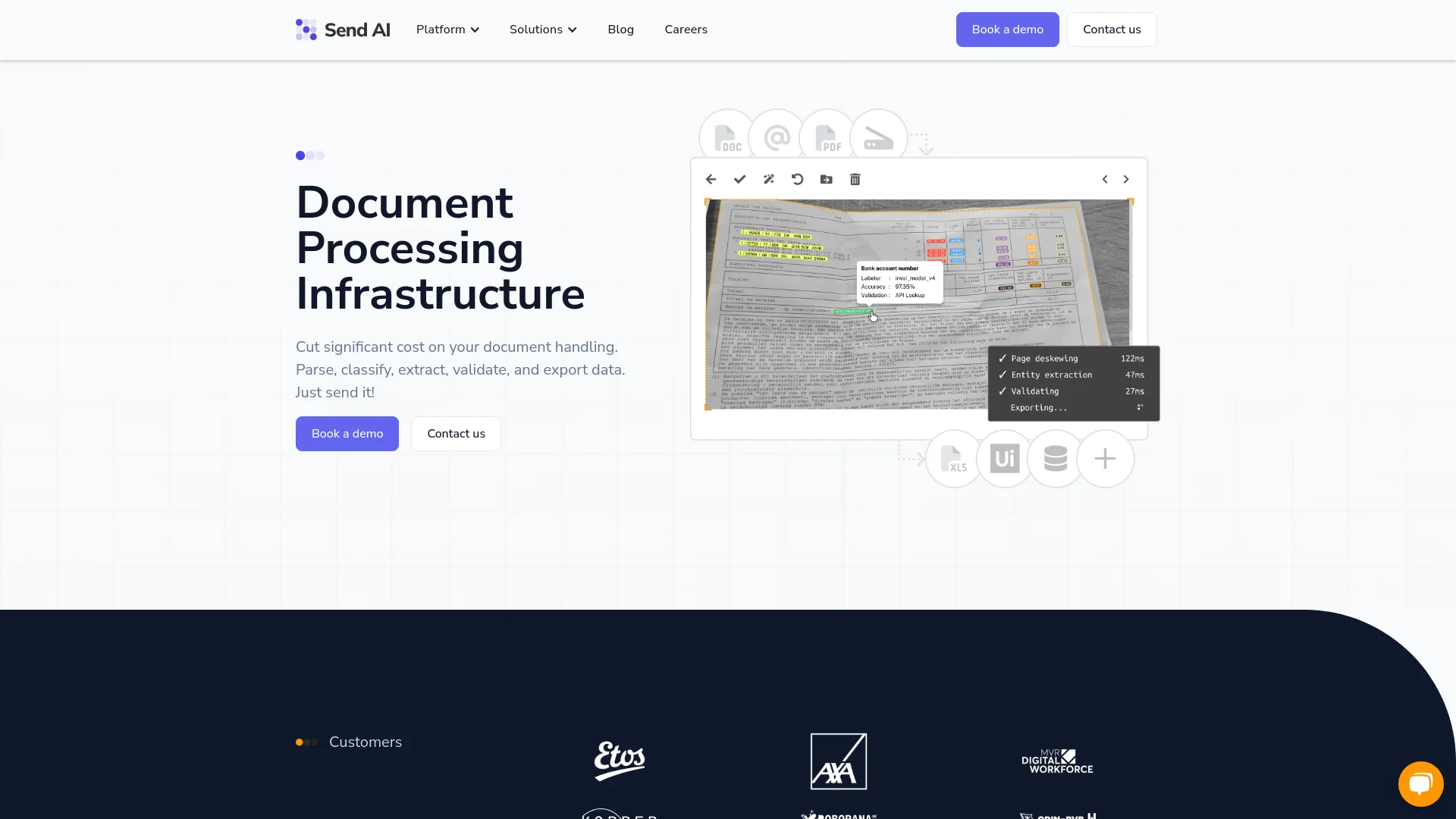
As a seasoned reviewer of AI tools, I recently explored Send AI, a robust platform that promises to revolutionize the way businesses handle document processing. At its core, Send AI offers a comprehensive suite of tools designed to parse, classify, extract, validate, and export data from documents efficiently. This tool is particularly tailored for sectors overwhelmed by large volumes of paperwork, such as insurance and logistics, aiming to cut down on manual labor and reduce error rates significantly.
Send AI stands out with its user-centric approach to AI model ownership and its emphasis on security and data compliance. Its ability to drastically reduce errors and processing time sets it apart in the document processing industry.
Send AI excels in transforming the document processing landscape, offering powerful tools for automation and data management. Its standout features, such as OCR, custom model training, and stringent security measures, make it an indispensable tool for industries dealing with high volumes of documents. With its user-centric approach and emphasis on reducing errors and costs, Send AI is reshaping how businesses manage and process their data.
Who is Using Send AI?
Insurance Companies
Utilizing Send AI to automate claims processing and other document-heavy workflows.
Logistics Companies
Employing the tool to manage shipping documents and streamline operations.
Government Agencies
Leveraging the platform for public record management and compliance documentation.
Retail Businesses
Using Send AI to handle supplier contracts and customer documentation efficiently.
Uncommon Use Cases
Academic institutions use Send AI for research data collection and management; Legal firms adopt it for case file management and documentation.
Key Features
Rating Breakdown
Pricing Plans
Custom Pricing Model
- Send AI offers tailored pricing based on the specific needs and usage volume of the business
Send AI Use Cases
Automated document extraction
Upload documents and extract structured fields from varied formats and layouts.
Outcome: Clean structured data is ready for validation and downstream systems.
Email and attachment processing
Process incoming emails and attachments, classify their intent, route them, and draft responses.
Outcome: Teams reduce repetitive inbox work and accelerate response handling.
Transport-order processing
Extract and validate transport-order information from logistics documents and emails.
Outcome: Transport data can flow into TMS, ERP, or agentic workflows.
Business-rule validation
Describe validation and transformation requirements in natural language and apply them during processing.
Outcome: Domain-specific exceptions are handled consistently at scale.
Permit and records-request processing
Classify citizen requests, verify permit applications, and route records requests.
Outcome: Public-sector communications are processed faster with documented routing and audit trails.
Workflow Ideas with Send AI
Process and export incoming documents
- 1Upload documents manually, through the API, or by email
- 2Extract, classify, and validate the document data
- 3Export processed data through a configured connector
Train a document model with human review
- 1Create a project and configure its document type
- 2Label important text in reviewed documents
- 3Approve corrections so the system improves future extraction accuracy
Automate business-rule validation
- 1Describe the business requirement in natural language
- 2Generate and test the executable validation rule
- 3Enable the rule so it runs during document processing
How Send AI fits into your stack
API Access
Allows for seamless integration with existing business systems via secure APIs.
Email Integration
Supports document submission and processing directly through email, enhancing flexibility.
Partner Ecosystem
Works with various partners to offer vertically integrated solutions, enhancing the tool's applicability across different industries.
Custom Integration Capabilities
Users can request custom integrations to suit their specific operational needs.
Pros
- +Efficiency Boost: Reduces the time required to process documents by up to 15 times, streamlining daily operations.
- +Error Reduction: Achieves up to 25 times fewer errors compared to manual processes, thanks to its precision and custom validation features.
- +Cost Reduction: Lowers document handling costs by up to six times, making it a cost-effective solution for businesses.
- +User Ownership of AI Models: Unlike many other platforms, Send AI allows users to own the AI models they train, offering unparalleled customization and competitive advantage.
Cons
- −Initial Setup Complexity: Setting up personalized language models and custom validations might require a steep learning curve and initial time investment.
- −Dependency on Training Data: The performance of custom models heavily depends on the quality and volume of the training data provided by the user.
- −Limited Pre-built Solutions: While Send AI offers powerful tools for customization, smaller businesses might find the lack of extensive pre-built solutions limiting.
Limitations & when to consider alternatives
Known limitations
- Personalized pricing only. The public pricing page does not publish fixed plan prices and directs prospects to request a quote.
- Upload size limits. Individual files are limited to 40 MB, individual pages to 20 MB, and upload batches to 100 files.
- Limited documented REST API scope. The REST API currently focuses on uploads and tasks; projects, exports, reporting, and webhook management are described as incremental or planned areas.
- Custom authentication constraints. A custom-auth connector supports only one custom authentication request, requires valid JSON, and does not support multi-step challenge flows.
- Project deletion is irreversible. Deleted project data is permanently cleared after 10 days.
Look elsewhere when
- You need a self-serve free plan.
- You need a native mobile, browser-extension, or desktop-app experience.
- You need named out-of-the-box SaaS integrations.
How to Use Send AI
- 1
Explore a range of tutorials on the Send AI website, covering everything from basic setup to advanced model training and data extraction techniques.
Who is Send AI For?
Operations teams
They can automate email, document, and EDI processing while preserving business rules and operator knowledge.
AI agents
They can use Send AI through secured API and connector-based connections to interact with external processes.
Logistics organizations
Send AI processes transport orders, warehouse documents, email, EDI, and related supply-chain information.
Finance and insurance organizations
The platform is positioned for regulated workflows requiring document extraction, validation, audit trails, and security controls.
Government organizations
Government teams can automate citizen requests, permit processing, records requests, and document routing.
Frequently Asked Questions
What types of files can Send AI process?
Send AI supports PDF, Word, Excel, image, email, text, HTML, CSV, XML, and JSON files.
How can documents enter Send AI?
Documents can be uploaded manually through the web interface, submitted through the API, or processed from email attachments.
How does Send AI export processed data?
Processed data can be sent through HTTP, FTP, or email connectors, or exported as JSON, XML, CSV, or Excel.
Does Send AI support human review?
Yes. Human reviewers can validate extracted data, correct fields, and approve tasks before processing continues.
What are the upload limits?
Each file can be up to 40 MB, each page up to 20 MB, and each batch up to 100 files.
Community reviews
Be the first to share your experience.
Sign in to leave a review for Send AI.
Send AI Alternatives
Looking for alternatives to Send AI? Here are similar tools in the same category:
Learn to Master Send AI
With Skill Leap courses
Get in-depth training on Send AI and 50+ other AI tools with our expert-led video courses.
Start 7-Day Free Trial