Robofy
Website and WhatsApp support agents trained on your business content.
Key Takeaways
- What it is
- Website and WhatsApp support agents trained on your business content.
- Pricing
- $40 per month · $99 per month · $399 per month
- Best for
- Website and document training
- API actions
- Human handoff
- Rating
- 4.2/5
What is Robofy?
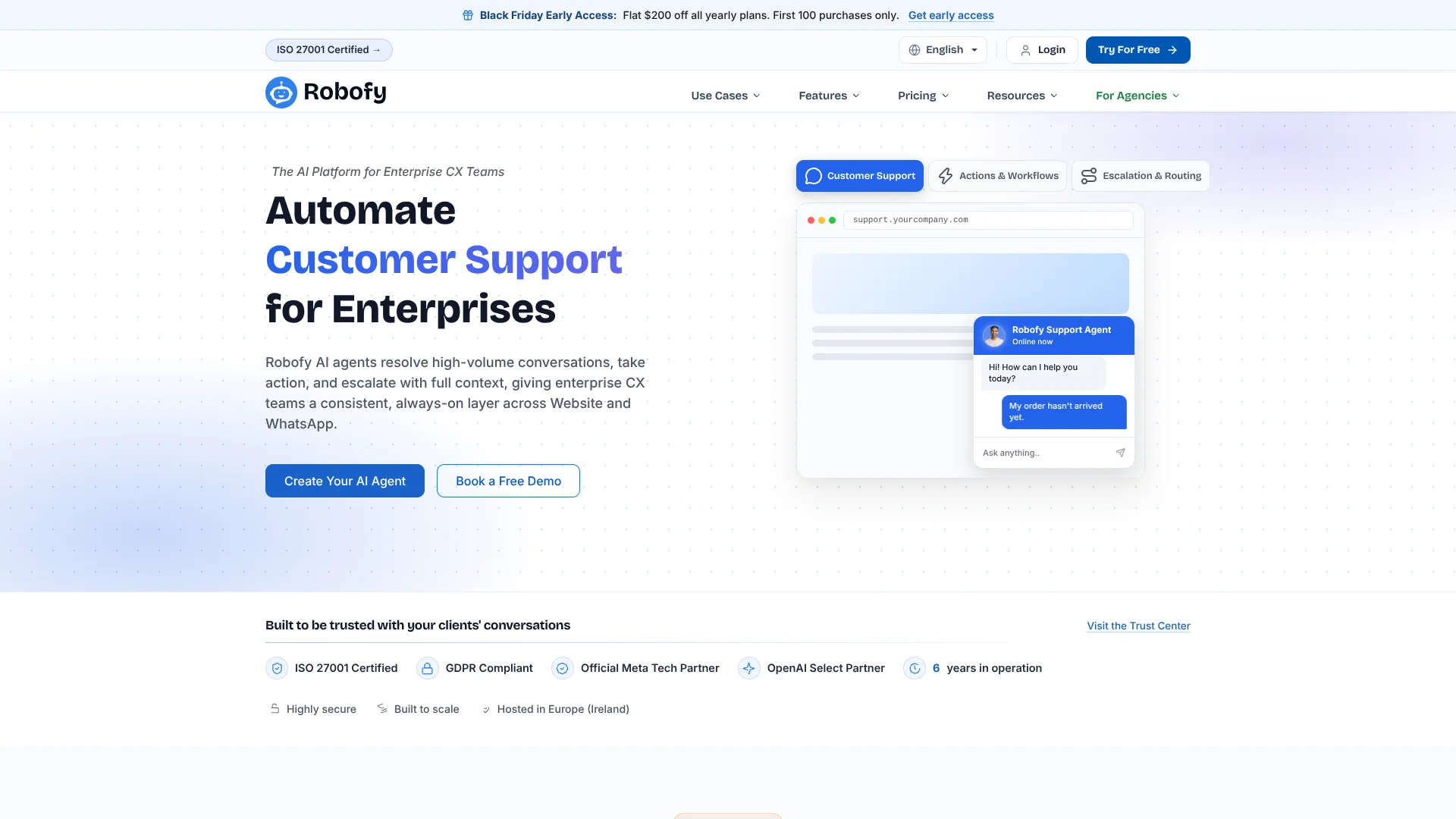
Robofy builds AI agents for customer conversations on business websites and WhatsApp. They answer from a company’s website and documents, and can hand difficult conversations to a human. Customer experience teams use them to handle common questions and keep support available around the clock.
Robofy agents can do more than retrieve an answer: with API actions, they can carry out tasks such as checking order status, updating account details, or booking appointments. When a request needs a person, the agent can route the conversation to a team member with its context.
Robofy is aimed at businesses with repeat customer questions, especially enterprise customer experience teams, growing support teams, and agencies serving clients. Its plans have monthly AI credit limits, and the entry paid plan starts at $40 per month. It fits customer support work better than general-purpose AI tasks.
Who is Using Robofy?
Customer support managers
Routine questions can be answered automatically while harder cases reach the support team.
CX operations managers
Conversation routing and sentiment analysis help teams review customer interactions.
E-commerce managers
A WooCommerce agent can help shoppers find products, add items to a cart, and check order status.
Sales and lead-generation teams
Lead agents can qualify inquiries and route prospects to the right person.
Developers
The documented API and webhooks connect agents with business systems and custom actions.
Uncommon Use Cases
Appointment booking and rescheduling; routing sensitive conversations to a specialist.
Key Features
Rating Breakdown
Pricing Plans
Starter
$40 per month
- 2 AI agents or chatbots
- 60,000 monthly AI credits, estimated at about 1,000 text messages
- 100 training files or webpages
- Annual billing is listed at $320 per year.
Pro
$99 per month
- 10 AI agents or chatbots
- 1 million monthly AI credits, estimated at about 16,000 text messages
- 1,000 training files or webpages
- Includes Zapier integration.
- Annual billing is listed at $799 per year.
Enterprise
$399 per month
- Unlimited AI agents or chatbots
- 4 million monthly AI credits, estimated at about 66,000 text messages
- 5,000 training files or webpages
- Includes a dedicated AI Agent Expert.
- Annual billing is listed at $3,199 per year.
Which Robofy plan should you pick?
Start with the 14-day trial to test an agent on your customer conversations, then choose a paid plan based on the number of agents and monthly credits you need.
Starter
For small businesses that need up to 2 agents and 60,000 monthly AI credits.
Pro
For growing teams that need up to 10 agents, 1 million monthly credits, and Zapier integration.
Enterprise
For enterprises needing unlimited agents, 4 million monthly credits, and a dedicated AI Agent Expert.
Robofy Use Cases
Customer support
Common questions about policies, products, and order status can be handled from the business knowledge base.
Outcome: Fewer routine questions need a human reply.
Order and account actions
A connected agent can check order status or handle supported account changes during a customer conversation.
Outcome: Customers can complete supported requests in the conversation.
Lead qualification
The lead agent can collect contact details, assess visitor intent, and route inquiries to sales.
Outcome: Sales receives qualified inquiries through the configured routing.
Appointment scheduling
A scheduling agent can book, reschedule, and confirm appointments through conversation.
Outcome: Appointments can be handled without back-and-forth messages.
WooCommerce shopping support
Shoppers can browse products, add items to their cart, and check an order through chat.
Outcome: Customers can handle common shopping tasks in the chat window.
Workflow Ideas with Robofy
Answer and escalate support requests
- 1Train an agent on the website and support documents.
- 2Deploy it on the website or WhatsApp.
- 3Route unresolved conversations to a human with their context.
Qualify and route new leads
- 1Set up the agent to collect contact details and understand visitor intent.
- 2Connect the agent to a CRM or Google Sheets using an API or Zapier.
- 3Send qualified inquiries to the appropriate sales contact.
Handle WooCommerce shopping questions
- 1Connect the agent through the WooCommerce settings.
- 2Let shoppers search products and check order status in chat.
- 3Enable cart actions so shoppers can add products during the conversation.
How Robofy fits into your stack
Website chat
A website widget puts the agent on the site where customers are already looking for help.
Robofy connects agents to the WhatsApp Business API for customer conversations in that channel.
Business knowledge
Website pages and uploaded documents provide the information agents use to answer customer questions.
Business systems
The API and webhooks connect agents to external tools for actions such as CRM updates or bookings.
Team support
The Chat Inbox, routing, and human handoff let staff review and take over conversations.
Pros
- +Action-taking agents: Agents can run connected API actions, not only answer questions.
- +Website and WhatsApp: Customer conversations can reach the agent on both channels.
- +Human handoff: Unresolved requests can be routed to the team with conversation context.
- +Usage visibility: Plans specify monthly AI credits and the approximate number of text messages they cover.
Cons
- −Paid entry price: The lowest paid plan costs $40 per month.
- −Credit-based usage: The number of messages covered depends on the AI model and training resources.
- −No native mobile app: Robofy is presented as a web-based platform.
Limitations & when to consider alternatives
Known limitations
- Trial credit allowance. The 14-day trial includes 4,500 one-time credits, and trial agents show Powered by Robofy branding.
- Monthly credit allowance. Each paid plan includes a set monthly credit amount; the estimated message count can vary with the AI model and training resources.
- Training file and webpage caps. The pricing page sets a maximum number of training files or webpages for each paid plan.
Look elsewhere when
- You need a native iOS or Android app for managing agents.
- You need to fine-tune an AI model on your own data.
- Your main need is a general-purpose AI tool rather than customer conversation automation.
How to Use Robofy
- 1
Start a trial
Create an account to try Robofy for 14 days, with 2 AI agents and 4,500 one-time credits.
- 2
Add business knowledge
Train the agent on your website pages and relevant documents so replies draw on your own information.
- 3
Set the agent’s role
Choose the customer task it should handle, such as support, lead qualification, or appointment scheduling.
- 4
Connect actions if needed
Use API tools or available integrations when the agent needs to retrieve live information or take an action.
- 5
Test handoff and replies
Check the agent’s answers and configure when conversations should go to a human.
- 6
Deploy on a channel
Publish the agent on your website or connect it to WhatsApp, then review conversations in the Chat Inbox.
Who is Robofy For?
Enterprise CX teams
High-volume support teams can automate common conversations and route complex cases to staff.
Small businesses
A website agent can answer routine customer questions using the business’s own content.
Growing support teams
Monthly credits and multiple agents help teams add automated coverage as support needs grow.
Agencies
The white-label reseller program lets agencies offer AI agents under their own brand.
Frequently Asked Questions
Does Robofy have a free plan?
The pricing page offers a 14-day free trial, not a permanent free plan. The trial includes 2 AI agents and 4,500 one-time credits.
How much does Robofy cost?
Monthly plans are Starter at $40, Pro at $99, and Enterprise at $399. Annual billing is also offered.
Which channels can Robofy agents use?
Robofy supports website chat and WhatsApp. Its agents can also hand conversations to a human team member.
Can Robofy connect to other systems?
Robofy offers APIs and webhooks, and its Pro plan includes Zapier integration. Its agents can use connected APIs to take actions.
How are AI credits used?
Credits cover agent activity such as AI messages, voice minutes, and training. The pricing page estimates about 1,000 text messages for Starter’s 60,000 monthly credits.
Community reviews
1 review from people who use Robofy.
Sign in to leave a review for Robofy.
David Thompson
Robofy Alternatives
Looking for alternatives to Robofy? Here are similar tools in the same category: