
Respan
Route, track, and debug all LLM traffic.
Key Takeaways
- What it is
- Route, track, and debug all LLM traffic.
- Pricing
- Freemium · $249 per month
- Best for
- Unified LLM gateway
- Token, cost, and latency analytics
- Tracing SDK with decorators
- Rating
- 4.4/5
What is Respan?
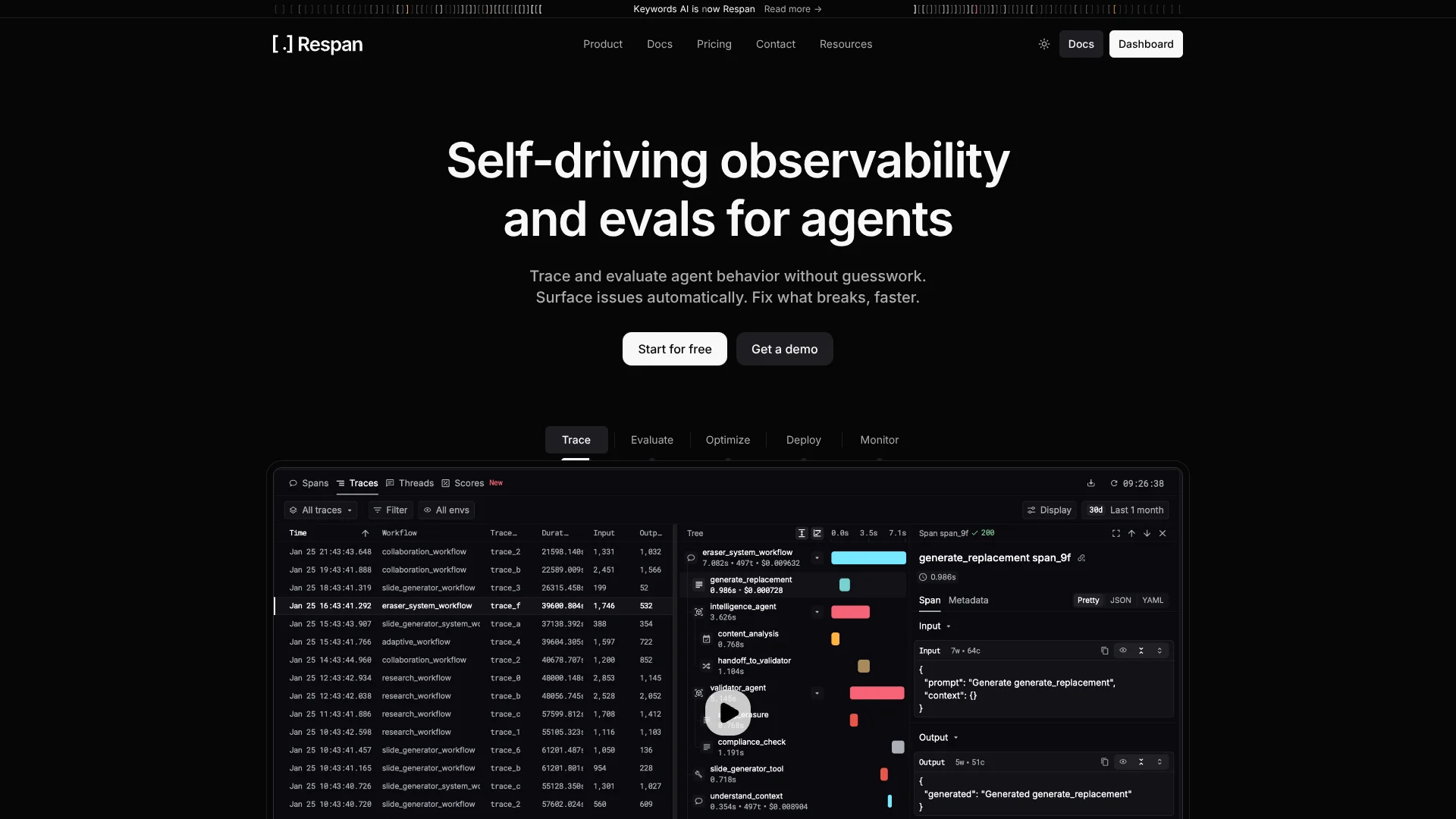
Respan focuses on LLM engineering, giving teams a central gateway and tracing layer for AI applications. It routes traffic to providers such as OpenAI, Anthropic, Google Gemini, AI21 Labs, and AssemblyAI, then tracks tokens, costs, latency, and error rates in a single view. By pairing gateway-based logging with an OpenTelemetry tracing SDK, it lets engineers inspect entire agent workflows, from high-level tasks down to individual model calls.
Respan brings together three pieces that are often separate: a multi-provider LLM gateway, detailed token-and-cost analytics, and an OpenTelemetry-based tracing SDK tuned specifically for LLM workflows. It understands prompts, models, workflows, and end users as first-class objects, not just raw HTTP calls. The optional Docs MCP integration for coding assistants is a clever touch, letting developers query Respan’s own documentation from within their editor while they wire things up.
Who is Using Respan?
AI product teams
Monitoring production features that rely on GPT-style models and speech-to-text services across apps and services.
Data and platform engineers
Owning shared AI infrastructure, centralizing provider access, and wiring traces into existing observability stacks.
ML and prompt engineers
Studying traces and analytics to refine prompts, select models, and debug tricky agent behavior.
Startups and agencies
Running multiple client projects while tracking costs and performance per customer or project.
Uncommon Use Cases
Academic labs experimenting with multi-model research agents, and internal tools teams adding tracing to lightweight automation scripts.
Key Features
Rating Breakdown
Pricing Plans
Pro
Free
- Includes full platform access, 100k logs, 1k scores, 5 datasets, 2 evaluators, and 5 prompts
Team
$249 per month
- Includes everything in Pro, plus unlimited datasets, unlimited evaluators, unlimited prompts, a private Slack channel, and a SOC 2 report
Enterprise
- Includes everything in Team, plus custom packages, volume discounts, custom SLAs, a dedicated support engineer, and HIPAA BAA
Which Respan plan should you pick?
Start with Free to instrument and evaluate a small project; upgrade to Team for larger datasets, unlimited evaluators and prompts, collaboration, and private support.
Free
Good for getting started with the full platform, limited logs, scores, datasets, evaluators, and prompts.
Team
Good for startups and growing teams that need unlimited datasets, evaluators, prompts, shared workspaces, and private Slack support.
Enterprise
Good for large organizations needing custom packages, volume discounts, SLAs, HIPAA BAA, SSO, advanced controls, and dedicated support.
Respan Use Cases
Trace production AI traffic
Instrument an LLM application and inspect requests, outputs, latency, cost, tokens, and errors.
Outcome: Full production visibility into AI behavior and performance.
Debug multi-step agents
Review trace waterfalls showing agent steps, tool calls, data passed between steps, and failures.
Outcome: Faster diagnosis of agent reliability problems.
Evaluate prompts and models
Build datasets, configure evaluators, run experiments, and compare prompt or model variants.
Outcome: Measured quality improvements before deployment.
Manage production prompts
Create versioned prompt templates, test them, deploy changes, and call them through the gateway.
Outcome: Prompt updates without code releases.
Govern AI costs and quality
Track spending by feature or user and configure budgets, thresholds, monitors, and alerts.
Outcome: Better control over AI operating costs and regressions.
Workflow Ideas with Respan
Instrument and inspect an AI application
- 1Create a Respan API key
- 2Install the SDK or run the Respan CLI setup
- 3Open the Spans page to inspect traces and metrics
Run a prompt evaluation loop
- 1Create a prompt template
- 2Build a dataset from CSV or production traces
- 3Create an evaluator, run an experiment, and compare results
Route production traffic through the gateway
- 1Create a Respan API key and add credits or a provider key
- 2Point the LLM SDK at the Respan gateway endpoint
- 3Configure prompts, fallbacks, caching, limits, and monitoring
How Respan fits into your stack
Respan gives AI-focused teams a practical way to bring order to increasingly complex LLM systems. By combining a multi-provider gateway with tailored analytics and tracing, it helps engineers see exactly how models behave in production, which users or tenants are driving cost, and where workflows slow down or fail. For anyone running serious GPT-style features or agents in production, it offers a thoughtful set of controls and insights that standard logging tools tend to miss.
Pros
- +Strong LLM observability: Fine-grained analytics make it much easier to understand where tokens, time, and errors are going.
- +Quick integration paths: Many stacks only need a base URL change or a few decorators to start emitting traces.
- +Provider flexibility: Support for several model vendors and speech-to-text APIs suits teams that like to experiment.
- +Agent-friendly tracing model: Concepts such as workflows, tasks, agents, and tools line up well with modern agent architectures.
Cons
- −Requires routing changes: Applications must adopt the gateway or SDK, which may feel heavy for very simple prototypes.
- −Data governance questions: Security teams will want to review how prompts and outputs are stored and who can access logs.
- −Pricing transparency: Public materials do not clearly show per-plan prices, which complicates early budgeting.
Limitations & when to consider alternatives
Known limitations
- Gateway latency overhead. Respan documents approximately 50–150 ms of added latency for gateway requests.
- Free-plan limits. The Free plan is limited to 100k logs, 1k scores, 5 datasets, 2 evaluators, and 5 prompts.
- Free-plan retention. The pricing page lists a seven-day default retention period for the Free plan.
- Enterprise-only controls. SAML SSO, HIPAA BAA, custom SLAs, self-hosting, and dedicated support are Enterprise-oriented features.
Look elsewhere when
- You need a native mobile app.
- You need a downloadable desktop client.
- You need model fine-tuning inside the product.
How to Use Respan
- 1
Create an account and API key
Sign up at the Respan platform and create an API key for the relevant environment.
- 2
Instrument your application
Install the SDK or run the Respan CLI setup to capture LLM calls, tools, and agent workflows.
- 3
Inspect traces and metrics
Use the Spans and dashboards views to investigate outputs, latency, cost, tokens, and failures.
- 4
Create prompts and datasets
Build versioned prompt templates and import datasets from CSV files or production traces.
- 5
Configure evaluators and experiments
Add LLM, code, or human graders, run experiments, and compare scores across variants.
- 6
Deploy and govern
Deploy approved prompts, route traffic through the gateway, and configure fallbacks, budgets, alerts, and retention.
Who is Respan For?
AI teams
Purpose-built for teams shipping LLM applications that need tracing, evaluation, debugging, and continuous improvement.
Enterprise organizations
Fits organizations requiring SSO, access controls, compliance support, auditability, and private deployment options.
AI agent developers
Helps developers trace multi-step agents, tool calls, retrieval, memory, and model interactions.
AI platform and infrastructure teams
Provides a unified gateway, provider routing, fallbacks, caching, spend controls, and observability.
Frequently Asked Questions
Does Respan support AI agent observability?
Yes. Respan traces agent workflows, tool calls, retrieval steps, latency, cost, and errors.
Can Respan evaluate prompts and models?
Yes. Create datasets, evaluators, and experiments to compare prompt versions or models.
Does Respan provide an AI gateway?
Yes. The gateway routes requests through one endpoint to models from major providers with tracing, fallbacks, caching, and load balancing.
Can teams manage prompts centrally?
Yes. Teams can create, version, test, deploy, and reference prompt templates through the gateway.
Does Respan support enterprise security?
Enterprise features include SAML SSO, role-based access control, encryption, SOC 2, HIPAA support, and dedicated deployment options.
Community reviews
Be the first to share your experience.
Sign in to leave a review for Respan.
Respan Alternatives
Looking for alternatives to Respan? Here are similar tools in the same category:
Learn to Master Respan
With Skill Leap courses
Get in-depth training on Respan and 50+ other AI tools with our expert-led video courses.
Start 7-Day Free Trial