
Reply.io
Automate sales outreach, analyze performance, integrate seamlessly.
Watch Reply.io in Action
Key Takeaways
- What it is
- Automate sales outreach, analyze performance, integrate seamlessly.
- Pricing
- $59 per month per user · $99 per user per month. Covers email · $500 per month. Provides 24/7 operations · $800 per month · $2 · $166 per month
- Best for
- AI SDR Agent
- LinkedIn Automation
- Personalization at Scale
- Rating
- 4.5/5
What is Reply.io ?
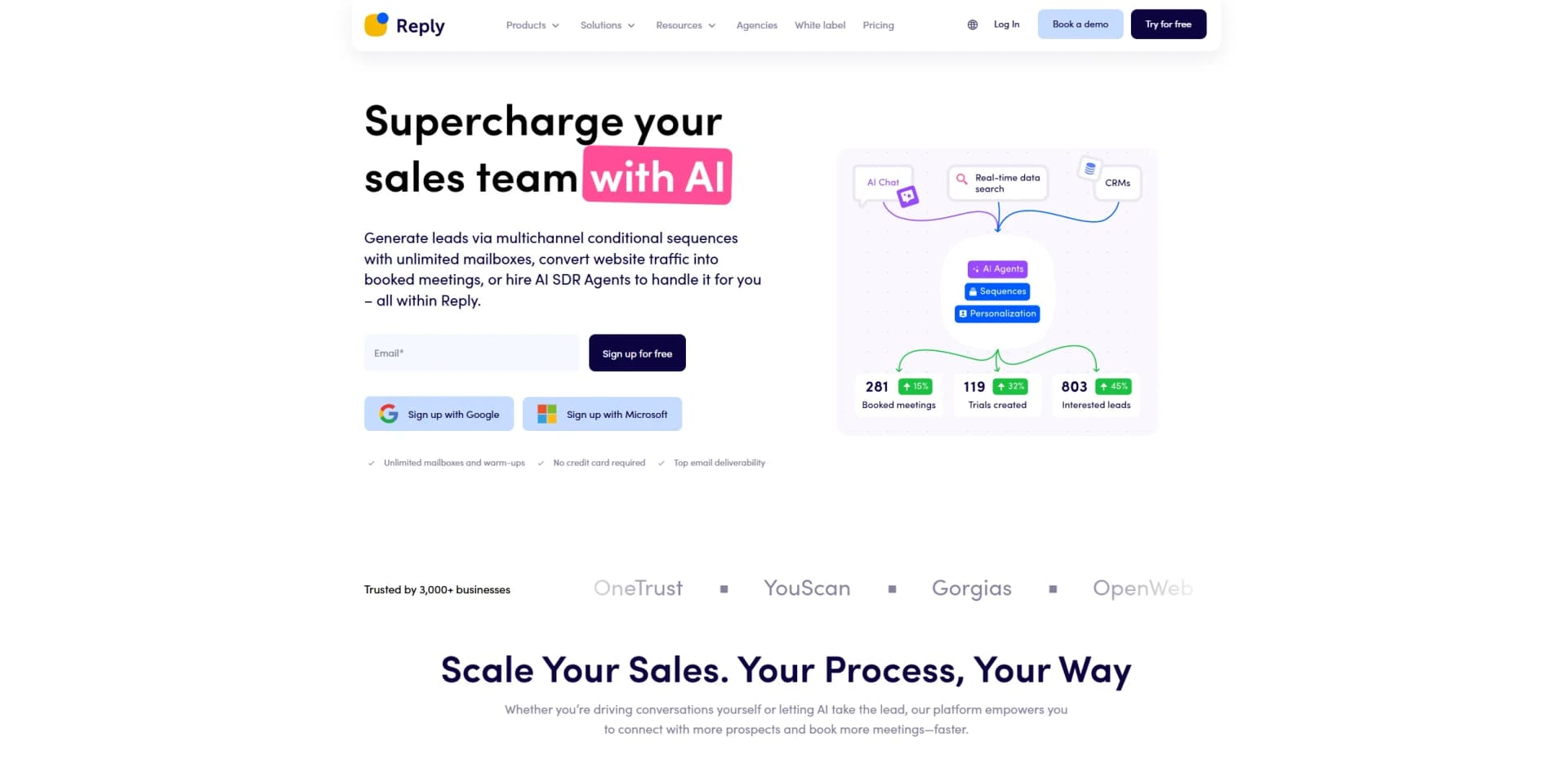
Reply.io is a versatile AI-powered sales engagement platform that streamlines the outreach process with its comprehensive set of tools. Designed to assist businesses in automating their email and LinkedIn outreach, Reply.io simplifies the task of engaging with potential clients and managing sales communications. It offers features like AI-driven email personalization, LinkedIn automation, and a robust deliverability toolkit to ensure messages reach their intended audience.
Reply.io distinguishes itself with its AI-driven personalization capabilities, allowing businesses to send targeted, individualized messages at scale. The platform's comprehensive deliverability suite ensures high open rates and effective communication, setting it apart in the crowded sales engagement market.
Reply.io offers a powerful suite of tools for businesses looking to enhance their sales engagement processes. By automating repetitive tasks and providing advanced personalization options, it allows sales and marketing teams to focus on what truly matters: building meaningful customer relationships. Whether you're a small business or a large enterprise, Reply.io can help you connect with prospects more effectively and efficiently.
Who is Using Reply.io ?
Sales Teams
Automating outreach and follow-up processes to maintain consistent engagement with leads.
Marketing Agencies
Enhancing client campaigns with personalized, multichannel outreach.
Recruiters
Streamlining candidate outreach and engagement processes.
E-commerce Businesses
Engaging potential and existing customers with automated sales sequences.
Uncommon Use Cases
Educational institutions utilizing the tool for alumni engagement; Non-profit organizations automating donor communications.
Key Features
Rating Breakdown
Pricing Plans
Email Volume
$59 per month per user
- Includes 1,000 active contacts, unlimited email automation, unlimited emails, 50 live data credits per month, anti-spam and deliverability tools. LinkedIn and SMS automation available as add-ons
Multichannel
$99 per user per month. Covers email
- Calls
- SMS
- WhatsApp with unlimited emails
- 50 live data credits per month
- Team performance reports
- Zapier integration
Hire Jason AI SDR
$500 per month. Provides 24/7 operations
- Real-time contacts search
- AI personalization
- Automated responses
AI SDR Starter
$800 per month
- Includes 1,000 real-time B2B contacts, 1 LinkedIn account, unlimited users, AI personalization, multichannel automation, unlimited mailboxes and warm-ups, and all features unlocked
AI SDR Growth
$2
- 500 per month. Adds 5,000 real-time B2B contacts
- White-glove onboarding
- Slack channel
- Custom playbooks
AI SDR Enterprise
- Supports 25,000 real-time B2B contacts and adds prompt engineering and CEO strategy calls
Agency Starter
$166 per month
- Includes email automation, unlimited clients and users, unlimited emails and warm-ups, centralized inbox, anti-spam and deliverability suite, roles, permissions, and dedicated support
Agency Advanced
- Includes all Starter features plus lower addon costs, Jason AI SDR integration, personalized onboarding, and optional white labeling
Which Reply.io plan should you pick?
Start with Email Volume for email-only outreach, choose Multichannel for coordinated channel automation, and upgrade to AI SDR or Agency Core when you need AI-led prospecting or multi-client management.
Email Volume
Good for teams focused on high-volume email outreach, unlimited email follow-ups, warm-up, and basic data capabilities.
Multichannel
Good for teams that need email, LinkedIn, SMS, calls, WhatsApp, team reporting, and broader outreach automation.
AI SDR Starter
Good for smaller teams that need AI prospecting, personalization, intent signals, multichannel automation, and AI SDR features.
AI SDR Growth
Good for growing businesses that need the AI SDR capabilities plus higher-scale operations and white-glove onboarding.
AI SDR Enterprise
Good for large-scale operations needing enterprise sales engagement, custom playbooks, strategy support, and broader service coverage.
Agency Core
Good for agencies managing multiple client workspaces, unlimited clients and users, role-based access, and white-label options.
Reply.io Use Cases
Multichannel prospect outreach
Create sequences combining email, LinkedIn, calls, SMS, WhatsApp, and manual tasks.
Outcome: Run coordinated outreach across several channels.
AI-powered sales development
Use Jason AI to find prospects, generate personalized messages, manage responses, and book meetings.
Outcome: Automate more of the prospect-to-meeting process.
CRM-synchronized lead engagement
Sync contacts, activities, statuses, and campaign information with CRMs such as Salesforce, HubSpot, and Pipedrive.
Outcome: Keep sales engagement and CRM records aligned.
Multilingual outbound campaigns
Select target languages and generate localized outreach adapted to regional tone, phrasing, and cultural norms.
Outcome: Reach prospects in their native languages.
Prospecting through browser tools
Use the Chrome extension to find contact data, enrich prospects, sync leads, execute tasks, and add contacts to sequences.
Outcome: Research and engage prospects without leaving the browser.
Workflow Ideas with Reply.io
Lead discovery to multichannel sequence
- 1Find prospects with Reply’s Chrome extension or Reply Data
- 2Verify and enrich contact information
- 3Push prospects into a multichannel sequence
Inbound reply to booked meeting
- 1Monitor replies in the unified inbox
- 2Use Jason AI to draft or handle a personalized response
- 3Schedule the meeting through Reply’s calendar integration
CRM signal to automated action
- 1Trigger a workflow from a CRM, Reply event, or webhook
- 2Sync or enrich the relevant contact in Reply
- 3Enroll the contact, update records, or notify a team channel
How Reply.io fits into your stack
Browser
Reply is primarily a web sales-engagement application. Its Findy Chrome extension works across LinkedIn, Gmail, Salesforce, HubSpot, and Copper for prospecting, CRM sync, and task execution.
Automation and APIs
Reply exposes a REST API, webhooks, and MCP, while connecting with Salesforce, HubSpot, Pipedrive, Copper, Zapier, Make, and n8n for automated outreach and CRM workflows.
Team chat and tickets
Reply’s AI chat assistant can operate from Slack, while the platform provides shared workspaces, team activity views, invitations, and role-based permissions.
Knowledge and files
Jason AI uses uploaded product documents, links, offers, playbooks, and style files as source material for personalized sales outreach.
Pros
- +Time Efficiency: Automates repetitive sales tasks, significantly reducing manual effort.
- +Scalability: Supports high-volume outreach across multiple channels without compromising quality.
- +Integration Capabilities: Easily integrates with popular CRMs and other sales tools.
- +Customization: Offers a high degree of personalization in email and LinkedIn outreach.
Cons
- −Initial Setup Complexity: May require some time to configure and understand all features fully.
- −Cost: Pricing may be a barrier for smaller businesses or startups.
Limitations & when to consider alternatives
Known limitations
- Trial-based access. Reply advertises a 14-day trial rather than a permanent free tier.
- Some channels are add-ons. LinkedIn automation and Calls & SMS are priced as separate channel add-ons on the pricing page.
- Fair-usage restrictions. Mailbox and contact availability can be subject to fair-usage policies and plan-dependent limits.
- AI SDR pricing is sales-led. AI SDR plans are presented with monthly starting prices or contact-sales options rather than simple self-serve pricing.
- No documented native mobile application. Reply’s official status page lists the Web Application and Chrome Extension, but not a dedicated iOS or Android app.
How to Use Reply.io
- 1
Create an account and select a plan
Start the 14-day trial or choose a paid plan based on whether you need email-only, multichannel, AI SDR, or agency functionality.
- 2
Connect mailboxes and channels
Connect Gmail, Microsoft, or SMTP mailboxes, then add LinkedIn, calls, SMS, or WhatsApp channels when required.
- 3
Import or find prospects
Import contacts, use Reply Data, or install the Chrome extension to discover, verify, and enrich prospects.
- 4
Build a sequence
Create automated, manual, or mixed sequences with email, LinkedIn, calls, SMS, WhatsApp, tasks, conditions, and scheduling.
- 5
Add AI guidance
Use Jason AI, Knowledge Base content, AI personalization, playbooks, and multilingual settings to improve outreach.
- 6
Monitor and optimize
Use the unified inbox, reports, team performance analytics, CRM sync, and webhooks to manage replies and improve campaigns.
Who is Reply.io For?
Businesses
Reply’s sales engagement platform helps businesses scale prospecting, outreach, follow-ups, and meeting generation.
Founders and solopreneurs
The platform supports founders and solo operators who need automated outreach without building a large sales operation.
Marketers
Marketers can use multichannel campaigns, personalization, CRM synchronization, and analytics to support demand generation.
Sales and SDR teams
Sales representatives and SDR teams can manage sequences, tasks, inbox conversations, calls, reporting, and team permissions.
Lead-generation agencies
Agency features include multiple client workspaces, unlimited clients and users, role-based access control, and an agency dashboard.
Frequently Asked Questions
What is Reply.io?
Reply.io is an AI-powered sales engagement platform for prospecting, multichannel outreach, inbox management, scheduling, reporting, and AI SDR workflows.
Does Reply.io offer a free plan?
Reply.io offers a 14-day trial rather than a permanently free plan.
Which channels does Reply.io support?
Reply supports email, LinkedIn, calls, SMS, WhatsApp, and manual or automated task steps, depending on the plan and add-ons.
Does Reply.io integrate with CRMs?
Reply lists native integrations with HubSpot, Salesforce, Pipedrive, Copper, and Close, plus Zapier, Make, and other integrations.
Can Reply.io support multilingual outreach?
Jason AI can generate localized outreach in more than 50 human languages, including regional and right-to-left language variations.
Does Reply.io provide an API?
Reply publishes a REST API with API-key authentication, documented endpoints, webhooks, background jobs, and access to major product areas.
Community reviews
Be the first to share your experience.
Sign in to leave a review for Reply.io .
Reply.io Alternatives
Looking for alternatives to Reply.io ? Here are similar tools in the same category:
Learn to Master Reply.io
With Skill Leap courses
Get in-depth training on Reply.io and 50+ other AI tools with our expert-led video courses.
Start 7-Day Free Trial