Photomath
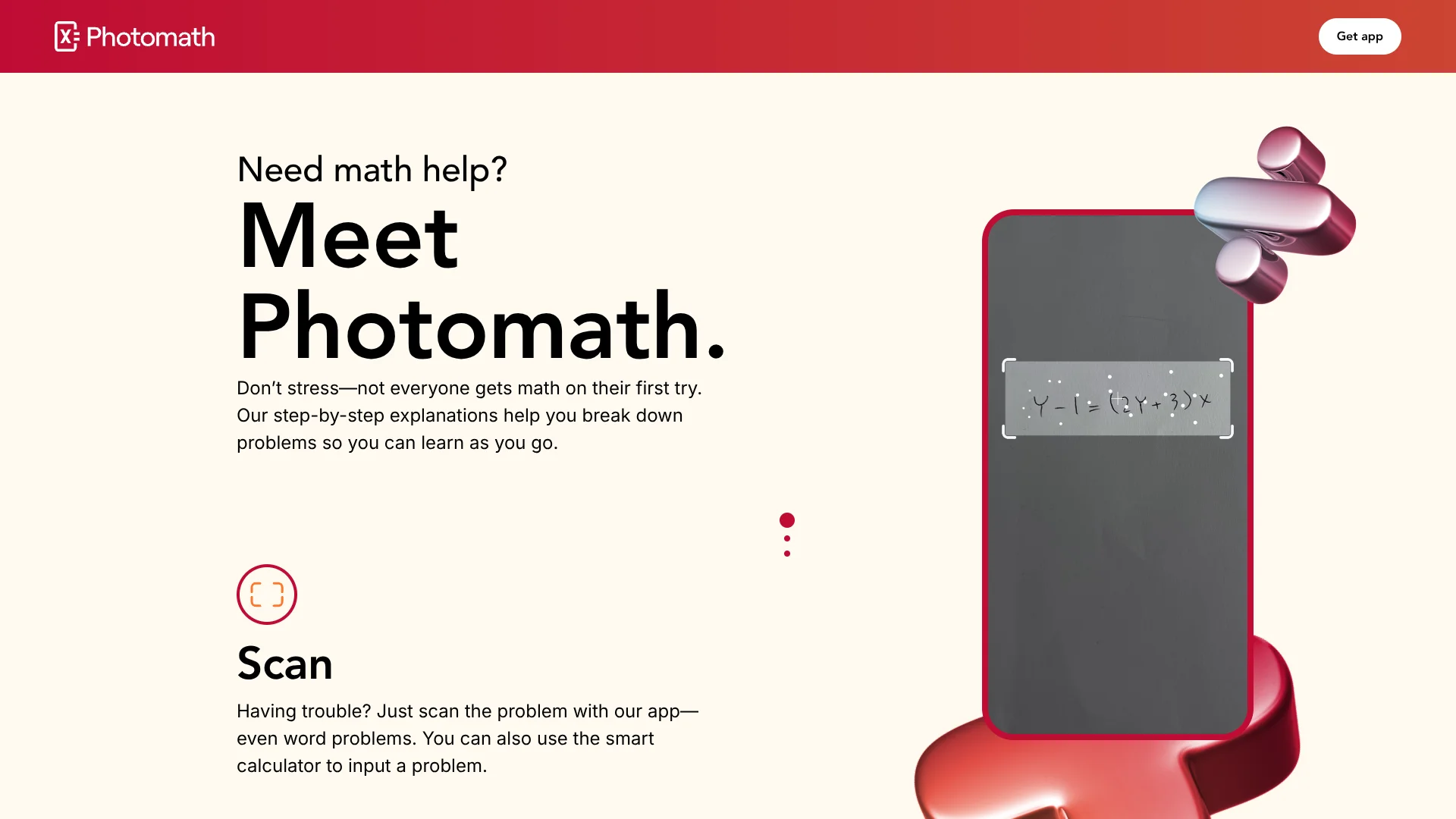
Scan math problems with your camera to see how they’re solved.
Key Takeaways
- What it is
- Scan math problems with your camera to see how they’re solved.
- Pricing
- Freemium · $9.99 per month
- Best for
- Camera Scanning
- Step-by-Step Explanations
- Multiple Solution Methods
- Rating
- 4.2/5
What is Photomath?
Photomath turns a phone or tablet camera into a math learning tool. A learner scans a printed, handwritten, or on-screen problem, and its AI-based recognition identifies the expression before showing the solution and the steps behind it. It covers topics from elementary arithmetic through algebra, geometry, trigonometry, statistics, and calculus, including many word problems.
Photomath can show multiple teacher-approved methods for the same problem, so learners can compare approaches instead of receiving one unexplained answer. Its visual features also include interactive graphs, Animated Steps, and Photomath Plus Animated Tutorials that show how a solution changes from step to step.
Students and parents get the most value when homework is stuck on a specific equation or when a completed answer needs checking. The app is less useful for open-ended mathematical reasoning, and some handwritten or unusual problems may not scan correctly. Photomath works best as a guide to the process, not as a replacement for practicing the process yourself.
Who is Using Photomath?
Middle School Students
Step-by-step solutions help with arithmetic, pre-algebra, geometry, and early algebra homework.
High School Students
Algebra, functions, trigonometry, sequences, and statistics learners can compare methods before a test.
College Students
Calculus and higher-level math learners can inspect worked steps, definitions, and graphs for supported problems.
Parents and Tutors
Parents and tutors can use scanned examples to discuss where a learner’s work went wrong.
Uncommon Use Cases
Teachers can use different solution methods as discussion prompts; visual learners can replay Animated Tutorials to connect equations with graphs.
Key Features
Rating Breakdown
Pricing Plans
Basic
Free
- Step-by-step explanations
- Math problem scanning
- Custom visual aids and extra how-and-why tips are not included
Photomath Plus
$9.99 per month
- Or $69.99 billed annually
- Step-by-step explanations
- Custom visual aids
- Extra how-and-why tips
Which Photomath plan should you pick?
Start with Basic for free homework explanations, then choose Photomath Plus if you need custom visual aids and deeper how-and-why guidance regularly.
Basic
Good for learners who need free step-by-step explanations, solution methods, graphs, and core math problem scanning.
Photomath Plus
Good for visual learners and frequent users who need Animated Tutorials, custom visual aids, and extra explanation detail.
Photomath Use Cases
Homework Help
A stuck learner gets a worked solution for a photographed problem and can expand the individual steps.
Outcome: A clearer path from the original problem to the answer.
Answer Checking
Completed homework can be scanned to compare the learner’s result with Photomath’s solution.
Outcome: Errors become easier to spot before submission.
Comparing Methods
Problems with multiple solution cards let learners see how different approaches reach the same result.
Outcome: More choice in how to solve similar problems.
Graph-Based Learning
Interactive graphs connect an equation with its visual shape and behavior.
Outcome: A stronger link between symbolic work and graphical meaning.
Word Problem Practice
Supported word problems receive instructions that connect the written scenario with the mathematical solution.
Outcome: More help translating a real-world question into math.
Workflow Ideas with Photomath
Homework Check
- 1Scan the completed problem with the Photomath camera.
- 2Compare your answer with the displayed solution.
- 3Open the first step where your work differs.
Learn a New Method
- 1Scan a problem from a textbook or worksheet.
- 2Review each available solution method.
- 3Use the clearest method on a similar problem without scanning it.
Visual Review
- 1Scan an equation or graph-related problem.
- 2Inspect the interactive graph below the solution.
- 3Replay Animated Steps or an Animated Tutorial when available.
How Photomath fits into your stack
Mobile Homework Tool
Photomath sits beside a worksheet, textbook, or notebook on a phone or tablet. Its camera-first workflow removes the need to retype long expressions.
Math Explanation Layer
The app adds worked steps, definitions, alternative methods, and graphs to problems learners are already studying.
Visual Study Aid
Animated Steps and Photomath Plus Animated Tutorials support learners who understand transformations better when they can see them unfold.
Parent or Tutor Support
A parent or tutor can start from the same scanned problem and use the displayed method as a shared reference during review.
Pros
- +Free explanations: Basic step-by-step help is available at no charge.
- +Broad math coverage: The app spans elementary math through calculus, with geometry and word problems included.
- +Visual learning: Graphs, Animated Steps, and Animated Tutorials make transformations easier to follow.
- +Fast problem entry: Camera scanning is quicker than typing a long equation into a calculator.
- +Mobile access: The same core workflow is available on supported smartphones and tablets.
Cons
- −Scan dependence: Blurry, incomplete, or difficult handwriting can lead to recognition errors.
- −Premium depth: Custom visual aids and extra how-and-why tips require Photomath Plus.
- −Narrow focus: The app is built for math problems rather than general studying or writing.
Limitations & when to consider alternatives
Known limitations
- Recognition depends on image quality. Photomath may struggle when handwriting is hard to read, the image is blurry, or the frame omits information needed to solve the problem.
- Some problems remain unsupported. The company says there are problems Photomath cannot solve yet, even though its coverage continues to expand.
- Some learning features are paid. Custom visual aids and extra how-and-why tips are included with Photomath Plus rather than the Basic tier.
- Mobile and tablet only. Photomath’s official download page describes the product as an app for smartphones and tablets.
Look elsewhere when
- You need a desktop math workspace instead of a smartphone or tablet app.
- You need an API or custom integration for another education system.
- Your work depends on open-ended mathematical proofs or problems Photomath cannot recognize.
How to Use Photomath
- 1
Install the App
Download Photomath on a supported smartphone or tablet from the App Store or Google Play.
- 2
Frame the Problem
Place one complete, legible problem inside the camera view so the AI recognition can read all relevant information.
- 3
Review the Solution
Check the answer and open the solving steps rather than stopping at the final number.
- 4
Compare Approaches
Scroll through the solution cards when Photomath offers multiple methods.
- 5
Inspect Visual Help
Look for interactive graphs, Animated Steps, or Photomath Plus Animated Tutorials to reinforce the written explanation.
- 6
Correct Recognition Errors
Edit the scanned equation when the camera misreads a symbol or number, then run the solution again.
Who is Photomath For?
Students
Students can check homework and study the reasoning behind problems from arithmetic through calculus.
Parents
Parents get a way to understand a child’s math question without solving every step themselves.
Visual Learners
Learners who benefit from movement and diagrams can use graphs, Animated Steps, and Animated Tutorials.
Math Class Learners
People studying algebra, geometry, trigonometry, statistics, or calculus can get targeted help on individual problems.
Frequently Asked Questions
Is Photomath free?
Yes. The Basic tier is free and includes step-by-step explanations. Photomath Plus adds paid learning features.
How much does Photomath Plus cost?
The official site lists Photomath Plus at $9.99 per month or $69.99 per year in the United States.
What kinds of math can Photomath solve?
Photomath covers elementary math, algebra, functions, trigonometry, sequences, geometry, statistics, calculus, and supported word problems.
Can Photomath read handwritten problems?
Yes, it can scan handwritten problems, but the writing must be complete and legible for reliable recognition.
Does Photomath show more than the final answer?
Yes. It provides step-by-step explanations, and some problems include multiple methods, graphs, Animated Steps, or video learning.
Where can I use Photomath?
Photomath is available as a mobile app for smartphones and tablets through the Apple App Store and Google Play.
Community reviews
Be the first to share your experience.
Sign in to leave a review for Photomath.
Photomath Alternatives
Looking for alternatives to Photomath? Here are similar tools in the same category: