
Pencil
Unleash AI-driven ad creation with predictive performance and seamless integrations.
Key Takeaways
- What it is
- Unleash AI-driven ad creation with predictive performance and seamless integrations.
- Best for
- Generative AI Ad Creation
- Real-time Performance Predictions
- Collaboration Tools
- Rating
- 4.5/5
What is Pencil?
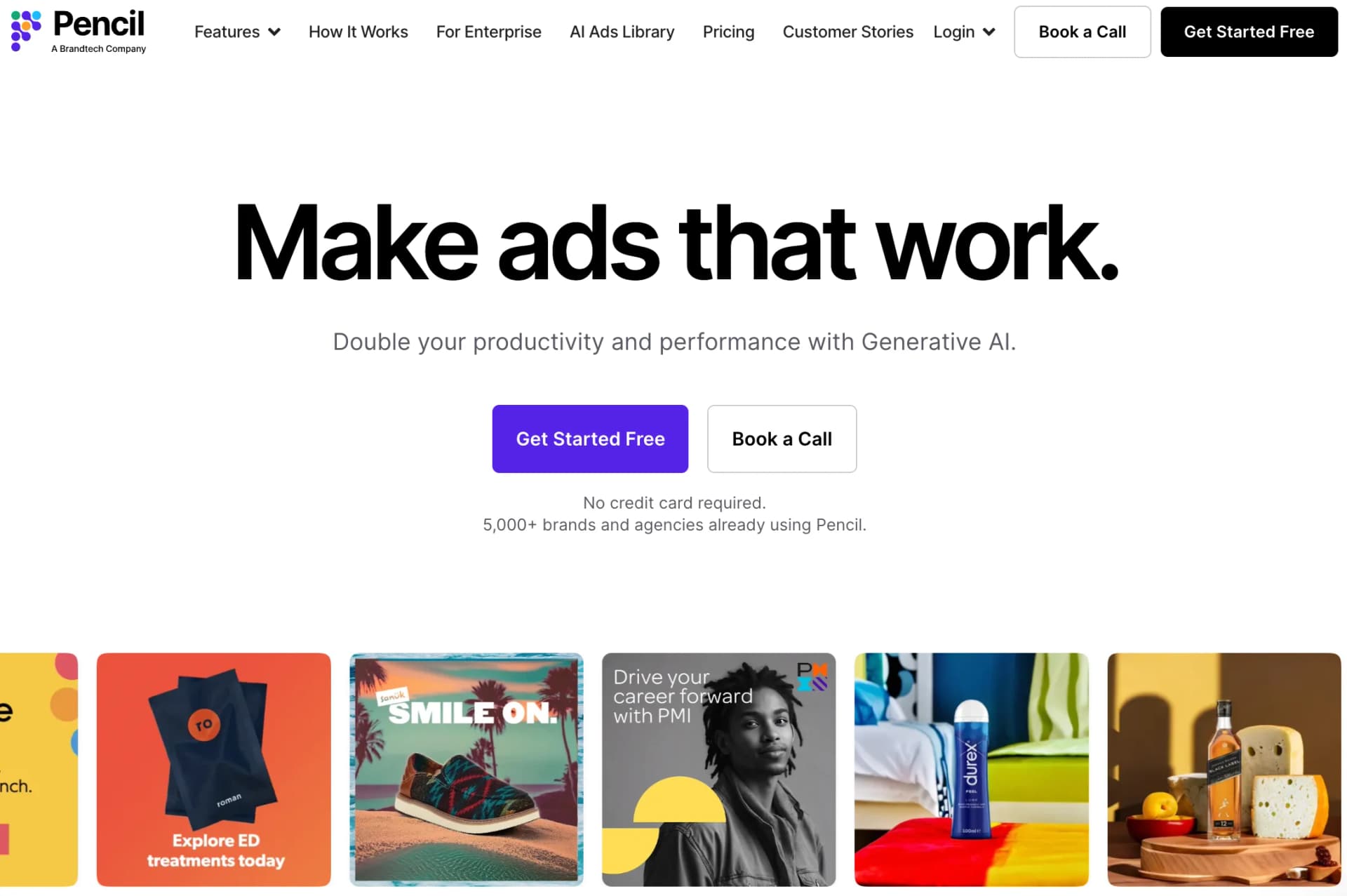
When I first came across Pencil, I was intrigued by its promise to revolutionize the world of digital advertising through the power of Generative AI. Pencil positions itself as not just a tool, but a transformative solution for brands and agencies looking to double their productivity and performance. As someone who's always on the lookout for cutting-edge AI tools, I was eager to dive in and see whether Pencil lives up to its claims.
While Pencil is impressive, there are a few areas where it could improve:
- Learning Curve: New users may need some time to fully grasp all the features and best practices for creating effective AI-generated ads.
- Creative Limitations: While AI can produce a wide variety of ad creatives, there may be constraints in truly capturing a brand's unique voice and style without human intervention.
Pencil sets itself apart with its predictive performance metrics, which are based on extensive ad spend data. This unique feature not only helps in creating visually appealing ads but also ensures that they're optimized for better results.
Pencil is a robust platform that excels in streamlining the ad creation process with the help of Generative AI. It's an essential tool for marketers and creatives seeking to enhance productivity and ad performance. Its predictive capabilities and seamless integrations make Pencil a standout choice for businesses of all sizes. Whether you're part of a small team or a large enterprise, Pencil offers a level of innovation and efficiency that can transform your advertising strategy.
Who is Using Pencil?
E-commerce Businesses
For creating dynamic product ads that stand out in a crowded online marketplace.
Digital Marketing Agencies
To produce a high volume of ad creatives for diverse client needs.
Social Media Managers
For generating engaging content that resonates with their audience.
Graphic Designers
To streamline the design process and focus on creative details.
Uncommon Use Cases
Pencil is also being used by educational institutions to teach marketing students about AI in advertising and by small businesses looking to scale their advertising efforts without a large team.
Key Features
Rating Breakdown
Pricing Plans
Free Trial
- Pencil offers a free trial
- Allowing users to explore its features without the need for a credit card
Subscription Plans
- While specific pricing details were not available at the time of this review
- Pencil provides tiered plans to accommodate different levels of usage and requirements
Which Pencil plan should you pick?
Start with Core for solo ad creation, move to Growth when you need more generations and workspaces, and upgrade to Pro for enterprise scale, governance, roles, and unlimited generations.
Core
Good for solo entrepreneurs who need 50 monthly generations, one workspace, AI agents, insights, and ad launching.
Growth
Good for fast-growing teams that need 250 monthly generations, unlimited workspaces, and lower generation costs.
Pro
Good for enterprises needing unlimited generations, bulk generation, unlimited users and brands, role controls, governance, and dedicated customer success.
Pencil Use Cases
Campaign production
Brief a campaign, generate concepts, refine copy and visuals, localize variants, route work for approval, and export deliverables.
Outcome: A repeatable campaign-production process from brief to approved creative.
Ad copy generation
Generate headlines, calls to action, captions, product descriptions, email copy, blog posts, and audience personas.
Outcome: Brand-aligned copy variations for multiple channels.
Creative localization
Translate or transcreate approved copy and generate localized image, video, and voiceover variants.
Outcome: Localized creative versions across languages and markets.
Ad performance analysis
Connect media accounts to import creative and performance data, then review results dashboards, scores, and insights.
Outcome: Performance-informed recommendations for improving creative strategy.
Print production
Design magazine ads, flyers, retail materials, billboards, trade-show graphics, signage, and other print assets.
Outcome: Production-ready print exports with bleed and safe-area controls.
Workflow Ideas with Pencil
Localized campaign production
- 1Create a campaign brief and generate initial concepts
- 2Refine copy and visuals, then create localized variants
- 3Route outputs for approval and export final files
Audience-to-ad workflow
- 1Generate an audience persona
- 2Produce consumer insights and campaign ideas
- 3Generate the final ad or video script
Video remix workflow
- 1Split source footage into targeted clips
- 2Generate remix scripts and storyboards
- 3Stitch selected clips into a cohesive final video
How Pencil fits into your stack
Major Media Platforms
Seamless integration with Meta, TikTok, YouTube, and others.
AI Models
Access to the latest text, image, and video AI models within the tool itself.
Data Privacy
A "No Train" policy means that users' proprietary data is used exclusively for their benefit, with custom AI models trained for each client.
Pencil's integration capabilities are a significant advantage for users who rely on various platforms for their advertising campaigns:
Pros
- +Generates text, image, video, and advertising creative
- +Supports multi-step automated workflows
- +Real-time workspace collaboration
- +Integrates with numerous marketing and business tools
- +Custom-trained LoRA models are available
Cons
- −Core and Growth generations expire monthly and do not roll over
- −Core and Growth plans cannot exceed their monthly generation allocation
- −Pro pricing is custom rather than publicly listed
- −Only one style-based and one product-based LoRA can be kept per workspace
- −Fine print in generated product imagery may be imperfect
Limitations & when to consider alternatives
Known limitations
- Free access is limited. The free guided experience allows creation of six ads; full platform access requires a paid plan.
- Some file formats are unsupported. HEIC, RAW, AVIF, JPEG-XL, macro-enabled Office files, Apple iWork files, and OpenDocument files are not accepted.
- Encrypted PDFs may fail to parse. Password-protected or encrypted PDFs may upload but can produce a parsing error.
- External workflow sharing is unavailable. Workflow sharing is currently limited to users within the same workspace; external and cross-workspace sharing is not supported.
- Voice cloning is unavailable. Pencil provides ElevenLabs voices but does not offer advanced voice cloning using the user’s own voice.
Look elsewhere when
- You need a native mobile application.
- You need a documented developer API for programmatic access.
- You need programming-code generation.
How to Use Pencil
- 1
Pencil offers a range of tutorials that guide users through everything from initial setup to generating and selecting winning ad creatives. These resources are invaluable for both new and experienced users looking to get the most out of the tool.
Who is Pencil For?
Solo entrepreneurs
The Core plan is designed for solo entrepreneurs who need self-serve AI generation for advertising content.
Fast-growing teams
The Growth plan is aimed at teams needing more generation capacity, unlimited workspaces, and access to product support.
Enterprises
The Pro plan supports enterprise users with unlimited generations, role-based access, governance controls, and dedicated customer success.
Marketers, advertisers, and creators
Pencil positions its AI agents as collaborators for marketing, advertising, and creative production.
Agencies
Pencil’s site names agencies among its intended users and supports multi-brand, multi-market creative production.
Frequently Asked Questions
Who is Pencil for?
Pencil is designed for businesses of all sizes, from solo entrepreneurs and growing teams to large enterprises. It focuses on GenAI-driven ad creatives and marketing production.
How can I try Pencil?
You can create six ads through a guided experience for free. Full platform access requires a paid subscription.
Can I create my own agents?
Yes. Users can create custom agents or orchestrate agentic multistep workflows for their own use cases.
Can Pencil provide ad performance analytics?
After connecting ad accounts, users can view results dashboards and creative insights to improve ad strategy.
What outputs does Pencil generate?
Pencil generates text, image, and video ad assets, with resizing for common and custom formats.
What languages are supported?
Pencil’s text generation tool supports a broad list of languages, including English, French, German, Japanese, Spanish, Chinese, and Arabic.
Community reviews
Be the first to share your experience.
Sign in to leave a review for Pencil.
Pencil Alternatives
Looking for alternatives to Pencil? Here are similar tools in the same category:
Learn to Master Pencil
With Skill Leap courses
Get in-depth training on Pencil and 50+ other AI tools with our expert-led video courses.
Start 7-Day Free Trial