Opus
Turn written stories into AI-generated video worlds for storytellers.
Watch Opus in Action
Key Takeaways
- What it is
- Turn written stories into AI-generated video worlds for storytellers.
- Best for
- Story-to-Video Generation
- Literary English Input
- Camera Control and Lighting
- Rating
- 3.7/5
What is Opus?
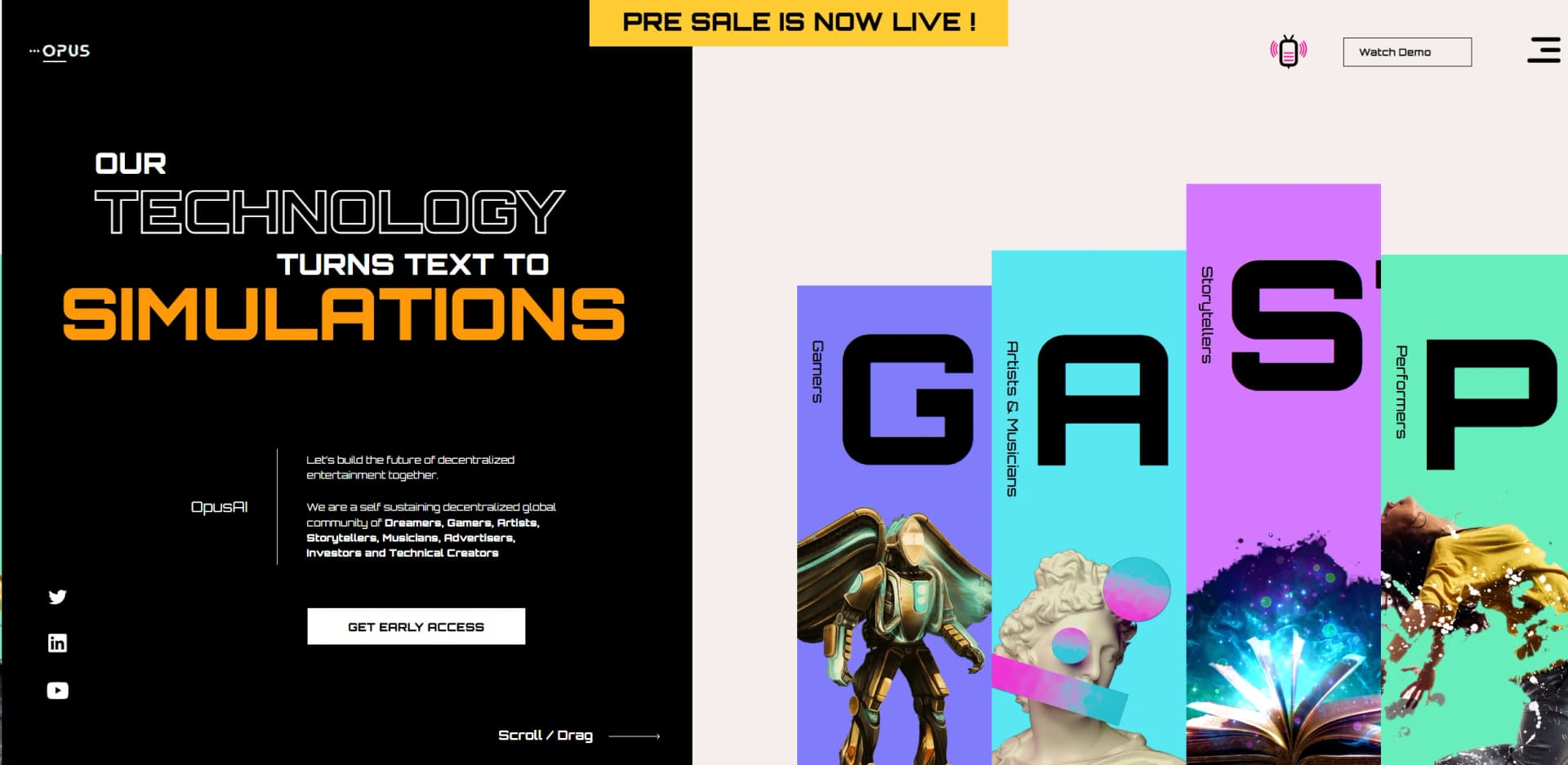
Opus turns written stories into AI-generated video scenes, characters, dialogue, and visual effects. It is aimed at storytellers, artists, and game creators who want to see a written world take shape without first learning specialized production tools. The site says its story input works with literary English and needs no special syntax.
The concept goes beyond illustrating a script: Opus describes computational production of the scene’s setting, characters, and action from the narrative itself. Its listed controls include lighting and camera direction, while its world-building features include terrain, roads, and buildings. That makes it aimed at creating whole story environments, not only short clips from existing footage.
Opus is most relevant to writers and world builders who want narrative text to drive visual scenes, and to artists exploring interactive settings. The product site lists an Opus plan with a Buy Now option, priced at $1,000 billed annually and displayed as $83 per month. Its stated English focus also makes it a poor fit for stories written in other languages.
Who is Using Opus?
Screenwriters
Scenes and dialogue can be developed as visual sequences from written narrative.
Fictional World Builders
Terrain, buildings, and characters help give a story setting a visual form.
Game Creators
The site describes creators building worlds that players can explore and help administer.
Performers
Digitized likenesses from multiple performance captures are described as reusable in productions.
Uncommon Use Cases
Artists extending a 2D canvas into a multidimensional setting; performers developing reusable digital likenesses for productions.
Key Features
Rating Breakdown
Which Opus plan should you pick?
Start with Player if you want access to the Opus ecosystem and gameplay; upgrade to Producer for Opus 3D Writer access.
Fan
Good for supporters who want updates, community access, exclusive content, and networking.
Player
Good for users who want to engage with worlds and content created using Opus 3D Writer.
Producer
Good for storytellers and world builders who need access to Opus 3D Writer.
Planet
Good for creators seeking expanded celestial-world access, including a planet, land, and governance benefits.
Opus Use Cases
Visualize a Written Scene
A story passage can serve as the basis for a generated scene with characters, dialogue, and visual effects.
Outcome: A video scene shaped from written narrative.
Build a Fictional Setting
World builders can pair story ideas with listed terrain, roads, plants, and buildings.
Outcome: A more developed visual world for a story.
Shape Scene Presentation
Camera control and lighting are listed for directing the look of generated scenes.
Outcome: Greater control over scene appearance.
Workflow Ideas with Opus
Turn a Story Passage into a Scene
- 1Write a scene in literary English.
- 2Include the characters and dialogue you want represented.
- 3Review the generated video scene.
Develop a Story World
- 1Describe the setting in the narrative.
- 2Build out the environment with terrain, roads, plants, or buildings.
- 3Shape the scene with camera control and lighting.
How Opus fits into your stack
Narrative Writing
Opus is presented as starting with literary English, so it fits after a creator has a scene or story idea to develop.
Visual Story Production
Its described role is to turn narrative into video scenes, with characters, dialogue, and effects.
World Design
Listed terrain, plants, roads, and buildings make it relevant when a project needs a setting as well as a scene.
Pros
- +Narrative-first creation: Stories are the starting point for generating scenes and characters.
- +No special syntax: The site says writers can describe scenes in literary English.
- +Setting detail: Listed terrain, roads, plants, and buildings support world-building beyond a character or backdrop.
- +Visual direction: Camera control and lighting are named features, giving creators ways to shape scenes.
Cons
- −English-centered input: The described story processing focuses on literary English.
- −Unclear buying path: Public pricing and named subscription plans are not clearly listed for the text-to-video tool.
- −Limited product detail: The website describes the concept and features but gives little practical detail about day-to-day use.
Limitations & when to consider alternatives
Known limitations
- English-focused story processing. The site describes its language processing as trained on literary styles in English.
- Early-access route. The website points prospective users to Get Early Access rather than a clearly documented public self-serve signup.
- Pricing is not clearly published. The text-to-video site does not clearly provide public plan names and US subscription prices.
Look elsewhere when
- You need a clearly published subscription price before deciding.
- Your stories need verified support for languages beyond English.
- You need a documented API or named third-party integrations.
How to Use Opus
- 1
Request Early Access
The website directs interested creators to its early-access path rather than presenting a public self-serve workspace.
- 2
Write the Scene
Describe the story in literary English; the site says no special syntax is needed.
- 3
Include Story Details
Name characters and dialogue, and describe the setting you want the scene to convey.
- 4
Review the Visual Result
The stated workflow turns narrative into video with scenes, assets, characters, dialogue, and effects.
Who is Opus For?
Storytellers
Written scenes can become visual story worlds without requiring a separate production skill set.
Artists and Musicians
The site presents Opus as a way to extend creative work into multidimensional worlds.
Gamers
Opus describes an evolving world where players can also create and administer content.
Performers
The site describes digitized likenesses being used in productions, based on performance captures.
Frequently Asked Questions
What does Opus do?
Opus describes AI text-to-video production that turns narrative into scenes, characters, dialogue, and visual effects.
Does Opus require a special prompt format?
The site says there is no special syntax to learn and describes its story input as literary English.
Is there a free plan?
The text-to-video site does not clearly list a free plan or free tier.
How much does Opus cost?
The text-to-video site does not clearly publish US subscription plan names or prices.
Can Opus make characters and settings?
The site lists characters, animations, terrain, plants, houses, and roads among its features.
Community reviews
1 review from people who use Opus.
Sign in to leave a review for Opus.
Kemar Powell
Opus Alternatives
Looking for alternatives to Opus? Here are similar tools in the same category: