
Magical AI
Transform digital communication: auto-draft, smart suggestions, app integrations, time-saving.
Key Takeaways
- What it is
- Transform digital communication: auto-draft, smart suggestions, app integrations, time-saving.
- Pricing
- Freemium
- Best for
- Auto-Draft Messages
- AI Reply
- Custom Message Creation
- Rating
- 4.7/5
What is Magical AI?
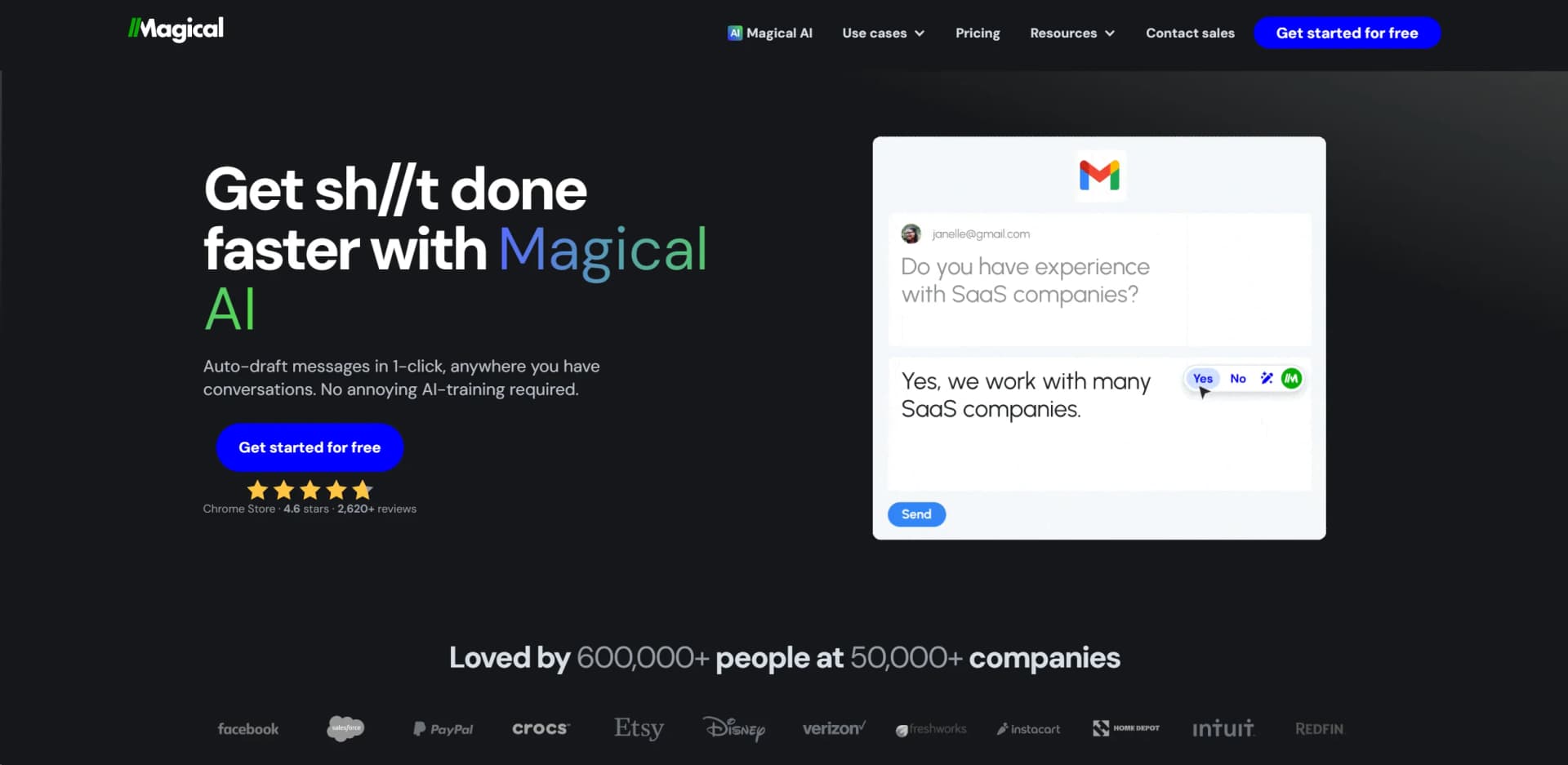
In today's fast-paced digital landscape, efficiency is the name of the game. Enter Magical AI, a revolutionary AI writing assistant that promises to transform how we handle our digital communications. From auto-drafting messages with a single click to offering smart suggestions tailored to the context of each conversation, Magical AI is designed to save precious time for individuals and professionals alike. Its integration with over 10,000,000+ apps, including Gmail, Zendesk, Salesforce, and LinkedIn, makes it a versatile tool for a wide range of users. Whether you're replying to emails, updating CRMs, or crafting the perfect sales outreach, Magical AI streamlines these processes with unparalleled ease and accuracy.
What sets Magical AI apart is its seamless integration with a vast array of platforms and its ability to understand the context of conversations, providing smart, time-saving suggestions without the need for complex AI training. Its user-friendly interface ensures that anyone can harness the power of AI to enhance their productivity and communication efficiency.
Magical AI stands out as an essential tool for anyone looking to boost their productivity and streamline their digital communication. With its user-friendly interface, wide range of integrations, and powerful AI-driven features, it offers an unmatched advantage for efficiently handling a variety of tasks. Whether you're a professional seeking to optimize your workflow or an individual aiming to manage your digital communications more effectively, Magical AI provides a comprehensive, time-saving solution that adapts to your needs.
Who is Using Magical AI?
Sales Representatives
For crafting personalized outreach emails and updating CRMs efficiently.
Customer Support Teams
To instantly reply to customer inquiries, enhancing service quality.
Recruiters
For communicating with potential candidates swiftly and effectively.
Healthcare Professionals
Utilizing AI for administrative tasks, allowing more time for patient care.
Uncommon Use Cases
Educational institutions use it for teaching purposes, while freelancers leverage it to streamline their workflows.
Key Features
Rating Breakdown
Pricing Plans
Free Tier
Free
- Magical AI is free for everyone
- Making it accessible to a broad audience
Which Magical AI plan should you pick?
Start with the Free plan for lightweight personal use, choose Core for unlimited individual text expansion, and upgrade to Advanced or Enterprise for collaboration, governance, and larger-scale automation.
Free
Good for users who want to try Magical with limited template actions and basic automation.
Core
Good for individuals who need unlimited text expansion without adding collaborators.
Advanced
Good for teams and individuals who need unlimited, on-brand automations and collaboration.
Enterprise
Good for organizations needing SSO, SCIM, permissions, security controls, and enterprise workspace administration.
Magical AI Use Cases
Messaging automation
Save reusable messages as templates and insert personalized details into emails, chats, support replies, and social messages.
Outcome: Faster, more consistent communication with fewer typing errors.
Spreadsheet data entry
Move labeled information from open web pages, such as candidate or prospect profiles, into Google Sheets.
Outcome: Less manual copy-pasting and faster research workflows.
Form and database autofill
Transfer information from source websites into CRM, ATS, customer-support, healthcare, or other online forms.
Outcome: Quicker and more accurate record updates.
Customer-support automation
Automate common replies and process repetitive requests such as account updates, refunds, upgrades, and downgrades.
Outcome: Higher support productivity and faster ticket handling.
Healthcare operations
Deploy AI agents for workflows including prior authorization, referrals, benefits verification, records requests, and payment posting.
Outcome: More autonomous healthcare operations with reduced manual workload.
Workflow Ideas with Magical AI
Move prospect data into a spreadsheet
- 1Open the prospect pages containing the source information
- 2Label the fields you want to capture
- 3Create or select a Google Sheet destination and transfer the open tabs
Create a reusable form-filling automation
- 1Open the destination form in a new browser tab
- 2Select the source site and fields in the Automation Visualizer
- 3Save and test the automation with Try it out
Share a team automation
- 1Create or select an automation in the workspace
- 2Share it with a company team or team folder
- 3Invite coworkers so members can access and run the shared automation
How Magical AI fits into your stack
Chrome and Edge Extensions
Easy installation and use on these browsers.
Integration Across 10,000,000+ Apps
Including Gmail, Zendesk, Salesforce, and LinkedIn.
Powered by GPT3.5
Utilizes the latest in AI technology for accurate and relevant suggestions.
No AI Training Required
Designed for immediate use without the need for users to learn complex AI commands.
Pros
- +Time-Saving: Significantly reduces the time spent on drafting and replying to messages.
- +Highly Customizable: Adapts to individual and team templates for personalized communication.
- +Ease of Use: User-friendly interface with no prior AI training required for operation.
- +Enhanced Productivity: Automates repetitive tasks, allowing users to focus on more strategic activities.
Cons
- −Limited to Chrome and Edge: Currently, the extension is only available for Chrome and Edge browsers.
- −Character Limit: There's a 200-character limit on prompts, which may require some users to adjust their queries.
- −Desktop Only: The full range of features is only accessible on desktop, potentially limiting mobile users.
Limitations & when to consider alternatives
Known limitations
- AI Assist was discontinued in the extension. The help center states that AI Assist was no longer available in the Magical extension as of May 2025.
- AI prompts were limited to 500 characters. The AI Assist documentation specified a maximum prompt length of 500 characters.
- Source pages must be open for data extraction. Automations pulling information from a source website require that source page to be open.
- Automations are not continuously running by default. Magical states that users must open the panel and trigger an automation rather than receiving continuous updates automatically.
- Core is individual-only. The Core plan does not support adding members; collaborators require the Advanced plan.
Look elsewhere when
- You need a native mobile app.
- You need a public developer API.
- You need file-based document or image analysis.
How to Use Magical AI
- 1
For those looking to maximize their use of Magical AI, the tool offers comprehensive tutorials and resources. These guides cover everything from basic setup to advanced features, ensuring users can fully leverage the AI's capabilities to enhance their productivity.
Who is Magical AI For?
Healthcare organizations
Magical provides agents and automations for patient access, referrals, benefits verification, prior authorization, and revenue-cycle workflows.
Customer support teams
Support teams can automate repetitive replies, account updates, order-status requests, refunds, and other browser-based tasks.
Sales teams
Sales teams can research prospects, personalize outreach, and automate follow-up workflows.
Marketing teams
Marketing teams can automate campaign operations, quality checks, reporting, and execution workflows.
Recruiting teams
Recruiters can source candidates, move profile information into spreadsheets, and send personalized outreach.
Frequently Asked Questions
What is Magical?
Magical is a productivity and automation tool for repetitive messaging, data entry, autofill, and browser-based workflows.
Does Magical require integrations or APIs?
No. Magical is designed to automate work across websites without requiring traditional integrations, APIs, or complex workflow builders.
Can Magical collaborate with teams?
Yes. Company workspaces support teams, invitations, shared templates, shared automations, and role-based content management.
Does Magical support single sign-on?
Enterprise workspaces support SSO through SAML 2.0, including identity providers such as Okta, Azure AD, and Google Workspace.
What security protections does Magical provide?
Magical states that data uses HTTPS/TLS 1.2 in transit and AES-256 encryption at rest, alongside SOC 2 Type II and HIPAA compliance.
Is Magical’s AI Assist still available?
The help center says AI Assist was removed from the extension in May 2025; Magical now focuses on AI-powered automations.
Community reviews
Be the first to share your experience.
Sign in to leave a review for Magical AI.
Magical AI Alternatives
Looking for alternatives to Magical AI? Here are similar tools in the same category:
Learn to Master Magical AI
With Skill Leap courses
Get in-depth training on Magical AI and 50+ other AI tools with our expert-led video courses.
Start 7-Day Free Trial