
Magic School AI
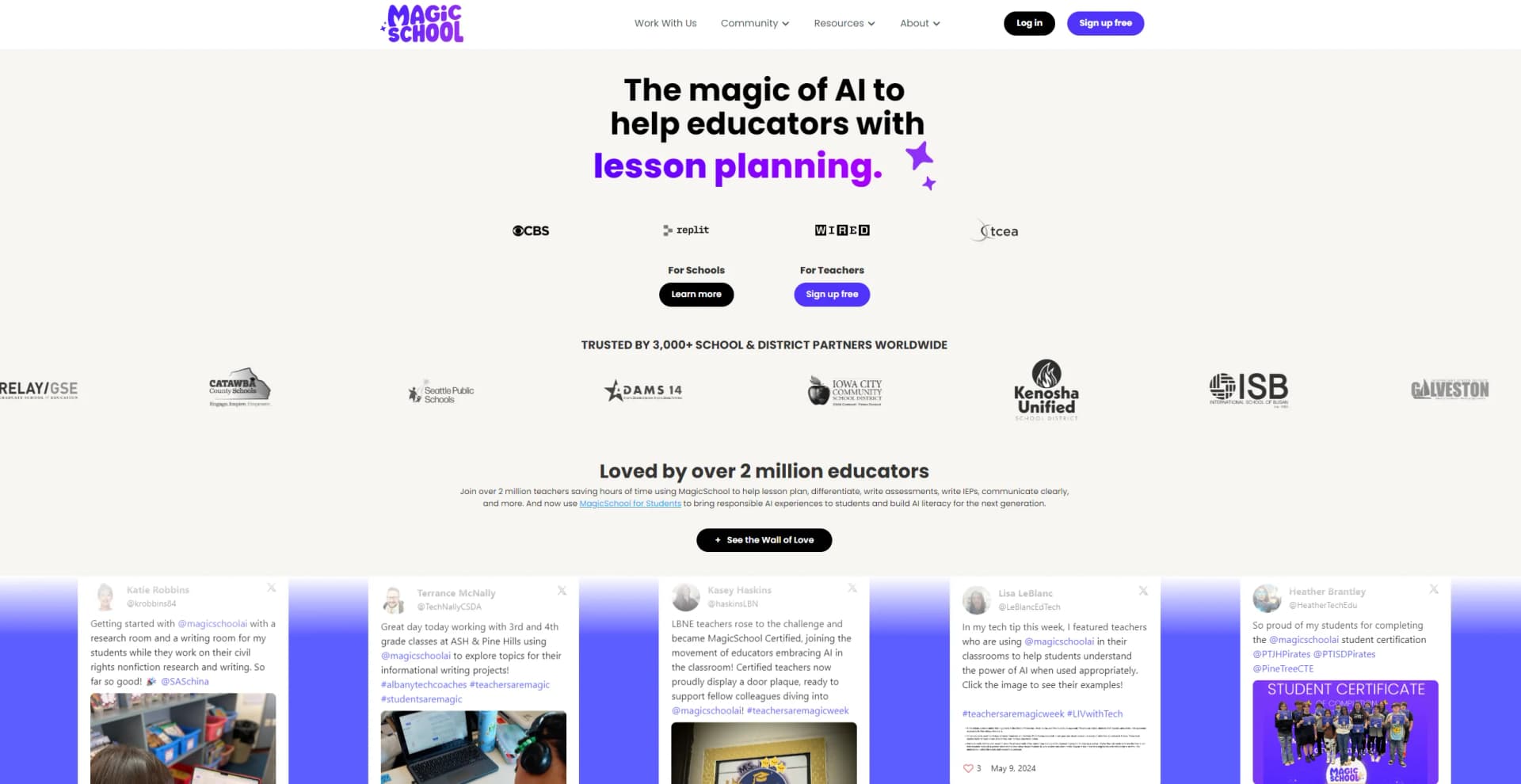
Revolutionize education with AI: lesson planning, IEPs, assessments, enhanced communication.
Watch Magic School AI in Action
Key Takeaways
- What it is
- Revolutionize education with AI: lesson planning, IEPs, assessments, enhanced communication.
- Pricing
- Freemium
- Best for
- AI-Driven Lesson Planning
- Assessment Creation
- IEP Writing Assistance
- Rating
- 4.8/5
What is Magic School AI?
Magic School AI is an innovative tool designed to revolutionize the way educators approach teaching, offering a suite of AI-powered features aimed at simplifying lesson planning, assessment writing, IEP (Individualized Education Program) creation, and communication. It's a platform that not only aids in reducing the workload for teachers but also in enhancing the learning experience for students. As someone who has navigated through countless educational tools, I find Magic School AI stands out for its dedication to making AI accessible and beneficial within the educational sector. With over 2 million educators worldwide already leveraging its capabilities, it's clear that Magic School AI is a leader in its field, offering solutions tailored to meet the diverse needs of teachers, school administrators, and students across various grade levels and subjects.
Magic School AI distinguishes itself through its comprehensive suite of AI tools designed explicitly for the educational sector, making it the most robust AI platform for education. Its focus on saving time, fighting burnout, and promoting sustainability in education, coupled with its commitment to safety, privacy, and building AI competencies, positions it as a unique and invaluable resource for educators worldwide.
Magic School AI excels in providing a comprehensive, educator-focused AI platform that significantly reduces the workload for teachers and enhances the learning experience for students. Its unique approach to incorporating AI into education, with a strong emphasis on privacy, safety, and building AI literacy, makes it an essential tool for educators and students alike. With its vast array of features and tools, Magic School AI stands out as a leading solution in the educational technology landscape.
Who is Using Magic School AI?
Elementary to Higher Education Teachers
For lesson planning, assessment writing, and more.
School Administrators
To streamline administrative tasks and support teaching staff.
Technology Coaches
Assisting in the integration of AI tools into the curriculum.
Special Education Teachers
Creating tailored IEPs and differentiated instruction.
Counselors and Sports Coaches
For communication and planning.
Uncommon Use Cases
Utilized in building AI literacy among students and promoting responsible AI usage within educational settings.
Key Features
Rating Breakdown
Pricing Plans
Free Tier
Free
- Magic School AI offers a 100% free sign-up option for educators looking to explore its features
Which Magic School AI plan should you pick?
Start with Free to explore core teacher tools; upgrade to Plus for expanded individual usage, or choose Enterprise for district customization, SSO, integrations, and administrative oversight.
FREE
Good for individual teachers who need core lesson planning, assessment, feedback, chatbot, and classroom tools at no cost.
PLUS
Good for individual teachers who need unlimited generations, expanded student tools, output history, editing, and advanced features.
ENTERPRISE
Good for schools and districts that need SSO, integrations, customization, centralized controls, dashboards, safeguards, and implementation support.
Magic School AI Use Cases
Lesson planning
Generate lesson plans aligned to topics, standards, curriculum frameworks, and instructional goals.
Outcome: Faster preparation and more time for teaching.
Worksheet creation
Create editable worksheets, reading passages, questions, and activities customized by grade, reading level, and length.
Outcome: Classroom-ready materials without starting from scratch.
Assessment design
Generate quizzes, exit tickets, rubrics, and other formative assessments aligned to standards and student needs.
Outcome: More efficient assessment preparation and actionable insights.
Writing feedback
Import student writing, apply rubrics, and generate personalized feedback and recommended next steps.
Outcome: More consistent feedback and easier revision support.
Student AI activities
Create teacher-guided Student Rooms, custom chatbots, tutors, research assistants, and character-based learning experiences.
Outcome: Structured student interaction with AI under teacher oversight.
Workflow Ideas with Magic School AI
Create and differentiate a worksheet
- 1Enter the lesson topic, grade, reading level, question types, and length
- 2Generate an editable worksheet
- 3Adapt the material for students needing more support or challenge
Import writing and provide feedback
- 1Import student submissions from Google Classroom, Canvas, Schoology, or OneDrive
- 2Apply or build a rubric
- 3Review, personalize, and export feedback as PDFs
Build a district-aligned student tool
- 1Upload curriculum, pacing guides, policies, or standards
- 2Create a custom student-facing AI tool or Student Room
- 3Share the tool across the organization and manage access or moderation
How Magic School AI fits into your stack
Google Classroom and Microsoft
Offers seamless integration, including one-click exports for Google Forms and export to MS Word.
Responsible AI for Education
Designed with built-in safeguards and compliance with FERPA and state privacy laws.
Future Integrations
Plans for more integrations to enhance its utility and accessibility.
Pros
- +Time Savings: Reduces educators' workload significantly, with claims of saving over 10 hours a week.
- +Ease of Use: Designed with a user-friendly interface that requires no complicated prompting.
- +Educator-Focused: Every feature and tool is crafted with the needs of teachers and students in mind, making it a highly relevant platform for the educational sector.
- +Privacy and Safety: Adheres to FERPA and state privacy laws, ensuring the protection of student and staff information.
Cons
- −Adaptation Time: As with any comprehensive tool, there might be an initial learning curve for educators to fully adapt to the platform's full range of features.
- −Integration Expansion: While it currently supports key platforms like Google Classroom and Microsoft, further expansion of integrations could enhance its utility.
- −Awareness and Training: The depth of features means that ongoing awareness and training are essential to maximize the tool's potential.
Limitations & when to consider alternatives
Known limitations
- Free-plan usage limits. The Free plan includes standard generation limits; Plus provides higher or unlimited usage for several features.
- Enterprise pricing is custom. District and school pricing requires requesting a quote rather than selecting a published fixed price.
- AI output requires educator review. MagicSchool states that generated content can contain inaccuracies and should be reviewed for accuracy, bias, and classroom fit.
- Some integrations require Enterprise. Canvas, Schoology, Clever, and ClassLink integrations are listed as Enterprise availability, while Google and Microsoft are available on some individual plans.
- No documented public developer API. The public pricing and feature materials list classroom tools, integrations, security, and support but do not provide API documentation or API keys.
Look elsewhere when
- You need a public developer API with endpoints and API keys.
- You need a native iOS or Android app for the core AI platform.
- You need fine-tuning or model training on your own data.
How to Use Magic School AI
- 1
Magic School AI provides robust training resources, including "show an exemplar" in every tool, certification courses, multiple training options, and video walkthroughs, ensuring educators can make the most out of the platform.
Who is Magic School AI For?
Individual teachers
Free and Plus plans provide tools for lesson planning, differentiation, assessment, feedback, and classroom communication.
Students
Teacher-guided student tools support tutoring, research, writing feedback, quizzes, and custom learning activities.
School districts
Enterprise provides district-wide access, centralized controls, dashboards, customization, integrations, and implementation support.
School administrators
Administrators can manage tools, access, moderation settings, district knowledge, and usage visibility.
Instructional coaches and support staff
MagicSchool provides professional development, ready-made resources, and tools for educators and classroom support roles.
Frequently Asked Questions
Is MagicSchool AI free to use?
Yes. Teachers can use the Free plan with core tools for lesson planning, assessments, differentiation, and communication.
What plans does MagicSchool offer?
MagicSchool offers Free, Plus, and Enterprise plans. Plus expands usage and features, while Enterprise supports school and district deployment.
Does MagicSchool support single sign-on?
Yes. Enterprise supports SSO, and integrations include Google, Clever, ClassLink, Microsoft, Canvas, and Schoology.
What languages does MagicSchool support?
As of March 2026, MagicSchool supports 24 interface languages and can translate into 98 languages.
Does MagicSchool train AI models on user data?
MagicSchool states that personal information and student or educator data are not used to train AI models.
Can educators upload their own materials?
Yes. My Resources and district knowledge features allow educators or administrators to upload classroom, curriculum, policy, and other documents.
Community reviews
Be the first to share your experience.
Sign in to leave a review for Magic School AI.
Magic School AI Alternatives
Looking for alternatives to Magic School AI? Here are similar tools in the same category:
Learn to Master Magic School AI
With Skill Leap courses
Get in-depth training on Magic School AI and 50+ other AI tools with our expert-led video courses.
Start 7-Day Free Trial