
Magai
Integrates top AI models for seamless content creation.
Key Takeaways
- What it is
- Integrates top AI models for seamless content creation.
- Pricing
- $19 per month · $29 per month · $79 per month
- Best for
- Comprehensive AI Integration
- Organizational Tools
- Real-Time Web Integration
- Rating
- 4.6/5
What is Magai?
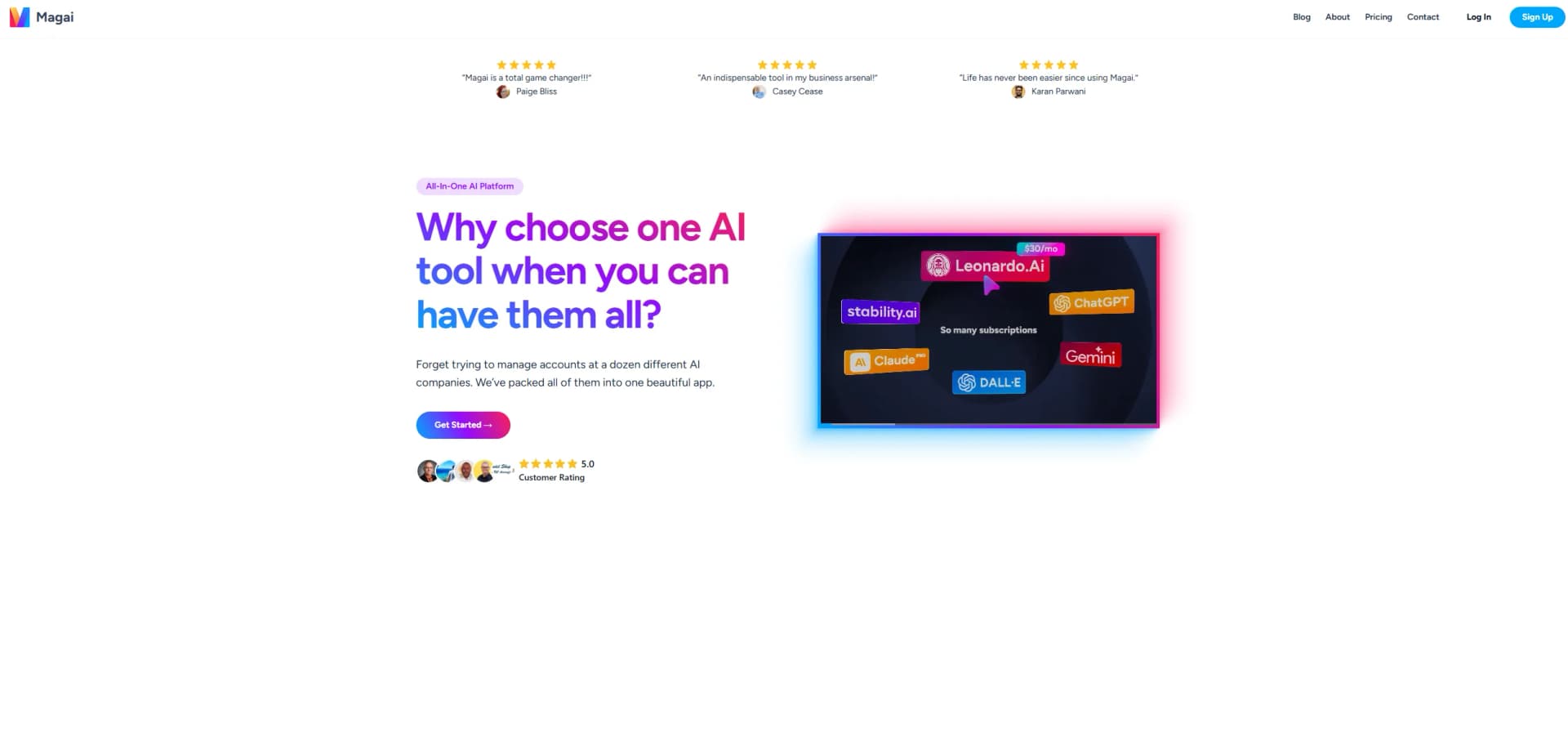
Magai is an all-in-one AI platform designed to revolutionize how professionals utilize AI technologies. By integrating a multitude of AI models into a single, user-friendly interface, Magai simplifies and enhances the workflow for individuals and businesses alike. Whether you're a content creator, marketer, or tech enthusiast, Magai offers a comprehensive suite of tools that cater to various needs, from generating stunning visuals to organizing AI-generated content efficiently.
Magai stands out by consolidating the most powerful AI models into a single platform, offering unparalleled convenience and efficiency. Its unique ability to integrate real-time web content and organize AI interactions through folders and workspaces makes it a standout choice for professionals seeking to maximize their AI capabilities.
Magai offers a compelling solution for professionals looking to harness the full potential of AI without the hassle of managing multiple tools. Its comprehensive integration of leading AI models, coupled with user-friendly organizational features, positions it as an indispensable resource for enhancing productivity and creativity. Whether you're aiming to streamline your workflow or push the boundaries of AI applications, Magai provides the tools and flexibility needed to thrive in a digital-first world.
Who is Using Magai?
Content Creators
Harnessing AI for seamless content generation and organization.
Marketing Professionals
Utilizing AI models for campaign creation and management.
Graphic Designers
Leveraging image generation tools for creative projects.
Educators
Using AI to enhance teaching materials and methodologies.
Uncommon Use Cases
Adopted by legal professionals for document analysis; utilized by event planners for creative brainstorming.
Key Features
Rating Breakdown
Pricing Plans
Personal+ Plan
$19 per month
- Includes premium AI models and standard usage limits
Professional Plan
$29 per month
- Includes increased usage limits and additional workspaces
Agency Plan
$79 per month
- Provides extensive usage limits and multiple user access
Enterprise Plans
- Custom pricing available upon request
Which Magai plan should you pick?
Start with Standard for individual use, upgrade to Pro for substantially more usage, and choose Ultra or Enterprise for heavy or organization-wide workloads.
Standard
Good for individuals who need all premium models and tools with standard usage.
Pro
Good for serious daily users who need three times the Standard usage and more scheduled task runs.
Ultra
Good for power users who need fifteen times the Standard usage and higher capacity.
Enterprise
Good for larger organizations needing custom usage limits, deployment planning, and volume pricing.
Magai Use Cases
Multi-model content creation
Start a draft with one AI model, switch to another, and retain the conversation context.
Outcome: Create and refine content without copying context between AI services.
Document analysis
Upload PDFs, Word files, spreadsheets, text documents, or audio and ask the AI to summarize or analyze them.
Outcome: Turn source material into summaries, insights, and structured outputs.
Team content workflows
Share chats, prompts, Agents, and workspace knowledge with teammates using permission controls.
Outcome: Coordinate collaborative work in shared workspaces.
Recurring research and reporting
Schedule AI tasks to run once or repeatedly across connected integrations.
Outcome: Automate recurring reports, research, and content drafts.
Image creation and editing
Generate, edit, upscale, remove backgrounds, replace backgrounds, and create image-to-image outputs.
Outcome: Produce and revise visual assets from prompts or reference images.
Workflow Ideas with Magai
Recurring weekly report
- 1Connect the required business integrations
- 2Create a Scheduled Task with the reporting instructions
- 3Run the task weekly and review the generated report
Document-to-content workflow
- 1Upload a PDF, document, spreadsheet, or audio file
- 2Ask Magai to summarize and extract key points
- 3Use the extracted context to draft the final content
Multi-model review workflow
- 1Start a draft with one chat model
- 2Switch models without losing files or conversation context
- 3Compare and refine the strongest output
How Magai fits into your stack
Browser
Magai operates as a browser-based chat workspace where users switch among AI models, use agents, search the web, generate media, and collaborate in chats.
Docs and writing
Its Canvas Document Editor supports drafting, editing, and exporting documents as PDF or DOCX directly inside chat.
Knowledge and files
Users can attach files, web pages, and video links to chats, Agents, and Workspaces so models can use that material as context.
Automation and APIs
Scheduled Tasks and Magai Actions automate recurring AI operations, call connected integrations, and interact with external APIs from chat.
Pros
- +Time Efficiency: Streamlines access to multiple AI models, reducing the time spent switching between platforms.
- +User-Friendly Interface: Intuitive design makes it accessible for users of all skill levels.
- +Enhanced Collaboration: Facilitates team collaboration with shared workspaces and real-time content sharing.
- +Cost-Effective: Offers a single subscription for multiple AI tools, making it economical for businesses.
Cons
- −Learning Curve: New users may need time to explore and utilize the full range of features effectively.
- −No Free Trial: Users must commit to a paid plan, though a 30-day money-back guarantee is available.
- −Usage Limits: Plans have usage limits, which may require upgrading or purchasing additional usage for heavy users.
Limitations & when to consider alternatives
Known limitations
- Usage is credit-based. Plans do not provide a fixed message count; each message, image, or video consumes credits according to the selected model.
- PDF uploads have a size limit. The PDF upload guide states that files must be less than 100 MB.
- Usage limits can block new generation. When the monthly balance is exhausted, users can view old chats but must wait for reset, top up, or upgrade to generate more.
- Some media models require attachments. Certain image and video models keep the prompt box disabled until a required image or video attachment is added.
- AI output may require review. Magai notes that models can fail to complete tasks or produce inaccurate responses, so users may need to clarify or regenerate.
Look elsewhere when
- You need a native iOS or Android app.
- You need a documented developer API for programmatic access.
- You need SSO or SAML authentication.
How to Use Magai
- 1
Choose a plan
Select Standard, Pro, Ultra, or contact Enterprise Sales based on expected usage and team size.
- 2
Create a workspace
Organize chats, prompts, Agents, custom context, and knowledge files by project or department.
- 3
Start a chat and choose a model
Use the unified model picker to select a chat, image, or video model, or let Auto choose.
- 4
Add context
Upload documents, images, audio, URLs, or YouTube links so the model can analyze and use the source material.
- 5
Connect integrations
Open Manage Integrations and connect relevant apps such as Gmail, Slack, Notion, HubSpot, or Google Drive.
- 6
Automate or collaborate
Create Scheduled Tasks for recurring work and share chats or workspace content with teammates using permissions.
Who is Magai For?
Independent professionals
The Standard plan is positioned for individuals getting started with AI tools and needing access to multiple models.
Small teams
Team members can share chats, workspaces, prompts, Agents, and other content with permissions.
Enterprises
Enterprise plans provide custom usage limits, unified access to models, specialized Agents, and administrative controls.
Content creators
Magai supports text, image, and video generation, saved prompts, document workflows, and content repurposing.
Agencies
Agencies can organize client work in separate workspaces, reuse Agents and prompts, and collaborate across projects.
Frequently Asked Questions
What AI models does Magai provide?
Magai provides chat, image, and video models in one model picker, with every plan including all available models.
Does Magai offer a free plan or trial?
Magai currently does not offer a free trial. Paid plans include a 30-day money-back guarantee.
Can Magai analyze uploaded files and images?
Users can upload PDFs, Word documents, text files, images, and other supported files for AI processing.
Can users collaborate with teammates?
Teams can share chats and content using Viewer, Editor, and Admin permission levels.
Can Magai connect to external apps?
Magai offers more than 130 integrations across email, calendars, documents, project management, communication, marketing, CRM, and social media.
Can Magai automate recurring work?
Scheduled Tasks can run AI models once or repeatedly across connected integrations, including reporting, content drafting, and research.
Community reviews
1 review from people who use Magai.
Sign in to leave a review for Magai.
Rob Gabel (Rob Gabel at Home)
Magai Alternatives
Looking for alternatives to Magai? Here are similar tools in the same category:
Learn to Master Magai
With Skill Leap courses
Get in-depth training on Magai and 50+ other AI tools with our expert-led video courses.
Start 7-Day Free Trial