Idesigns
Turn inside jokes into personalized designs for memorable gifts.
Key Takeaways
- What it is
- Turn inside jokes into personalized designs for memorable gifts.
- Best for
- Topic or phrase inspiration
- Line image selection
- Style selection
- Rating
- 3.5/5
What is Idesigns?
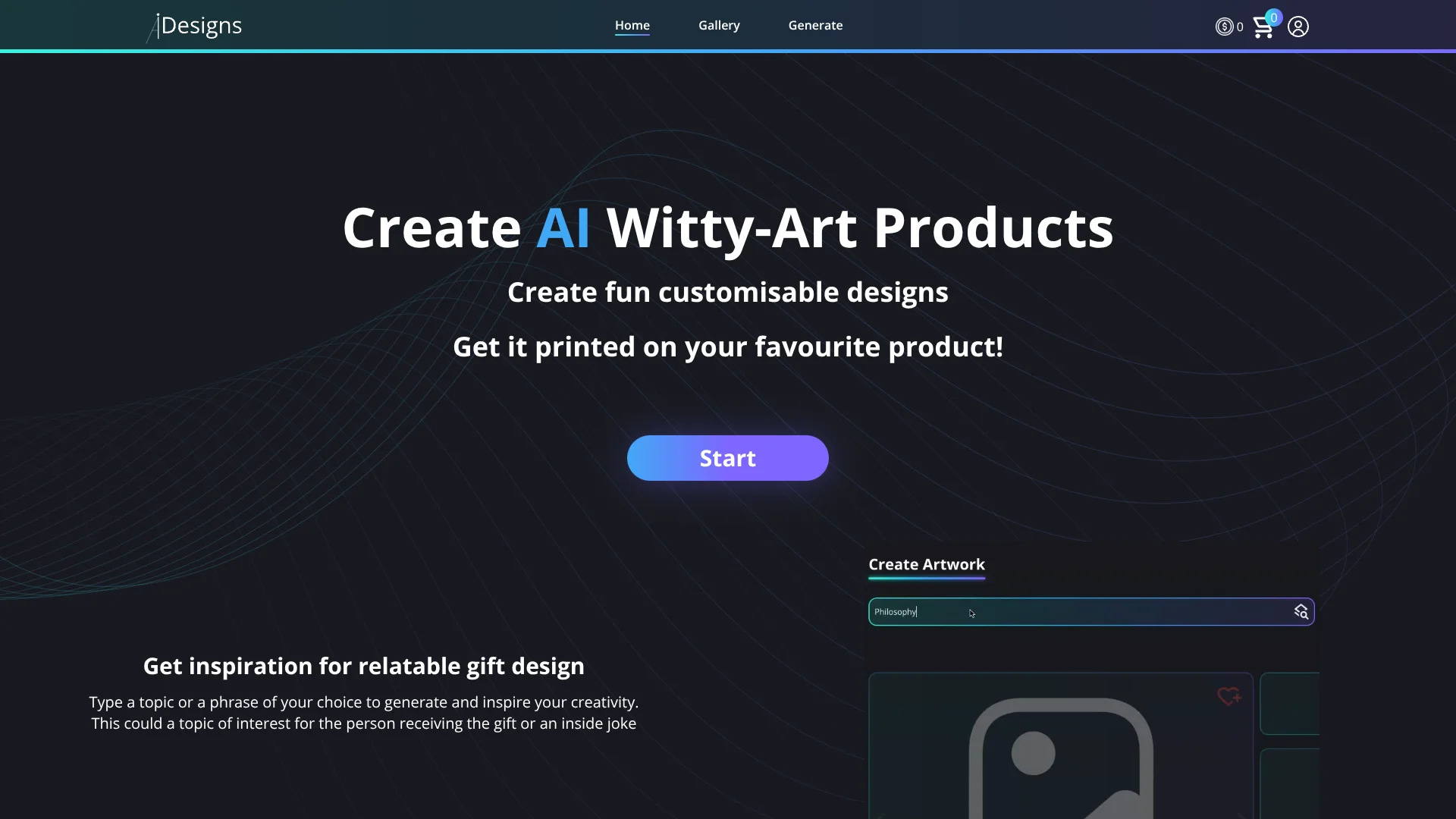
A gift idea based on an inside joke or someone’s interests can become a custom design with Idesigns. The AI-guided process helps you choose an image description, pick an art style, and customize the words before selecting a product for printing. It is aimed at people creating personal gifts and store owners who want customers to make designs in their own shops.
Rather than starting with a blank image prompt, Idesigns guides gift creation through a sequence: enter a topic or phrase, choose a line-image description, select a style, and customize the wording. The design is then tied to a product choice.
Idesigns is best suited to personalized, humorous gift designs and stores interested in offering that creation flow. Its focus is narrow, and the site does not publish a catalog of products or detailed store setup information, so it is best approached as a gift-design tool rather than a general-purpose art studio.
Who is Using Idesigns?
Gift buyers
A recipient’s interest or an inside joke can guide a personalized printed gift design.
E-commerce store owners
A store owner can explore adding Idesigns so customers can create designs in the store.
Product designers
The line-image, style, and wording choices provide a guided way to develop gift-product artwork.
Affiliate marketers
The advertised affiliate program offers a way to earn commissions on sales.
Uncommon Use Cases
Turning a team’s running joke into a printed item; creating interest-based merchandise for a niche store.
Key Features
Rating Breakdown
Pricing Plans
Free Version
- Test Idesigns capabilities with a basic free version
Subscription Plans
- Offers tiered subscription plans catering to different user needs and scales
Idesigns Use Cases
Inside-joke gifts
A shared phrase or joke becomes the starting point for a personalized printed design.
Outcome: A custom design tied to a product selected for printing.
Interest-based gifts
A recipient’s hobby or topic of interest guides the image and style choices.
Outcome: A design tailored to the recipient’s interests.
Custom product designs
A chosen design can be placed on a product selected in the creation flow.
Outcome: A product selected for printing with the custom design.
Customer-created store designs
Store owners can explore letting customers use Idesigns in their own store.
Workflow Ideas with Idesigns
Make a personalized gift design
- 1Enter a topic, phrase, or inside joke.
- 2Select a line-image description and choose a style.
- 3Customize the wording and select a product for printing.
Explore a customer design flow for a store
- 1Review the Idesigns creation steps for a customer.
- 2Contact Idesigns through the store-owner interest form.
- 3Confirm store compatibility and setup details before offering it to customers.
How Idesigns fits into your stack
Gift design
Idesigns guides the creative process from a topic or phrase through image and style choices to custom wording.
Printed products
The design flow ends with choosing a product for printing. The site does not list specific product types.
Online stores
The site invites store owners to let their customers use Idesigns in their own store, but does not identify supported store platforms.
Pros
- +Gift-focused prompts: Topics and inside jokes give the design process a clear personal angle.
- +Guided creation: Image descriptions and style choices help shape a design step by step.
- +Personal wording: Custom text lets the design reflect a specific recipient or shared joke.
- +Store option: The site invites store owners to let customers use Idesigns in their own store.
Cons
- −Narrow design focus: The offering centers on witty, personalized gifts rather than general-purpose visual design.
- −Unclear store setup: The site does not explain which store platforms or setup steps are supported.
Limitations & when to consider alternatives
Known limitations
- Store details are not specified. The site mentions using Idesigns in a store but does not name supported platforms or explain the setup process.
- Product catalog is not listed. The site describes selecting a product for printing but does not specify which products are available.
- Pricing is not published on the accessible site. The site does not provide publicly verifiable plan prices or subscription details.
Look elsewhere when
- You need a general-purpose image generator rather than gift-focused design steps.
- You need confirmed store-platform integrations or a detailed product catalog before choosing a service.
How to Use Idesigns
- 1
Start with a recipient or topic
Enter a topic or phrase connected to the recipient, such as an interest or an inside joke.
- 2
Choose an image direction
Select the line-image option and its description that best fits the idea.
- 3
Set the art style
Type in or select a style for the generated image.
- 4
Personalize the words
Customize the text on the design so it suits the recipient.
- 5
Choose a printed product
Select the product on which the design should be printed.
Who is Idesigns For?
Personal gift creators
The topic, inside-joke, and custom-wording flow is suited to making a gift feel specific to its recipient.
Online store owners
The site invites store owners to let their customers use Idesigns in their own store.
Affiliate marketers
The site promotes an affiliate program that offers commissions on sales.
Frequently Asked Questions
What can I create with Idesigns?
You can create a design based on a topic or phrase, choose an image direction and style, customize its wording, and select a product for printing.
Can I use Idesigns in my own online store?
The site invites store owners to let their customers use Idesigns in their store, but does not specify compatible platforms or setup steps.
What does Idesigns cost?
A current US price and detailed subscription terms could not be confirmed on the official site.
Is there an Idesigns mobile app?
No iOS or Android app for this exact Idesigns tool was confirmed.
Community reviews
Be the first to share your experience.
Sign in to leave a review for Idesigns.
Idesigns Alternatives
Looking for alternatives to Idesigns? Here are similar tools in the same category: