
Flint
Revolutionize education with AI-driven personalized learning and real-time insights.
Key Takeaways
- What it is
- Revolutionize education with AI-driven personalized learning and real-time insights.
- Best for
- AI-Powered Tutoring
- Content Customization
- Real-Time Monitoring
- Rating
- 4.6/5
What is Flint?
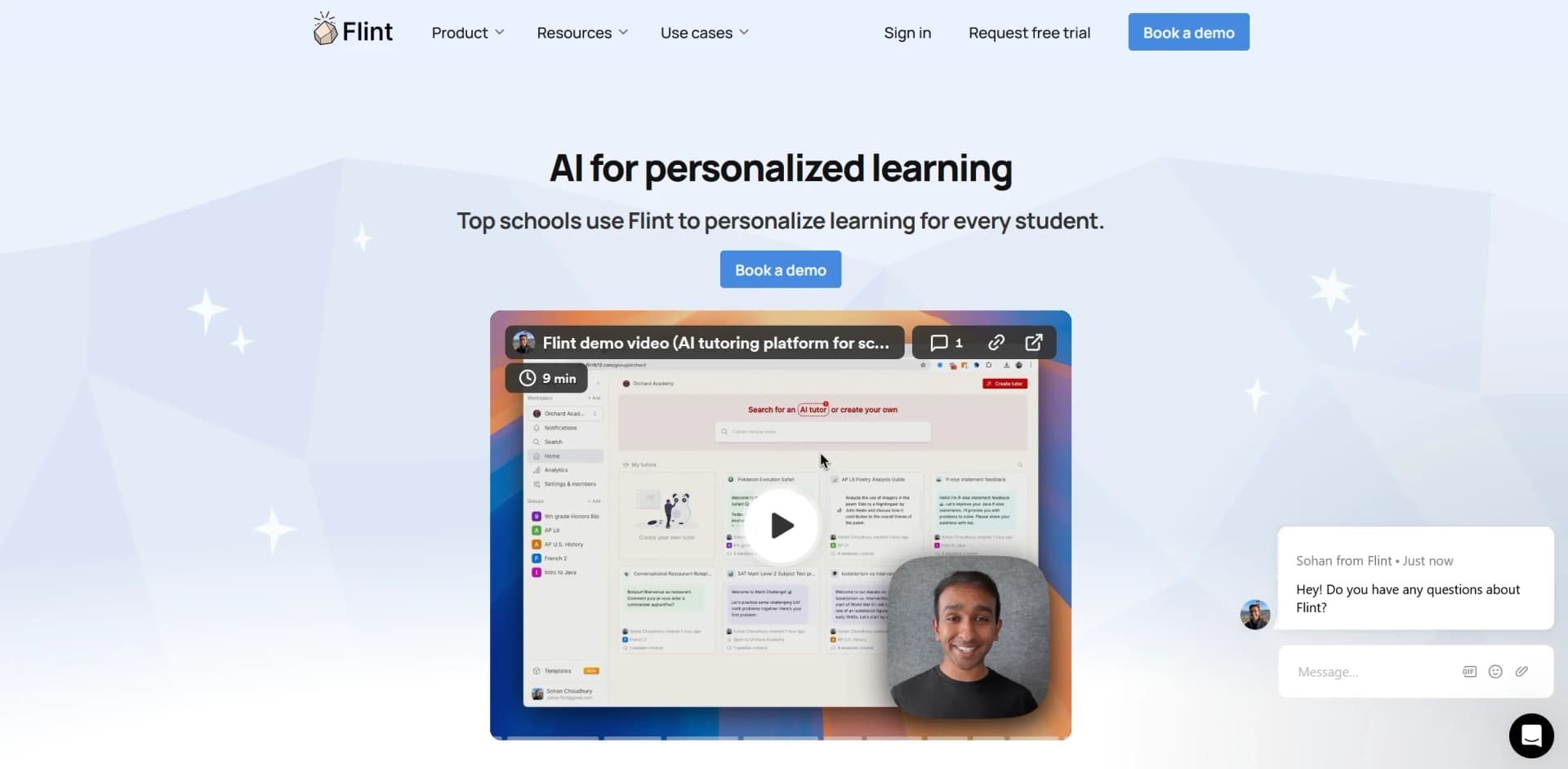
Flint is an advanced AI platform designed to transform educational settings by personalizing the learning experience for students. Utilizing state-of-the-art AI tutoring capabilities, Flint assists educators in delivering customized learning experiences that cater to individual student needs. It aims to enhance instructional methods and improve student outcomes through innovative technology.
Flint stands out for its robust AI-driven personalization, real-time interaction monitoring, and comprehensive data privacy measures. Its ability to deliver tailored learning experiences and provide actionable feedback sets it apart from other educational technology platforms. Additionally, Flint’s support for multiple languages and integration with existing educational tools enhances its practicality in diverse educational environments.
Flint excels in providing personalized, AI-powered learning experiences that enhance educational outcomes. With its emphasis on data privacy, multi-language support, and real-time feedback capabilities, Flint is an invaluable tool for educators seeking to integrate AI into their teaching practices. Its seamless integration with existing educational infrastructures and scalability across subjects and grade levels make it a practical choice for schools worldwide.
Who is Using Flint?
Language Teachers
Implementing AI for interactive language learning sessions.
Science Educators
Using AI for personalized tutoring in complex subjects like biology and chemistry.
History and Social Studies Teachers
Leveraging AI for engaging simulations and discussions.
Computer Science Instructors
Utilizing the platform to teach coding through personalized challenges.
Uncommon Use Cases
Employed by administrators for professional development; used by student clubs for interactive learning activities.
Key Features
Rating Breakdown
Pricing Plans
Free Trial
- Schools can start with a free trial to explore Flint's features without any upfront cost
Subscription Plans
- Pricing is tailored to individual schools and districts
- Ensuring affordability and value
Which Flint plan should you pick?
Start with Free for a pilot of up to 80 users; upgrade to a paid school plan when you need larger capacity, SIS/LMS integration, analytics, or dedicated support.
Free
Good for schools or pilot groups with up to 80 teachers and students who need core Flint chats and activities.
Flint Use Cases
AI-powered writing feedback
Teachers provide a rubric and have Flint guide students through feedback on essay drafts.
Outcome: Students receive immediate, teacher-designed feedback.
Language practice
Teachers create one-on-one speaking activities in a target language using selected vocabulary.
Outcome: Students practice conversational language skills with an AI partner.
Personalized extra help
Teachers create activities that respond to individual student or class learning needs.
Outcome: Students receive additional help before tests or after identifying gaps.
Interactive simulations
Teachers build role-play activities, such as having students act as historical figures during major events.
Outcome: Students engage with subject matter through interactive decision-making.
Lesson and material creation
Teachers use Flint chats to generate worksheets, lesson plans, reading-level adjustments, report-card comments, and emails.
Outcome: Teachers streamline preparation and instructional writing.
Workflow Ideas with Flint
Create and assign a customized AI activity
- 1Describe the learning objective and activity requirements
- 2Upload supporting materials such as a rubric, textbook chapter, or vocabulary list
- 3Preview, revise, and share the activity with students
Review student work and provide follow-up help
- 1Open submitted or in-progress student sessions
- 2Review transcripts, analytics, and AI feedback
- 3Create a follow-up activity based on identified learning needs
Deploy Flint across a school
- 1Connect the school's LMS or SIS through Edlink
- 2Import users, classes, and enrollment information
- 3Use roles, SSO, analytics, and moderation controls to manage access
How Flint fits into your stack
Google and Microsoft SSO
Facilitates easy login for students and teachers.
Multiple Device Support
Compatible with various devices, enabling flexible learning setups.
Educational Tools Integration
Integrates seamlessly with popular educational tools and platforms, enhancing its functionality.
Pros
- +Enhanced Personalization: Offers tailored educational experiences that address the unique needs of each student.
- +Efficiency in Learning: Automates routine instructional tasks, providing instant feedback and saving time for teachers.
- +Engagement and Accessibility: Engages students with interactive sessions and is accessible without requiring extensive tech infrastructure.
- +Scalability: Adapts to different subjects and grade levels, making it suitable for various educational contexts.
Cons
- −Technology Dependence: Relies on consistent technological infrastructure, which may not be available in all educational settings.
- −Initial Setup: Requires time to integrate personal teaching materials and learning objectives.
- −Learning Curve: Some educators may face a learning curve when adapting to the AI tool.
Limitations & when to consider alternatives
Known limitations
- Uploaded content has size limits. The help center states that each upload is limited to approximately 100 double-spaced pages; plan-specific limits may also apply.
- Uploaded knowledge is local to a chat or activity. Content uploaded to one activity or chat is not automatically available in a new chat or activity.
- Speech-to-text currently supports English. Flint's troubleshooting documentation states that speech-to-text currently supports English only.
- Generated videos are short. The documented video-generation limitation is approximately 90 seconds per video.
- Some content may require re-uploading. Because uploaded content remains scoped to its original chat or activity, relevant materials must be shared again elsewhere.
Look elsewhere when
- You need a native mobile application.
- You need a public developer API.
How to Use Flint
- 1
Explore a variety of tutorials on Flint's official website, which cover everything from basic setup to advanced features, helping educators maximize the platform's potential.
Who is Flint For?
Teachers
Teachers can create customized AI activities, generate instructional materials, provide feedback, and review student sessions and analytics.
Students
Students use teacher-designed AI activities for practice, assessment, language learning, writing feedback, and personalized extra help.
School administrators
Administrators can manage users and roles, view school activity, configure integrations, and review analytics.
Schools
Schools can deploy Flint with school-wide accounts, rostering, SSO, analytics, moderation, and controlled access.
Districts
Districts can use Flint across multiple schools with SIS/LMS integrations, administrative controls, data separation, and larger licensing plans.
Frequently Asked Questions
How much does Flint cost?
Flint is free for up to 80 users. Paid plans support larger schools and add features such as SIS/LMS integration, analytics, and customer success support.
Who can use Flint?
Flint is designed for teachers, students, and school administrators. Schools can use it with students of any age, including students under 13.
What can teachers create?
Teachers can create AI-powered activities such as assignments, practice buddies, assistants, language practice, debates, and writing-feedback activities.
Can teachers upload their own materials?
Yes. Teachers can upload documents, presentations, spreadsheets, images, audio, links, code, equations, whiteboard drawings, Google Drive files, and OneDrive files.
Can teachers collaborate on activities?
Yes. Teachers can share activities, add colleagues as owners, co-create activities, and give collaborators access to settings and student sessions.
Does Flint integrate with school systems?
Yes. Flint supports LMS and SIS integrations, including Canvas, Google Classroom, Schoology, Blackboard, PowerSchool, Blackbaud, and many others.
Community reviews
1 review from people who use Flint.
Sign in to leave a review for Flint.
Pavel Buravtsov
Flint Alternatives
Looking for alternatives to Flint? Here are similar tools in the same category:
Learn to Master Flint
With Skill Leap courses
Get in-depth training on Flint and 50+ other AI tools with our expert-led video courses.
Start 7-Day Free Trial