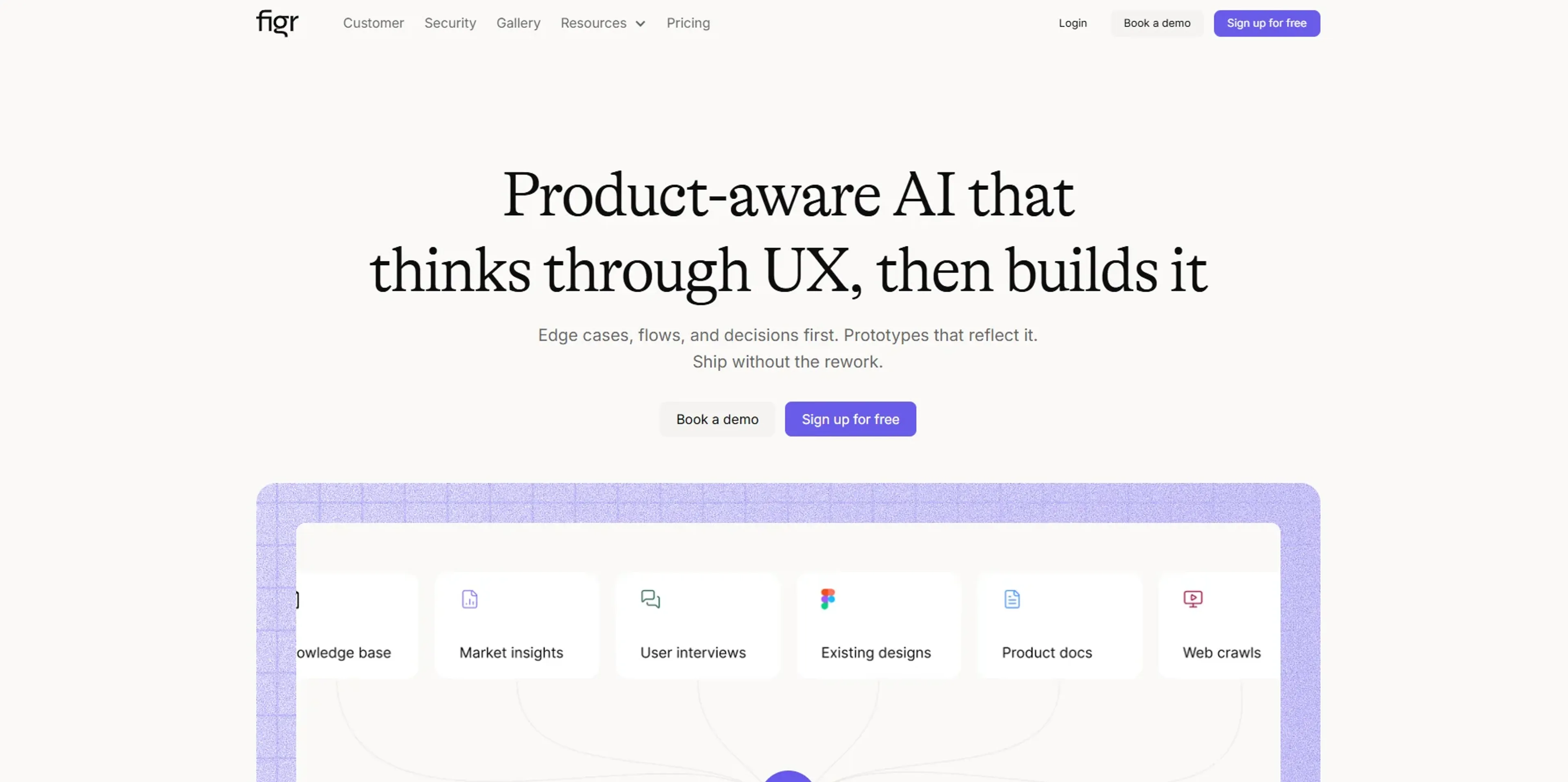
Figr is a product-aware AI design agent for product and UX teams that focuses on thinking through UX before it draws any screens. It ingests real product context such as screenshots, Figma files, analytics, specs, and design systems, then maps user journeys, edge cases, and states to generate flows, prototypes, PRDs, UX reviews, and test cases. It is aimed at teams that want fewer surprises in design review, less rework, and faster shipping on complex products.
Key Features:
Product-aware UX reasoning: Figr learns an existing product and its patterns, then reasons through user flows, edge cases, and information architecture before generating UI, instead of spitting out disconnected mockups.
Multi-stage AI agents: Separate “thinking” and “execution” agents handle research, questioning, UX mapping, and design generation, so teams can see the rationale behind flows, not just the final screens.
Rich product context and memory: Product Allies store long‑term context per product, combining analytics CSVs, product docs, company wiki, design systems, and prior projects so insights compound over time rather than starting from zero each sprint.
Click-to-refine design editing: Teams can click any element in an AI-generated layout and adjust copy, layout, states, or interactions while preserving design-system consistency and product rules.
Integrations and artifacts: One-click export to Figma, MCP integration with tools like Cursor and Claude Code, and outputs that include UX reviews, test cases, PRDs, user flows, and prototypes help connect design, product, and engineering.
Enterprise security: SOC 2 Type II compliance, encryption in transit and at rest, SSO, audit logs, IP allowlisting, and optional on‑prem deployment make it viable for security‑sensitive organizations.
Pros
Thinks like a product teammate: Focus on flows, edge cases, and UX decisions reduces the “pretty but wrong” screen problem and cuts rework.
Strong for existing products: Especially effective when layering new UX on top of mature SaaS products, where understanding current flows and data is critical.
Context that compounds: Long‑lived memory and Product Allies mean the AI gets better for that product over time instead of treating every request as a cold start.
Clear design rationale: Generated artifacts often include reasoning, comparisons to known UX patterns, and data-backed recommendations, which helps alignment with stakeholders.
Enterprise-ready: SOC 2 Type II, SSO, audit logs, and data isolation appeal to larger organizations with strict governance and compliance needs.
Cons
Credit model complexity: Credits tied to action type can feel opaque at first and require some experimentation to forecast monthly usage.
Pricier for small multi-seat teams: Per-seat Team pricing with minimum seats can add up compared with single-user tools for very small squads.
Focused on product UX: Best suited to product flows and UX-heavy work, not general-purpose marketing or branding design.
Who is Using Figr?
Product Managers: Using it to map user journeys, surface edge cases, and draft PRDs and test scenarios from real product data.
Product and UX Designers: Turning messy context (screenshots, Figma files, analytics) into flows, prototypes, and component states that respect existing design systems.
Heads of Product and Design Leads: Reviewing AI-generated UX reviews, alternatives, and rationale to guide strategy and enforce UX standards across squads.
UX Researchers and CX Teams: Running audits, accessibility reviews, and “what if” flows (for example, degraded networks, mid-journey changes) without hand-crafting every scenario.
Uncommon Use Cases: QA teams generating structured edge cases and test suites from flows; design educators and bootcamps using Figr canvases to teach product thinking with realistic scenarios.
Pricing:
Free: $0 per month; includes 10 credits refreshed monthly, 1 Product Ally setup, up to 200MB context per Product Ally, limited canvases, shareable projects, inspirations tool, and Figma export.
Starter: $19 per month; includes 100 credits per month, everything in Free, plus 3 Product Ally setups, up to 1GB context per Product Ally, unlimited web and Figma imports, private generations, basic design system, deeper memory retention, and credit rollover.
Team: $24 per seat per month; includes 100 credits per month, everything in Starter, plus team collaboration, unlimited Product Ally setups, up to 3GB context per Product Ally, user roles & permissions, priority support with Slack connect, and credit rollover.
Enterprise: Custom pricing; includes everything in Team, plus deeper product context setup, unlimited context per Product, advanced design system, custom integrations, SAML SSO, on-prem deployment, onboarding services, and priority support.
Disclaimer: Please note that pricing information may not be up to date. For the most accurate and current pricing details, refer to the official Figr website.
What Makes Figr Unique?
Figr’s strongest differentiator is its insistence on product-aware thinking before pixels. Instead of treating design as image generation, it behaves more like a senior product designer: clarifying requirements, mapping flows, modeling states, and then proposing screens backed by patterns and data. Its long‑term memory and Product Allies keep product knowledge alive across sprints, while integrations into Figma and developer IDEs help maintain continuity from UX thinking to implementation. Combined with serious security and governance features, it stands out as an AI design agent aimed squarely at shipping real products, not just pretty demos.
How We Rated It:
Accuracy and Reliability: 4.4/5
Ease of Use: 4.0/5
Functionality and Features: 4.6/5
Performance and Speed: 4.3/5
Customization and Flexibility: 4.2/5
Data Privacy and Security: 4.8/5
Support and Resources: 4.1/5
Cost-Efficiency: 4.2/5
Integration Capabilities: 4.0/5
Overall Score: 4.3/5
AI UX Copilot For Shipping Real Product Work:
Figr delivers the most value to teams that already have a live product and want to move faster without sacrificing UX quality. Its ability to turn dense context into flows, edge cases, prototypes, and documentation helps cut cycle time while reducing “we missed this state” moments in review. Add in strong security, pricing that scales from solo practitioners to large enterprises, and developer-friendly integrations, and it becomes a compelling option for organizations that treat UX as a first-class part of product delivery rather than an afterthought.