
Deepnote
Revolutionize data analysis with AI-driven notebook automation and security.
Key Takeaways
- What it is
- Revolutionize data analysis with AI-driven notebook automation and security.
- Pricing
- Freemium
- Best for
- Automated Notebook Generation
- Context-Aware Code Suggestions
- Natural Language Code Generation
- Rating
- 4.6/5
What is Deepnote?
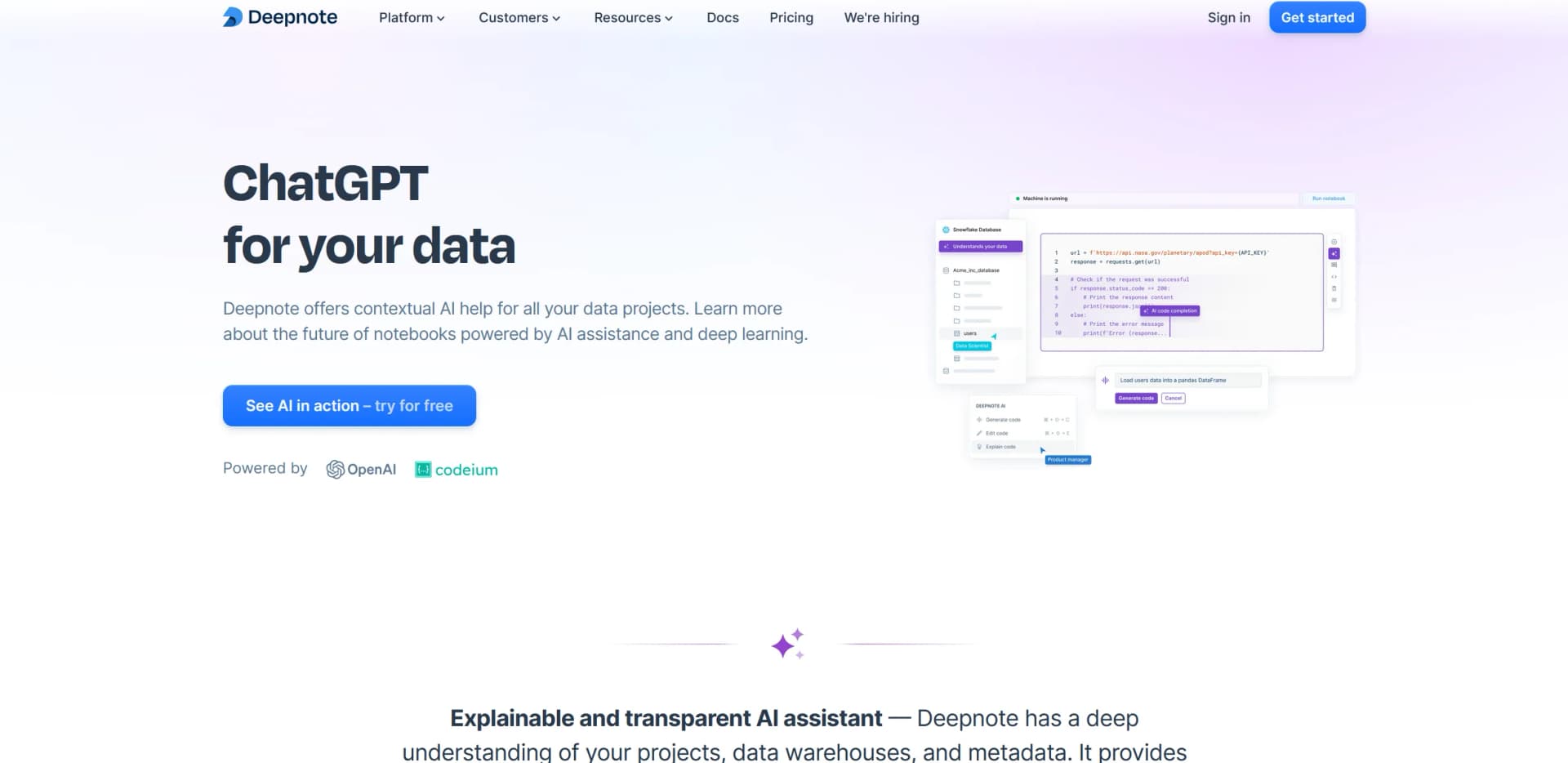
Deepnote AI is a cutting-edge tool designed to revolutionize how data projects are managed and executed. It offers a unique AI-powered notebook system that provides contextual assistance throughout your data analysis journey. From automating the creation of notebooks to offering intelligent code suggestions and explanations, Deepnote AI is tailored for data scientists, analysts, and anyone involved in data-driven projects who seeks to enhance productivity and accuracy in their work.
Deepnote AI stands out with its ability to transform plain language queries into executable code, making it accessible to users with varying levels of technical expertise. Its robust security measures and the transparency of its AI explanations also set it apart, providing users with confidence and trust in the tool.
Deepnote AI excels in providing advanced AI-driven solutions for data handling and analysis, making it an indispensable tool for anyone involved in data-centric roles. Its unique features, such as automated notebook generation and natural language processing capabilities, offer significant advantages, ensuring both efficiency and effectiveness in various data projects.
Who is Using Deepnote?
Data Scientists
For complex data analysis and predictive modeling.
Academic Researchers
Utilizing AI for data-driven research and publication.
Business Analysts
To analyze trends and make data-informed decisions.
Software Developers
Integrating data analysis directly into app development.
Uncommon Use Cases
Non-profits using it for data reporting; small businesses for market analysis.
Key Features
Rating Breakdown
Pricing Plans
Free Tier
Free
- Get started with Deepnote AI at no cost
Pro Tier
- More advanced features available at competitive rates
Which Deepnote plan should you pick?
Start with Free for individual or lightweight work, upgrade to Team for collaboration and automation, and choose Enterprise for SSO, governance, and advanced security.
Free
Good for aspiring data analysts and scientists who need basic notebooks, limited AI, and up to 3 editors.
Team
Good for data teams who need seamless collaboration, premium integrations, background execution, scheduled notebooks, and more compute.
Enterprise
Good for organizations that need SSO, directory sync, permission groups, audit logs, private images, dedicated support, and single-tenancy.
Deepnote Use Cases
Exploratory data analysis
Users query, transform, visualize, and contextualize data in collaborative notebooks.
Outcome: Faster exploration and shared analytical understanding.
Data orchestration
Teams organize data from sources, transform it in notebooks, and activate results in downstream workflows.
Outcome: A notebook-centered data workflow spanning ingestion, transformation, and activation.
Machine-learning development
Users build, train, evaluate, and deploy models with Python notebooks, GPUs, and ML frameworks.
Outcome: Models and predictive applications developed in one collaborative environment.
Automated reporting and dashboards
Users schedule notebooks to refresh analyses or dashboards and configure success or failure notifications.
Outcome: Recurring, monitored analytical outputs.
Data applications
Users turn notebooks into interactive apps and dashboards for stakeholders.
Outcome: Non-technical users can consume model outputs and analytical results through apps.
Workflow Ideas with Deepnote
Scheduled data-quality check
- 1Connect a notebook to a warehouse or database
- 2Run consistency checks on a recurring schedule
- 3Send email or Slack notifications when the notebook fails
AI-assisted exploratory analysis
- 1Upload or connect the required data
- 2Describe the analytical task in natural language
- 3Review, execute, and refine the generated code and visualizations
Model-to-app workflow
- 1Develop and evaluate a predictive model in a notebook
- 2Create an app that exposes model inputs and outputs
- 3Schedule notebook execution so the app displays refreshed results
How Deepnote fits into your stack
Jupyter Compatibility
Seamlessly integrates with Jupyter notebooks.
API Access
Offers API for custom integrations and extensions.
Cloud Storage Services
Compatible with major cloud storage providers.
Data Visualization Tools
Integrates with popular data visualization platforms.
Pros
- +Enhanced Productivity: Reduces the time spent on repetitive tasks through automation and AI assistance.
- +Increased Efficiency: Contextual AI helps in quickly turning ideas into executable code, speeding up the project workflow.
- +User-Friendly Interface: Intuitive and easy-to-navigate interface, suitable for both beginners and experienced users.
- +Robust Security: Strong security protocols to protect sensitive data and project information.
Cons
- −Learning Curve: New users may need time to fully grasp the capabilities and features of the tool.
- −Dependency on Internet: Requires a stable internet connection for optimal performance.
- −Limited Offline Functionality: Most features are cloud-based, limiting offline use.
Limitations & when to consider alternatives
Known limitations
- Web interface upload limit. Uploading a file through the web interface is limited to 100 MB.
- Scheduled notebook count. Only one scheduled notebook per project is supported.
- Deepnote AI chart creation. Deepnote AI cannot yet create chart blocks.
- Deepnote AI OAuth SQL. Deepnote AI cannot yet use SQL with OAuth integrations.
- Custom kernels. Non-Python kernels have limited functionality; variable explorer, SQL cells, input cells, and autocomplete may not work.
Look elsewhere when
- You need a native mobile application.
- You need a dedicated desktop application.
- Your AI workflow requires custom model fine-tuning.
- You need AI image understanding.
How to Use Deepnote
- 1
Explore a variety of tutorials ranging from basic setup to advanced features on the Deepnote AI website and YouTube channel.
Who is Deepnote For?
Data professionals
Deepnote is positioned as an AI workspace for data professionals working on analysis, exploration, and machine learning.
Data analysts and scientists
The Free plan is specifically described for aspiring data analysts and scientists who need notebooks, data access, and limited AI assistance.
Data teams
Team and Enterprise plans provide collaboration, integrations, scheduling, permissions, and shared workspaces for data teams.
Students, teachers, and researchers
Deepnote offers a free Education plan and browser-based classroom collaboration for students, teachers, and researchers.
Machine learning engineers
Deepnote supports machine-learning workflows with GPUs, common ML frameworks, notebooks, collaboration, and data integrations.
Frequently Asked Questions
Does Deepnote have a free plan?
Yes. The Free plan is available forever and includes up to 3 editors, 5 projects, limited Deepnote AI, and basic cloud machines.
Does Deepnote provide an API?
Yes. The Deepnote API provides programmatic notebook execution, while Public API v2 supports notebooks, projects, files, integrations, runs, and other workspace resources.
Can teams collaborate in Deepnote?
Yes. Deepnote supports shared workspaces, project permissions, real-time collaboration, commenting, viewers, editors, and administrators.
Can users schedule notebooks?
Yes. Team, Pro, and Enterprise users can schedule notebooks daily, weekly, monthly, hourly, or with custom cron expressions. Hourly and custom schedules require Enterprise.
Does Deepnote support single sign-on?
Yes. Enterprise workspaces support SAML and OIDC SSO, including Google, Okta, Azure AD, and OneLogin, plus SCIM directory sync.
How does Deepnote handle security?
Deepnote documents AES-256 encryption at rest, TLS 1.2 or higher in transit, encrypted database credentials, access controls, and enterprise deployment options.
Community reviews
2 reviews from people who use Deepnote.
Sign in to leave a review for Deepnote.
Nick Barth
Simon Sotak Gregor
Deepnote Alternatives
Looking for alternatives to Deepnote? Here are similar tools in the same category:
Learn to Master Deepnote
With Skill Leap courses
Get in-depth training on Deepnote and 50+ other AI tools with our expert-led video courses.
Start 7-Day Free Trial