Breeze Copilot
HubSpot teams get AI help grounded in their customer records.
Key Takeaways
- What it is
- HubSpot teams get AI help grounded in their customer records.
- Best for
- CRM-grounded answers
- Meeting preparation
- Saved prompts and memories
- Rating
- 4.2/5
What is Breeze Copilot?
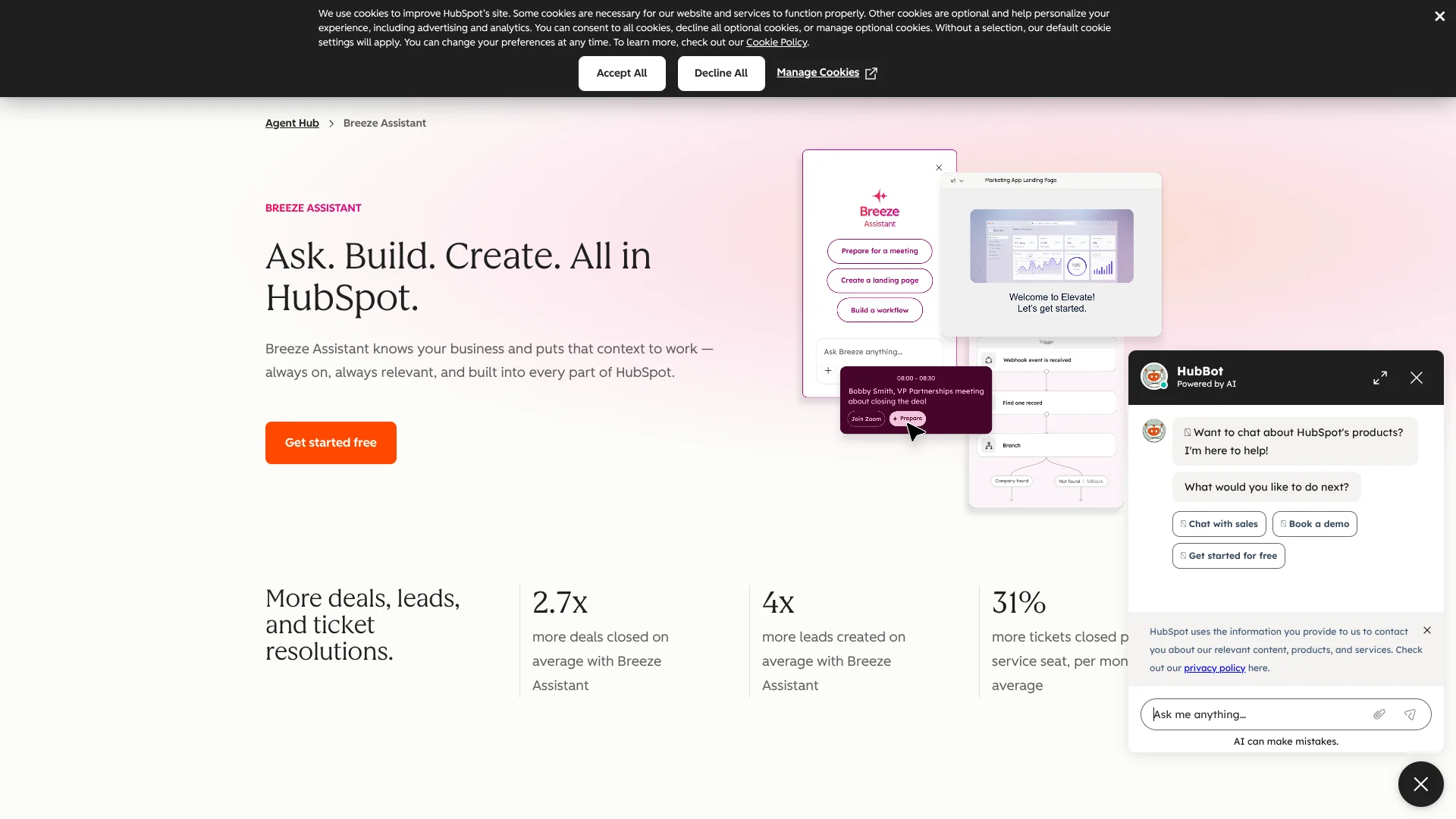
Breeze Assistant brings AI into HubSpot, where it can use your CRM records and customer history to answer business questions, prepare for meetings, and draft content. It is built for marketing, sales, and service teams who want help with customer work in the same place they manage it. You can also attach files or connect supported apps to give a request more context.
A useful distinction is that Breeze Assistant can act on HubSpot work, not only draft text: it can help create or update CRM records and build workflows from plain-language requests. Workflow building with Breeze Assistant requires a Professional or Enterprise subscription for eligible hubs.
It fits teams whose customer information already lives in HubSpot and who want AI to draw on that context. Its answers depend on the data and permissions available to it, and connected-app searches require app-specific search syntax for filters. Breeze Assistant is most useful when HubSpot is already the home for your customer work.
Who is Using Breeze Copilot?
Sales representatives
Meeting summaries, account history, and outreach drafts help reps prepare for customer conversations.
Marketing managers
Campaign planning and CRM-informed content drafts help managers turn customer context into marketing work.
Customer support representatives
Customer records and connected app information help reps find context before responding.
HubSpot administrators
AI settings and user permissions let administrators control who can use Breeze Assistant and what information it can access.
Uncommon Use Cases
Review project status by searching connected Asana information; prepare support instructions using information found in Slack and Google Drive.
Key Features
Rating Breakdown
Pricing Plans
Included with HubSpot subscriptions
- Breeze Assistant is included with HubSpot subscriptions at no additional cost; no separate Breeze Assistant plan price is listed.
- Some Breeze Assistant actions require a Professional or Enterprise subscription.
Which Breeze Copilot plan should you pick?
Start with HubSpot Free to try Breeze Assistant; consider a Professional or Enterprise subscription if you need to create agents or use workflows.
Free
Good for HubSpot users who want Breeze Assistant at no extra cost for CRM questions, content drafts, and summaries.
Professional
Good for teams that need subscription-gated features such as creating agents or using workflows.
Enterprise
Good for teams that need the same gated agent and workflow features on an Enterprise subscription.
Breeze Copilot Use Cases
Prepare for customer meetings
A connected calendar and CRM history help assemble account context and talking points before a meeting.
Outcome: A more informed meeting with relevant customer details at hand.
Draft personalized outreach
Customer history in HubSpot gives an email draft more context than a generic template.
Outcome: A relevant first draft for a specific contact.
Find information across work apps
Connected-app search can gather material from supported tools such as Slack, Gmail, or Notion for a question.
Outcome: A synthesized answer from selected connected sources.
Build a workflow
A plain-language description can help create a HubSpot workflow for a repeated process.
Outcome: A draft workflow to review before turning it on.
Summarize customer records
CRM and activity context can be turned into a concise view of a contact, company, or deal.
Outcome: A quicker way to review relevant account information.
Workflow Ideas with Breeze Copilot
Prepare for a customer meeting
- 1Connect your calendar in HubSpot.
- 2Open Breeze Assistant and select the upcoming meeting.
- 3Review the account summary and talking points before the call.
Draft a customer-specific email
- 1Open the relevant contact or company context in HubSpot.
- 2Ask Breeze Assistant for an email draft for the customer and goal.
- 3Check the details and edit the draft before sending.
Turn a repeated process into a workflow
- 1Describe the process and desired workflow actions in Breeze Assistant.
- 2Review the created workflow and its actions in HubSpot.
- 3Make any needed changes and manually turn the workflow on.
How Breeze Copilot fits into your stack
HubSpot CRM
Breeze Assistant works from HubSpot customer records and account context. The information it can use depends on account settings and user permissions.
Connected work apps
Supported connections include Slack, Gmail, Google Drive, Asana, and Notion. Each app offers its own set of searchable information and actions.
Files and documents
Attach supported files such as PDFs, Word documents, spreadsheets, and images to provide source material for a conversation.
HubSpot workflows
Breeze Assistant can help build workflows for eligible subscriptions. Review the result and turn it on yourself.
HubSpot mobile app
The HubSpot app brings Breeze Assistant conversations, voice input, and file attachments to iOS and Android.
Pros
- +HubSpot context: Answers can use CRM records and customer history already in your account.
- +No separate assistant fee: Breeze Assistant is included with HubSpot subscriptions.
- +Useful app connections: Search information from services such as Slack, Gmail, and Notion.
- +Mobile access: Continue conversations and attach files or images in the HubSpot mobile app.
Cons
- −HubSpot-dependent: Its strongest customer context is in HubSpot, so it is less useful when your CRM lives elsewhere.
- −Feature access varies: Some actions, including agent creation and workflows, require higher-tier HubSpot subscriptions.
- −Search filters take practice: Connected-app searches may require the app's own search syntax.
Limitations & when to consider alternatives
Known limitations
- Content generation rate. Content generation is limited to 100 requests per account in a rolling one-minute window.
- File attachments. A conversation thread can contain up to 10 files with a combined size limit of 50 MB.
- Workflow actions. Breeze Assistant cannot add or edit every workflow action, and workflows it creates are turned off until a user reviews and activates them.
- Connected-app filters. Connected-app searches do not support natural-language filters, so filtered searches may need the app's own search syntax.
- Account permissions. Available actions and context depend on AI settings, connected accounts, and the user's HubSpot permissions.
Look elsewhere when
- You need AI features that work independently of HubSpot customer records.
- Your workflow requires connected-app filters written in natural language.
- You need to create agents or workflows but do not have an eligible HubSpot subscription.
How to Use Breeze Copilot
- 1
Enable access
An administrator can turn on Breeze Assistant access in AI settings and check the relevant data permissions.
- 2
Start with a specific task
Open Breeze Assistant in HubSpot and describe the work, the customer or record involved, and the format you want.
- 3
Add useful context
Attach a supported file, reference a CRM record, or install and select a supported connected app.
- 4
Review its sources
Check the context and source material used in a response, especially when it affects a customer-facing message.
- 5
Save repeat requests
Save prompts you use often and organize related conversations into projects.
- 6
Check subscription requirements
Confirm your HubSpot subscription includes the feature before creating agents or using workflows.
Who is Breeze Copilot For?
Sales teams
Account context, meeting preparation, outreach drafts, and pipeline questions support day-to-day selling.
Marketing teams
CRM and website context can help shape campaign ideas, content, and audience-focused work.
Service teams
Customer records and connected knowledge sources can help staff prepare responses and resolve requests.
HubSpot users
People who already manage customer information and work in HubSpot can get AI help in that same environment.
Frequently Asked Questions
Does Breeze Assistant cost extra?
Breeze Assistant is included with HubSpot subscriptions at no additional cost. Some actions require a Professional or Enterprise subscription.
Can I use Breeze Assistant on my phone?
Yes. It is available in the HubSpot mobile app for iOS and Android, with voice input and file uploads.
Can Breeze Assistant read uploaded files?
Yes. Supported uploads include PDF, DOCX, TXT, CSV, XLSX, PPTX, and image files. Each thread allows up to 10 files and 50 MB total.
Which apps can I connect?
Supported apps include Slack, Gmail, Google Calendar, Google Drive, Asana, Notion, and others. Available actions differ by app.
Does Breeze Assistant use HubSpot Credits?
Breeze Assistant itself does not consume HubSpot Credits, but running an AI agent through it may use credits.
Community reviews
Be the first to share your experience.
Sign in to leave a review for Breeze Copilot.
Breeze Copilot Alternatives
Looking for alternatives to Breeze Copilot? Here are similar tools in the same category: