AROS
Human-led hiring for service businesses without a dedicated recruiting team.
Key Takeaways
- What it is
- Human-led hiring for service businesses without a dedicated recruiting team.
- Pricing
- $12 per month · $99 per month · $299 per month · $799 per month
- Best for
- Application review
- Decision Packets
- Candidate search
- Rating
- 4.0/5
What is AROS?
AROS reviews job applications and pulls out experience, skills, certifications, and availability, so owners and managers at growing service businesses spend less time sorting résumés. It also keeps applicants organized, schedules follow-ups, and brings decisions that need a human’s attention into view. The product is built for businesses hiring without a recruiting department, including HVAC, plumbing, electrical, roofing, landscaping, and dealership businesses.
Every hire or pass ends with a written Decision Packet that records who was chosen, why, and what evidence informed the decision. AROS also explains its candidate recommendations and flags information that still needs confirmation, while leaving each hiring decision to a person.
AROS is a strong fit for owners and small teams that hire occasionally and want a shared record of applicants and decisions. Its job postings do not directly publish to LinkedIn, Indeed, or ZipRecruiter, so teams relying on those connections will need another way to distribute roles. AROS is best when the goal is organized, human-led hiring rather than automated hiring decisions.
Who is Using AROS?
Business owners
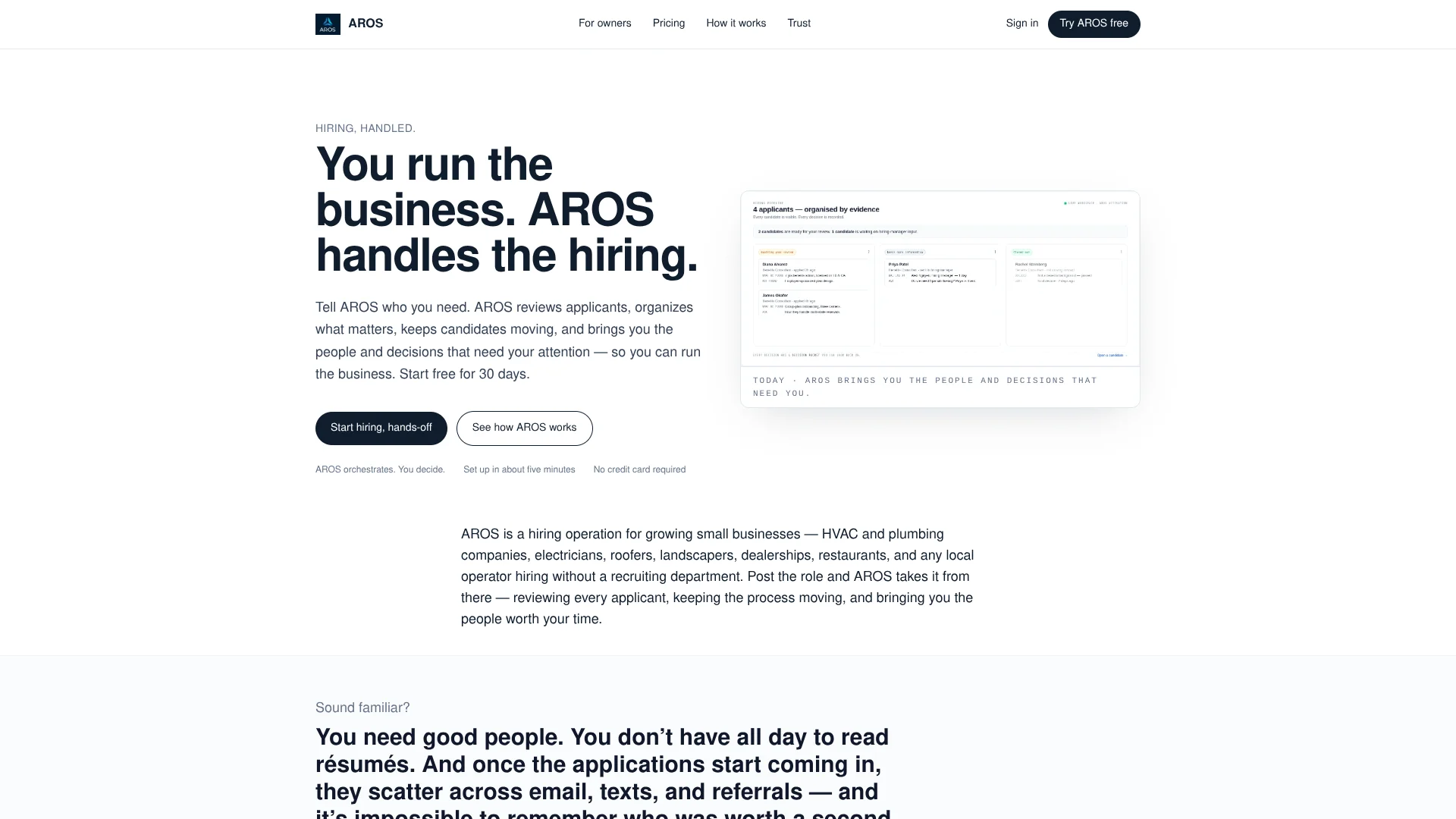
A clear Today view brings forward candidates and hiring decisions that need the owner’s attention.
Hiring managers
Candidate evidence and decision options help managers respond to a recruiter without sorting through every application.
Recruiters
Shared candidate profiles, pipeline stages, notes, and follow-ups help keep open roles moving.
Office managers
Applicant acknowledgments and scheduled follow-ups reduce the routine work of coordinating candidates.
Uncommon Use Cases
Revisit past applicants when a new role opens; keep imported résumés and workforce-organization introductions searchable.
Key Features
Rating Breakdown
Pricing Plans
Standby
$12 per month
- For teams between hiring pushes.
- Keep your workspace, candidate history, and Decision Packets.
Starter
$99 per month
- Full applicant tracking system.
- Decision Packet for every hire.
Growth
$299 per month
- Everything in Starter.
- More than one team member and shared job and candidate pipelines.
Business
$799 per month
- Everything in Growth.
- Advanced reporting, more seats, and priority support.
Enterprise
- For companies with security reviews, custom integrations, or bespoke workflows.
Which AROS plan should you pick?
Choose Starter for solo hiring, Growth when coworkers need shared pipelines, and Business for higher-volume hiring; Standby keeps your workspace between hiring pushes.
Standby
For teams between hiring pushes that want to keep their workspace, candidate history, and Decision Packets.
Starter
For solo hiring managers and first-time hires who need the full applicant tracking system.
Growth
For small businesses hiring several roles a year and needing multiple seats and shared pipelines.
Business
For teams hiring at higher volume that need advanced reporting, more seats, and priority support.
Enterprise
For companies that need security reviews, custom integrations, or bespoke workflows.
AROS Use Cases
Review trade applicants
A role’s applications are organized around relevant experience, credentials, and availability.
Outcome: Hiring teams can focus review on candidates who may meet the role’s needs.
Find candidates in past applicant records
A search for a required skill, certification, location, or schedule can surface people already in the Talent Pool.
Outcome: A new role can draw on candidates the business already knows.
Keep applicants informed
Acknowledgments and scheduled follow-ups help candidates hear back as the hiring process moves forward.
Outcome: Fewer candidates are left waiting without an update.
Record hiring decisions
The Decision Packet documents the selected candidate or pass and the evidence behind the choice.
Outcome: The team has a written record to revisit later.
Share a candidate for a manager’s decision
A hiring manager can review a candidate and submit Hire, Pass, or Need more info through a time-limited link, without an AROS account.
Outcome: The manager’s feedback returns to the candidate record.
Workflow Ideas with AROS
Hire for a service role
- 1Create the role and publish its public job page.
- 2Review AROS’s applicant summaries and candidate evidence.
- 3Make the hiring decision and retain the Decision Packet.
Revisit known candidates
- 1Search the Talent Pool for the role’s experience or credentials.
- 2Review matching candidate profiles and history.
- 3Add suitable candidates to the new role’s pipeline.
Get a hiring manager’s input
- 1Open a candidate record and share it with the hiring manager.
- 2Set the link’s expiration to 1, 3, or 7 days.
- 3Review the manager’s Hire, Pass, or Need more info response in AROS.
How AROS fits into your stack
Browser-based hiring workspace
AROS runs on the web, so teams sign in through a browser rather than installing desktop software.
Job pages and applications
Published roles get public job pages where candidates can apply directly through AROS. Eligible postings may appear through Google Jobs, but visibility is not guaranteed.
Candidate records and résumés
Imported résumés, applications, notes, and candidate history are kept in searchable profiles and pipelines.
Hiring manager review
Time-limited share links let managers review a candidate and send a decision without creating an AROS account.
Pros
- +Decision records: Each hire or pass has a written explanation teams can revisit.
- +Trade-focused search: Candidate searches can include credentials such as EPA 608, CDL, or journeyman electrician.
- +Shared candidate history: Profiles retain application history and notes across roles.
- +Human control: AROS surfaces recommendations, but a person must take consequential hiring actions.
Cons
- −Limited job-board reach: Direct posting connections to major job boards are not available yet.
- −Narrow sourcing: Candidate search is limited to applicants, imported résumés, and candidates already in the Talent Pool.
- −Hiring decisions stay manual: AROS supports decisions but does not hire or reject candidates on its own.
Limitations & when to consider alternatives
Known limitations
- No direct job-board posting connections. AROS says direct connections to LinkedIn, Indeed, ZipRecruiter, and other third-party job boards are coming soon; its public job pages may be eligible for Google Jobs discovery.
- Sourcing is limited to existing channels. AROS does not search LinkedIn, external résumé databases, or third-party job boards for passive candidates.
- Hiring actions require a person. AROS does not make hiring decisions or send a rejection without a human action.
- No formal security certification listed. AROS says it is working toward SOC 2 readiness and does not claim SOC 2, ISO 27001, HIPAA, or GDPR compliance today.
Look elsewhere when
- You need direct posting connections to LinkedIn, Indeed, or ZipRecruiter.
- You need AROS to source passive candidates from external job boards or résumé databases.
- Your organization requires a formal SOC 2, ISO 27001, HIPAA, or GDPR certification.
How to Use AROS
- 1
Set up the role
Enter the job title, team, location, employment type, responsibilities, and requirements so candidates and reviewers see the same role description.
- 2
Publish the job
AROS creates a public job page where candidates can view the role and apply.
- 3
Review the applicant pipeline
Applications arrive in the role’s pipeline with the résumé, source, and initial stage recorded.
- 4
Check candidate evidence
Candidate profiles bring together résumés, application history, interview notes, and communication records.
- 5
Make the call
AROS explains its recommendations, but a person decides whether to invite, interview, hire, or decline.
- 6
Keep the decision record
The Decision Packet records the outcome and the reasoning behind it for future reference.
Who is AROS For?
Growing service businesses
HVAC, plumbing, electrical, roofing, landscaping, cleaning, and pest-control businesses can organize hiring without a recruiting department.
Local operators
Dealerships, restaurants, and other local businesses can keep applicants and hiring decisions in one workspace.
Solo hiring managers
The Starter plan is aimed at managers handling their first hires without a larger recruiting team.
Small businesses hiring several roles a year
Shared pipelines and multiple seats help coworkers review candidates together.
Frequently Asked Questions
Is there a free AROS plan?
AROS offers a 30-day free trial of its paid plans, with no credit card required. The pricing page does not list a free ongoing plan.
How much does AROS cost?
The listed monthly prices are $12 for Standby, $99 for Starter, $299 for Growth, and $799 for Business. Enterprise pricing is custom.
Can AROS post jobs to LinkedIn or Indeed?
Direct posting connections to LinkedIn, Indeed, ZipRecruiter, and other third-party job boards are not available yet. AROS publishes public job pages, and eligible postings may be discoverable through Google Jobs.
Does AROS make hiring decisions?
No. AROS explains candidate recommendations, but a person makes consequential hiring decisions.
Can a hiring manager review a candidate without an AROS account?
Yes. AROS can send a time-limited share link for a hiring manager to review a candidate and submit a decision.
Community reviews
Be the first to share your experience.
Sign in to leave a review for AROS.
AROS Alternatives
Looking for alternatives to AROS? Here are similar tools in the same category: