
AImReply
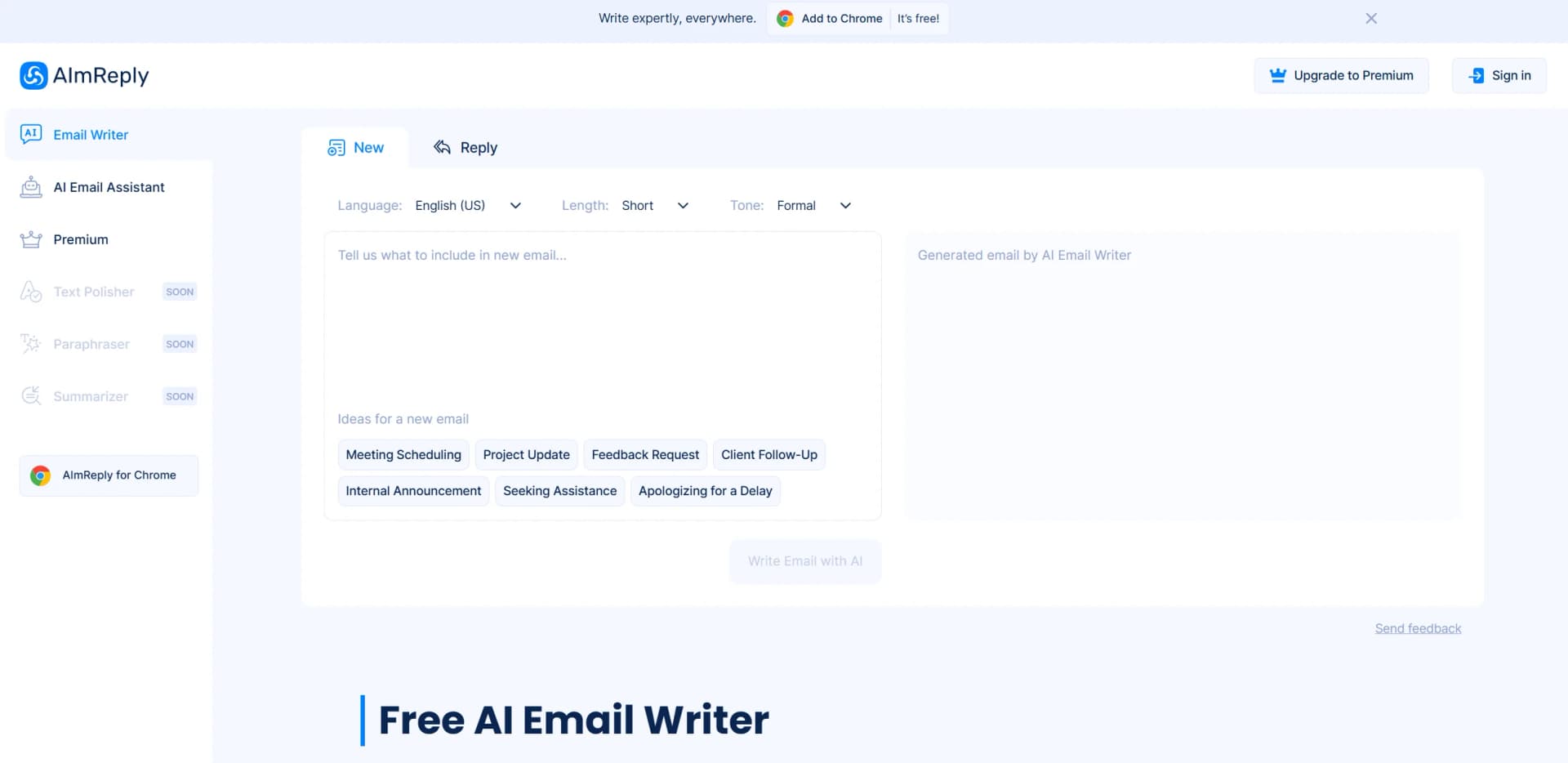
AI Email Writer: Multi-language, customizable, real-time content enhancements.
Watch AImReply in Action
Key Takeaways
- What it is
- AI Email Writer: Multi-language, customizable, real-time content enhancements.
- Pricing
- Freemium
- Best for
- Multi-Language Support
- Tonal and Length Customization
- AI-Powered Suggestions
- Rating
- 4.6/5
What is AImReply?
AImReply, is a cutting-edge AI tool designed to revolutionize the way we approach email writing. This innovative AI Email Writer transforms the process of drafting emails by leveraging advanced artificial intelligence to simplify and enhance email copywriting. Whether you're aiming to inspire an audience, instruct team members, or engage potential clients, AImReply ensures your emails are high-quality and tailored to your specific needs, making email writing less of a chore and more of an efficient task.
AImReply stands out with its comprehensive customization options, allowing users to tailor emails in multiple languages, tones, and lengths. This flexibility, combined with its free access, positions AImReply as a game-changer in the realm of email writing tools, making it accessible to businesses and individuals alike.
AImReply is an invaluable tool for anyone looking to streamline their email writing process. With its robust features and ease of use, it caters to a wide range of users, from businesses to individuals, ensuring that communication is effective, personalized, and efficient. Its unique combination of customization options and free access makes it a standout choice in the AI email writing market.
Who is Using AImReply?
E-commerce Businesses
Utilizing AImReply for personalized customer communication and marketing emails.
Digital Marketing Agencies
Employing the tool for crafting compelling campaign emails.
Customer Support Teams
Leveraging AImReply for quick and accurate client responses.
Academic Institutions
Using the tool to streamline communication among students and faculty.
Uncommon Use Cases
Entrepreneurs enhancing productivity with automated email drafting; freelancers using the tool to manage client communications efficiently.
Key Features
Rating Breakdown
Pricing Plans
Free Tier
Free
- Enjoy unlimited access with no cost
- Providing a budget-friendly solution for email drafting
Which AImReply plan should you pick?
Start with Free for occasional writing and summarization, then upgrade to Premium when you need higher daily generation limits and unrestricted grammar, paraphrasing, and summarization features.
Free
Good for users who need basic email generation, GPT-4o Mini, 17 languages, 12 tones, and limited daily access to writing tools.
Premium
Good for frequent users who need GPT-4o, up to 50 generations per day, and full grammar, paraphrasing, and summarization features.
AImReply Use Cases
Email marketing
Generate tailored email content for marketing campaigns.
Outcome: Faster production of audience-focused email copy.
Client and customer replies
Draft responses to client inquiries and incoming business messages.
Outcome: Quicker, more professional replies.
Internal business communication
Create instructions, updates, and other messages for team members.
Outcome: More consistent workplace correspondence.
Grammar and punctuation checking
Check writing for grammar, spelling, punctuation, tone, and style issues.
Outcome: Clearer and more polished text.
Document summarization
Paste text or upload Word and text files, choose a summary length, and generate a condensed version.
Outcome: Reduced reading time and shorter summaries.
Workflow Ideas with AImReply
Draft and send a professional email
- 1Tell AImReply what the email should say.
- 2Choose the desired tone, language, and length.
- 3Copy the generated message, paste it into the email client, and send it.
Summarize a document
- 1Paste text or upload a Word or text file.
- 2Select the desired summary length.
- 3Submit the content and review the generated summary.
Polish an existing message
- 1Enter the draft message in AImReply.
- 2Use grammar checking or the Improve It feature.
- 3Copy the corrected version into the email or document.
How AImReply fits into your stack
Browser
AImReply is primarily a web-based writing toolkit, with a Chrome extension that brings email writing, grammar correction, and text improvement into browser workflows. The official assistant states that Chrome is currently the supported browser.
Docs and writing
The web tools support drafting emails, checking grammar, paraphrasing text, and summarizing written content. Users can choose language, tone, and output length for writing tasks.
Knowledge and files
The summarizer accepts pasted text and uploaded Word or text files, then produces summaries with selectable length. This positions AImReply as a lightweight document-processing utility rather than a shared knowledge base.
Pros
- +Time Efficiency: Significantly reduces the time spent drafting emails, allowing users to focus on more critical tasks.
- +Cost-Effective: Offers a free tier with unlimited access, democratizing access to advanced email tools.
- +Versatile Usage: Suitable for a wide array of email types, from marketing campaigns to daily communications.
- +Integration with Chrome: Easily integrates with your browser for a streamlined email workflow.
Cons
- −Initial Learning Curve: While user-friendly, some users may need time to explore all customization options fully.
- −Limited Third-Party Integrations: Currently, integration capabilities beyond Chrome are limited.
Limitations & when to consider alternatives
Known limitations
- Daily generation limits. The Free plan allows up to 15 generations per day, while Premium allows up to 50 generations per day.
- Chrome-only email extension. The email assistant is documented as available for Google Chrome, not Safari or Firefox.
How to Use AImReply
- 1
Open the email writer
Use the web-based AImReply email writer when you need to create a new message or reply.
- 2
Provide the message context
Enter the email content or explain what you want the generated message to communicate.
- 3
Choose language, tone, and length
Select the output language, tone, and preferred message length before generating.
- 4
Generate and review
Run the tool, then review the generated email for accuracy and appropriateness.
- 5
Use the Chrome extension
Install the AImReply Chrome extension to generate or improve messages inside supported email platforms.
- 6
Summarize documents when needed
Paste text or upload a Word or text file, select a summary length, and generate the condensed output.
Who is AImReply For?
Businesses and corporates
AImReply supports consistent internal and external business communications and email drafting.
Marketing professionals
The tools help create email marketing content and polish written communications.
Students
Grammar checking, paraphrasing, and summarization can help students improve and condense writing.
Business professionals
The email writer helps professionals compose client, supplier, colleague, and workplace messages.
Frequently Asked Questions
Is AImReply free to use?
Yes. AImReply offers free email-writing and other writing tools, with daily generation limits depending on the plan.
Which languages does AImReply support?
The email writer supports up to 17 languages, including English, Arabic, Chinese, French, German, Hindi, Italian, Japanese, Korean, Portuguese, Russian, Slovenian, and Spanish.
Which email platforms does the assistant support?
The Chrome-based email assistant works with Gmail, Outlook, AOL, and Yahoo.
Does AImReply read users' emails?
AImReply says it analyzes incoming-message text only after the user clicks the extension icon.
Which browsers support the email assistant?
The email assistant is currently accessible through Google Chrome and is not available for Safari or Firefox.
Which document formats can the summarizer process?
Users can paste text or upload files such as Word documents and text files.
Community reviews
Be the first to share your experience.
Sign in to leave a review for AImReply.
AImReply Alternatives
Looking for alternatives to AImReply? Here are similar tools in the same category:
Learn to Master AImReply
With Skill Leap courses
Get in-depth training on AImReply and 50+ other AI tools with our expert-led video courses.
Start 7-Day Free Trial