AIApply
Send tailored job applications automatically using your profile and saved answers.
Key Takeaways
- What it is
- Send tailored job applications automatically using your profile and saved answers.
- Pricing
- $29 per month · $19 per month · $49 per month · $99 per month · $199 per quarter · $12 per month
- Best for
- Auto Apply
- Resume Builder
- Cover Letter Generator
- Rating
- 3.9/5
What is AIApply?
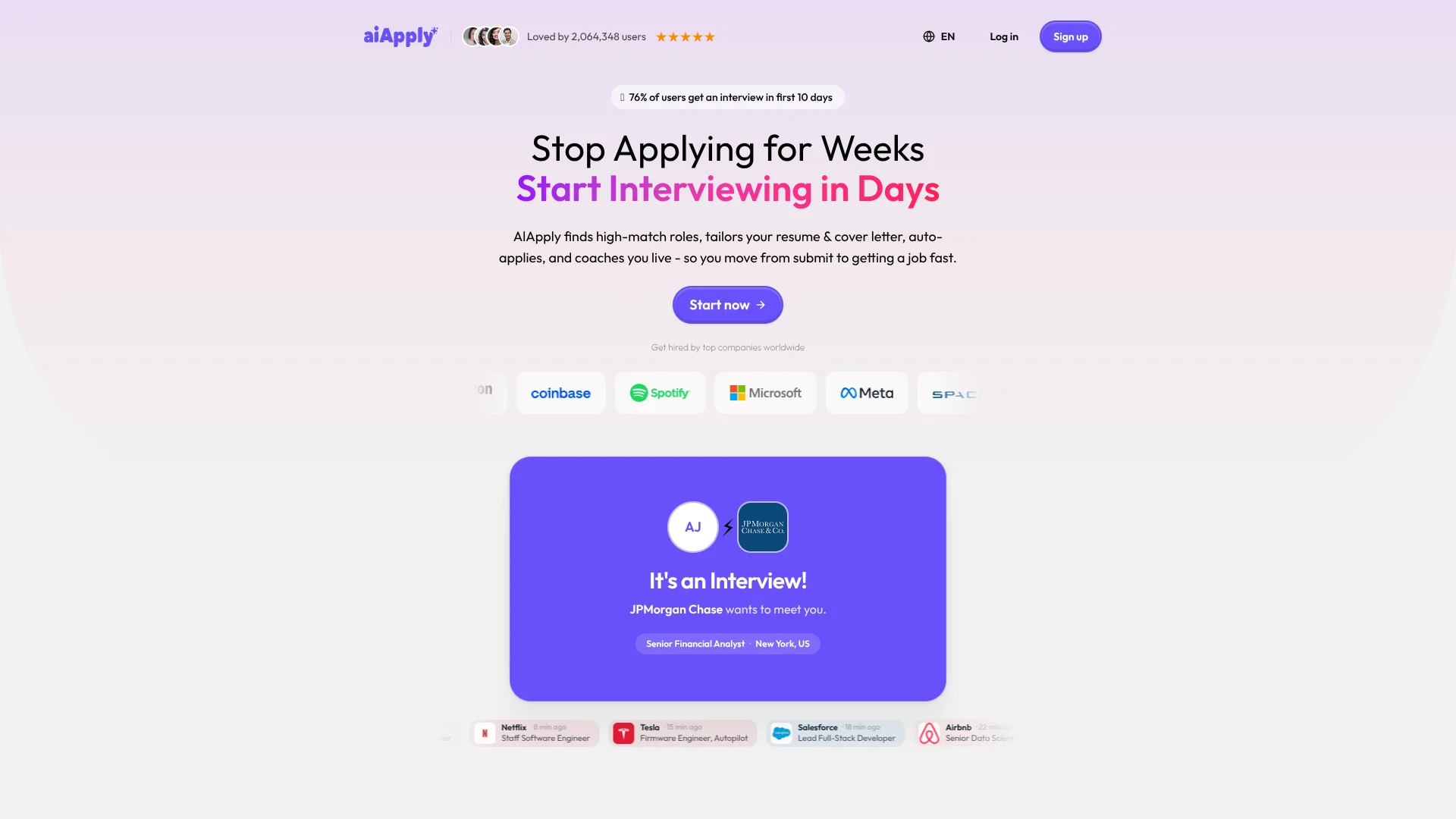
AIApply helps job seekers find matching openings, prepare application materials, and send applications with less repetitive form-filling. Its resume and cover letter tools tailor documents to a job posting, while Auto Apply can submit applications based on your profile and preferences. The goal is to spend less time repeating the same steps and more time reviewing opportunities and preparing for interviews.
Auto Apply can handle multi-step application forms, using your profile and saved answers to fill in details beyond a resume submission. You can choose Auto, Hybrid, or Review mode, which determines whether applications go out automatically or wait for your approval.
AIApply is best suited to active job seekers who want help tailoring applications or applying to many roles. Auto Apply uses credits, and some company application systems are not supported, so it is worth checking what was submitted and keeping a close eye on your application queue.
Who is Using AIApply?
Job seekers
A resume profile and job preferences guide matching and application submissions.
Career coaches
The resume builder and mock interview tools can support clients preparing for applications and interviews.
Recent graduates
The job board, limited free cover letters, and mock interviews can help with early applications.
Experienced professionals
Separate resume versions and job-specific tailoring support searches for different roles.
Uncommon Use Cases
Translate a resume for applications in another language; prepare follow-up email templates through the Application Kit.
Key Features
Rating Breakdown
Pricing Plans
Premium
$29 per month
- $144.00 per year with annual billing.
- Includes the Resume Builder, Cover Letter Generator, Application Kit, and Mock Interview Tool.
Interview Buddy
$19 per month
- $99.00 per year with annual billing.
- Sold as a separate subscription.
Auto Apply: 100 applications
$49 per month
- One successfully submitted application uses one credit.
Auto Apply: 250 applications
$99 per month
- One successfully submitted application uses one credit.
Auto Apply: 750 applications
$199 per quarter
- All 750 credits are available from the start of the billing period.
Auto Apply add-ons
$12 per month
- Tailored Resume: $12.00 per month.
- Tailored Cover Letter: $12.00 per month.
Which AIApply plan should you pick?
Start with the free subscription to try limited tools, then choose Premium for the toolkit, Interview Buddy for live interview help, or Auto Apply if you want applications submitted for you.
Free subscription
Good for job seekers who want to try the job board, save roles, and test limited cover letters or mock interviews.
Premium
Good for job seekers who need the Resume Builder, Cover Letter Generator, Application Kit, and Mock Interview Tool.
Auto Apply
Good for job seekers who want applications submitted on their behalf and can choose an application-volume plan.
Interview Buddy
Good for candidates who want suggestions during live interviews.
AIApply Use Cases
Submitting applications at scale
A daily application cap and job criteria let Auto Apply submit matching applications at a chosen pace.
Outcome: Applications go out without manually completing every supported form.
Tailoring a resume to a role
A job-specific resume reflects the posting and your profile information.
Outcome: A resume tailored to that application.
Preparing an application package
The Application Kit brings together a tailored resume, cover letter, and follow-up email template for a job.
Outcome: A set of materials prepared for a specific role.
Practicing for interviews
Mock interviews let candidates rehearse questions before meeting an employer.
Outcome: Practice ahead of a job interview.
Getting live interview help
Interview Buddy provides suggestions during interviews and saves transcripts in your account.
Outcome: Live suggestions and an account transcript.
Workflow Ideas with AIApply
Set up a controlled job search
- 1Add or build a resume and complete your profile.
- 2Set job titles, locations, and other preferences.
- 3Choose Hybrid or Review mode and set a daily application limit.
Prepare materials for a specific opening
- 1Open the job posting you want to pursue.
- 2Create a tailored resume and cover letter with the Application Kit.
- 3Review the documents before sending your application.
Practice after applications go out
- 1Check the application dashboard for updates.
- 2Rehearse likely questions with the Mock Interview Tool.
- 3Use Interview Buddy for live suggestions during an interview.
How AIApply fits into your stack
Job search
The job board and matching tools help you find roles based on your resume and preferences.
Resume and cover letter writing
The Resume Builder, Cover Letter Generator, and Application Kit prepare materials for individual job postings.
Application workflow
Auto Apply submits supported applications and tracks them in your dashboard; unsupported company systems may need a manual application.
Interview preparation
Mock interviews support practice, while Interview Buddy provides live suggestions and transcripts.
Phone access
The iPhone app supports Auto Apply and account access, with activity shared with the web app.
Pros
- +Application modes: Choose automatic submission or keep approval in your hands with Hybrid or Review mode.
- +Job-specific materials: Tailored resumes and cover letters can match each application instead of reusing one generic set.
- +Application review: The dashboard lets you inspect materials submitted for individual jobs.
- +Credit control: Set a daily application limit from 10 to 100.
Cons
- −Several subscriptions: Auto Apply, Premium, and Interview Buddy are separate products, so costs can add up if you need all of them.
- −Less control in Auto mode: Applications are submitted without your approval.
- −Phone support is limited to iPhone: There is no Android app.
Limitations & when to consider alternatives
Known limitations
- Some application systems are unsupported. Auto Apply skips applications it cannot submit through its system, and those attempts do not use a credit.
- Credits limit submissions. Auto Apply stops when its available credits run out, until the plan renews or you upgrade.
- Free access excludes key products. The free subscription does not include Auto Apply or Interview Buddy.
- No Android app. AIApply's mobile app is currently for iPhone; Android users can use the web app.
Look elsewhere when
- You need an Android app for managing applications on your phone.
- You need Auto Apply to submit applications on company systems it does not support.
- You want a free subscription that includes automatic applications or live interview coaching.
How to Use AIApply
- 1
Build your profile
Add your work history, education, skills, and resume so AIApply can use accurate information for matching and applications.
- 2
Choose your job preferences
Set target roles and locations to guide the opportunities AIApply searches for.
- 3
Select an application mode
Auto submits matching applications without approval; Hybrid and Review let you approve some or all suggestions.
- 4
Set the application pace
Choose a daily limit from 10 to 100 applications to control how quickly credits are used.
- 5
Check each submission
Review the dashboard to see application history and the materials submitted for a job.
Who is AIApply For?
Active job seekers
Auto Apply can reduce repetitive work when you are applying to many roles that fit your criteria.
Job seekers tailoring applications
The resume and cover letter tools help adapt your materials to specific job postings.
Interview candidates
Mock interviews and Interview Buddy offer practice and live interview support.
Frequently Asked Questions
Is there a free plan?
Yes. Free access includes limited tools, such as the job board, saved jobs, up to two mock interviews, and a limited number of cover letters. Auto Apply and Interview Buddy are not included.
How much does AIApply cost?
Premium is $29 per month or $144 per year. Interview Buddy is $19 per month or $99 per year. Auto Apply has separate plans tied to application volume, including 100 applications for $49 per month, 250 for $99 per month, and 750 for $199 per quarter.
Does Auto Apply submit every application?
It can handle multi-step forms, but some company application systems are unsupported. Those applications are skipped and do not use a credit.
Can I review applications before they are sent?
Yes. Review mode requires approval for every suggested job. Hybrid mode automatically submits jobs with a fit score of 75 or higher and holds lower-scoring jobs for review.
Is there an AIApply phone app?
Yes, AIApply has an iPhone app. It is not currently available for Android.
Can I cancel a subscription?
You can cancel from Settings under Billing. Access continues until the end of the current billing period.
Community reviews
3 reviews from people who use AIApply.
Sign in to leave a review for AIApply.
Documind
Tyler Hatch
Aidan Cramer
AIApply Alternatives
Looking for alternatives to AIApply? Here are similar tools in the same category: